StartServer won't launch after setting it up following forum post
-

I went through all steps to making my own server and then when i got to launching startserver step, it doesnt launch, can anyone help me?
-
Post a screenshot, we're not mind readers bud.
-

-

-
Run Downloader
Now Run StartServer
Fry Still nothing.
-
Oh you on drive d. So you need to right click on downloader file and edit your location line
@echo off
Plutonium.exe -install-dir "D:\Games\steamapps\common\Call of Duty Modern Warfare 3" -update-only
Save the file. Run Downloader again
-
Oh you on drive d. So you need to right click on downloader file and edit your location line
@echo off
Plutonium.exe -install-dir "D:\Games\steamapps\common\Call of Duty Modern Warfare 3" -update-only
Save the file. Run Downloader again
Fry do i also need to change my location for my startserver?
-
-
Yes that too.
-
Bank wait wouldnt it be D:\Games\Steam\steamapps\common\Call of Duty Modern Warfare 3
-
Does server have a bin folder now?
Open command prompt to that folder and type in StartServer.bat and see what it says -
Does server have a bin folder now?
Open command prompt to that folder and type in StartServer.bat and see what it says
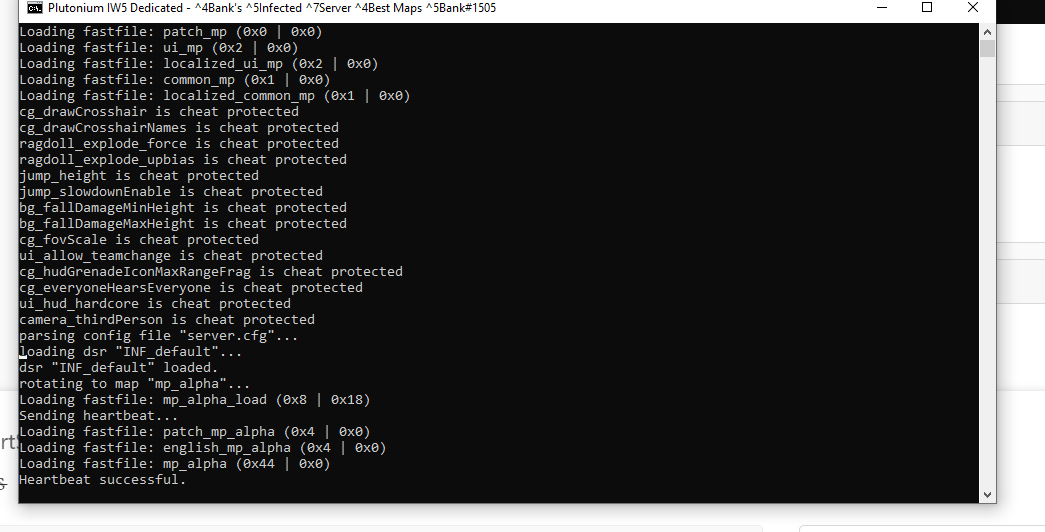
Fry now i changed it to D:\Games\Steam\steamapps\common\Call of Duty Modern Warfare 3 its running.
-
Fry now i changed it to D:\Games\Steam\steamapps\common\Call of Duty Modern Warfare 3 its running.
-
-
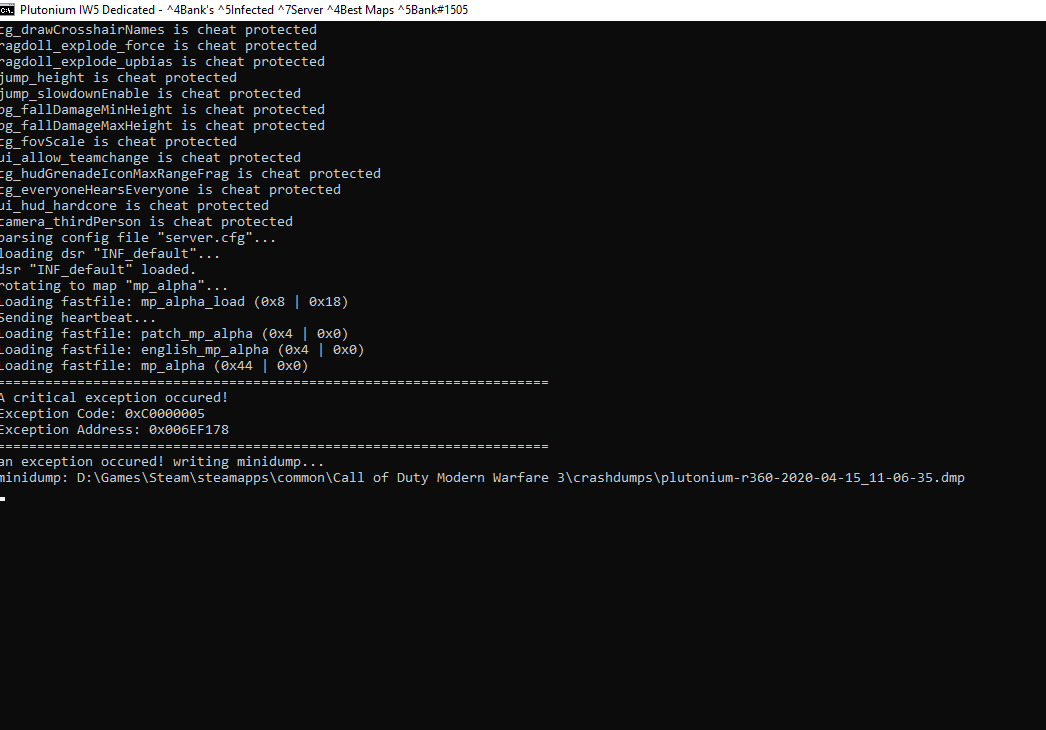
Fry now i have to run into another problem dont i, ofc.
-
-
Run it again. first time always buggy.
Fry it wont close
-
Crtl+alt+delete and close windows command processor
-
Crtl+alt+delete and close windows command processor
Fry ooo
-
Hello! It looks like you're interested in this conversation, but you don't have an account yet.
Getting fed up of having to scroll through the same posts each visit? When you register for an account, you'll always come back to exactly where you were before, and choose to be notified of new replies (either via email, or push notification). You'll also be able to save bookmarks and upvote posts to show your appreciation to other community members.
With your input, this post could be even better 💗
Register Login