My own server wont appear in the server list
-
-

4976 or 4977, whichever port you specified.
-
My friends are able to see the server and join but it wont show up on my pc
-
-
None of those work, If I open the game first and then the server it wont show up on my friends list, neither does in mine
When I use these commands this shows up: "Joining game session..." but nothing loads

Dario_KD the server will run on port 4977 as the game already uses 4976. Make sure 4977 is forwarded in your router.
-
-
When I use these commands ati first it shows up: "Joining game session..." but nothing loads
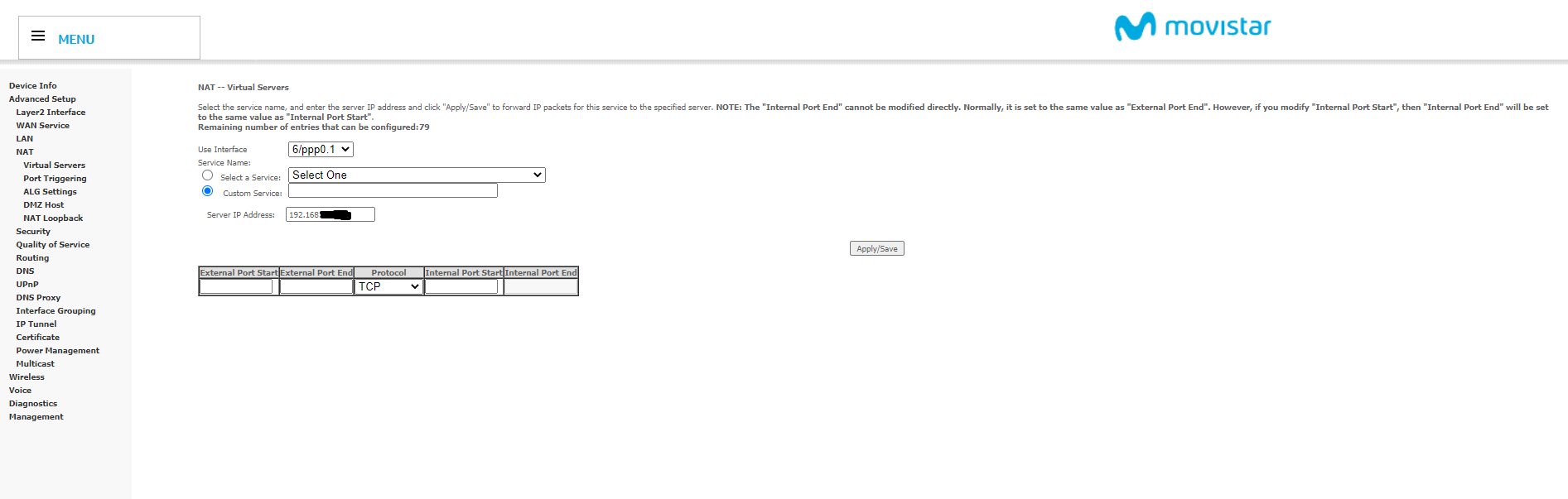
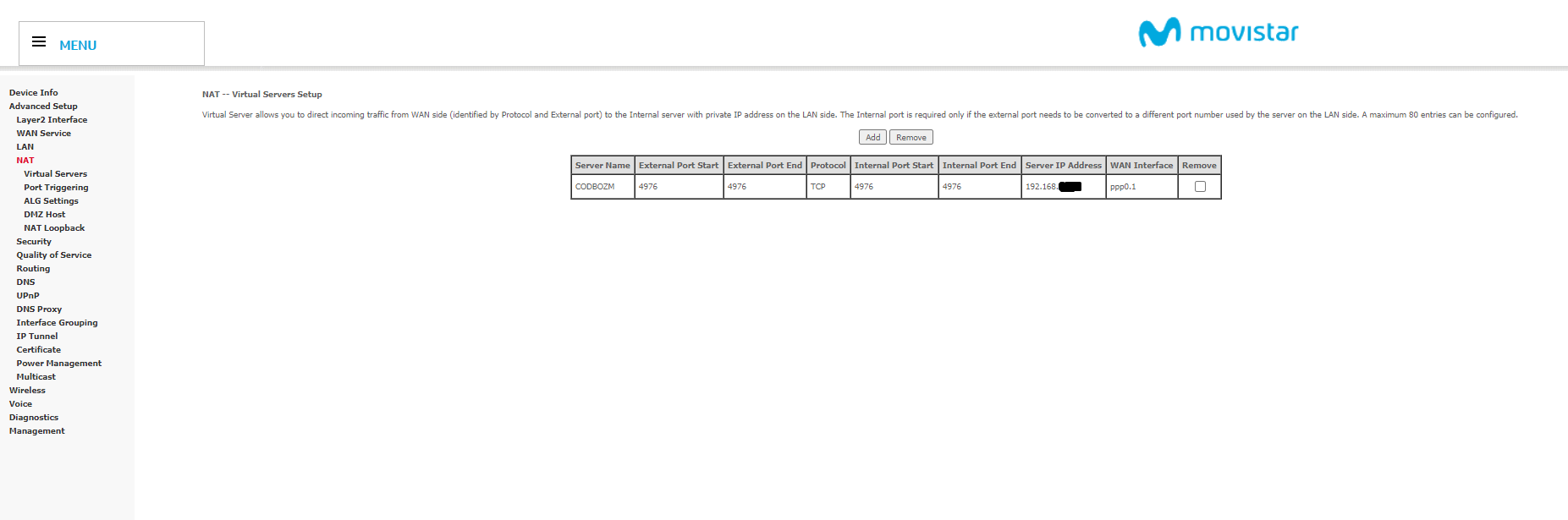
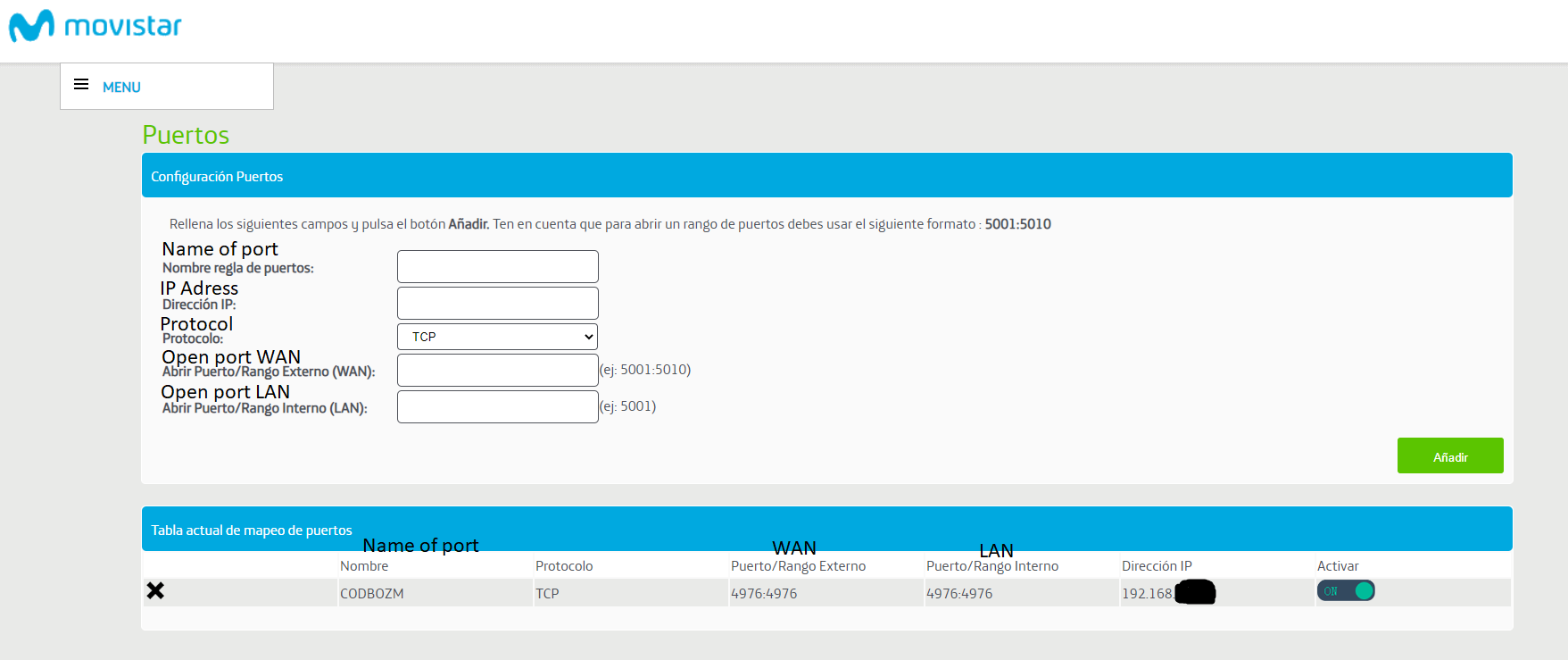
Dario_KD post a screenshot of your port forwarding settings.
-
-

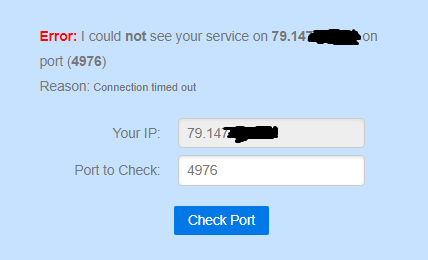
Also whenever I check a port in "https://canyouseeme.org/" none work
-
Also whenever I check a port in "https://canyouseeme.org/" none work
Dario_KD because you need to open port 4977 for udp traffic, not tcp.
-


Hello! It looks like you're interested in this conversation, but you don't have an account yet.
Getting fed up of having to scroll through the same posts each visit? When you register for an account, you'll always come back to exactly where you were before, and choose to be notified of new replies (either via email, or push notification). You'll also be able to save bookmarks and upvote posts to show your appreciation to other community members.
With your input, this post could be even better 💗
Register Login