Skip to content
  • 0 Unread 0
  • Recent
  • Tags
  • Popular
  • Users
  • Groups
  • Donate
Collapse

Plutonium

  1. Home
  2. Launcher Support
  3. how to fix this when press Play!
how to fix this when press Play!

Scheduled Pinned Locked Moved Launcher Support
16 Posts 3 Posters 974 Views 1 Watching
  • Oldest to Newest
  • Newest to Oldest
  • Most Votes
Reply
  • Reply as topic
Log in to reply
This topic has been deleted. Only users with topic management privileges can see it.
  • Karar Karar

    my username in arabic ذكاء التقنيه
    C:\Program Files (x86)\Call Of Duty Black Ops 2

    Dss0 Offline
    Dss0 Offline
    Dss0
    Plutonium Staff
    wrote on last edited by
    #4

    Karar move the launcher to your game folder or to C:, it's having issues with your username.
    Also if the game is in program files you always need to run the launcher as admin, if you don't wanna do that move launcher and game to C:\Games.

    1 Reply Last reply
    0
    • Karar Offline
      Karar Offline
      Karar
      wrote on last edited by
      #5

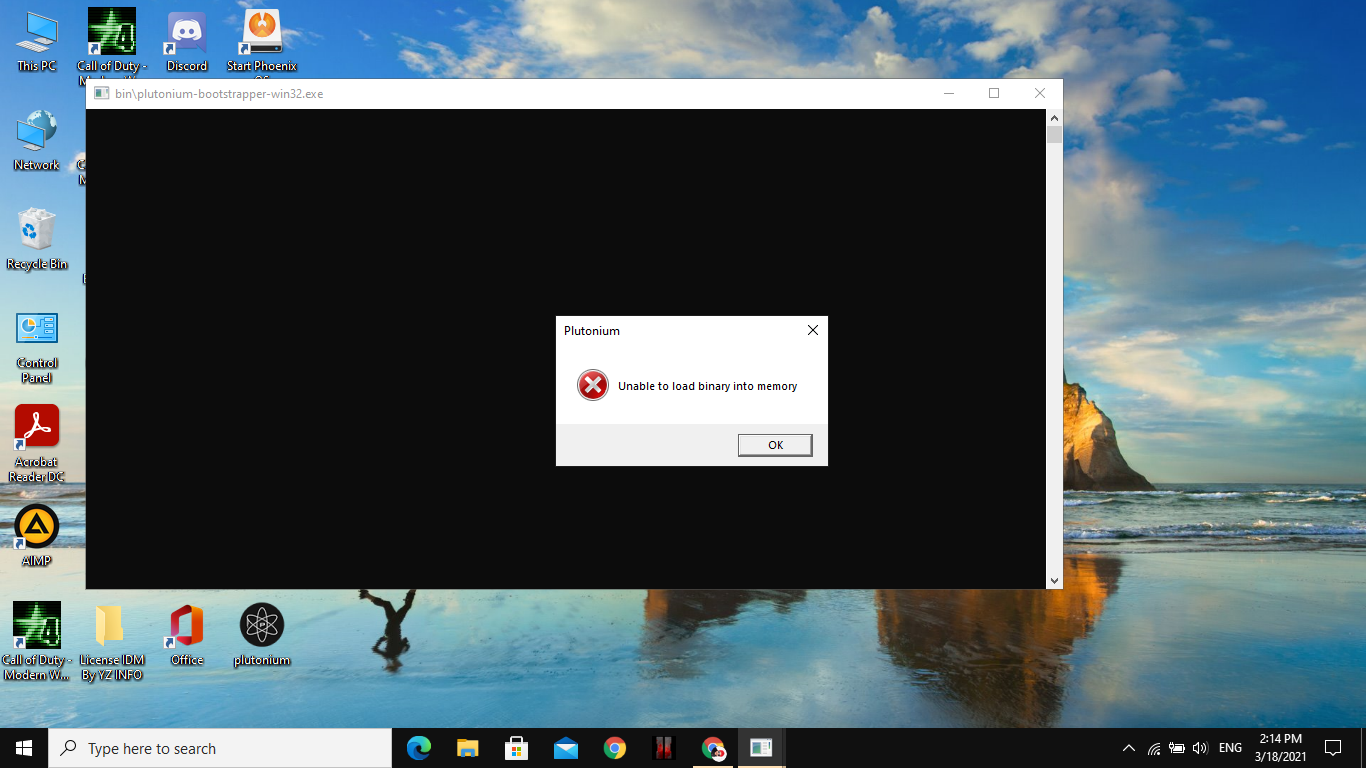
      same

      first time dx error
      now this???
      pls help

      Dss0 1 Reply Last reply
      0
      • Karar Karar

        same

        first time dx error
        now this???
        pls help

        Dss0 Offline
        Dss0 Offline
        Dss0
        Plutonium Staff
        wrote on last edited by
        #6

        Karar ah yes, i forgot. Ofc the issue still persists because the pluto clientfiles are in C:\Users\ذكاء التقنيه
        So the only thing you can do to fix this is to change your windows username to something that does not contain arabic characters.

        Karar 2 Replies Last reply
        1
        • Xerxes Offline
          Xerxes Offline
          Xerxes
          Plutonium Staff
          wrote on last edited by
          #7

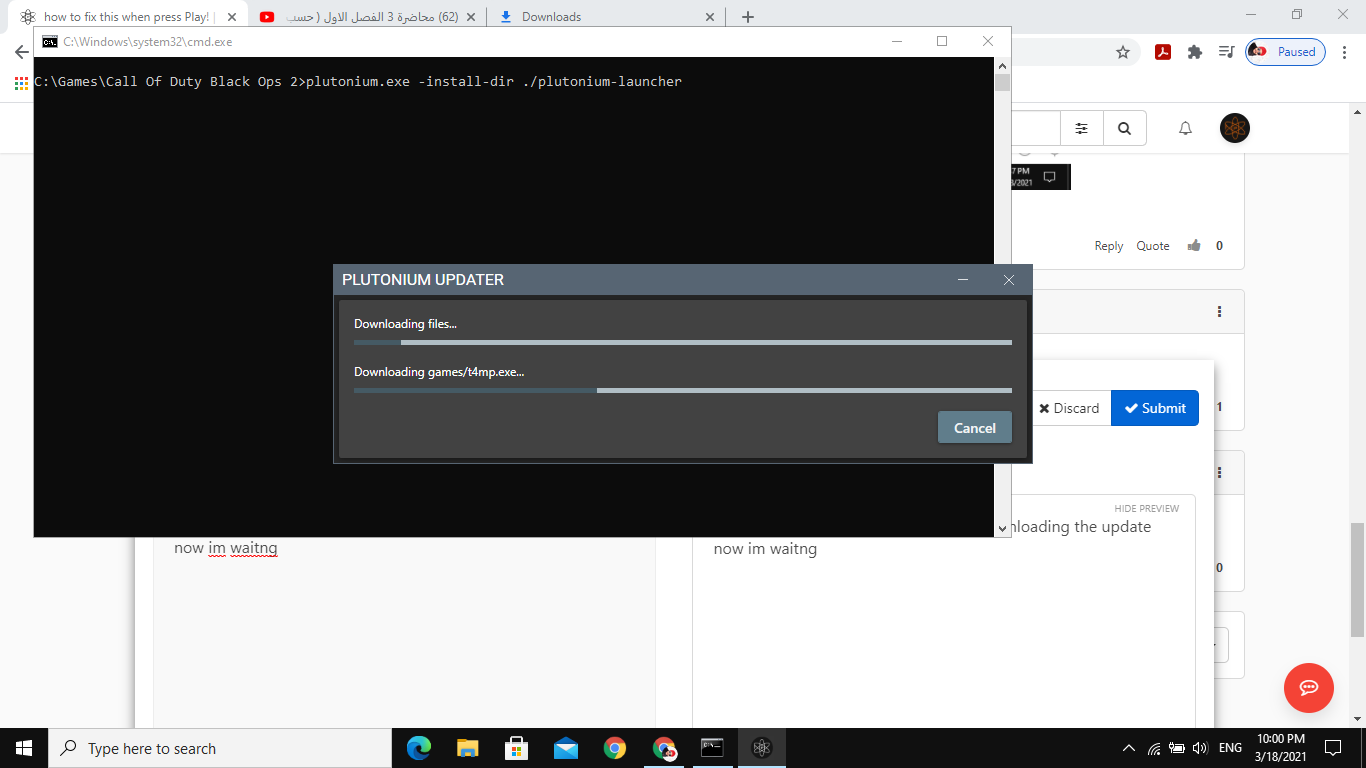
          Create a bat file with the following content next to your plutonium.exe in C:\games and run it. It will change the path the launcher uses to store its files.

          plutonium.exe -install-dir ./plutonium-launcher

          1 Reply Last reply
          0
          • Dss0 Dss0

            Karar ah yes, i forgot. Ofc the issue still persists because the pluto clientfiles are in C:\Users\ذكاء التقنيه
            So the only thing you can do to fix this is to change your windows username to something that does not contain arabic characters.

            Karar Offline
            Karar Offline
            Karar
            wrote on last edited by
            #8

            Dss0 ill see

            1 Reply Last reply
            0
            • Dss0 Dss0

              Karar ah yes, i forgot. Ofc the issue still persists because the pluto clientfiles are in C:\Users\ذكاء التقنيه
              So the only thing you can do to fix this is to change your windows username to something that does not contain arabic characters.

              Karar Offline
              Karar Offline
              Karar
              wrote on last edited by
              #9

              Dss0 same!!
              idnno why this
              mybye change windows?

              Dss0 1 Reply Last reply
              0
              • Karar Karar

                Dss0 same!!
                idnno why this
                mybye change windows?

                Dss0 Offline
                Dss0 Offline
                Dss0
                Plutonium Staff
                wrote on last edited by
                #10

                Karar try what Xerxes said.

                Karar 1 Reply Last reply
                1
                • Dss0 Dss0

                  Karar try what Xerxes said.

                  Karar Offline
                  Karar Offline
                  Karar
                  wrote on last edited by
                  #11

                  Dss0 i didnt understand him
                  mybe this problem only appear to me
                  waht verson of direct x ?

                  Dss0 1 Reply Last reply
                  0
                  • Karar Karar

                    Dss0 i didnt understand him
                    mybe this problem only appear to me
                    waht verson of direct x ?

                    Dss0 Offline
                    Dss0 Offline
                    Dss0
                    Plutonium Staff
                    wrote on last edited by
                    #12

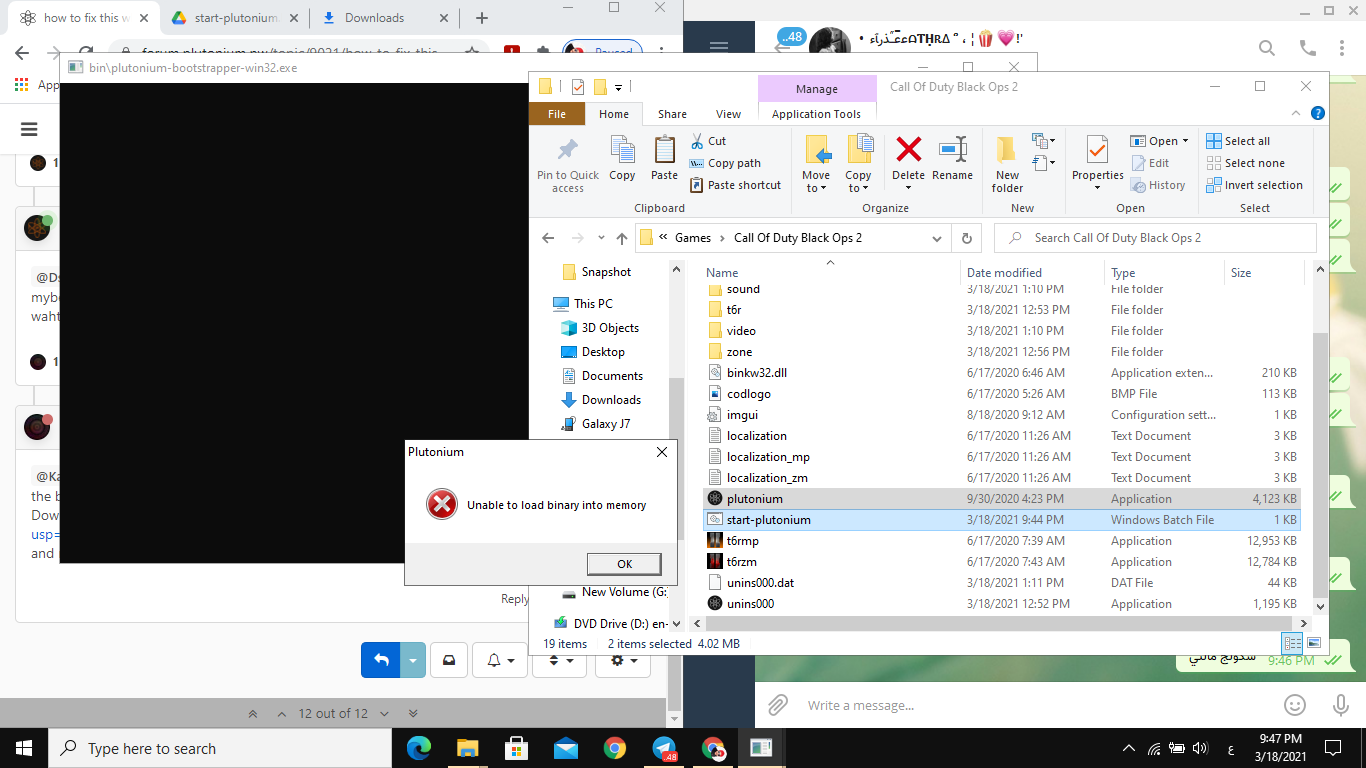
                    Karar it's not directx related, it's related to some non-standard symbols in either the path to the bootstrapper or the path to the game files.
                    Download this https://drive.google.com/file/d/1UqXm0bfaj8SMcjQwqetiezLR5ZoH0HOC/view?usp=sharing, put it in the same folder that plutonium.exe is in (which should now be C:\Games) and run it.

                    1 Reply Last reply
                    0
                    • Karar Offline
                      Karar Offline
                      Karar
                      wrote on last edited by
                      #13

                      اغغا.png
                      same

                      Dss0 1 Reply Last reply
                      0
                      • Karar Karar

                        اغغا.png
                        same

                        Dss0 Offline
                        Dss0 Offline
                        Dss0
                        Plutonium Staff
                        wrote on last edited by
                        #14

                        Karar you started the start-plutonium file?

                        Karar 1 Reply Last reply
                        1
                        • Dss0 Dss0

                          Karar you started the start-plutonium file?

                          Karar Offline
                          Karar Offline
                          Karar
                          wrote on last edited by Karar
                          #15

                          Dss0 umm i start the bat and its re downloading the update now im waitnght.png

                          1 Reply Last reply
                          0
                          • Karar Offline
                            Karar Offline
                            Karar
                            wrote on last edited by
                            #16

                            omg thanks its work

                            1 Reply Last reply
                            1

                            Hello! It looks like you're interested in this conversation, but you don't have an account yet.

                            Getting fed up of having to scroll through the same posts each visit? When you register for an account, you'll always come back to exactly where you were before, and choose to be notified of new replies (either via email, or push notification). You'll also be able to save bookmarks and upvote posts to show your appreciation to other community members.

                            With your input, this post could be even better 💗

                            Register Login
                            Reply
                            • Reply as topic
                            Log in to reply
                            • Oldest to Newest
                            • Newest to Oldest
                            • Most Votes


                            • Login

                            • Don't have an account? Register

                            • Login or register to search.
                            • First post
                              Last post
                            0
                            • Unread 0
                            • Recent
                            • Tags
                            • Popular
                            • Users
                            • Groups
                            • Donate