Skip to content
  • 0 Unread 0
  • Recent
  • Tags
  • Popular
  • Users
  • Groups
Collapse

Plutonium

  1. Home
  2. BO2 Client Support
  3. My black ops 2 refuses to launch
My black ops 2 refuses to launch

Scheduled Pinned Locked Moved BO2 Client Support
6 Posts 3 Posters 339 Views 1 Watching
  • Oldest to Newest
  • Newest to Oldest
  • Most Votes
Reply
  • Reply as topic
Log in to reply
This topic has been deleted. Only users with topic management privileges can see it.
  • Seebee_1undefined Offline
    Seebee_1undefined Offline
    Seebee_1
    wrote on last edited by
    #1

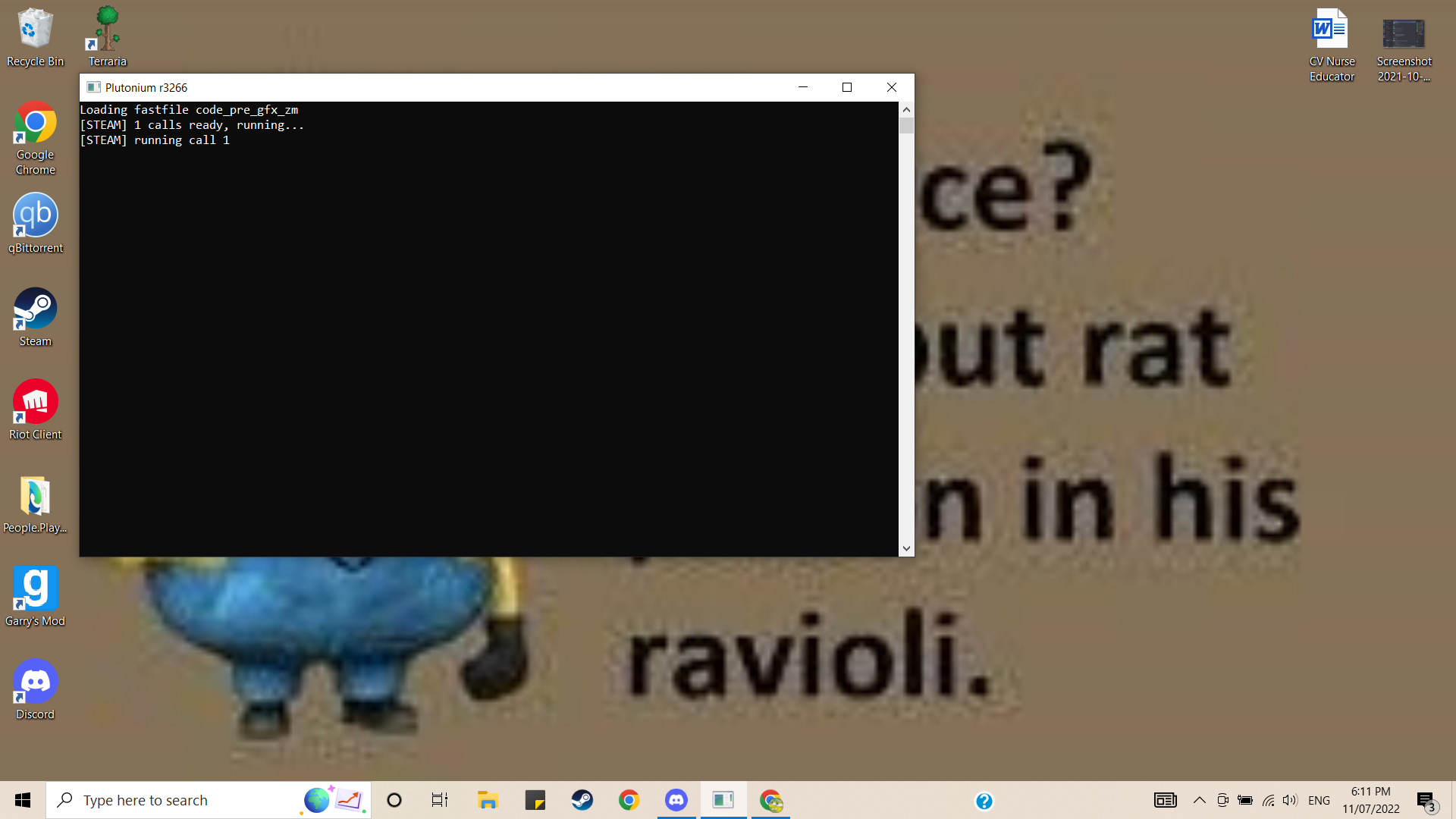
    Screenshot (71).png My game gets stuck loading like this. I've tried literally everything. I've repaired my game atleast 20 times. I've factory reset my whole PC. Nothing has helped. I dont have any external AV. I have set exclusions for windows defender. It still stays the same.

    1 Reply Last reply
    0
    • RedxSkullundefined Offline
      RedxSkullundefined Offline
      RedxSkull
      wrote on last edited by
      #2

      Make sure when setting up exclusions for windows defender or any AV that it's set for

      plutonium-bootstrapper-win32.exe and plutonium-launcher-win32.exe

      located in AppData\Local\Plutonium\bin

      Seebee_1undefined 1 Reply Last reply
      0
      • bZTundefined Offline
        bZTundefined Offline
        bZT
        wrote on last edited by
        #3

        estou tendo o mesmo erro mas não sei o que fazer

        1 Reply Last reply
        1
        • RedxSkullundefined RedxSkull

          Make sure when setting up exclusions for windows defender or any AV that it's set for

          plutonium-bootstrapper-win32.exe and plutonium-launcher-win32.exe

          located in AppData\Local\Plutonium\bin

          Seebee_1undefined Offline
          Seebee_1undefined Offline
          Seebee_1
          wrote on last edited by
          #4

          RedxSkull I have done that as well

          1 Reply Last reply
          0
          • RedxSkullundefined Offline
            RedxSkullundefined Offline
            RedxSkull
            wrote on last edited by
            #5

            Did you run the Redist files like updating DirectX and VC_redist. If that doesn't work then you could try updating windows, I've seen people with your kind of issue and it's usually either AV or they didn't run the Redist files


            Seebee_1undefined 1 Reply Last reply
            0
            • RedxSkullundefined RedxSkull

              Did you run the Redist files like updating DirectX and VC_redist. If that doesn't work then you could try updating windows, I've seen people with your kind of issue and it's usually either AV or they didn't run the Redist files

              Seebee_1undefined Offline
              Seebee_1undefined Offline
              Seebee_1
              wrote on last edited by
              #6

              RedxSkull Done both

              1 Reply Last reply
              0

              Hello! It looks like you're interested in this conversation, but you don't have an account yet.

              Getting fed up of having to scroll through the same posts each visit? When you register for an account, you'll always come back to exactly where you were before, and choose to be notified of new replies (either via email, or push notification). You'll also be able to save bookmarks and upvote posts to show your appreciation to other community members.

              With your input, this post could be even better 💗

              Register Login
              Reply
              • Reply as topic
              Log in to reply
              • Oldest to Newest
              • Newest to Oldest
              • Most Votes


              • Login

              • Don't have an account? Register

              • Login or register to search.
              • First post
                Last post
              0
              • Unread 0
              • Recent
              • Tags
              • Popular
              • Users
              • Groups