erro binkw32.dll

-
 ao abrir o jogo tame a dar este erro logo ao escolher o jogo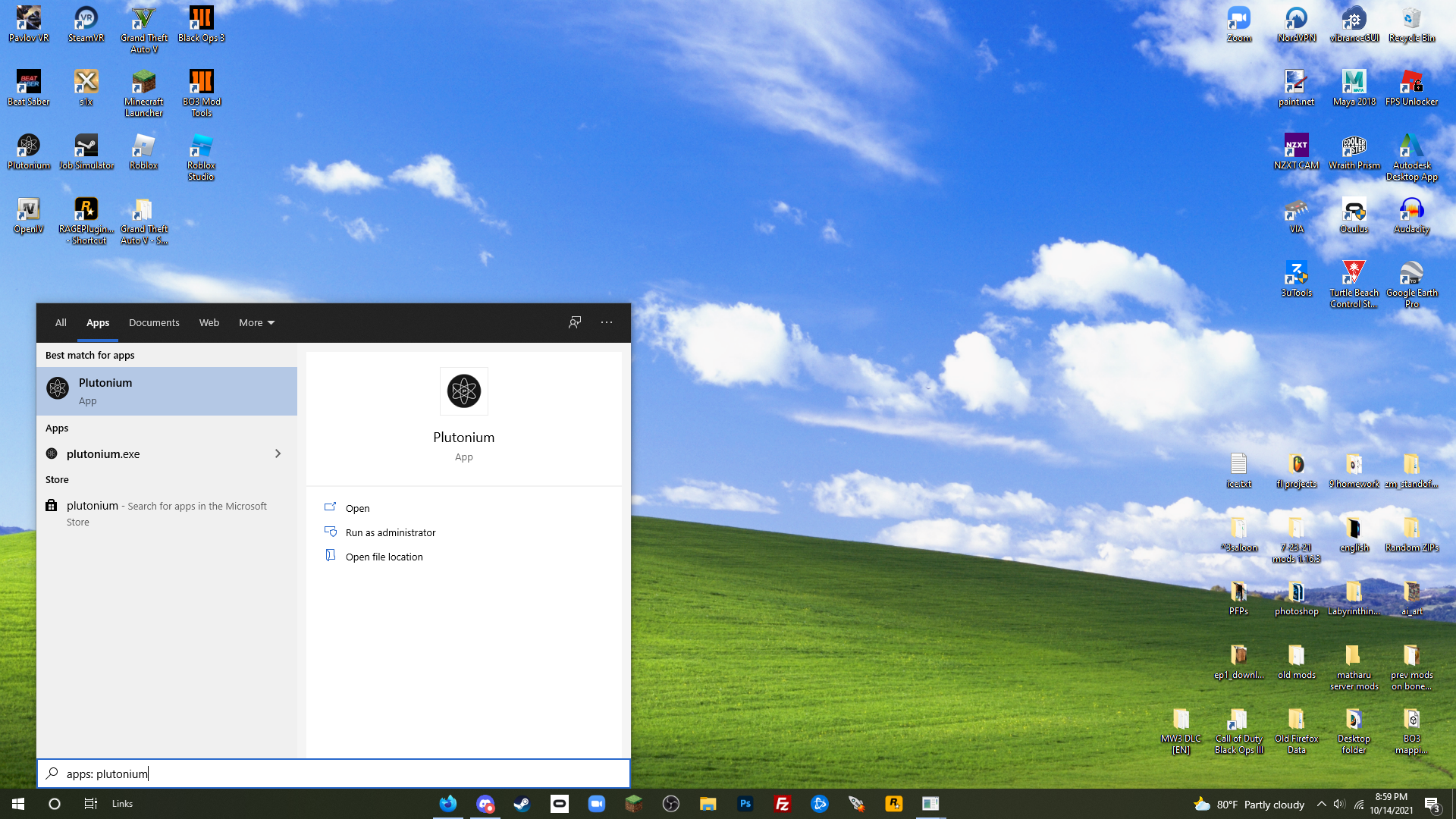
Step 2: Click game settings on the game you are trying to launch. It is next to the big green "play" button—This will open a window on the right.
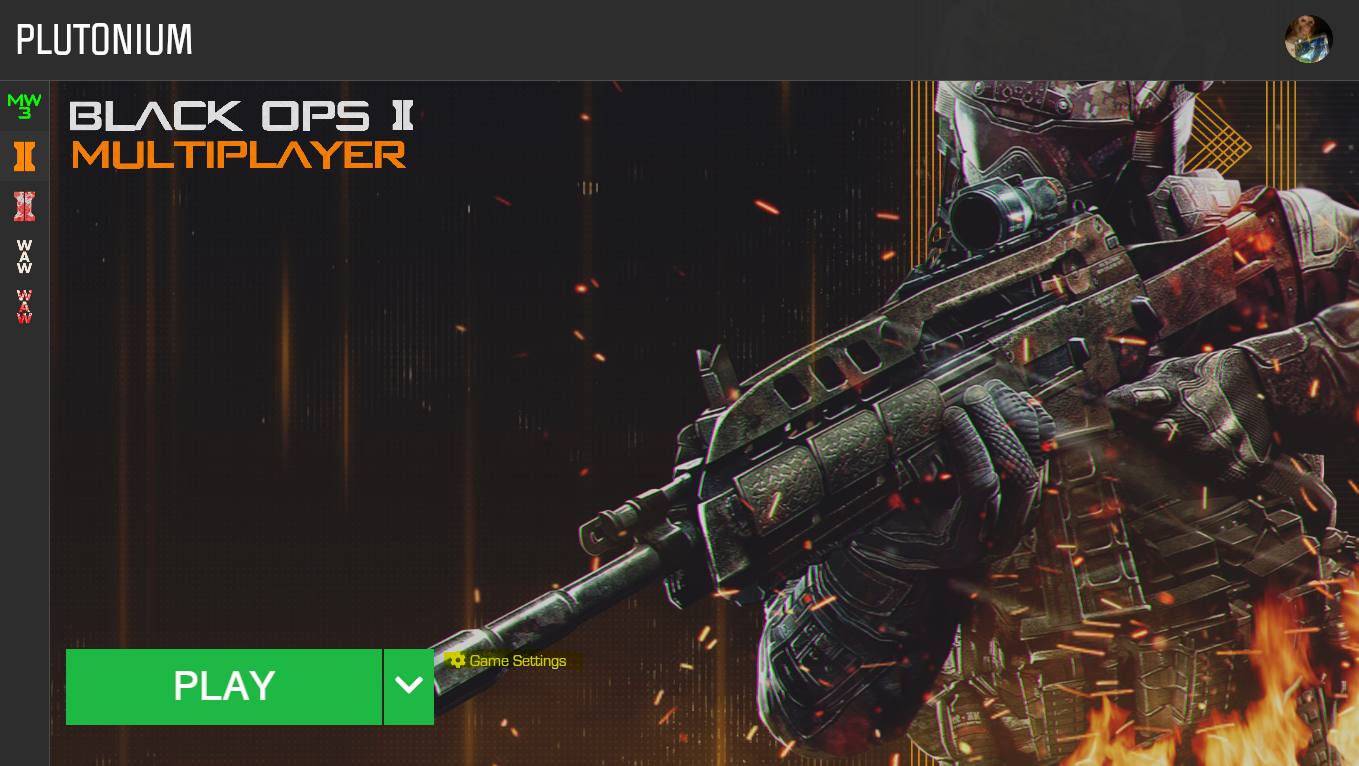
Step 3: On this new window, press "select dir" (dir for directory, obviously lol), and choose your game directory that has you're specified downloaded game in it. Your location can vary. My personal location is C:\Games\pluto_t6_full_game, and it is possible yours is there or somewhere similar. Hope I could help!




Hello! It looks like you're interested in this conversation, but you don't have an account yet.
Getting fed up of having to scroll through the same posts each visit? When you register for an account, you'll always come back to exactly where you were before, and choose to be notified of new replies (either via email, or push notification). You'll also be able to save bookmarks and upvote posts to show your appreciation to other community members.
With your input, this post could be even better 💗
Register Login