Skip to content
  • 0 Unread 0
  • Recent
  • Popular
  • Users
  • Donate
Collapse
Home Docs Stats Discord Donate
Download
  1. Home
  2. BO2 Client Support
  3. I dont know the error

I dont know the error

Scheduled Pinned Locked Moved BO2 Client Support
11 Posts 4 Posters 731 Views 1 Watching
  • Oldest to Newest
  • Newest to Oldest
  • Most Votes
Reply
  • Reply as topic
Log in to reply
This topic has been deleted. Only users with topic management privileges can see it.
  • Nikskips
    Nikskips
    Nikskips
    wrote on last edited by
    #1

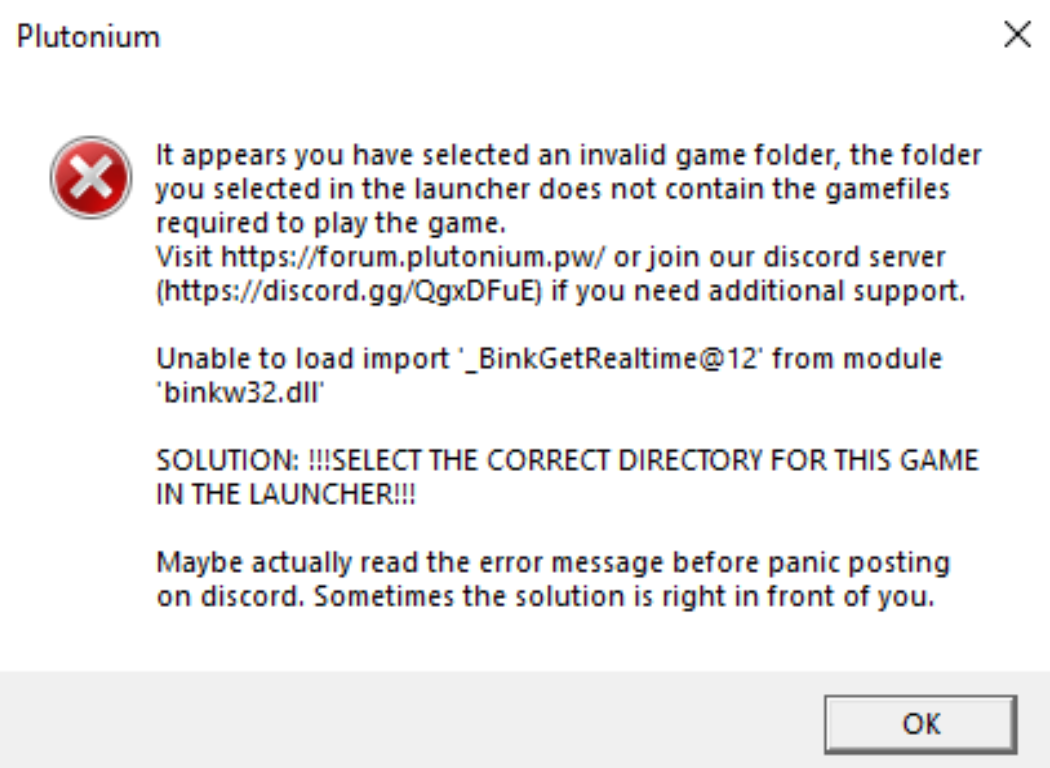
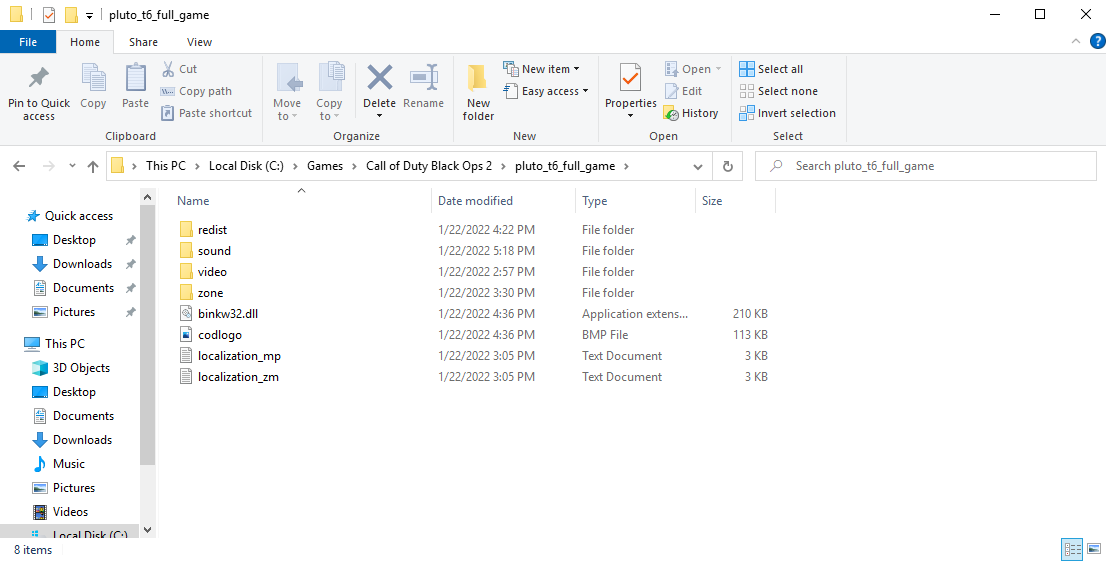
    pls i dont know what i need to do!!

    plutonium error.png

    the location of bo2.png

    What should I do?

    Dss0 Resxt 2 Replies Last reply
    0
    • Nikskips Nikskips

      pls i dont know what i need to do!!

      plutonium error.png

      the location of bo2.png

      What should I do?

      Dss0
      Dss0
      Dss0
      Plutonium Staff
      wrote on last edited by
      #2

      Nikskips post a screenshot of the game settings in the launcher (next to the play button).

      1 Reply Last reply
      0
      • Nikskips Nikskips

        pls i dont know what i need to do!!

        plutonium error.png

        the location of bo2.png

        What should I do?

        Resxt
        Resxt
        Resxt
        Plutonium Staff
        wrote on last edited by
        #3

        Nikskips https://plutonium.pw/docs/install/#t6-error-invalid-game-path

        1 Reply Last reply
        0
        • _Prisander
          _Prisander
          _Prisander
          wrote on last edited by
          #4

          I'm having the same issue however I have the correct folder selected.

          Resxt 1 Reply Last reply
          0
          • _Prisander _Prisander

            I'm having the same issue however I have the correct folder selected.

            Resxt
            Resxt
            Resxt
            Plutonium Staff
            wrote on last edited by
            #5

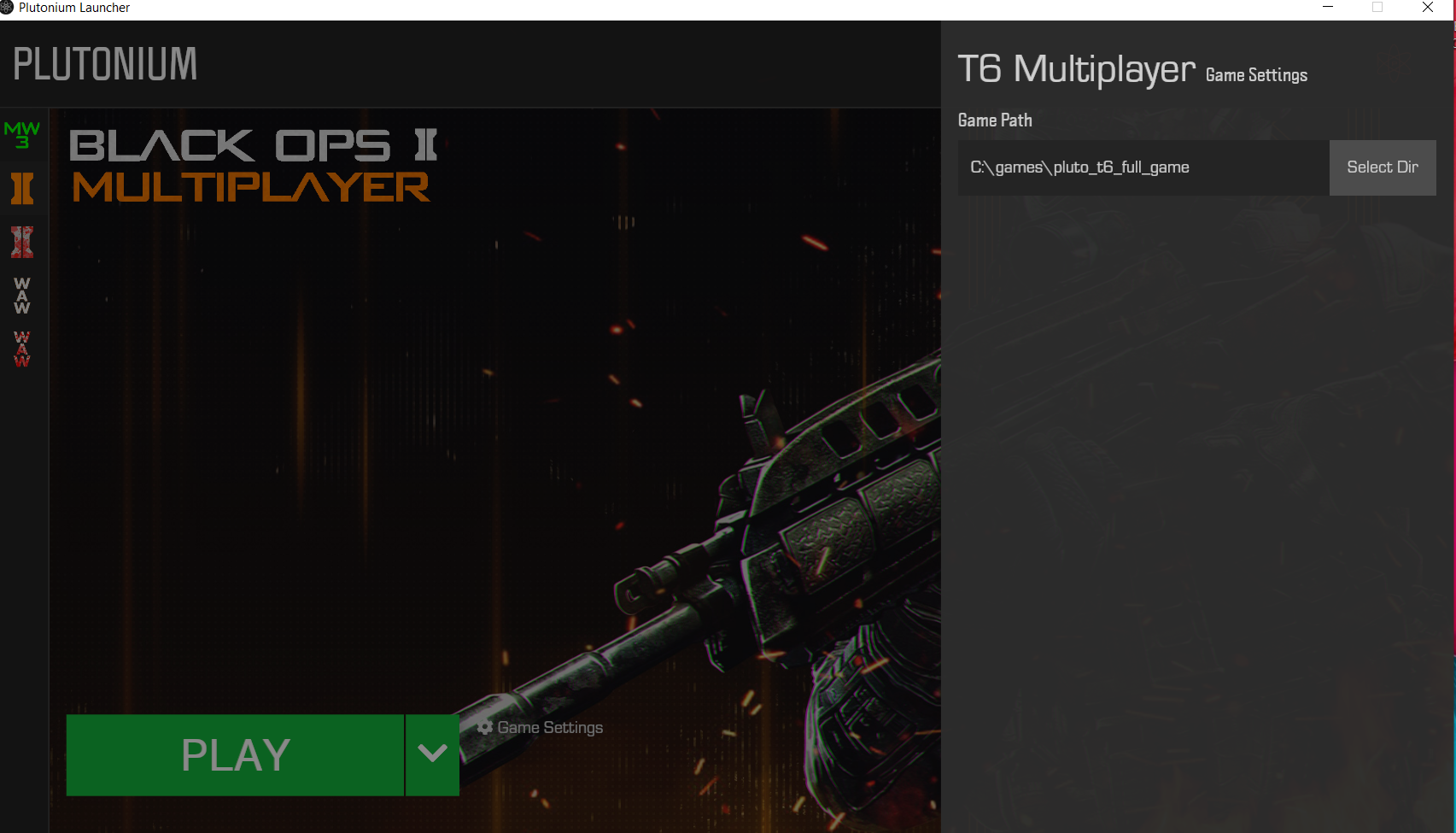
            _Prisander well then show useful info.
            Error, game files, path in launcher

            1 Reply Last reply
            0
            • _Prisander
              _Prisander
              _Prisander
              wrote on last edited by
              #6

              both my game files and the error that pops up when launching t6 is identical to the person who originally posted on this topic. B02.PNG
              Dss0 1 Reply Last reply
              0
              • _Prisander _Prisander

                both my game files and the error that pops up when launching t6 is identical to the person who originally posted on this topic. B02.PNG

                Dss0
                Dss0
                Dss0
                Plutonium Staff
                wrote on last edited by
                #7

                _Prisander pls post a screenshot of your game folder

                1 Reply Last reply
                0
                • _Prisander
                  _Prisander
                  _Prisander
                  wrote on last edited by
                  #8

                  files.PNG

                  Dss0 1 Reply Last reply
                  0
                  • _Prisander _Prisander

                    files.PNG

                    Dss0
                    Dss0
                    Dss0
                    Plutonium Staff
                    wrote on last edited by
                    #9

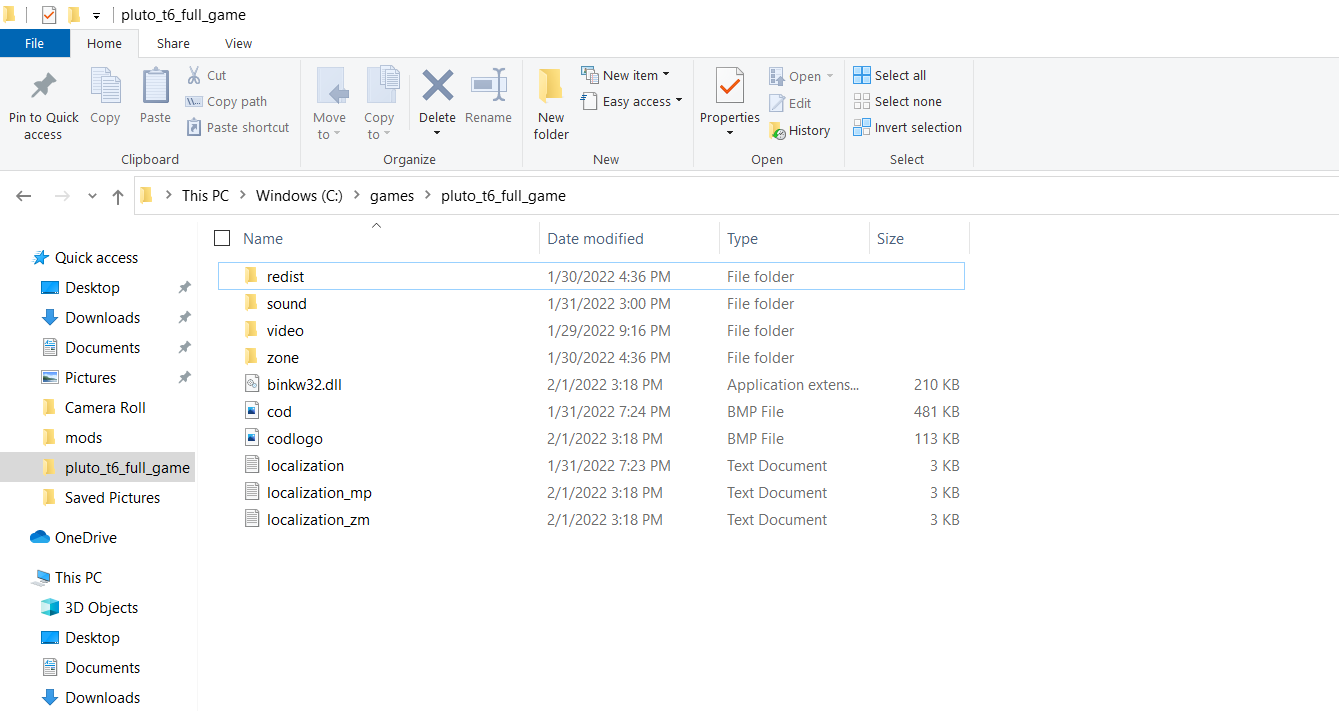
                    _Prisander you're missing files. https://plutonium.pw/docs/repair/

                    1 Reply Last reply
                    0
                    • _Prisander
                      _Prisander
                      _Prisander
                      wrote on last edited by
                      #10

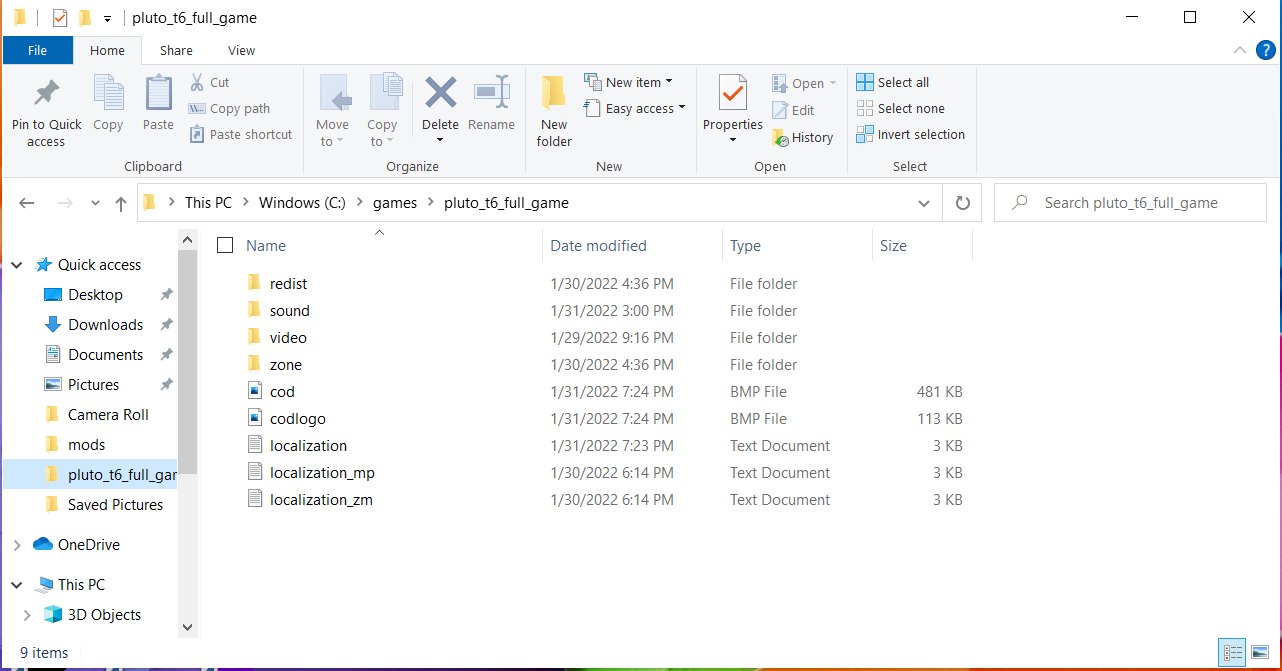
                      I repaired the files but The game still crashes on clicking start but no longer creates an error message after the fact. Its still on the same game path as posted in the last screenshot
                      files 2.PNG

                      Dss0 1 Reply Last reply
                      0
                      • _Prisander _Prisander

                        I repaired the files but The game still crashes on clicking start but no longer creates an error message after the fact. Its still on the same game path as posted in the last screenshot
                        files 2.PNG

                        Dss0
                        Dss0
                        Dss0
                        Plutonium Staff
                        wrote on last edited by
                        #11

                        _Prisander so the launcher closes but the game doesn't start? That's most likely caused by your av: https://plutonium.pw/docs/antivirus/

                        1 Reply Last reply
                        0

                        Hello! It looks like you're interested in this conversation, but you don't have an account yet.

                        Getting fed up of having to scroll through the same posts each visit? When you register for an account, you'll always come back to exactly where you were before, and choose to be notified of new replies (either via email, or push notification). You'll also be able to save bookmarks and upvote posts to show your appreciation to other community members.

                        With your input, this post could be even better 💗

                        Register Login
                        Reply
                        • Reply as topic
                        Log in to reply
                        • Oldest to Newest
                        • Newest to Oldest
                        • Most Votes


                        • Login

                        • Don't have an account? Register

                        • Login or register to search.
                        • First post
                          Last post
                        0
                        • Unread 0
                        • Recent
                        • Popular
                        • Users
                        • Donate