Hosting on Windows VPS
-

I have a windows 10 2022 VPS all setup. The only thing I'm having trouble with is getting a server to show on the server list. I did port forward the correct port that I chose. I also allowed the bootstrapper as well. If I'm missing anything please let me know. I must be doing something wrong and this is my first time ever trying to host a server on a vps.
-

Normally you don't need to port forward on a VPS as they usually have their own IP address. However you need to allow the port (or easier the bootstrapper) through the Windows Firewall.
-
Normally you don't need to port forward on a VPS as they usually have their own IP address. However you need to allow the port (or easier the bootstrapper) through the Windows Firewall.
-
What does the console of the server say? (Screenshot it)
-
What does the console of the server say? (Screenshot it)
-
Whats the name of the server? And is it running at the moment?
-
Whats the name of the server? And is it running at the moment?
-
And you did allow the incoming traffic in Amazon's firewall?
-
And you did allow the incoming traffic in Amazon's firewall?
-
And you did allow the incoming traffic in Amazon's firewall?
-
-
Can you show the rule you added?
-
RDP != the game.
You have to forward the game port and protocol and not RDP. -
RDP != the game.
You have to forward the game port and protocol and not RDP.
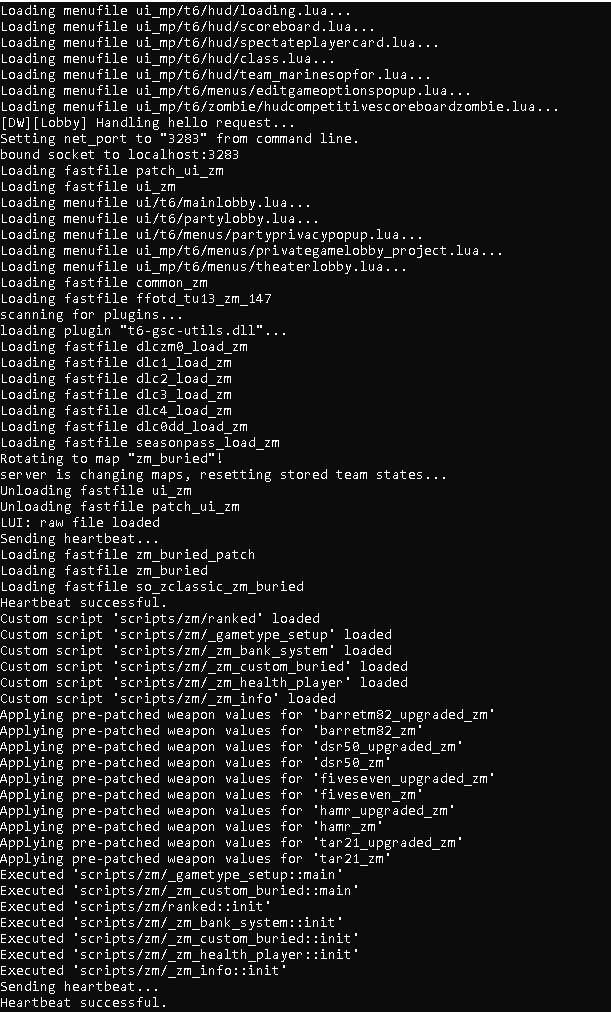
 It said set it as RDP unless I did this wrong and I also changed my port for t6 to the same one it shows on the website here in the image.
Hello! It looks like you're interested in this conversation, but you don't have an account yet.
Getting fed up of having to scroll through the same posts each visit? When you register for an account, you'll always come back to exactly where you were before, and choose to be notified of new replies (either via email, or push notification). You'll also be able to save bookmarks and upvote posts to show your appreciation to other community members.
With your input, this post could be even better 💗
Register Login