Skip to content
  • 0 Unread 0
  • Recent
  • Tags
  • Popular
  • Users
  • Groups
  • Donate
Collapse

Plutonium

  1. Home
  2. BO2 Modding Releases & Resources
  3. [Release] Haisa's Skin Pack V3 + Tutorial

[Release] Haisa's Skin Pack V3 + Tutorial

Scheduled Pinned Locked Moved BO2 Modding Releases & Resources
20 Posts 18 Posters 24.7k Views 2 Watching
  • Oldest to Newest
  • Newest to Oldest
  • Most Votes
Reply
  • Reply as topic
Log in to reply
This topic has been deleted. Only users with topic management privileges can see it.
  • Dss0 Dss0

    Haisa richtig gute texturen + tutorial!

    You can export straight to dds from photoshop using the intel texture works plugin btw so you can skip the paint.net conversion step.

    Haisa Offline
    Haisa Offline
    Haisa
    wrote on last edited by Haisa
    #7

    Dss0 Danke! Yes but i thought it would be easier to just use paint.net for this tutorial haha but I will put a link to the plugin in the video description, thanks for pointing it out!

    1 Reply Last reply
    2
    • Domse Offline
      Domse Offline
      Domse
      wrote on last edited by
      #8

      Once again awesome skins!

      1 Reply Last reply
      3
      • MASL_ Offline
        MASL_ Offline
        MASL_
        wrote on last edited by
        #9

        pog pog pog

        1 Reply Last reply
        2
        • kingofnowhere Offline
          kingofnowhere Offline
          kingofnowhere
          wrote on last edited by
          #10

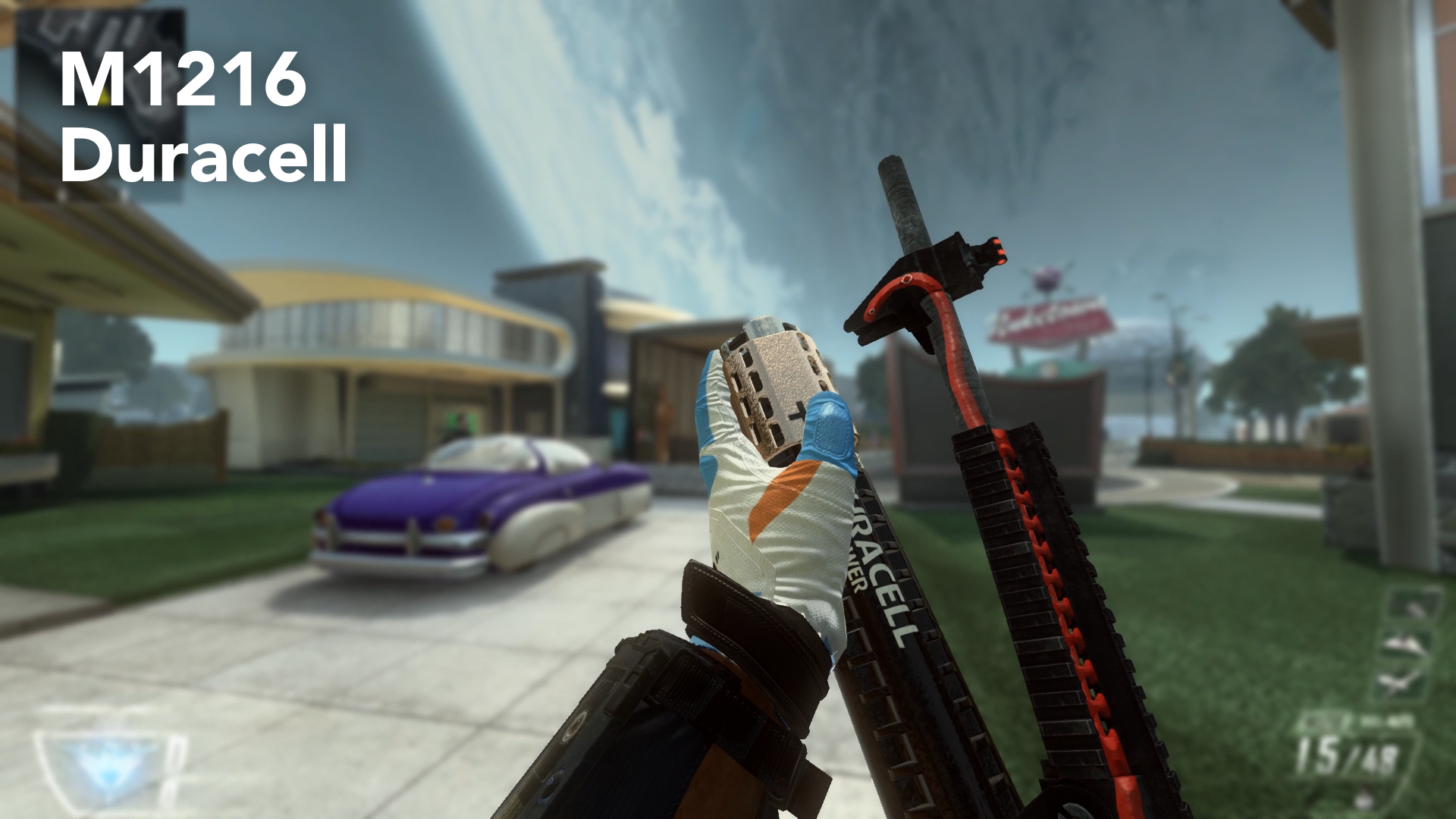
          That duracell one tho.

          1 Reply Last reply
          2
          • Kitchen Gun Offline
            Kitchen Gun Offline
            Kitchen Gun
            wrote on last edited by
            #11

            This is amazing

            1 Reply Last reply
            2
            • YaMissediDidnt Offline
              YaMissediDidnt Offline
              YaMissediDidnt
              Contributor
              wrote on last edited by
              #12

              These are freaking amazing dude. DLing just for the battery one alone lol. And def checking out your first 2 entries into camos.

              This is so cool. Everything about this client.

              1 Reply Last reply
              2
              • ThiccGoths Offline
                ThiccGoths Offline
                ThiccGoths
                wrote on last edited by
                #13

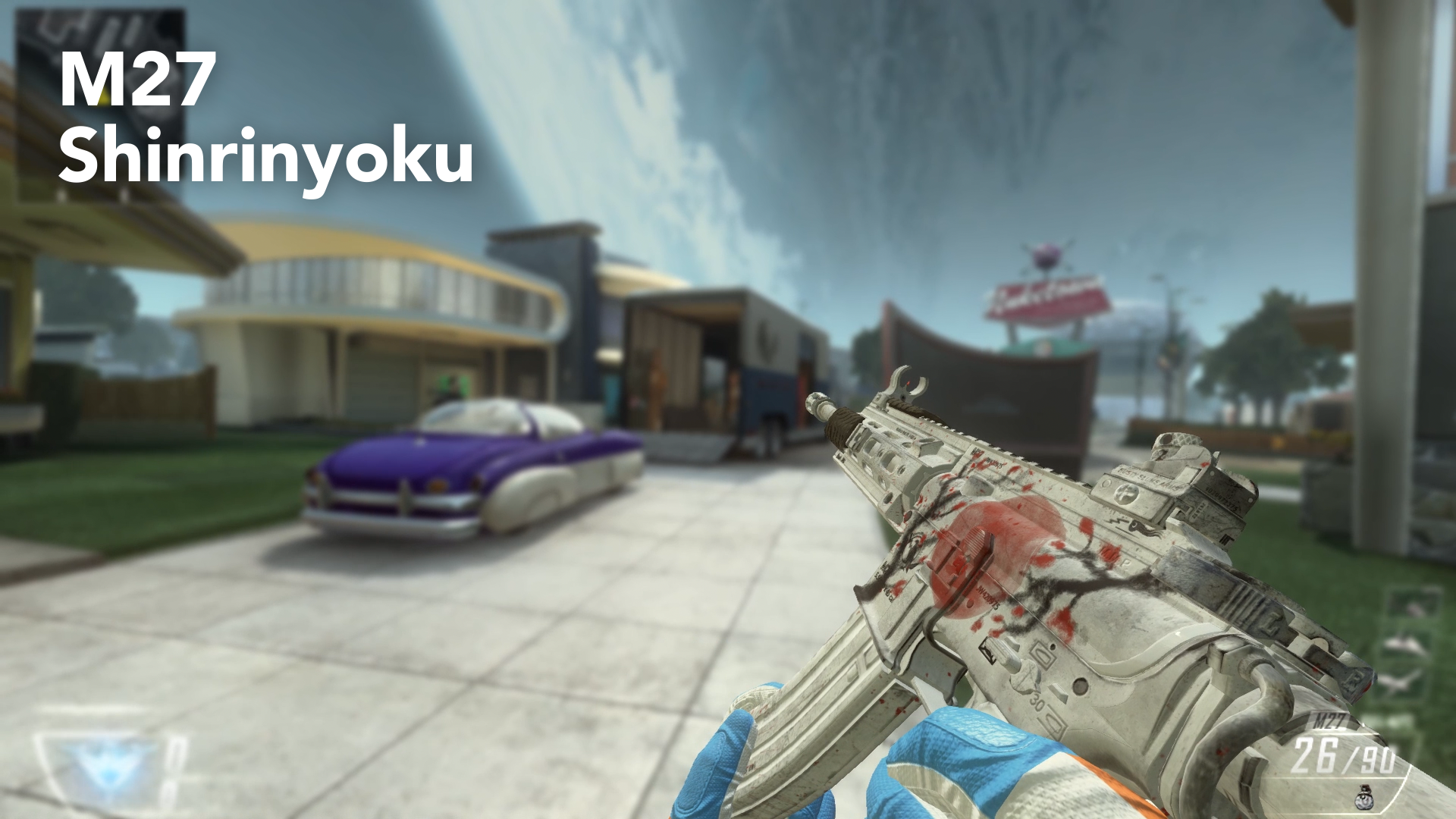
                Which camo does the m27 one replace?

                Odd Angel 1 Reply Last reply
                0
                • ThiccGoths ThiccGoths

                  Which camo does the m27 one replace?

                  Odd Angel Offline
                  Odd Angel Offline
                  Odd Angel
                  wrote on last edited by
                  #14

                  ThiccGoths it doesn’t replace anything, they’re base textures. If you ready the other posts by Haisa you would know that

                  1 Reply Last reply
                  0
                  • Naomi_ Offline
                    Naomi_ Offline
                    Naomi_
                    wrote on last edited by
                    #15
                    This post is deleted!
                    1 Reply Last reply
                    0
                    • Haisa Haisa

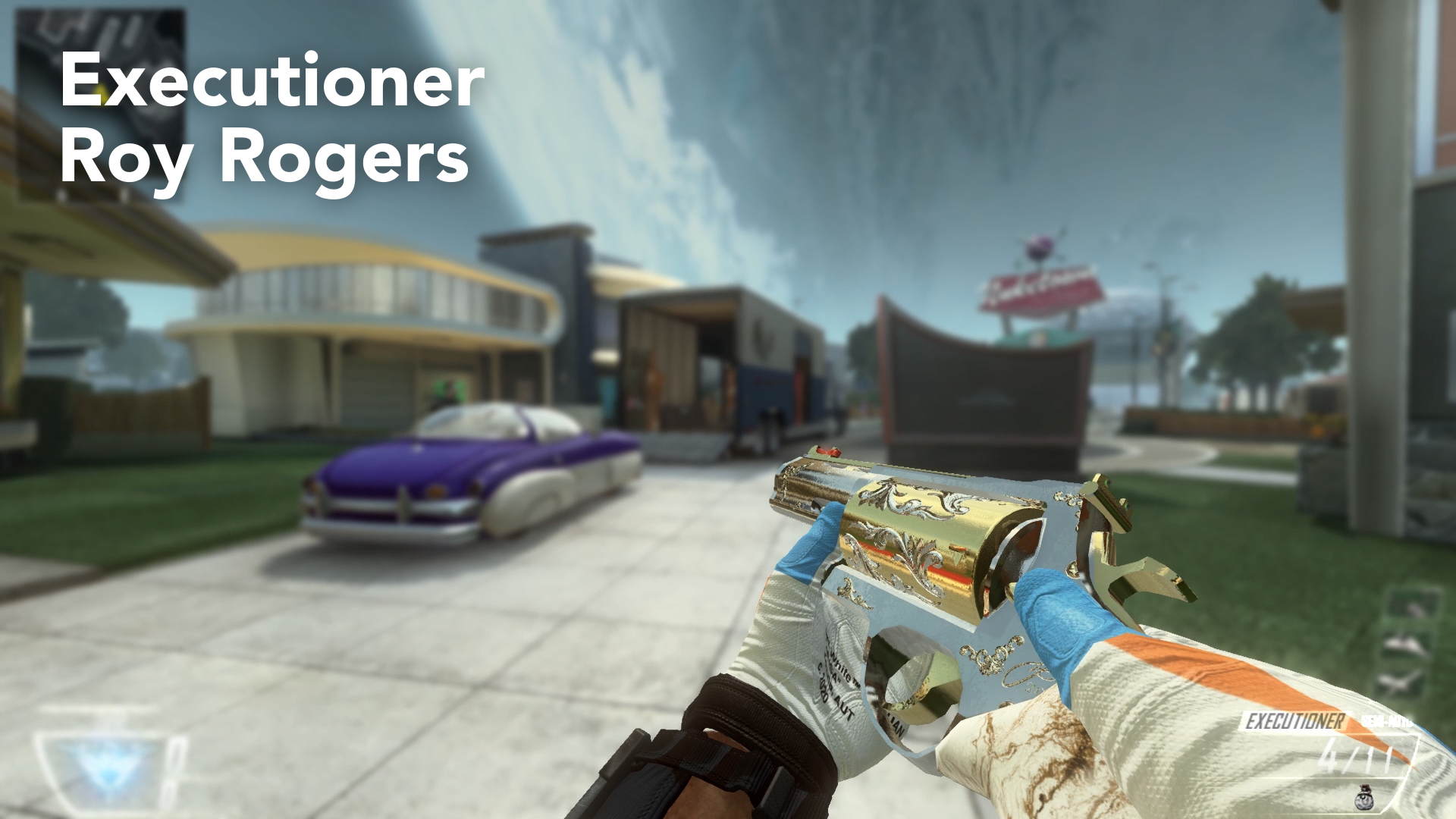
                      Hey guys, it's me again. I want to thank you all for being part of this great community. It's time for my last and final Skin Pack for Plutonium (atleast for a very very very long time). And this is why I decided to make a tutorial on how to make your own Custom Weapon Skins, so you don't rely on me releasing skins for you. It took a very long time to create and prepare everything for this video (and sorry for my bad english, but I tried my best), so I hope you enjoy it and create awesome Custom Skins! I would like to see what this community is capable of and I will be looking forward to see your skin creations!

                      https://www.youtube.com/watch?v=NFoJUuQHjnw
                      AN94.png

                      M27.png

                      M1216.png

                      Remington.png

                      Executioner.png

                      Installation Guide:

                      Just download the following files and place the .iwi files in your Plutonium>t6r>data>images folder. If you don't have these folders you can create them, but make sure that they have the exact names as mentioned before!

                      Warning: These skins replace your standard weapon skin! So you actually equip them by not choosing a camo in your Create-A-Class Menu! This also means, that you will have these camos in Zombies.

                      If you don't want them anymore, you can put a camo on the gun or delete the files from the folder.

                      Download Link:
                      https://www.dropbox.com/sh/ibonoh2pq7srjgb/AAC3339VurPSZq0KXroQFWvka?dl=0
                      on Dropbox

                      https://mega.nz/file/Q5cyVBxJ#Qg3zU6tR4-5ddSeAmDWHSVrd6MQvpXaw0a2WCYYIAR8
                      on Mega

                      PLEASE DOWNLOAD THE WHOLE FOLDER, there is a strange bug where it doesn't work if you download the files individually!

                      Thanks for being awesome as always guys and keep playing Plutonium!

                      • Greetings, Haisa!
                      zxc_scorpion Offline
                      zxc_scorpion Offline
                      zxc_scorpion
                      Banned
                      wrote on last edited by
                      #16

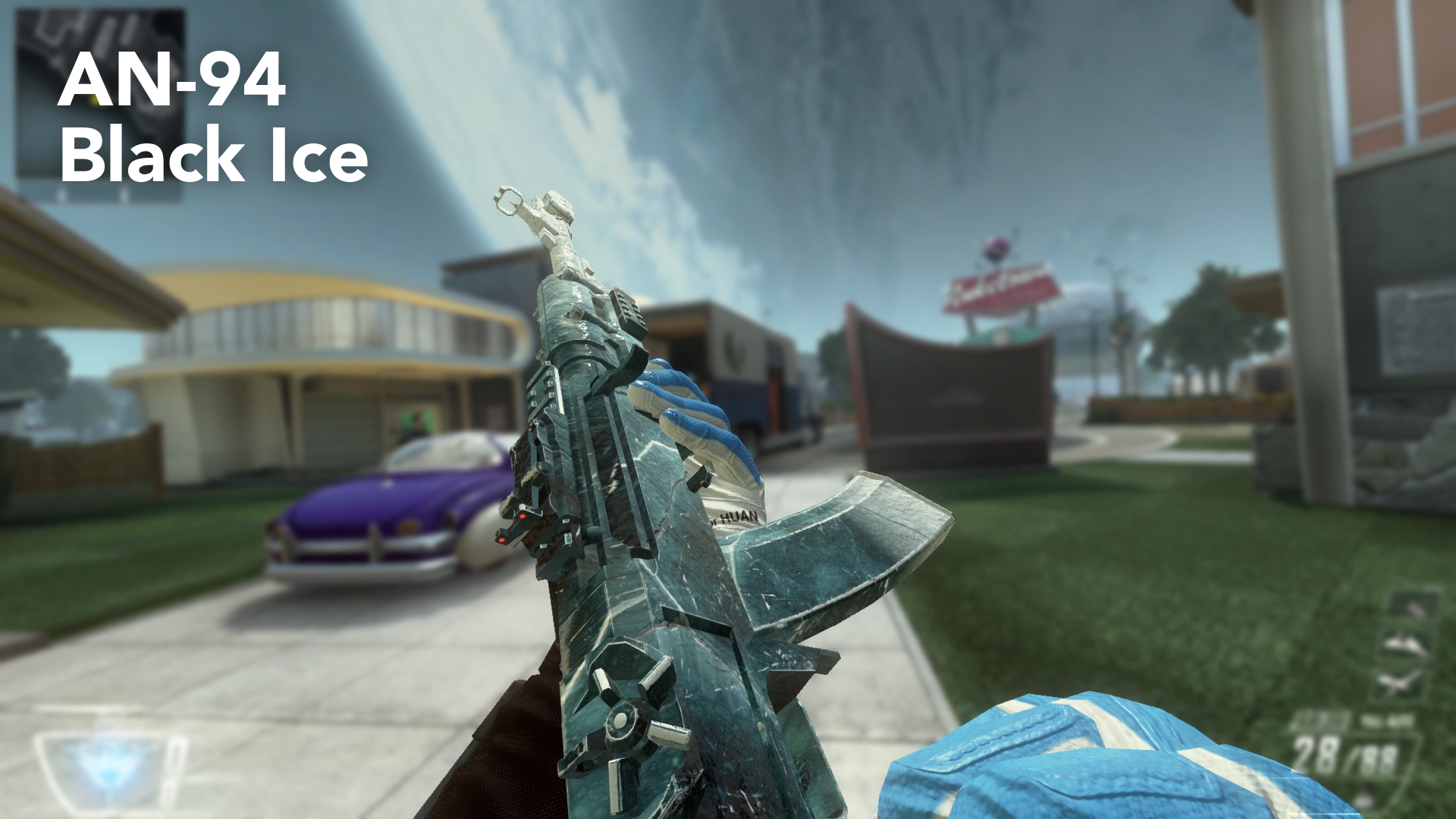
                      Haisa make black ice pack thats sick

                      1 Reply Last reply
                      0
                      • Haisa Haisa

                        Hey guys, it's me again. I want to thank you all for being part of this great community. It's time for my last and final Skin Pack for Plutonium (atleast for a very very very long time). And this is why I decided to make a tutorial on how to make your own Custom Weapon Skins, so you don't rely on me releasing skins for you. It took a very long time to create and prepare everything for this video (and sorry for my bad english, but I tried my best), so I hope you enjoy it and create awesome Custom Skins! I would like to see what this community is capable of and I will be looking forward to see your skin creations!

                        https://www.youtube.com/watch?v=NFoJUuQHjnw
                        AN94.png

                        M27.png

                        M1216.png

                        Remington.png

                        Executioner.png

                        Installation Guide:

                        Just download the following files and place the .iwi files in your Plutonium>t6r>data>images folder. If you don't have these folders you can create them, but make sure that they have the exact names as mentioned before!

                        Warning: These skins replace your standard weapon skin! So you actually equip them by not choosing a camo in your Create-A-Class Menu! This also means, that you will have these camos in Zombies.

                        If you don't want them anymore, you can put a camo on the gun or delete the files from the folder.

                        Download Link:
                        https://www.dropbox.com/sh/ibonoh2pq7srjgb/AAC3339VurPSZq0KXroQFWvka?dl=0
                        on Dropbox

                        https://mega.nz/file/Q5cyVBxJ#Qg3zU6tR4-5ddSeAmDWHSVrd6MQvpXaw0a2WCYYIAR8
                        on Mega

                        PLEASE DOWNLOAD THE WHOLE FOLDER, there is a strange bug where it doesn't work if you download the files individually!

                        Thanks for being awesome as always guys and keep playing Plutonium!

                        • Greetings, Haisa!
                        1chi Offline
                        1chi Offline
                        1chi
                        wrote on last edited by
                        #17

                        Haisa Loved rainbow six black ice

                        1 Reply Last reply
                        0
                        • Haisa Haisa

                          luigistyle Thank you very much!

                          A Former User? Offline
                          A Former User? Offline
                          A Former User
                          wrote on last edited by
                          #18

                          Haisa the remington neutron is amazing
                          how did you get the different colors

                          1 Reply Last reply
                          0
                          • luigistyle luigistyle

                            Thank you for your contributions, your skins / camos look amazing as always 🙂

                            THE_KEVIN_UWU Offline
                            THE_KEVIN_UWU Offline
                            THE_KEVIN_UWU
                            wrote on last edited by
                            #19

                            luigistyle come pija

                            1 Reply Last reply
                            0
                            • djjakub23 Offline
                              djjakub23 Offline
                              djjakub23
                              wrote on last edited by
                              #20

                              The duracell camo is awesome .

                              1 Reply Last reply
                              0

                              Hello! It looks like you're interested in this conversation, but you don't have an account yet.

                              Getting fed up of having to scroll through the same posts each visit? When you register for an account, you'll always come back to exactly where you were before, and choose to be notified of new replies (either via email, or push notification). You'll also be able to save bookmarks and upvote posts to show your appreciation to other community members.

                              With your input, this post could be even better 💗

                              Register Login
                              Reply
                              • Reply as topic
                              Log in to reply
                              • Oldest to Newest
                              • Newest to Oldest
                              • Most Votes


                              • Login

                              • Don't have an account? Register

                              • Login or register to search.
                              • First post
                                Last post
                              0
                              • Unread 0
                              • Recent
                              • Tags
                              • Popular
                              • Users
                              • Groups
                              • Donate