The Plutonium Server Key page appears to be down as of 02/08/2021.
-
Hello Xerxes . When I click on the link for the Plutonium Server Key page, it says "Internal Server Error". Is that page currently down?
-
Hello Xerxes . When I click on the link for the Plutonium Server Key page, it says "Internal Server Error". Is that page currently down?
WizardZombie no, works fine here. Try CTRL + F5 while on the page.
-
Dss0 CTRL + F5 still gives a "Internal Server Error" message for me, even when I'm logged in (I think you can get to the page only when you are logged in). Do I have to do Step 1.1 of the "PlutoT6 server set-up guide" before I go to the page? I have not done Step 1.1 yet.
-
Dss0 CTRL + F5 still gives a "Internal Server Error" message for me, even when I'm logged in (I think you can get to the page only when you are logged in). Do I have to do Step 1.1 of the "PlutoT6 server set-up guide" before I go to the page? I have not done Step 1.1 yet.
WizardZombie it doesn't matter what step you're on. The website should work. I tried going to the page just now and it worked flawlessly with me. It has to be something on your end most likely.
-
Dss0 CTRL + F5 still gives a "Internal Server Error" message for me, even when I'm logged in (I think you can get to the page only when you are logged in). Do I have to do Step 1.1 of the "PlutoT6 server set-up guide" before I go to the page? I have not done Step 1.1 yet.
WizardZombie try a different browser.
-
Dss0 Neither Google Chrome 88.0.4324.150, Mozilla Firefox 85.0.1, or Microsoft Edge 88.0.705.63 work for me. I tried the same browsers (with the same version numbers for each) on a different computer on my network, and none of them work. I highly suspect that my ISP is to blame. I cannot think of anything else right now. Thanks for the help.
-
Dss0 Neither Google Chrome 88.0.4324.150, Mozilla Firefox 85.0.1, or Microsoft Edge 88.0.705.63 work for me. I tried the same browsers (with the same version numbers for each) on a different computer on my network, and none of them work. I highly suspect that my ISP is to blame. I cannot think of anything else right now. Thanks for the help.
WizardZombie try logging out and logging back in on the forum.
-
Dss0 The same error message appears.
WizardZombie It's most likely not your ISP, I added more logging to this particular services so please try again so I can investigate!
-
Eldor I tried again. Same error message.
WizardZombie Try checking the "Remember Me" checkbox at login, ie. log out first and then relogin with it checked.
-
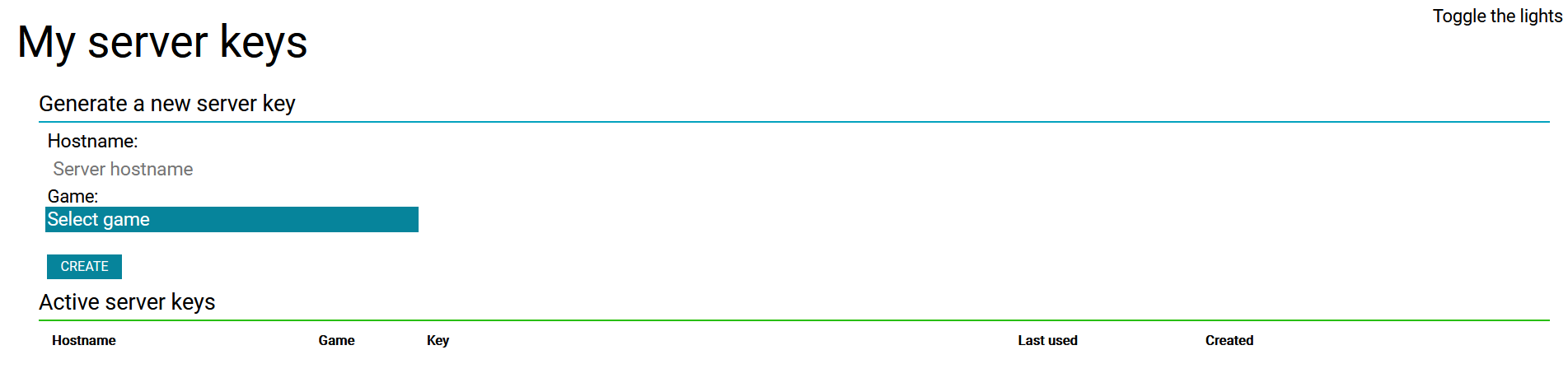
Eldor Wow. Your suggestion worked. I can't believe my eyeballs. It's so refreshing to see this page load properly. Thanks for the help.
-
My server works properly. Thanks to everyone for the help.




Hello! It looks like you're interested in this conversation, but you don't have an account yet.
Getting fed up of having to scroll through the same posts each visit? When you register for an account, you'll always come back to exactly where you were before, and choose to be notified of new replies (either via email, or push notification). You'll also be able to save bookmarks and upvote posts to show your appreciation to other community members.
With your input, this post could be even better 💗
Register Login