
Bone Crusher
Posts
-
Animated Camos for All Weapons -
Animated Camos for All Weapons -
Animated Camos for All Weaponssmile to go you have to load the mod, it only works on zombies
-
Animated Camos for All WeaponsShowcase:
This mod is a follow up of my BO1 animated camos mod
Every weapon has each own camo and it gets applied even when the weapon is not pack-a-punchedDownload
Instalation:
- Extract the download in
%localappdata%\Plutonium\storage\t6\mods
I want to thank LKurama and mary jane for explaining me how these camos are made on bo2 as they are quite different from bo1, without their help I wouldnt know how to start.
How to make custom camos
Replace your images inside
%localappdata%Plutonium\storage\t6\mods\zm_animatedcamos\mod.iwd.Check the texture names here
Where to find animated camos
- Like it happend with my bo1 mod, the plutonium forum is a good place to find them, but for now you wont be able to find much, unless you rename the multiplayer camo assets to the weapon you'd like
- Extract the download in
-
Animated camos, dpad & moreSiriusSymboli you should mention that they need the animated camo mod for this to work
-
Animated Camos for All Weapons@smeg-rocket both
-
Animated Camos for All Weapons@Phantom331 Im pretty sure the base game does not support mods for zombies, mod tools were made for multiplayer, I think you have to install game_mod to have the option on the main menu.
That works for the steam version at least, on plutonium you dont have to worry since game_mod comes with it
-
Animated Camos V2.0 [ZM]zenjifu you can just rename the .ff to whatever you want
-
Animated Camos V2.0 [ZM] -
Animated Camos for All Weaponsacjdity No, this mod does not change any base game images
-
Animated Camos V2.0 [ZM]HollyWooDDiemndz This mod is outdated, check this one https://forum.plutonium.pw/topic/44479, it does not have a watermark
-
Animated Camos for All WeaponsSugarCubeds I just tested it and it looks like it is working fine, there are no misty hands on the "whithout misty" pack, you might have loaded the other mod on accident
-
Animated Camos for All Weapons@McGee.Tv The texures used by the monitors are
monitorc.iwi,monitorspec.iwi,monitorshowcamo.iwi,monitorn.iwi,monitorheat.iwiandmonitorember.iwi. Make sure you have them all, if not you can redownload theanimatedcamos.iwdfrom the download which should contain all of this textures.
The monitors dont really matter tho its just a quick way to check if the mod is working fine, if they are different than the default ones it is working, if you dont mind this you can use the mod like you have it if the weapons are showing properly -
Animated Camos for All WeaponsSugarCubeds oh really? weird that nobody told me that before, ill fix it
-
Animated Camos for All WeaponsNorphe yeah but im not going to make that

you can take a look at the source of the mod and replace the original game files -
Strat Tester for Black Ops IIStrat Tester for Black Ops II
Downloads:
- Descargar en español
- Download in english
- Descargar en galego
- Baixar em português, traduzido por NoMoleMan
How to install
- Unzip the download in
%localappdata%\Plutonium\storage\t6\mods.
All users need to have the mod installed. Players who do not have the mod installed will be unable to use the in-game menu and, therefore, will be unable to change their perks or HUD.
The PT version stands for portuguesse, not plutonium.
Features
Game settings
- Change round slider
- Kill horde button
- End round button
- Developer mode (check master spawners and spawn locations)
- Implemented Notarget
- Enable/Disable power-ups
- Enable/Disable fog
- Teleports
Perk settings
Perks can not be obtain via perk machines, they have to be selected inside the strat tester menu.
HUD settings
- Game timer
- Round timer
- Healthbar
- Zombie counter
- SPH meter
- Zone display
- Despawners counter by Guy
- Zombies in sight counter
- Zombies too far away counter
- Anchor leaks counter
Tranzit
- Bus timer
- Bus location
- Denizen counter
Die Rise
- Elevator kills counter
- Sliquifire timer
Mob of the Dead
- Trap timer
Buried
- Subwoofer kills per shot counter
Origins
- Ice and Wind staff timer
- Tank kills counter
- Tumble animation counter
- Stomp counter
survival maps
- Box hits (survival maps)
Map specific settings
Tranzit
- Adjust farm and diner bus depart time
- Disable denizens
- Show denizen spawners
- Turn on/off the bus
- Build the bus at the start
- Build all of the buildables
Town
- Change door setup
Die Rise
- Lock elevators
Mob of the Dead
- Infinite lives
- Build the shield at cafeteria (only shows the trigger, not the model)
Buried
- Change buildable setup
- Delete Leroy's barricades
Origins
- On solo, chose the staff
- Stop the walls from moving in the crazy place
- Build the shield at church (only shows the trigger, not the model)
- Spawn with War Machine instead of MP40
- Unlock all generators
Start settings
- Start round
- Start delay
- Remove all boards from windows
- Turn on power
- Open all doors
- Give weapons
Loadouts
You can choose the weapons provided by the mod at the start of the game.
In thezm_strattester\scriptdata\loadoutsfolder, you will find the files that the mod reads for each map. To ensure the format is valid, it must follow these rules:- First Line: Enter the code for the weapons you wish to receive (e.g.,
ray_gun_zm). - Second Line: Enter the weapon you want for the Mule Kick slot (Coz).
- Third Line: Enter the equipment you wish to receive (everything that requires the D-pad when playing with a controller).
- Fourth Line: Enter the melee weapon you wish to receive (e.g.,
tazer_knuckles_zm). - No line can be left blank: If you do not want a specific item, you must write
undefined.
Chat Commands
!nukespawns a nuke power up on top of the player.!x2spawns a double points power up on top of the player.!maxspawns a max power up on top of the player.!instaspawns a insta kill power up on top of the player.!salespawns a fire sale power up on top of the player.!bloodspawns a zombie blood power up on top of the player.!perkspawns a random perk power up on top of the player.!tpteleports player to desired location.!tpcteleports player to desired coordinates.!pointssets the player's score, can be used withinfto get infinite points.!remaingsets the remaining zombies on the round.!gen xactivates generator number x on origins.
For developers
This mods sets
level.strat_testerto true ininit().
To avoid the "Unknown command" message from strat tester, add your commands inlevel.chatcommandsorlevel.chatcommandsaliases, for example, use the following code:addCommands(commands, alias) { if(!isdefined(alias)) alias = false; if(!alias) { foreach(command in commands) level.chatcommands[level.chatcommands.size] = "!" + command; } else { foreach(command in commands) level.chatcommandsaliases[level.chatcommandsaliases.size] = "!" + command; } } f() { if(!isdefined(level.chatcommands)) level.chatcommands = []; if(!isdefined(level.chatcommandsaliases)) level.chatcommandsaliases = []; addCommands(array("zc", "tzc"), true); addCommands(array("zombiecount", "totalzombiecount"), false); }Shout out to:
- NoMoleMan for beeing the main tester and translating the menus into portuguese.
- Guy for making the despawner test script.
- 5and5 for making the original strat tester and helping me 5 years ago when I started modding Black Ops.
- Hadi77KSA for making the script to power on afterlife doors.
- MJ for helping me with the perk selection menu.
- Astrox for the No Power setups.


-
Tradución ao galego / Galician translationTradución dos menús ao galego (só o modo de zombis).
Ten que ter o xogo en castelán para que se aplique
Non traducín as descricións dos botóns porque nunca as lin en castelán e pareceme unha pérdida de tempo, se alguén quere añadilas que se poña en contacto conmigo en discord (fraaagaaa).Se quedou outra cousa por traducir, tamen podes poñerte en contacto conmigo por discord e o añadirei cando teña tempo
Para instalalo tes que descomprimir a descarga en
%localappdata%\Plutonium\storage\t6e listoimaxes:


-
Animated Camos for All WeaponsIm here again to rerelease this mod, this time it includes all the weapons and it does not include the custom FXs.

Downloads:
The animated camos will not load if you dont have the mod in your mod folder, this means that if you play with friends only the host and the people who want to use the mod have to download it, the rest of the players can play normally.
How to install
- Unzip the mod that you downloaded in
C:\Program Files (x86)\Steam\steamapps\common\Call of Duty Black Ops\mods - Select that mod in the main menu when Black Ops is loaded
You will see that the monitors are animated, that means the mod is loaded
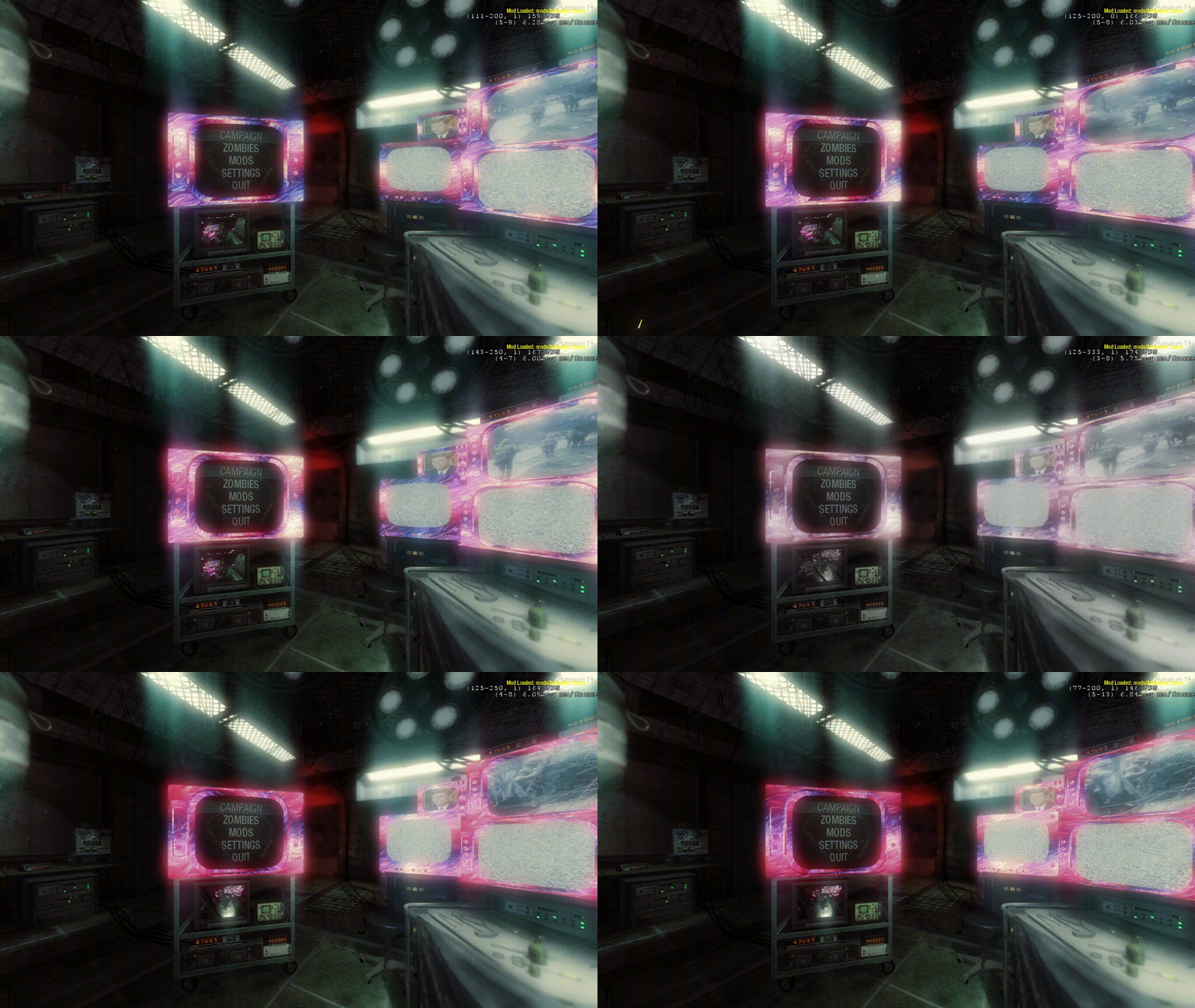
Making custom animated camos
For those interested in making custom camos for this mod, the textures used are listed here, the textures have to be placed in the mod folder, ideally in
animatedcamos.iwd, if you make multiple .iwds keep in mind the priority is reverse alphabetically.There are 3 textures that do not use the burning embers material type and behave like a gif, these are the earth, claymore and bouncing betty.
The gif is an 8x8 grid at 30 fps, goes from left to right top to bottom
I do not recommend usign this png as a template
How the showcamo file works
It is explained in spanish
https://www.youtube.com/watch?v=wK-OpxNjKrg - Unzip the mod that you downloaded in
-
Animated Camos V2.0 [ZM]BlemBlaster You have all the files needed to build the mod here:
https://github.com/Fraaagaaa/Animated-CamosThere is no code to make it work, I just swapped the original materials that the models of the weapons use for an animated one. you can find them here https://github.com/Fraaagaaa/Animated-Camos/tree/main/raw/materials
And the gdt to build them here: https://github.com/Fraaagaaa/Animated-Camos/blob/main/raw/texure_assets/camos.gdt
The process is really hard to explain specially since english is not my first language but if I was able to figure it out without this you should be able to do so too looking at the files.
-
PSRYT's Animated Camo Pack (BO1 Zombies)PSR yo, Im chaging the patches to a mod since people now play mostly on plutonium, when the animated camo patch was released bo1 plutonium had just came out, would you mind I use this camos on the download? The ones I made were very rushed