itsMEKI yessir ill start working on it now 
 undefined
cherenkov
@cherenkov
Posts
-
[Release] Custom T6 Zombies Gloves Pack (Victis & CIA) -
[ZM][Release] Custom animated camos for T5 clientmr.kennutbuster yessir thank you so much it means alot
-
[ZM][Release] Custom animated camos for T5 clientHello I'm really excited to share this pack with you all. This project took a massive amount of time to complete because every single camo was entirely hand-drawn by me from scratch. (and yes i know they all dont look the best
 but going forward we all try to be better and im new to this so sorry!)
I put a lot of work into these, so if you end up using them or just like how they look, I would deeply appreciate it if you could drop an upvote on this post so other people in the community can see it!
Previews
Camo Pack 1

Camo Pack 2

Camo Pack 3

Camo Pack 4

Download
Installation Guide
To install these custom camos in your T5 client, follow these steps:
- Locate your main game installation directory. Standard examples include:
- Standalone Client:
\pluto_t5_full_game\ - Steam Client:
\steamapps\common\Call of Duty Black Ops\
- Standalone Client:
- Open the
mainfolder inside that game directory. - Drop the downloaded
iw_39.iwdfile directly into thatmainfolder.
NOTE. PLEASE IF YOU HAVE Aiw_39.iwdplease make a backup incase you dont like these that i made. - Navigate to the
zone\commonfolder inside your main game directory. - Drop the custom patch files from the downloaded folder straight into that
zone\commonfolder. - Boot up Plutonium T5 and enjoy!
One more note if you dont like the pink gloves find some more gloves or tryout some of mine glove post Thank you!
If you run into any issues or have feedback on the designs, reply below or reach out to me on Discord: pz7u.
- Locate your main game installation directory. Standard examples include:
-
replace default viewhands with bo3 chronicles viewhands + better viewhands for "five" -
[Release][ZM] Nightmode x Commands -
[Release][ZM] Custom Bo1 Misty Gloves.someone in my discord server wanted this so ill share it with the rest of the forum. It adds a variety of clean color options for your character's gloves in BO1 (T5).
A quick headsup, I know a couple of the variants have minor texturing lines visible while others don't. I'll be pushing out an updated fix for those very soon, I just desperately need to catch up on some sleep first!

Previews
Cyan

Green

Pink

Red

White

Yellow

Download
Installation Guide
To install these custom glove textures in your T5 client, follow these steps:
- Locate your main game installation directory. Standard examples include:
- Standalone Client:
...\games\pluto_t5_full_game\ - Steam Client:
...\steamapps\common\Call of Duty Black Ops\
- Standalone Client:
- Open the
mainfolder inside that game directory. - Drop the downloaded
viewarm_zom_farmergirl_c.iwifile directly into thatmain\iw_39.iwdfolder. - Next, go back and navigate to the
zone\commonfolder inside your T5 game directory. - Drop the custom patch files from Old Post (please if you install "
iw_39.iwd" from that replace theviewarm_zom_farmergirl_c.iwi) straight into thatzone\common
folder. - enjoy your gloves
If you run into any issues, have feedback, or want to suggest new colors, reply below or hit me up on Discord: p7zu.
- Locate your main game installation directory. Standard examples include:
-
BANISHMENT WITHOUT REASON HELP -
[Release][ZM] Custom BO1 Animated Origins Pack A Punch Camos -
[Release][ZM] Custom BO1 Animated Origins Pack A Punch Camos -
struggling to locate the correct file path to launch T6wackywoody0609 add me on discord @ pz7u
-
[Release][ZM] Custom BO1 Animated Origins Pack A Punch Camosmr.kennutbuster yeah go ahead dude i dont mind lol
-
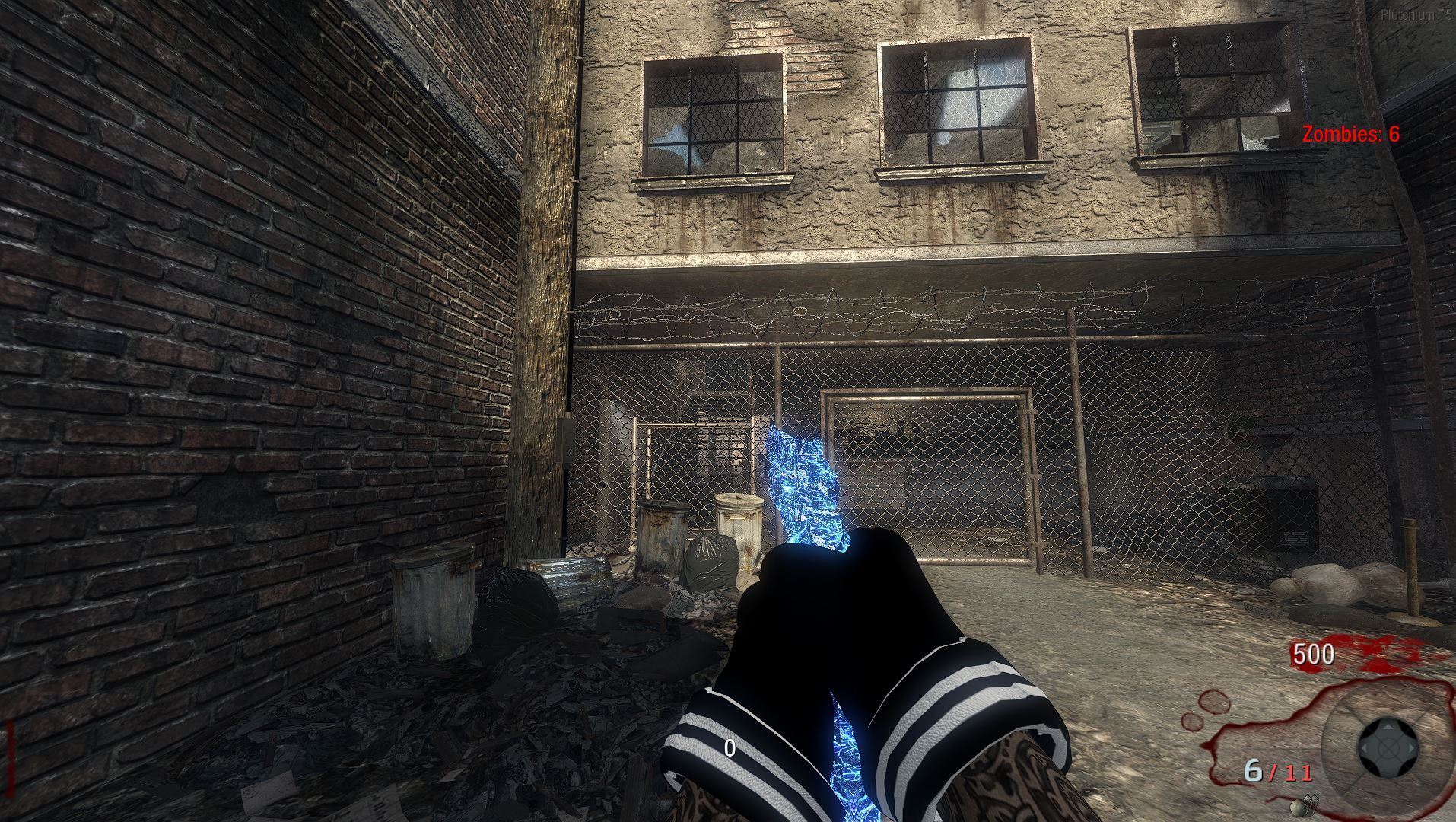
[Release][ZM] Custom BO1 Animated Origins Pack A Punch CamosHello i put together an Origins-inspired Pack-A-Punch camo pack for BO1 (T5). I tried to get it as close to the classic Origins aesthetic as possible, let me know how I did!
There are actually a lot more weapons covered in this pack, but I didn't want to make the post a mile long, so here is a quick look at a few of them in-game.
Previews
AK47u

AUG

Commando

Dragunov

Galil

L96A1

M14

MP40

MPL

Python
Ray Gun

Stakeout

Thundergun

Download
Installation Guide
To install this file setup in your T5 client, follow these steps:
- Locate your main game installation directory. Standard examples include:
- Standalone Client:
...\pluto_t5_full_game\ - Steam Client:
...\steamapps\common\Call of Duty Black Ops\
- Standalone Client:
- Open the
mainfolder inside that game directory. - Drop the downloaded
iw_39.iwdfile directly into thatmainfolder. - Next, navigate to the
zone\commonfolder inside your game directory. - Drop the custom patch files from the downloaded folder straight into that
zone\commonfolder. - Boot up Plutonium T5 and enjoy!
If you run into any issues or have feedback, reply below or reach out to me on Discord: p7zu.
- Locate your main game installation directory. Standard examples include:
-
[Release][ZM] Top-Middle Perk Icons HUD Script[Release] [ZM] Top-Middle Perk Icons HUD Script
hello I put together a custom GSC script that relocates your zombie perk icons to the top-middle of the screen. It cleans up the classic bottomleft clutter and gives the game a much sharper look.
Previews
Single Perk Display

Full Perk Loadout Display

Download
Installation Guide
To load this custom script on Plutonium T5, follow these quick steps:
- Press
Win + Rto open the Run dialog. - Type
%localappdata%and hit Enter. - Navigate to:
Plutonium->storage->t5->scripts->sp->zom- Note: If the
scriptsorsporzomfolders do not exist inside yourt5folder, simply right-click, create them, and name them exactly as shown.
- Note: If the
- Drop the downloaded
.gscfile directly into thatzomfolder. - Launch your game, load up a map, and enjoy the clean layout!
If you run into any bugs or have suggestions for other HUD layouts you'd like to see, leave a comment below or reach out to me on Discord: p7zu.
- Press
-
[Release][MP] Custom Backgrounds for Multiplayer BO2.i have put together some backgrounds for people who play Multiplayer on Black Ops 2 if you have any ideas on you want let me know!
Previews
Background 1

Background 2

Background 3

Background 4

Background 5

Download
Installation Guide
Since these are custom backgrounds, they go right into your T6 images folder:
- Press
Win + Rto open the Run dialog. - Type
%localappdata%and hit Enter. - Navigate to:
Plutonium->storage->t6. - Look for a folder named
images. If you don't see it, right-click, create a new folder, and name itimages. - Extract and drop all the downloaded
.iwiicon files directly into thatimagesfolder. - Boot up the game and enjoy the new look!
If you run into any issues or have feedback, reply below or reach out to me on Discord: p7zu.
- Press
-
[Release] Custom T6 Zombies Gloves Pack (Victis & CIA)NaziVaporeon yeah it just hit me im using like the 2023 version lmao
-
[Release] Custom Neon Black Perk Icons Pack (All Bo2 Perks)I put together a custom set of perk icons featuring a sleek Neon Black aesthetic for Black Ops 2.
Please if you have any ideas put them belowPerks Included
- Jugger-Nog
- Speed Cola
- Double Tap II
- Quick Revive
- Mule Kick
- Stamin-Up
- Electric Cherry
- Who's Who
- PhD Flopper
Previews
-
Jugger-Nog

-
Speed Cola

-
Double Tap II

-
Quick Revive

-
Mule Kick

-
Stamin-Up

-
Electric Cherry

-
Who's Who

-
PhD Flopper

Download
Installation Guide
Since these are custom textures, they go right into your T6 images folder:
- Press
Win + Rto open the Run dialog. - Type
%localappdata%and hit Enter. - Navigate to:
Plutonium->storage->t6. - Look for a folder named
images. If you don't see it, right-click, create a new folder, and name itimages. - Extract and drop all the downloaded
.iwiicon files directly into thatimagesfolder. - Boot up the game and enjoy the new look!
If you run into any issues or have feedback, reply below or reach out to me on Discord: p7zu.
-
[Release] Custom T6 Zombies Gloves Pack (Victis & CIA)Here are some custom gloves I made for the T6 Zombies characters (CIA, Marlton, Misty, Russman, and Stuhlinger). I know the Russman ones are a bit rough right now, so apologies for that!
I will be working on Mob of the Dead and Origins gloves next. Please drop a comment with any other custom stuff you'd love to see, and I'll try to create and post it!
Previews
Stuhlinger

Misty

Russman

Marlton

CIA

Download
Installation Guide
To install this in your T6 client, follow these steps:
- Press
Win + Rto open the Run dialog. - Type
%localappdata%and hit Enter. - Navigate through the folders:
Plutonium -> storage -> t6. - Look for a folder named
images. If you don't see one, right-click and create a new folder namedimages. - Extract and drop all of the downloaded .iwi files directly into this
imagesfolder. - Launch your game and enjoy!
If you run into any issues or have feedback, reply below or reach out to me on Discord: p7zu.
- Press
-
[Release] Custom BO1 Animated Camos Pack (first time ever messing with bo1 or any black ops!)Here is a custom camo pack I've put together for T5. Below are some in-game previews of how it looks across various weapons. WITH PATCHES SO YOU DONT EVEN GOTTA TOUCH YOUR GAME FILES
 its just a mod that does everything for you. and it has everymap patched and if you dont like it all you gotta do its delete one file instead of 30.
Previews
1911

M14

M16

MP5k

MP40

Commando

Ray Gun

RPK

Wunderwaffe DG-2

Installation Guide
https://mega.nz/folder/EmAAQSKb#fExyCf_gTZ-N4IX27XwMgw
To install this in your T5 client, follow these steps:
- Press
Win + Rto open the Run dialog. - Type
%localappdata%and hit Enter. - Navigate through the folders:
Plutonium -> storage -> t5. - Look for a folder named
mods. If you don't see one, right-click and create a new folder namedmods. - Drop the downloaded camo mod into this
modsfolder. - Launch your game, interact with the TV on the main menu, and you will see the pack in your mods list.
If you run into any issues or have feedback, reply below or reach out to me on Discord: p7zu.
- Press