Hello, this is your Anti Virus most likely. It was happening to me today out of nowhere. I had to go into my AV and make an exception for Plutonium.exe. If you're using AVG Anti Virus, disable the behavior shield and see if it works. If it works, thats whats blocking it.
 undefined
KavoGaming
@KavoGaming
Posts
-
this is my problem. Is there a way to fix this? Btw im on a school computer but it was working a couple of hours ago -
Unoffical Event: Black Ops 2 Revival Day (28th January)I'd say it will bring a few faces back for at least a few hours! I'll be playing on Plutonium for sure anyway

-
Help With Port Forwarding & Setting Up ServerYe I'm sure and I don't use a VPN so I'm wondering why it doesn't show. It's weird to be honest. Thanks for helping though.
-
Help With Port Forwarding & Setting Up ServerAh right I see. Here!
-
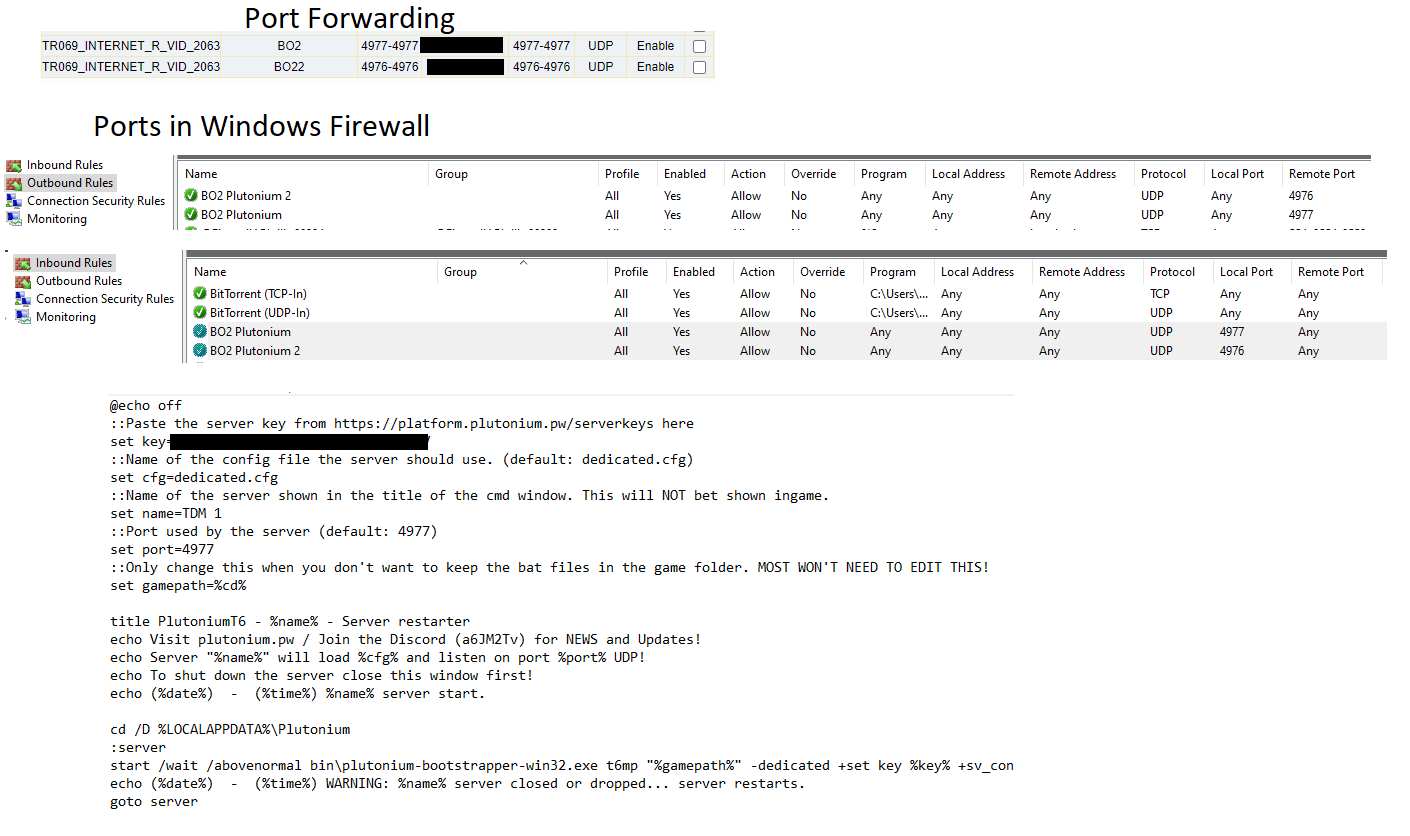
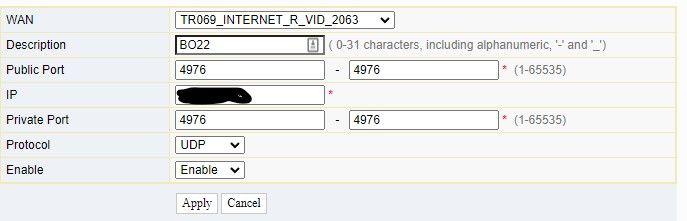
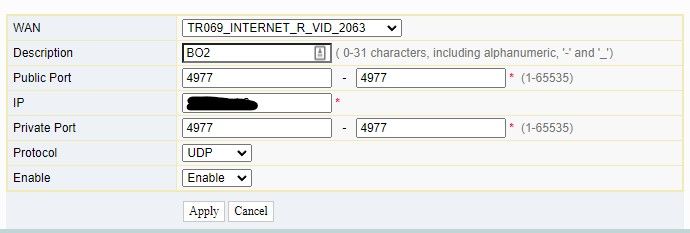
Help With Port Forwarding & Setting Up ServerThanks, Yes the information I used for the Router I put in the picture under "Port Forwarding". That's a screenshot from the router port forwarding page. Do you think it looks ok?
-
Help With Port Forwarding & Setting Up ServerHello, Ive setup my own server and I can join it using the console command: connect 127.0.0.1:yourPort
I cant see it myself because I don't have NAT Loopback on my router. Thats fine but I don't think anyone else can see it because I tried looking for it in Plutonium from my laptop on a different network and it doesn't seem to be displayed in the server list.
Could someone take a look at my setup and tell me if it looks ok? see the picture attached, thanks.!