Skip to content

MW3 Server Hosting Support

301 Topics 1.2k Posts

Request support for the Plutonium IW5 servers, please wait at-least 1 day for a reply, it can get busy. The community is free to try to help in any thread.

  • [Windows] PlutoIW5 Dedicated Server Guide

    Pinned Locked Moved iw5 server windows
    1
    10 Votes
    1 Posts
    20k Views
    No one has replied
  • [Headless] Plutonium IW5 Linux Server Setup

    Pinned Locked Moved linux iw5 server
    6
    2
    2 Votes
    6 Posts
    6k Views
    reserved
  • [Linux/Ubuntu] VPS and Server Setup for IW5

    Pinned Locked Moved iw5 linux server
    11
    1
    3 Votes
    11 Posts
    6k Views
    Yeah, that's true. We should try to write our official Plutonium tutorial for Linux. As I mentioned, I only reference this guide and the other one in this forum section when I forget how to export wine arch for example. Pretty sure in the end I only run 10% of the commands in this tutorial . Considering the server (game) only has two relevant logical threads: the main thread and the game thread, it still doesn't make much sense to me. If the system isn't busy it should quite never switch a process between cores. Even so, then why you are giving the game more cores if you intend to stop that behaviour? The OP said it is to improve the performance which I am doubtful of, and you say it's for stopping a behaviour that's contradictory to giving the game more cores. But correct me if I misunderstood the comment. Edit: I did some Googling, it seems in the context of IW5 it's somewhat desirable to have both the main thread and the game thread running on the same physical core. So it is my opinion that the step should be skipped entirely as well. Since the main thread and game thread will be interchanging data often if they are on the same core the threads can take advantage of cache hits and so forth. Then again, without profiling the game, it's not possible to give credit to OP's theory the game will benefit from more cores. The game isn't designed for multithreading because as mentioned before a dedicated server has only two important threads. On IW5 I think we only have one logical thread that does the work on the main and game thread. It's a patch NTA did on IW4 devices to improve performance.
  • 0 Votes
    2 Posts
    203 Views
    OK, after doing some research, I've at last solved the problem for LAN games. The answers I found for my own above questions are: Inconclusive. I tried to simply join a private match using mods using the "friends" feature but got stuck on a "Connecting..." dialog which would not resolve. The proper location for usermaps on the gameserver is in "storage/iw5/usermaps". As far as I can tell, it need not live anywhere else. Client-side files have no effect on what the host machine is doing at all it seems. Yes, this is possible. "http://[server IP address]/iw5/" is correct. If XAMPP is working through a particular port (I used port 80), then "http://[server IP address]:80/iw5/" is correct. This folder should contain a "mods" folder separate from "usermaps". seta_fsgame should be set to "mods/bots" if you're running bots. Now, as to what my issue was, so that others can solve the problem: • XAMPP requires being run as an administrator. If you're not paying attention and launching it from the taskbar, you may not have launched it as an admin. My version of XAMPP (downloaded December 2024) displays a warning message about lack of admin privileges in the console dialog box when opened, but on my PC, this was half cut-off by other status messages so I'd initially missed it. Make sure you are running XAMPP as an administrator. • Once you are running XAMPP as an administrator, you must download and install the Apache service. If there's a big red "X" in XAMPP near "Apache", you don't have Apache installed or it's not functional. This download took mere seconds from a button on the main screen of XAMPP and it was installed immediately. • You must allow the newly installed Apache service through your firewall on the network you are running. To do this, go to Windows Firewall settings and look for services labeled Apache. Make sure all incoming and outgoing connections through Apache are allowed through the firewall. For me, editing the settings for Public networks was easier than for Private. Importantly, your network must match the classification of the networks for which traffic is allowed—I could not get my home network to work when configured in Windows Settings -> Wi-Fi as a Private network, so had to switch it to Public. If you have done this correctly, you will be able to navigate to "http://[server ip address]:80/iw5/" in a browser on your client machine and see the hosted files. • To host your mod, navigate to the XAMPP folder on your C drive and look for a folder titled "htdocs" (it may be inside a folder labeled Apache, I can't remember). Your "iw5" directory (containing a "mods" folder and a "usermaps" folder) should live inside this htdocs folder. The files for your mod in your gameserver folder MUST MATCH EXACTLY the ones hosted in this htdocs folder or you will get the same exact "invalid file" error that you would if clients could not connect to the Apache server. This was misleading and sent me down a 10 minute rabbit hole of figuring out WTF happened when I updated the z_svr_bots.iwd file inside the gameserver mods folder without doing the same to the one hosted in htdocs. To diagnose this, check that you can still access the htdocs files on a client machine—if you can still see them on a client but you are getting an "invalid file" error, then the files in htdocs probably do not match those stored elsewhere on the game server. So in conclusion: • Yep, it's possible to host your mods and usermaps on the same machine that's functioning as your game server. You can probably also play on this machine simultaneously if it's powerful enough. I don't think this will work for anything other than LAN games unless you can have a URL direct clients to this folder (I'd be wary of doing this anyway). • The gameserver folder for iw5 just needs a "mods" folder, and for Bot Warfare, the "mods/bots" folder needs to simply contain a copy of z_svr_bots.iwd with all the waypoints for any custom maps you wish to use. This z_svr_bots.iwd must be identical to the one located in XAMPP's htdocs folder. • Usermaps on your game server only need to exist in the AppData "storage/iw5" on your game server and inside XAMPP's htdocs folder (again, these must be identical or you will get errors). Hopefully this will help out anyone who has a similar problem in the future. My Mac wants to autocorrect "htdocs" to "hotdogs" and I'm done with that for now, lol. Happy to finally have this working again for LAN games and will have to keep an eye out for solutions to online games with friends.
  • Waiting for a game to start

    2
    0 Votes
    2 Posts
    140 Views
    I made this ..that works Init() { level thread ForcePreMatchDelay(); } ForcePreMatchDelay() { level waittill("connected"); currentDelay = getDvarInt("scr_game_matchstarttime"); wait currentDelay; setDvar("scr_game_matchstarttime", "10"); }
  • cannot verify ownership

    3
    0 Votes
    3 Posts
    230 Views
    ok I found out through googling old forum posts that you actually can just run locally and connect via lan which takes care of what I was trying to do. no server key required. just run the setup and dont worry about the key, important to modify your batch startup script to run on a different port than the default
  • QuarkClan server

    1
    0 Votes
    1 Posts
    147 Views
    No one has replied
  • Server Key Generation

    Locked
    2
    0 Votes
    2 Posts
    310 Views
    The rule is the same for everyone You have to 7 full days You can just play custom games in the meantime
  • trying to set up custom map downloads

    3
    0 Votes
    3 Posts
    353 Views
    so if I'm trying to have it auto download maps then the fs_game variable doesn't need to be populated?
  • [IW5][Help!] Load multiple custom maps on dedicated server

    4
    0 Votes
    4 Posts
    1k Views
    No offense or anything but you're the first person I see trying to load a map as a mod instead of the usermaps folder and it's surprising because it's not really documented and it makes sense, even more if you played WAW before for example where it does use the mods folder for maps I just thought it's odd how all these active years I never witnessed this before Glad you got it figured out If you need anything else feel free to ask away
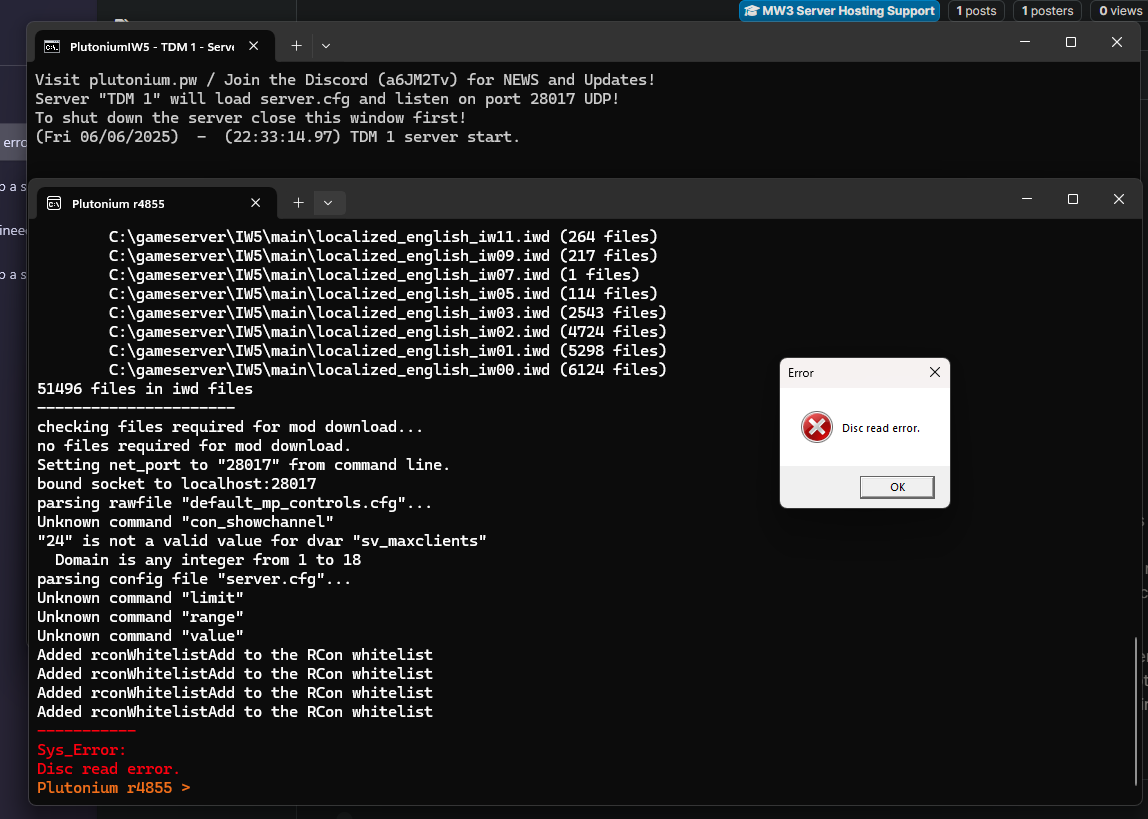
  • Disk read error during server start

    1
    1
    0 Votes
    1 Posts
    290 Views
    No one has replied
  • Playing against bots with 0 ping

    1
    0 Votes
    1 Posts
    354 Views
    No one has replied
  • This topic is deleted!

    1
    0 Votes
    1 Posts
    26 Views
    No one has replied
  • I need help for adding bots to MW3 Dedicated Server

    6
    0 Votes
    6 Posts
    2k Views
    Hello, everyone. I know that some of you are browsing the forum just like I am, searching for answers that other people may have asked. For those who have somehow landed here, I would like to say that my issue is solved and I'm going to thoroughly describe how. To start off, I'd like to describe my server so people would be able to copy it if in case they wanted a server of their own that's similar to mine. My server is a 12-player TDM/DOM/FFA/Gun Game server with map voting thanks to Sir Resxt's mapvote plugin and bots of a medium-high level of skill through github's ineedbots/iw5_bot_warfare. It automatically kicks out bots as soon as players fill the server. I'm not a programmer nor do I write code but I got it to work through editing the script here and there. First off, I'll talk about Resxt's Mapvote Plugin. The mapvote plugin needs to be simply slid inside your C:\Users\Name\AppData\Local\Plutonium\storage\iw5\scripts folder. If you don't have the folder, make it yourself. In order to see "AppData", you'll have to tick "Hidden Items" on the "View" tab located on the upper left side of your window which contains the tabs "File", "Home", "Share" and then "View". That is all. It's as simple as that. It will work on your server as soon as you drag the mapvote.gsc file there. Now, if you want to customize your mapvote to have more maps, you can add maps that you want by manually typing down their names in the mapvote.gsc file. I'll give you an example. Mine partially (removed many so it's shorter) looks like this: SetDvarIfNotInitialized("mapvote_maps", "Seatown,mp_seatown:Dome,mp_dome:Arkaden,mp_plaza2:Bakaara,mp_mogadishu:Resistance,mp_paris:Downturn,mp_exchange:Bootleg,mp_bootleg:Carbon,mp_carbon:Hardhat,mp_hardhat:Lockdown"); If you want to add gamemode voting in your mapvote plugin, you can add them or remove whatever you want from what I wrote. I'm just giving you guys what it should look like. SetDvarIfNotInitialized("mapvote_modes", "Team Deathmatch,TDM_default:Domination,DOM_default:Free for All,FFA_default:Gun Game,GG_default"); Next, I'll talk about Bot Warfare. Bot Warfare is a mod that adds bots. You simply download the "iw5bw230" zip file, extract it anywhere and click on the "Install" Windows Batch File. It'll automatically install your mod into your C:\Users\Name\AppData\Local\Plutonium\storage\iw5 folder. The mod file that will be installed is named as "z_svr_bots" and it will be an IWD file. If you want to configure anything regarding the bots that are not their names, it's not through editing that file. The file is actually an accumulation of different bot scripts for different maps and there's somehow a way to change bot names but I haven't figured it out yet. If you want to configure the bot difficulty and how much bots will be added and the automation of them being kicked as soon as someone joins in, you'll need to edit a different file. That file is actually your "server.cfg" file in your gameserver folder. For a 12 player server, here's my configuration for the bots. To have a limit of 12 players, I set my sv_maxclients to 12 for this server. Now, for the bots. Paste this thing anywhere you wish in the server.cfg file that you opened with Notepad++. This option allows you to have bots running 24/7 in your server as long as it's up. This will also turn off bot chatter (like how bots would taunt you in text chat in-game which is pretty funny at first but can get annoying for some). set bots_main "1" set bots_main_chat "0" set bots_manage_add "10" set bots_manage_fill "10" set bots_manage_fill_mode "0" set bots_manage_fill_kick "1" set bots_manage_fill_spec "1" set bots_skill "5" set bots_team "autoassign" set bots_team_force "1" So far with these settings, people have been able to join. I'm no programmer, I'm just an ordinary joe but through trial and error, I was able to test things out. You will NOT be able to change anything regarding the bots through pressing "N" on your game server. This is the only way to adjust your bot settings. As Resxt said, the admin is the server and not you. So, there's a reason why I only made the bots 10 instead of 12. I had issues with joining the server since the server said it was "full" when I put in 12. 10 was safe and as soon as the limitation of "10" players (bots + players) were being hit, bots would automatically get kicked one by one until there are no more. If your max players are 18, I recommend turning set bots_manage_add and set bots_manage_fill to "16". set bots_skill "5" is a bit into aimbot territory, actually. As soon as the bots see an enemy, there's a slightly high chance that dude's getting lasered to death across the map. It could go even higher but with enough skill, anyone can get a Pave Low easily with this bot difficulty. Oh, and if you accidentally kissed an enemy bot by bumping into one around a corner, you'll be knifed instantly. I set the bots to autoassign so the teams would always be balanced in number. Hopefully this would help any future IW5 server makers!

  • mw3 server

    2
    0 Votes
    2 Posts
    592 Views
    https://forum.plutonium.pw/topic/32250/
  • Error with Custom Maps _load.ff

    8
    0 Votes
    8 Posts
    1k Views
    @Example6428 this means FastDL is not setup properly Either the URL is not right, for example you included /usermaps in it, or the MIME types doesn't allow .ff files etc
  • Why can't I open a server?

    7
    0 Votes
    7 Posts
    1k Views
    @Resxt Now I understand. Thank you very much for your interest.
  • Killstreaks disappear on my dedicated server

    5
    0 Votes
    5 Posts
    736 Views
    Could be the class replace script
  • 0 Votes
    3 Posts
    476 Views
    https://github.com/Resxt/Plutonium-IW5-Scripts/blob/main/gamemodes/all_or_nothing.gsc
  • why i cant make sever

    5
    0 Votes
    5 Posts
    766 Views
    thanks