Skip to content
  • 0 Unread 0
  • Recent
  • Tags
  • Popular
  • Users
  • Groups
  • Donate
Collapse

Plutonium

  1. Home
  2. BO1 Modding Releases & Resources
  3. Translation bo1 GE/ES/IT/FR/RU/PL/JP

Translation bo1 GE/ES/IT/FR/RU/PL/JP

Scheduled Pinned Locked Moved BO1 Modding Releases & Resources
18 Posts 14 Posters 20.8k Views 3 Watching
  • Oldest to Newest
  • Newest to Oldest
  • Most Votes
Reply
  • Reply as topic
Log in to reply
This topic has been deleted. Only users with topic management privileges can see it.
  • Fly14 Offline
    Fly14 Offline
    Fly14
    wrote on last edited by
    #9

    The italian language pack is down, could you re upload it?

    polemik victor 1 Reply Last reply
    0
    • Fly14 Fly14

      The italian language pack is down, could you re upload it?

      polemik victor Offline
      polemik victor Offline
      polemik victor
      Contributor
      wrote on last edited by
      #10

      Fly14 Hello, I just recreated a link with the Italian patch, I did it by hand, can you tell me if it works? thx

      1 Reply Last reply
      4
      • polemik victor polemik victor referenced this topic on
      • polemik victor polemik victor referenced this topic on
      • bhfff bhfff referenced this topic on
      • alesanto Offline
        alesanto Offline
        alesanto
        wrote on last edited by
        #11

        80f1334c-5e45-4556-b9f6-6ffbfa3dab96-image.png
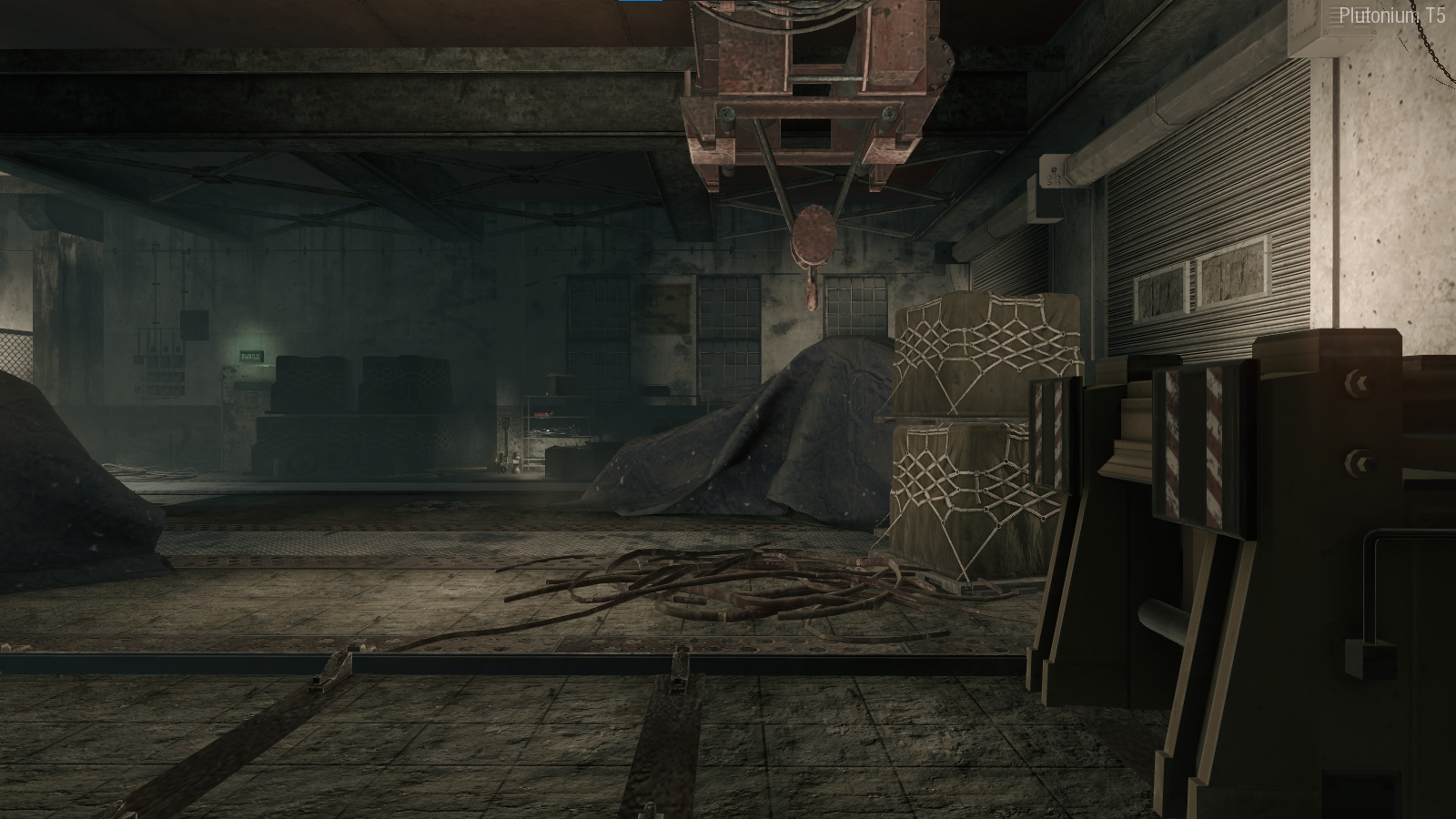
        In the mission to liberate hell, I get like this, how do I solve it?

        likeaboss08 1 Reply Last reply
        1
        • Hadi77KSA Offline
          Hadi77KSA Offline
          Hadi77KSA
          Contributor
          wrote on last edited by Hadi77KSA
          #12

          Just a couple of notes regarding the Polish and Japanese packs:

          • They're incompatible with "PlayStation DualShock 4 Button Prompts Mod" (link to the mod: https://forum.plutonium.pw/topic/28975/release-bo1-playstation-dualshock-4-button-prompts-mod) and any other fonts mods that are not designed for the Polish nor Japanese languages.
            This is due to these two languages' fonts being in a different structure than the English language's fonts structure.

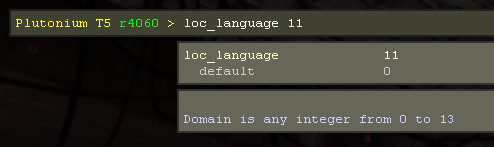
          • Sometimes the text could appear broken or lower quality. This is due to the value of the loc_language dvar changing. This change also affects the file directory from which the game will look for the language files. I suggest changing its value either through the config_mp.cfg/conLZM.cfg file if you know where it's located for Plutonium, or through the game console.
            Upon starting the game, check though the console that the dvar doesn't have a "latched value". The below picture shows how this latched value would look like in the in-game console if it's present:
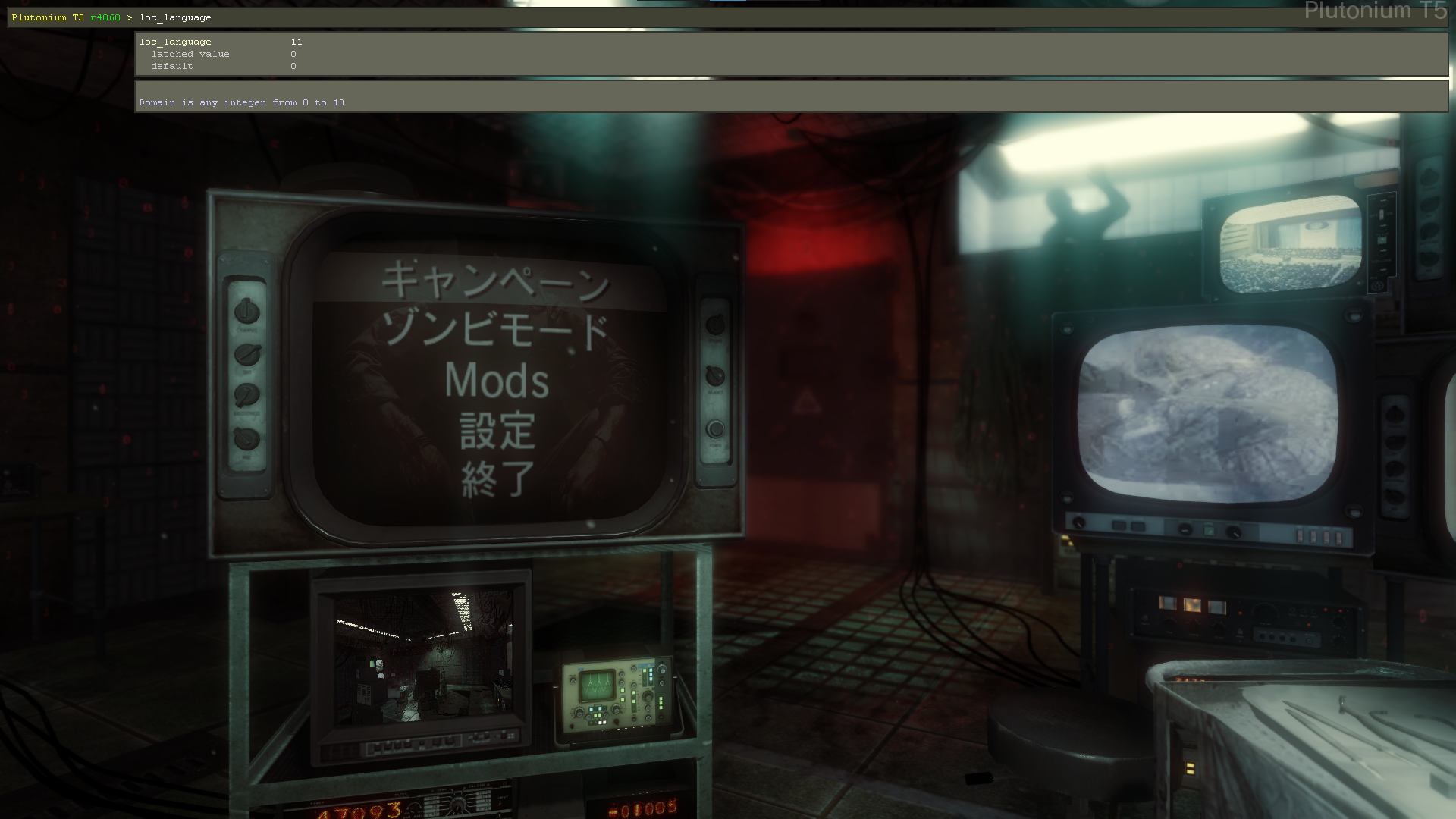
            image.png

            If it's present, use the below command. Doing so set it to the corresponding number of the language you're using.

            loc_language ( dvarInt( loc_language ) )
            
            • English: 0
            • French: 1
            • German Low-Violence: 3
              • Created by me and PsyHaIceFire = Patch GE LV
            • German: 4
            • Italian: 5
            • Spanish: 6
            • Russian: 8
            • Polish: 9
            • Japanese: 11

            image.png

          Update (2024/09/21)

          Added the rest of the languages' corresponding loc_language values.

          Update (2025/03/12)

          Changed the loc_language command.

          1 Reply Last reply
          1
          • Hadi77KSA Hadi77KSA referenced this topic on
          • JuancaRayo Offline
            JuancaRayo Offline
            JuancaRayo
            wrote on last edited by
            #13

            Captura de pantalla 2024-11-08 145414.png
            Captura de pantalla 2024-11-08 145425.png

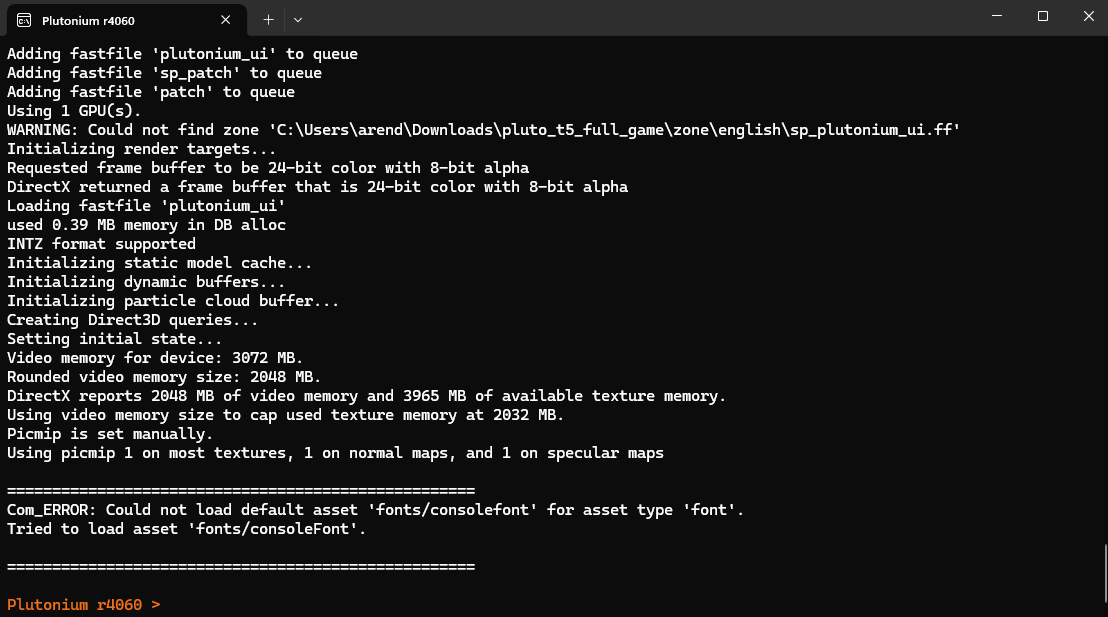
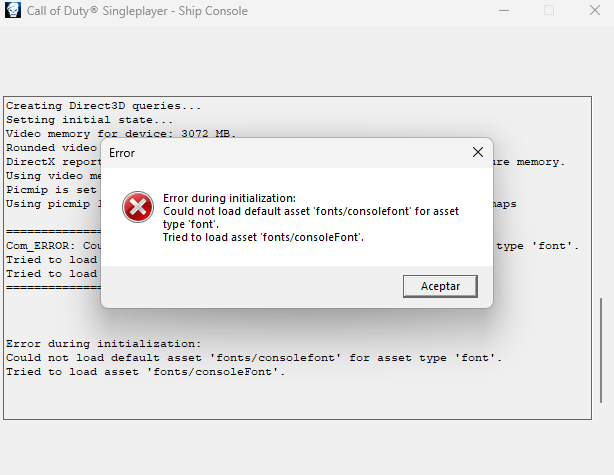
            I saw the tutorial and I did everything but get this error. Don't know what to do, any help guys?

            Hadi77KSA 1 Reply Last reply
            0
            • JuancaRayo JuancaRayo

              Captura de pantalla 2024-11-08 145414.png
              Captura de pantalla 2024-11-08 145425.png

              I saw the tutorial and I did everything but get this error. Don't know what to do, any help guys?

              Hadi77KSA Offline
              Hadi77KSA Offline
              Hadi77KSA
              Contributor
              wrote on last edited by Hadi77KSA
              #14

              JuancaRayo if this is happening when loading a mod, then it’s caused by the value of loc_language not corresponding to the language you have installed. Briefly mentioned in my comment.

              Otherwise, you’d have to repair your game files: https://plutonium.pw/docs/repair/

              1 Reply Last reply
              0
              • CTSDaBest Offline
                CTSDaBest Offline
                CTSDaBest
                wrote on last edited by
                #15

                No Russian announcer voice?

                1 Reply Last reply
                0
                • ChoriPanZeOG Offline
                  ChoriPanZeOG Offline
                  ChoriPanZeOG
                  wrote on last edited by ChoriPanZeOG
                  #16

                  I have the ES patch and It works but It doesn't playin zombies, the characters dont speak. Does anyone know how to fix it? Pls

                  Also there is BO_-_Patch_ES.bat in the patch fólder and i dont know what It is, i didnt put It in the game fólder yet because idk where it has to be.

                  1 Reply Last reply
                  0
                  • luisaht18 Offline
                    luisaht18 Offline
                    luisaht18
                    wrote on last edited by
                    #17

                    ChoriPanZeOG lo puidste reperar? si es asi me dices como porfa y esto lo pregunto antes de instalarlo el español es de latam o de españa?

                    1 Reply Last reply
                    0
                    • alesanto alesanto

                      80f1334c-5e45-4556-b9f6-6ffbfa3dab96-image.png
                      In the mission to liberate hell, I get like this, how do I solve it?

                      likeaboss08 Offline
                      likeaboss08 Offline
                      likeaboss08
                      wrote on last edited by
                      #18

                      alesanto HI, PLEASE TELL ME HOW YOU FIXED THIS BUG?

                      1 Reply Last reply
                      0

                      Hello! It looks like you're interested in this conversation, but you don't have an account yet.

                      Getting fed up of having to scroll through the same posts each visit? When you register for an account, you'll always come back to exactly where you were before, and choose to be notified of new replies (either via email, or push notification). You'll also be able to save bookmarks and upvote posts to show your appreciation to other community members.

                      With your input, this post could be even better 💗

                      Register Login
                      Reply
                      • Reply as topic
                      Log in to reply
                      • Oldest to Newest
                      • Newest to Oldest
                      • Most Votes


                      • Login

                      • Don't have an account? Register

                      • Login or register to search.
                      • First post
                        Last post
                      0
                      • Unread 0
                      • Recent
                      • Tags
                      • Popular
                      • Users
                      • Groups
                      • Donate