Skip to content
  • Recent
  • Tags
  • Popular
  • Users
  • Groups
  • Donate
Collapse

Plutonium

  1. Home
  2. Launcher Support
  3. the launcher closes.

the launcher closes.

Scheduled Pinned Locked Moved Launcher Support
112 Posts 6 Posters 15.1k Views 1 Watching
  • Oldest to Newest
  • Newest to Oldest
  • Most Votes
Reply
  • Reply as topic
Log in to reply
This topic has been deleted. Only users with topic management privileges can see it.
  • Qu1ck808undefined Qu1ck808

    Qu1ck808 So those other 3 files in the redist I have to run?

    Dss0undefined Offline
    Dss0undefined Offline
    Dss0
    Plutonium Staff
    wrote on last edited by Dss0
    #13

    Qu1ck808 every .exe in the redist folder and all it's subfolders.

    1 Reply Last reply
    0
    • Qu1ck808undefined Offline
      Qu1ck808undefined Offline
      Qu1ck808
      wrote on last edited by
      #14

      Dss0
      .NETFramework.exe
      VC_redist.x86.exe
      vcredist_x86.exe

      Dss0undefined 1 Reply Last reply
      0
      • Qu1ck808undefined Qu1ck808

        Dss0
        .NETFramework.exe
        VC_redist.x86.exe
        vcredist_x86.exe

        Dss0undefined Offline
        Dss0undefined Offline
        Dss0
        Plutonium Staff
        wrote on last edited by Dss0
        #15

        Qu1ck808 yes..... and directx/dxsetup.exe

        also this one isn't included: https://aka.ms/vs/16/release/vc_redist.x64.exe

        1 Reply Last reply
        0
        • Qu1ck808undefined Offline
          Qu1ck808undefined Offline
          Qu1ck808
          wrote on last edited by
          #16

          Dss0 Ok .NETFramework.exe says it wont run on my PC.

          btw thanks for helping me out

          Dss0undefined 1 Reply Last reply
          0
          • Qu1ck808undefined Qu1ck808

            Dss0 Ok .NETFramework.exe says it wont run on my PC.

            btw thanks for helping me out

            Dss0undefined Offline
            Dss0undefined Offline
            Dss0
            Plutonium Staff
            wrote on last edited by
            #17

            Qu1ck808 which version of windows are you on?

            1 Reply Last reply
            0
            • Qu1ck808undefined Offline
              Qu1ck808undefined Offline
              Qu1ck808
              wrote on last edited by
              #18

              Dss0 10 Windows 10 home

              Dss0undefined 1 Reply Last reply
              0
              • Qu1ck808undefined Qu1ck808

                Dss0 10 Windows 10 home

                Dss0undefined Offline
                Dss0undefined Offline
                Dss0
                Plutonium Staff
                wrote on last edited by Dss0
                #19

                Qu1ck808 well the launcher starts right? so .net should be fine. Strange that it says that tho, are you maybe using the very first version of win10 (1503)? If yes i would strongly advise upgrading to 1607 or later.

                JXXQXXN_MXNXZundefined 1 Reply Last reply
                0
                • Qu1ck808undefined Offline
                  Qu1ck808undefined Offline
                  Qu1ck808
                  wrote on last edited by
                  #20

                  Dss0 how do i check that

                  Dss0undefined 1 Reply Last reply
                  0
                  • Qu1ck808undefined Qu1ck808

                    Dss0 how do i check that

                    Dss0undefined Offline
                    Dss0undefined Offline
                    Dss0
                    Plutonium Staff
                    wrote on last edited by
                    #21

                    Qu1ck808 open the start menu and search for "cmd". Open cmd and run the command

                    winver
                    
                    1 Reply Last reply
                    0
                    • Qu1ck808undefined Offline
                      Qu1ck808undefined Offline
                      Qu1ck808
                      wrote on last edited by
                      #22

                      Dss0 Ok it says "Version 2004 (OS Build 19041.508)

                      Dss0undefined 1 Reply Last reply
                      0
                      • Qu1ck808undefined Qu1ck808

                        Dss0 Ok it says "Version 2004 (OS Build 19041.508)

                        Dss0undefined Offline
                        Dss0undefined Offline
                        Dss0
                        Plutonium Staff
                        wrote on last edited by
                        #23

                        Qu1ck808 ok that's fine. so:

                        • install all other redist's
                        • install directx
                        • run the launcher as admin

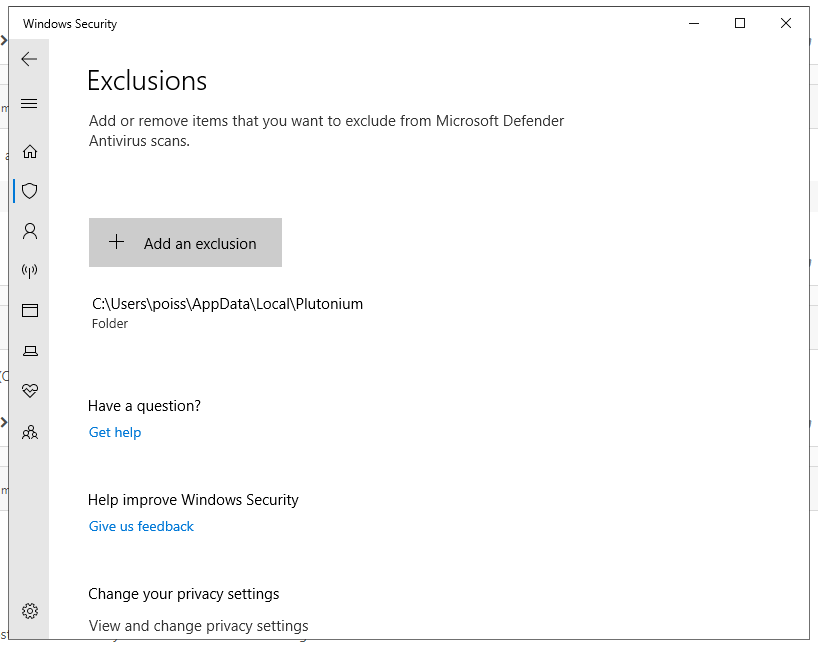
                        If it still doesn't work after that post a screenshot of your defender exclusion settings.

                        1 Reply Last reply
                        0
                        • Qu1ck808undefined Offline
                          Qu1ck808undefined Offline
                          Qu1ck808
                          wrote on last edited by
                          #24

                          Dss0 Ok. So I followed those steps you laid out restarted my computer and the same problem occurred Plutonium launcher just closes no notification...
                          Screenshot 2020-10-15 085902.png

                          Dss0undefined 1 Reply Last reply
                          0
                          • Qu1ck808undefined Offline
                            Qu1ck808undefined Offline
                            Qu1ck808
                            wrote on last edited by
                            #25

                            Dss0 Screenshot 2020-10-15 090819.png

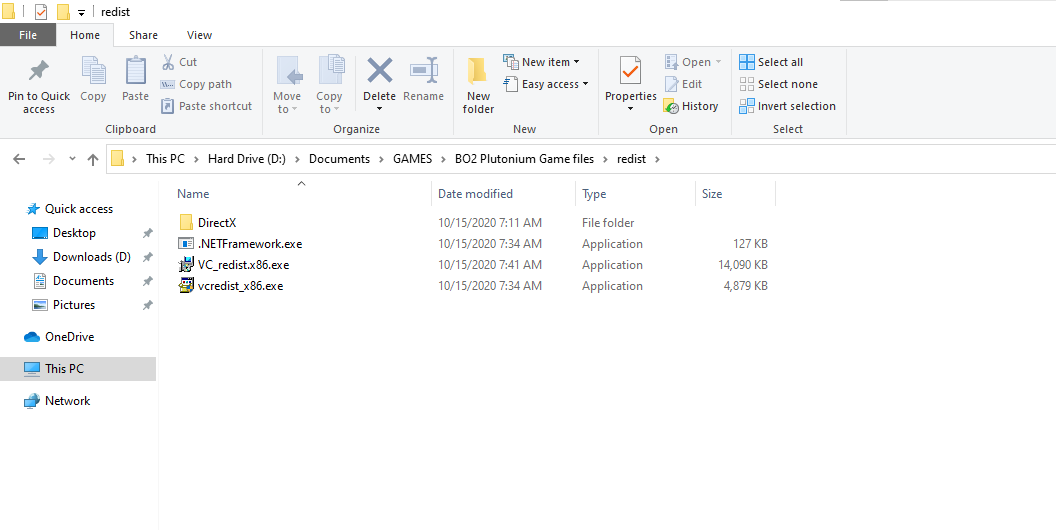
                            Here are my redist files

                            1 Reply Last reply
                            0
                            • Acrillxundefined Offline
                              Acrillxundefined Offline
                              Acrillx
                              wrote on last edited by
                              #26

                              Ok try disabling you anti virus thingy and then try launching it and see if it works thats what i did and then it worked fine

                              1 Reply Last reply
                              0
                              • Qu1ck808undefined Qu1ck808

                                Dss0 Ok. So I followed those steps you laid out restarted my computer and the same problem occurred Plutonium launcher just closes no notification...

                                Screenshot 2020-10-15 085902.png

                                Dss0undefined Offline
                                Dss0undefined Offline
                                Dss0
                                Plutonium Staff
                                wrote on last edited by
                                #27

                                Qu1ck808 try also exluding plutonium.exe (should be in your game folder). If it still doesn't work try this aswell:

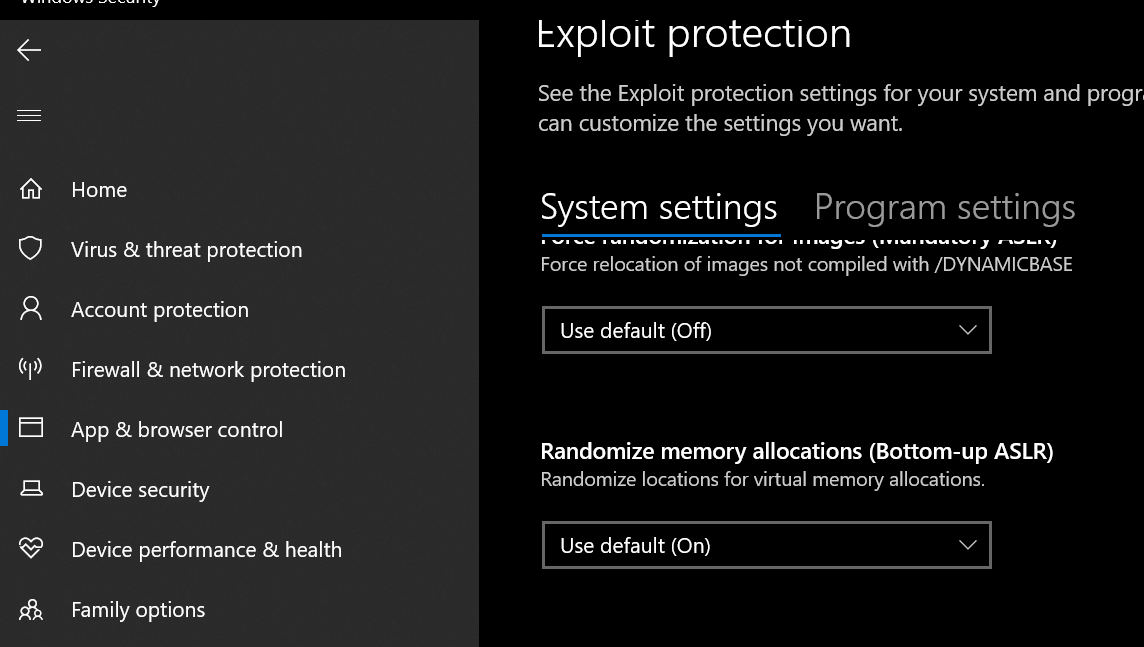
                                • go to windows security -> app & browser control -> exploit protection -> exploit protection settings
                                • turn off "randomize memory allocations (Bottom-up ASLR)"
                                alt text

                                1 Reply Last reply
                                0
                                • Qu1ck808undefined Offline
                                  Qu1ck808undefined Offline
                                  Qu1ck808
                                  wrote on last edited by
                                  #28

                                  Acrillx Isn't that what the exclusion is supposed to do?

                                  1 Reply Last reply
                                  0
                                  • Acrillxundefined Offline
                                    Acrillxundefined Offline
                                    Acrillx
                                    wrote on last edited by
                                    #29

                                    Sometimes that doesnt work just try it out it might work for you Qu1ck808

                                    1 Reply Last reply
                                    0
                                    • Qu1ck808undefined Offline
                                      Qu1ck808undefined Offline
                                      Qu1ck808
                                      wrote on last edited by
                                      #30

                                      Dss0 Ok. I did that and same problem. Acrillx said I should just turn off windows defender might as well give that a go do you know how I can do that?

                                      Dss0undefined 1 Reply Last reply
                                      0
                                      • Acrillxundefined Offline
                                        Acrillxundefined Offline
                                        Acrillx
                                        wrote on last edited by
                                        #31

                                        Not sure i had trouble finding out myself look it up Qu1ck808

                                        1 Reply Last reply
                                        0
                                        • Qu1ck808undefined Qu1ck808

                                          Dss0 Ok. I did that and same problem. Acrillx said I should just turn off windows defender might as well give that a go do you know how I can do that?

                                          Dss0undefined Offline
                                          Dss0undefined Offline
                                          Dss0
                                          Plutonium Staff
                                          wrote on last edited by
                                          #32

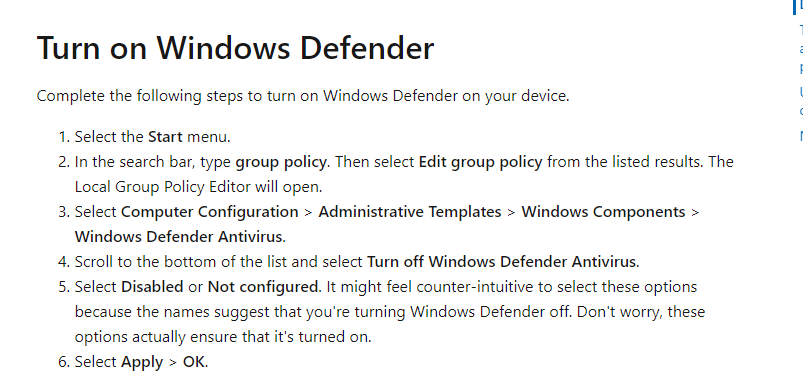
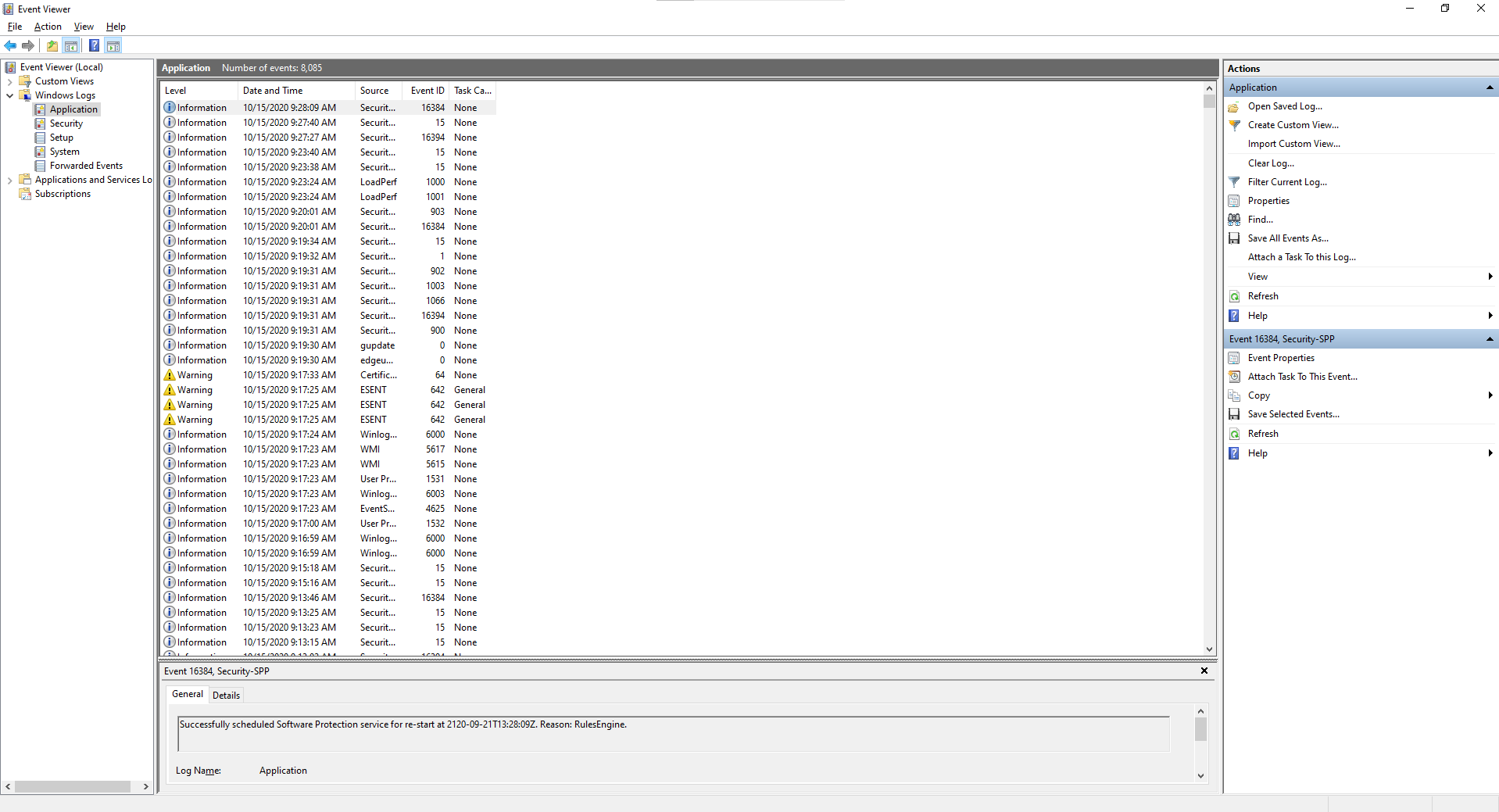
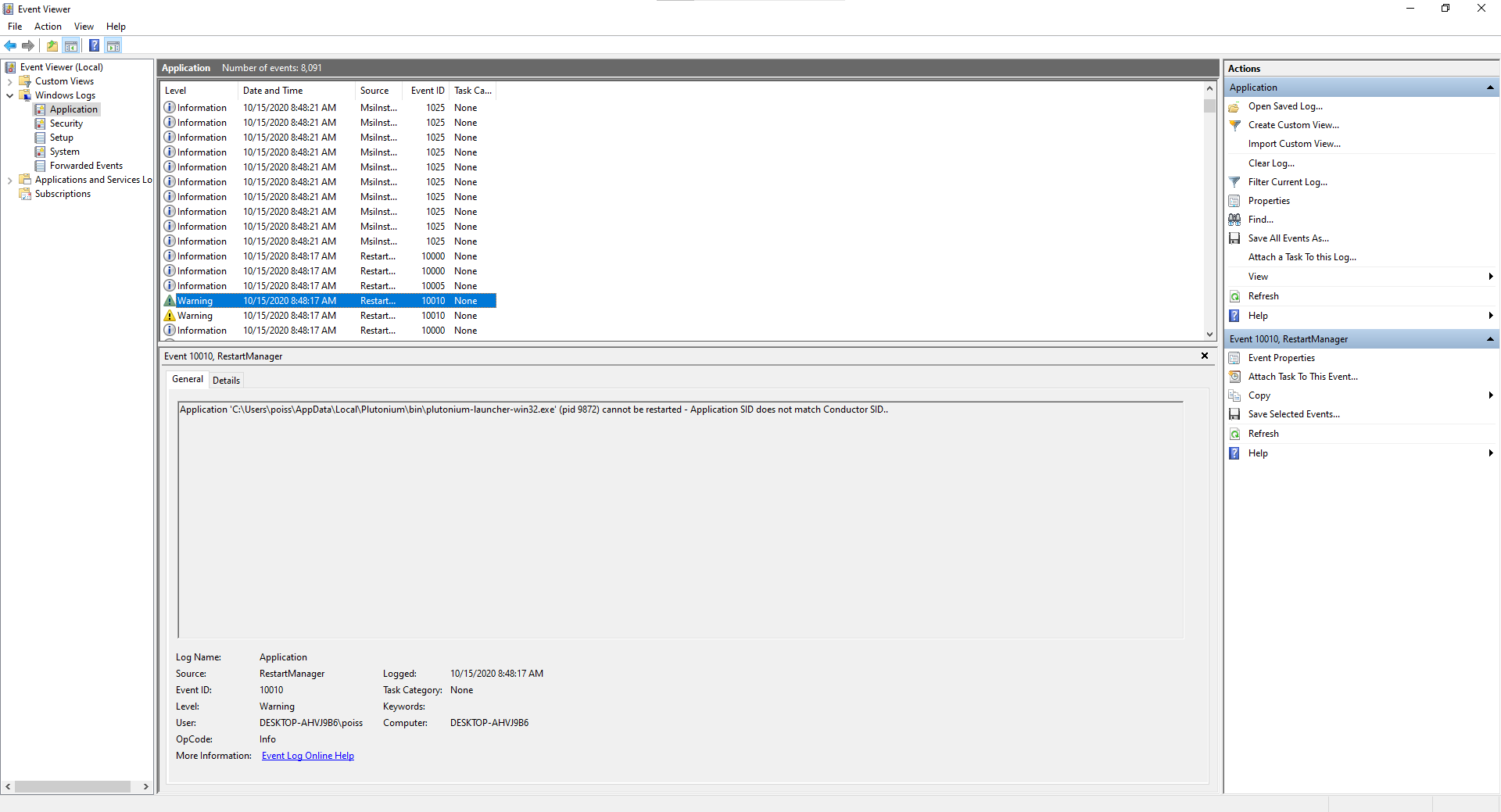
                                          Qu1ck808 google it. shouldn't be necessary tho. Can you open event viewer (search for event viewer in the start menu) then go to windows logs -> application and see if you can find anything related to the launcher, if yes post a screenshot of the event details.

                                          1 Reply Last reply
                                          0

                                          Hello! It looks like you're interested in this conversation, but you don't have an account yet.

                                          Getting fed up of having to scroll through the same posts each visit? When you register for an account, you'll always come back to exactly where you were before, and choose to be notified of new replies (either via email, or push notification). You'll also be able to save bookmarks and upvote posts to show your appreciation to other community members.

                                          With your input, this post could be even better 💗

                                          Register Login
                                          Reply
                                          • Reply as topic
                                          Log in to reply
                                          • Oldest to Newest
                                          • Newest to Oldest
                                          • Most Votes


                                          • 1
                                          • 2
                                          • 3
                                          • 4
                                          • 5
                                          • 6
                                          • Login

                                          • Don't have an account? Register

                                          • Login or register to search.
                                          • First post
                                            Last post
                                          0
                                          • Recent
                                          • Tags
                                          • Popular
                                          • Users
                                          • Groups
                                          • Donate