WARNING: config file dedicated.cfg not found.
-
I'm trying to host a private server for BO2, I followed the tutorial closely, but I have this:
D:\BO2\t6rmp.exe console:
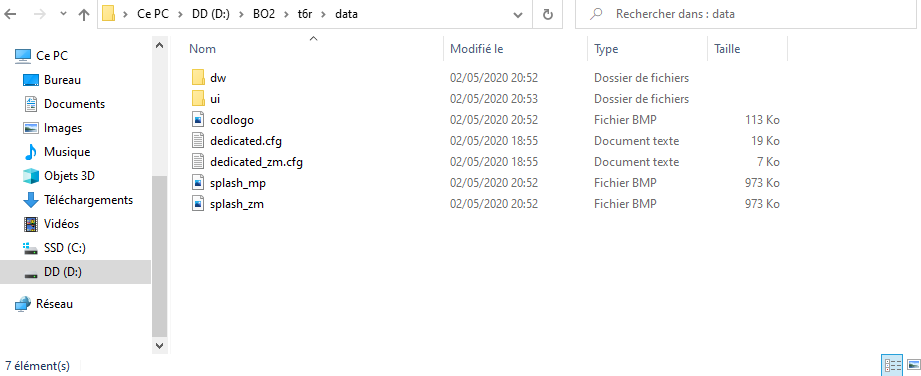
WARNING: config file dedicated.cfg not found.I tried to modify the file !start_mp_server.bat by changing set cfg=dedicated.cfg to set cfg=t6r/data/dedicated.cfg, but it still doesn't change anything.

-
I'm trying to host a private server for BO2, I followed the tutorial closely, but I have this:
D:\BO2\t6rmp.exe console:
WARNING: config file dedicated.cfg not found.I tried to modify the file !start_mp_server.bat by changing set cfg=dedicated.cfg to set cfg=t6r/data/dedicated.cfg, but it still doesn't change anything.
-
so you changed the file into a .txt and then it worked? or what exactly did you do?
-
so you changed the file into a .txt and then it worked? or what exactly did you do?
BigBeanGames no, his file name extensions were turned off. He had it saved as a .txt, but it needs to be just a .cfg



Hello! It looks like you're interested in this conversation, but you don't have an account yet.
Getting fed up of having to scroll through the same posts each visit? When you register for an account, you'll always come back to exactly where you were before, and choose to be notified of new replies (either via email, or push notification). You'll also be able to save bookmarks and upvote posts to show your appreciation to other community members.
With your input, this post could be even better 💗
Register Login