Bootstrapper Issue
-
I also noticed my game file is missing the t6r file and "https://fastcache.plutonium.pw/r372.zip" the link to download the t6r file does not work

Ahmad52 said in Bootstrapper Issue:
I also noticed my game file is missing the t6r file and "https://fastcache.plutonium.pw/r372.zip" the link to download the t6r file does not work
You will be missing those files. Those are old and unused anymore (unless you are using custom camos)
-
-
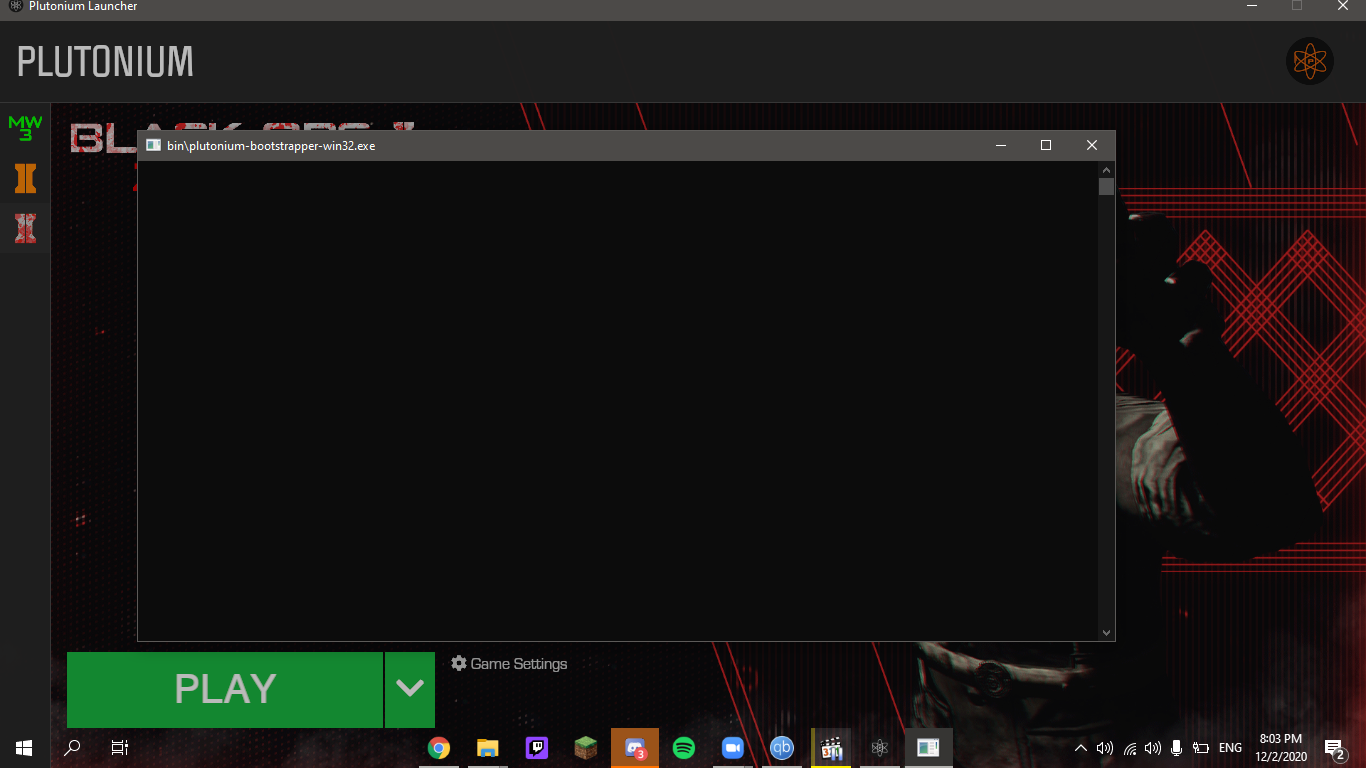
Okay so if it isn't windows defender and it isn't missing dll files then why does the bootstrapper not launch the game, I even reinstalled the game 3 times just to make sure I'm not missing any files
-
-
I wish I did, that would be a quick fix but no I only have windows defender

Ahmad52 is the game still downloading or seeding in qbittorrent? (i noticed it's running in your screenshot). Try removing it from there.
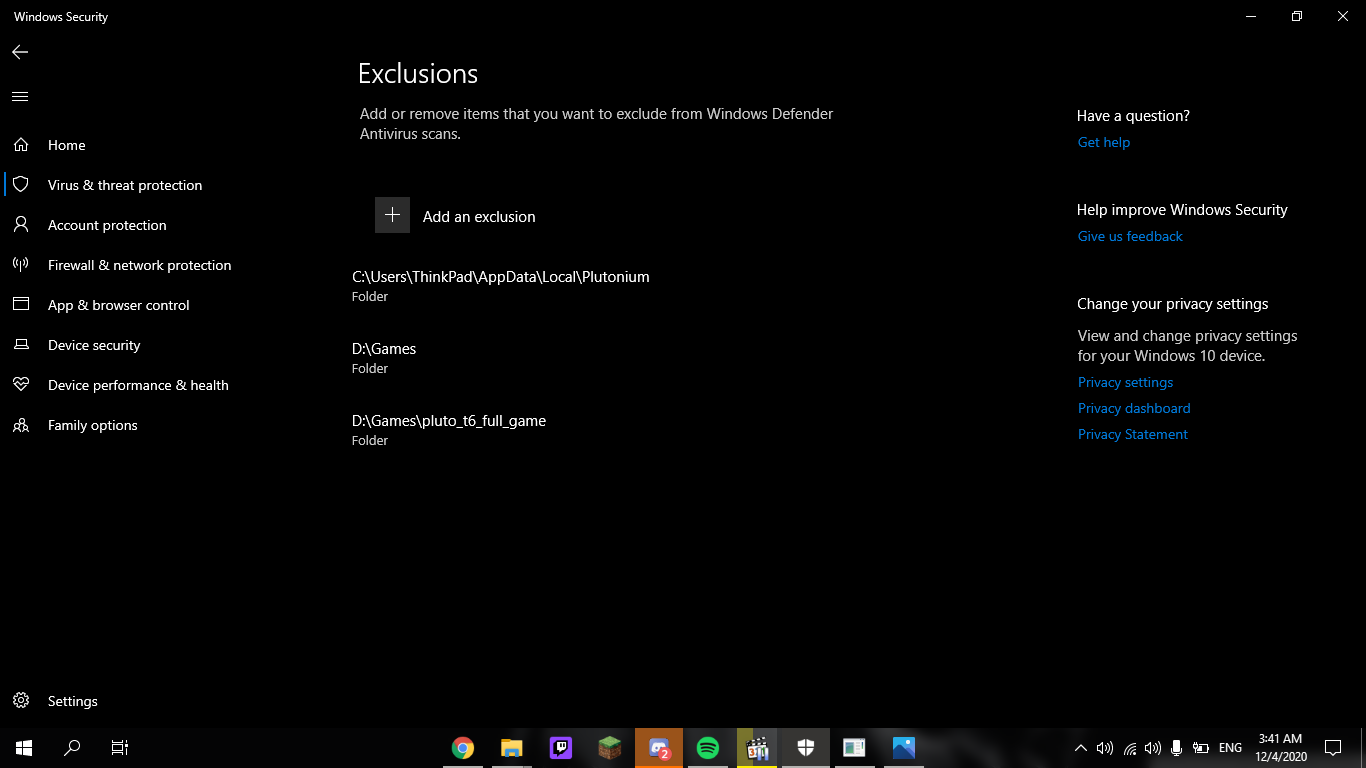
Can you pls post screenshots of:
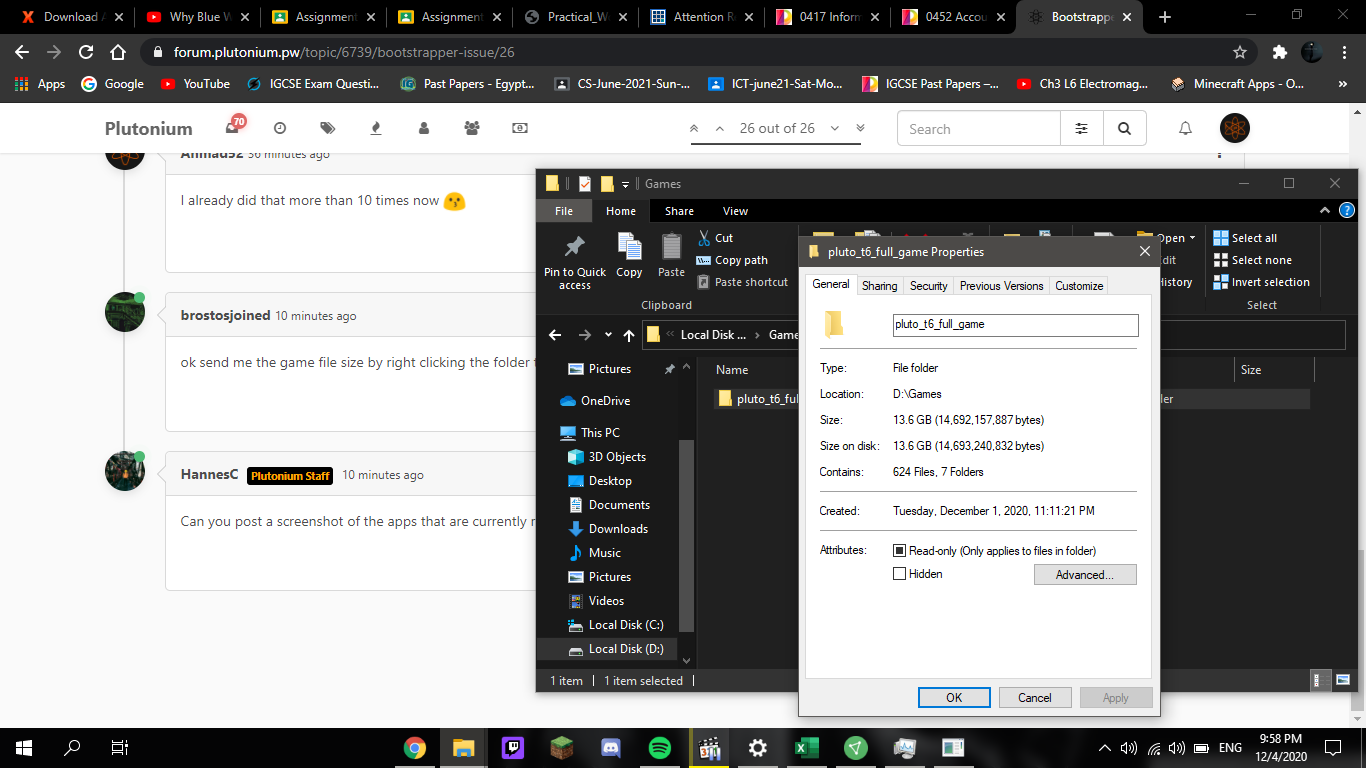
- Your game folder
- Your defender exclusion settings
-
-
No that was a separate torrent download, The plutonium file finished downloading, Sure
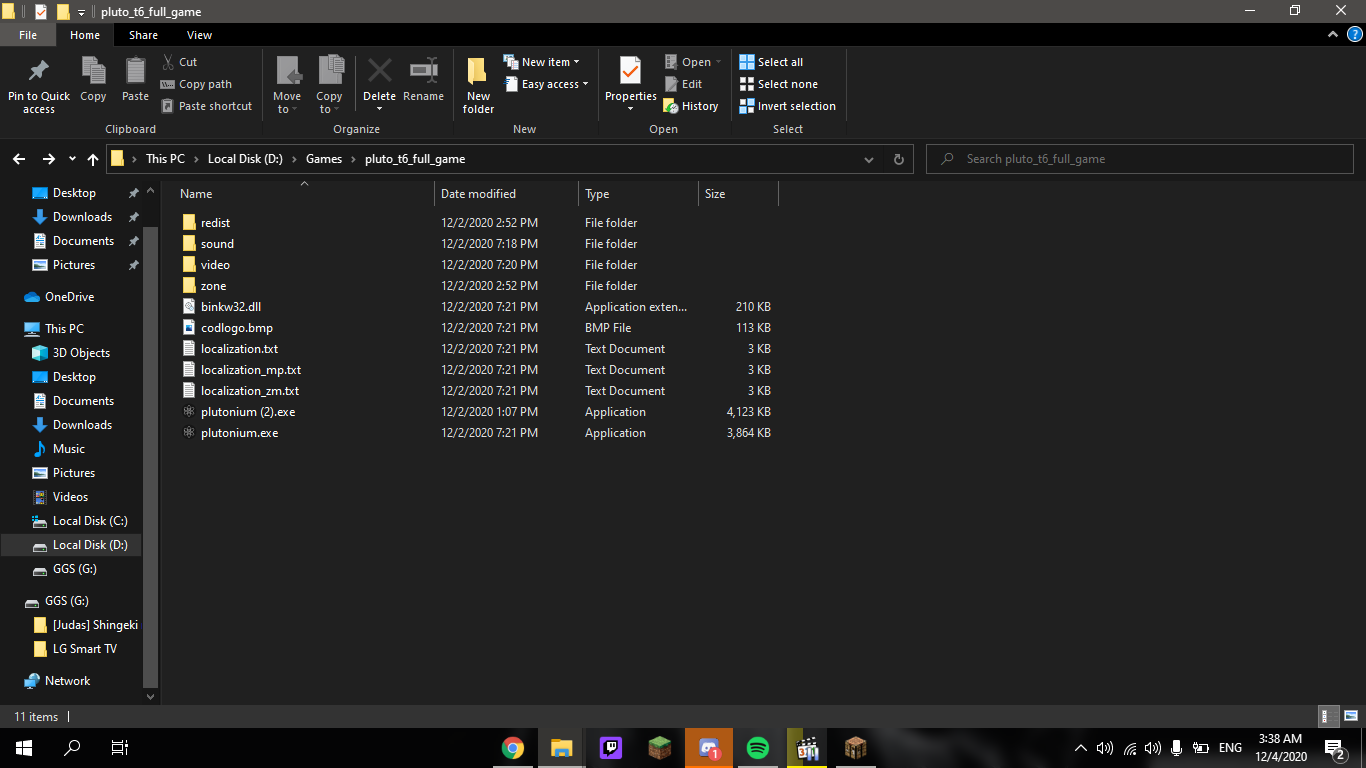 !
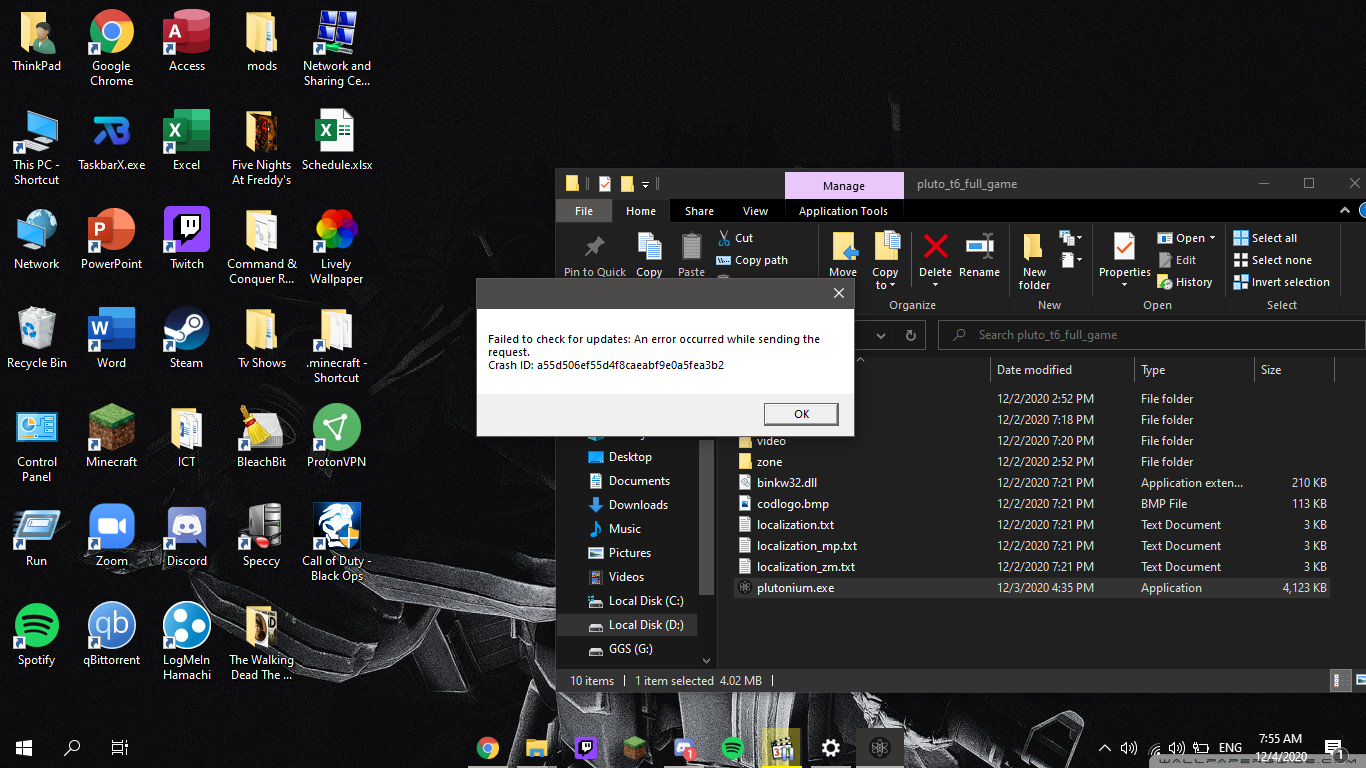
Ahmad52 you are launching plutonium (2).exe right? Delete plutonium.exe and rename plutonium (2).exe to plutonium.exe.
-
-

Try changing your DNS to 1.1.1.1 or use a VPN. Ahmad52
-
-
Like you hit Play and it crashes? Assuming you already followed Dss0's instructions in the beginning of the thread, it's probably your antivirus. What AV do you use?
-
The launcher launches the bootstrapper and the bootstrapper remains clear without launching the game, no crashes, no errors. I dont have an antivirus and my windows defenders exclusions include the plutonium file, I have a vpn enabled and disabled and eitherway it doesnt launch the game the bootstraper just ramins clear
-
-
What do you mean dude the launcher wouldn't work without the localappdata plutonium folder
Ahmad52 it would re-download the clientfiles, i doubt that is the issue here tho.
Try using a vpn if you have one, still seems like a network related issue. -
-
-
-
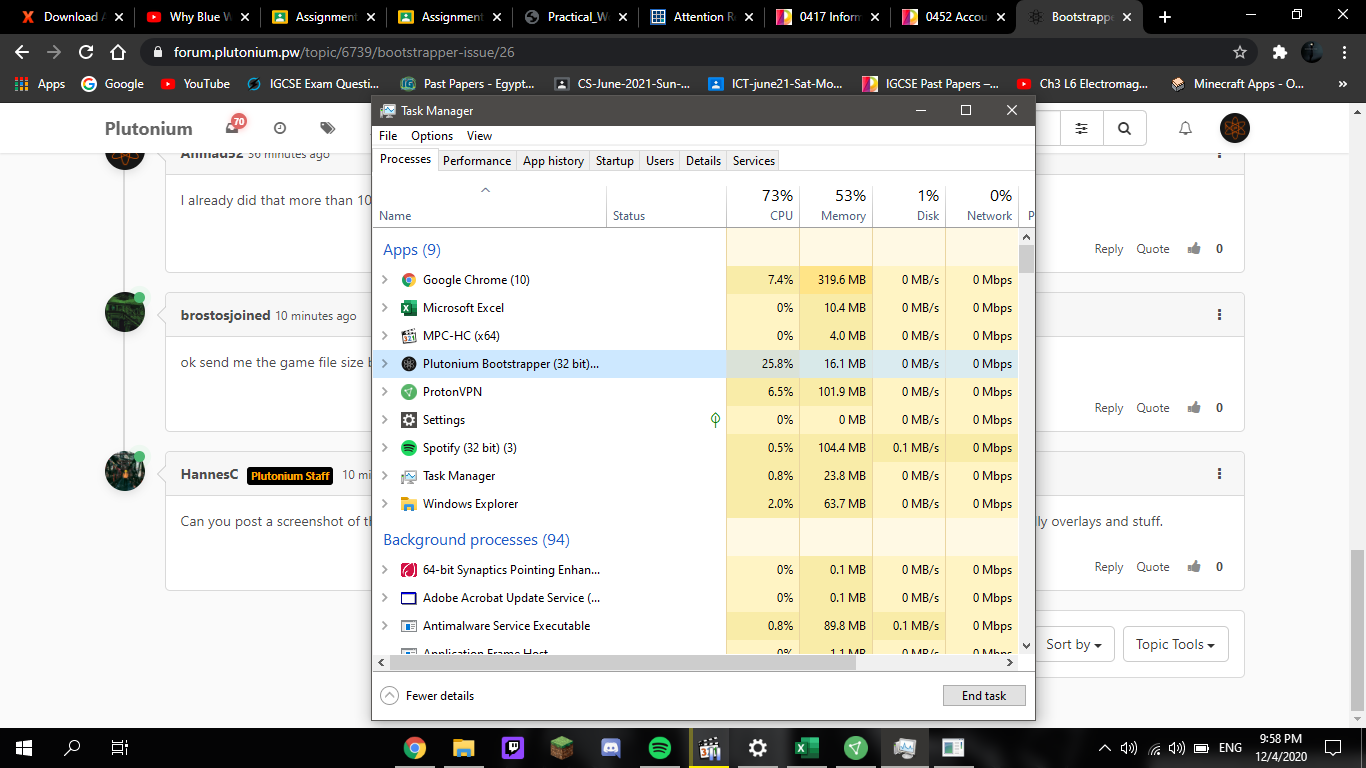
Can you post a screenshot of the apps that are currently running in the background? It's likely one of them are clashing with Pluto. Especially overlays and stuff.
-
-
hi,I have issue with bootstrapper I have windows7 64 complaining about missing xinput1_4.dll I put that dll then tell me about another dll API-MS-Win-Eventing-ClassicProvider-L1-1-0 then another api-ms-win-core-sysinfo-l1-2-1 then cannot find entry to the last dll about systime get time error wha sould I do about some month ago the launcher launch fine without error after this update a lots of errors

Hello! It looks like you're interested in this conversation, but you don't have an account yet.
Getting fed up of having to scroll through the same posts each visit? When you register for an account, you'll always come back to exactly where you were before, and choose to be notified of new replies (either via email, or push notification). You'll also be able to save bookmarks and upvote posts to show your appreciation to other community members.
With your input, this post could be even better 💗
Register Login