Skip to content
  • 0 Unread 0
  • Recent
  • Tags
  • Popular
  • Users
  • Groups
Collapse

Plutonium

Littlegodsundefined

Littlegods

@Littlegods
About
Posts
86
Topics
7
Shares
0
Groups
0
Followers
21
Following
6

Posts

Recent Best Controversial

  • hit marker zombies
    Littlegodsundefined Littlegods

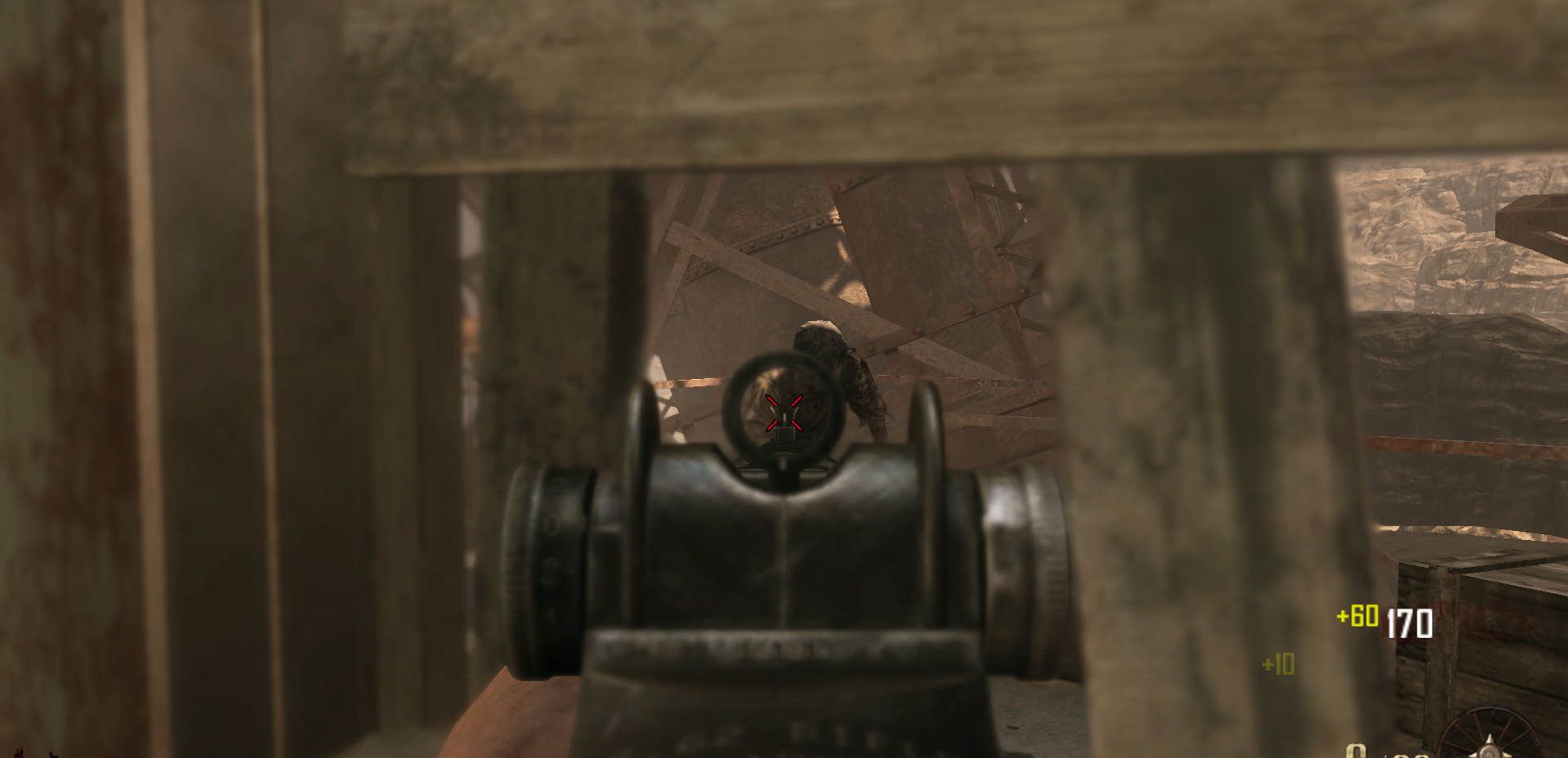
    Hitmarker

    #include maps\mp\_utility;
    #include common_scripts\utility;
    #include maps\mp\gametypes_zm\_hud_util;
    #include maps\mp\zombies\_zm_utility;
    #include maps\mp\zombies\_zm;


    init()
    {
        level thread onPlayerConnect();
    }
    
    onPlayerConnect()
    {
    
        self endon("disconnect");
        precacheshader("damage_feedback");
        self maps\mp\zombies\_zm_spawner::register_zombie_damage_callback(::do_hitmarker);
        self maps\mp\zombies\_zm_spawner::register_zombie_death_event_callback(::do_hitmarker_death);
        for (;;)
        {
            level waittill("connected", player);
            player thread onPlayerSpawned();
            
            // Añadimos un flag para indicar si la barra está activa (inicialmente desactivada)
            player.healthbarzombie_active = false;
    
            player.hud_damagefeedback = newdamageindicatorhudelem( player );
            player.hud_damagefeedback.horzalign = "center";
            player.hud_damagefeedback.vertalign = "middle";
            player.hud_damagefeedback.x = -12;
            player.hud_damagefeedback.y = -12;
            player.hud_damagefeedback.alpha = 0;
            player.hud_damagefeedback.archived = 1;
            player.hud_damagefeedback.color = ( 1, 1, 1 );
            player.hud_damagefeedback setshader( "damage_feedback", 24, 48 );
            player.hud_damagefeedback_red = newdamageindicatorhudelem( player );
            player.hud_damagefeedback_red.horzalign = "center";
            player.hud_damagefeedback_red.vertalign = "middle";
            player.hud_damagefeedback_red.x = -12;
            player.hud_damagefeedback_red.y = -12;
            player.hud_damagefeedback_red.alpha = 0;
            player.hud_damagefeedback_red.archived = 1;
            player.hud_damagefeedback_red.color = ( 1, 0, 0 );
            player.hud_damagefeedback_red setshader( "damage_feedback", 24, 48 );
        }
    }
    
    
    updatedamagefeedback( mod, inflictor, death )
    {
        if( IsDefined( self.disable_hitmarkers ) || !(isplayer( self )) )
        {
            return;
        }
    
        if( mod != "MOD_HIT_BY_OBJECT" && mod != "MOD_GRENADE_SPLASH" && mod != "MOD_CRUSH" && IsDefined( mod ) )
        {
            if( IsDefined( inflictor ) )
            {
                self playlocalsound( "mpl_hit_alert" );
            }
    
            if( getdvarintdefault( "redhitmarkers", 1 ) && death )
            {
                self.hud_damagefeedback_red setshader( "damage_feedback", 24, 48 );
                self.hud_damagefeedback_red.alpha = 1;
                self.hud_damagefeedback_red fadeovertime( 1 );
                self.hud_damagefeedback_red.alpha = 0;
                //self.zombieDeathCounter++;
    
            }
            else
            {
                self.hud_damagefeedback setshader( "damage_feedback", 24, 48 );
                self.hud_damagefeedback.alpha = 1;
                self.hud_damagefeedback fadeovertime( 1 );
                self.hud_damagefeedback.alpha = 0;
            }
        }
        return 0;
    }
    
    do_hitmarker_death()
    {
        if( self.attacker != self && isplayer( self.attacker ) && IsDefined( self.attacker ) )
        {
            self.attacker thread updatedamagefeedback( self.damagemod, self.attacker, 1 );
        }
        return 0;
    }
    
    do_hitmarker( mod, hitloc, hitorig, player, damage )
    {
        if( player != self && isplayer( player ) && IsDefined( player ) )
        {
            player.targetZombie = self;
            player thread updatedamagefeedback( mod, player, 0 );
        }
        return 0;
    }
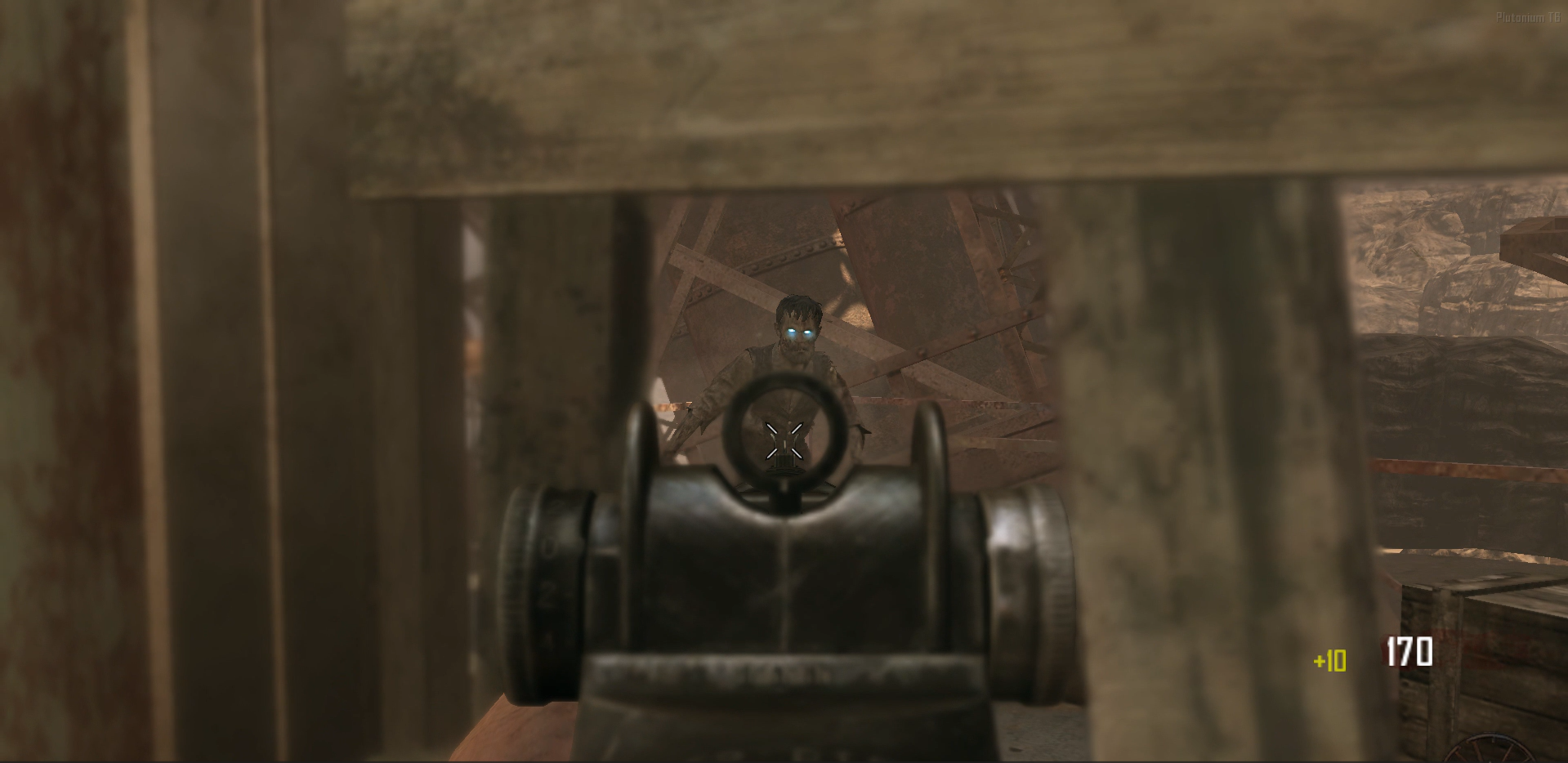
    

    a6ab096a-a099-44ee-bc82-19d32cc5e432-image.png
    371e09f2-17d0-4be4-a6c7-49d60dca413b-image.png

    BO2 Client Support

  • anyway i can press a key to give myself all perks
    Littlegodsundefined Littlegods

    I’ll code a script for you with a command, for example #perkall or #p, and it will give you all the perks — just give me a moment.

    BO1 Modding Support & Discussion

  • hit marker zombies
    Littlegodsundefined Littlegods

    You can use a modification that adds the hitmarker. Give me a moment and I’ll code your script.

    BO2 Client Support

  • Abuso de admin
    Littlegodsundefined Littlegods

    Es bueno reportar la conducta de los admines, la verdad el mejor consejo es buscar otro servidor y disfrutar en ellos, aca queda la evidencia de como son, tambien decirte que los administradores de plutonium no se meten con la coducta de los propetario de servidores dedicados..

    Temas De Español

  • [Release][ZM] Bank x Commands | pay, paybank (All Maps)
    Littlegodsundefined Littlegods

    VersionGameScriptPlatformAuthor

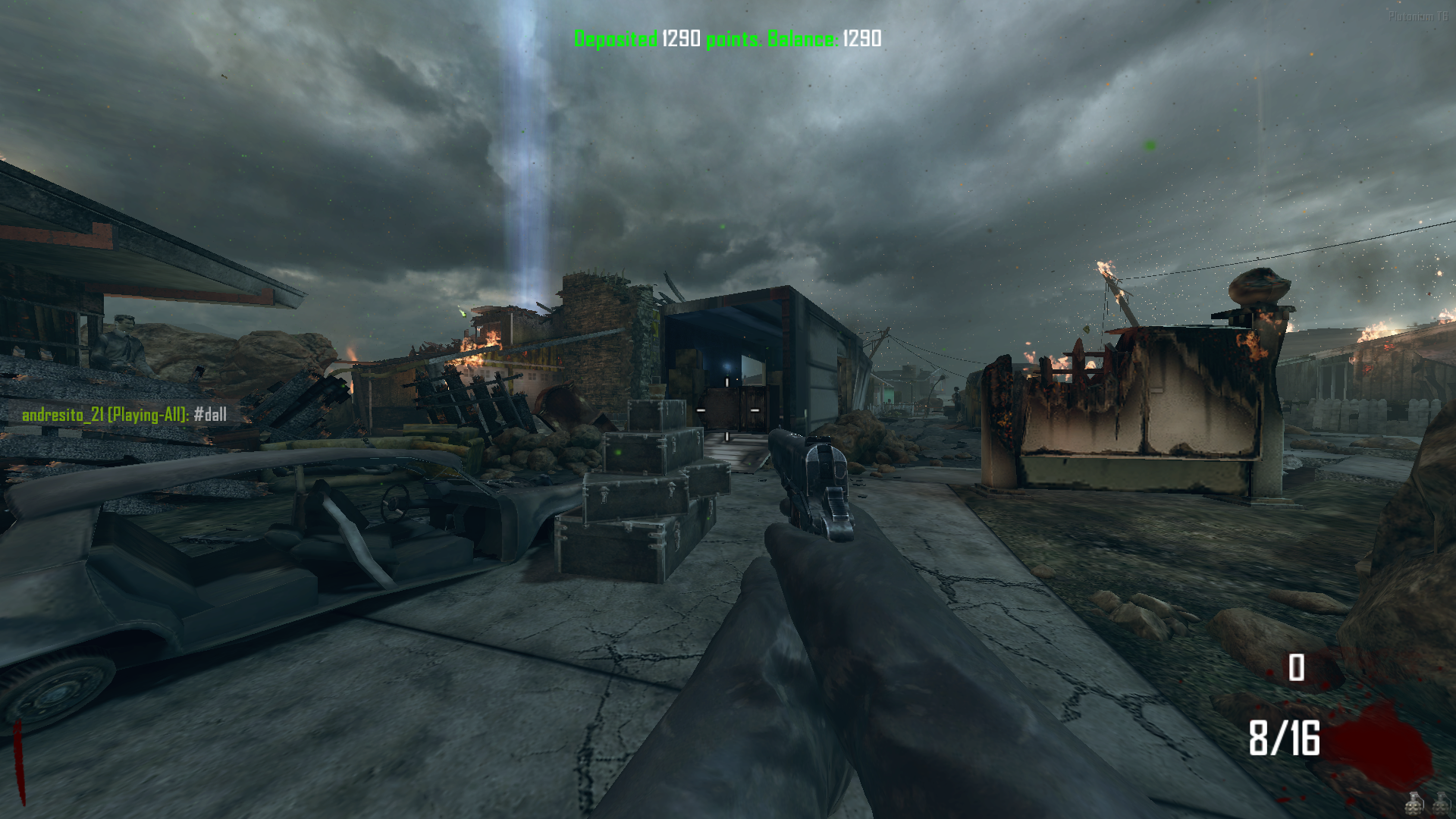
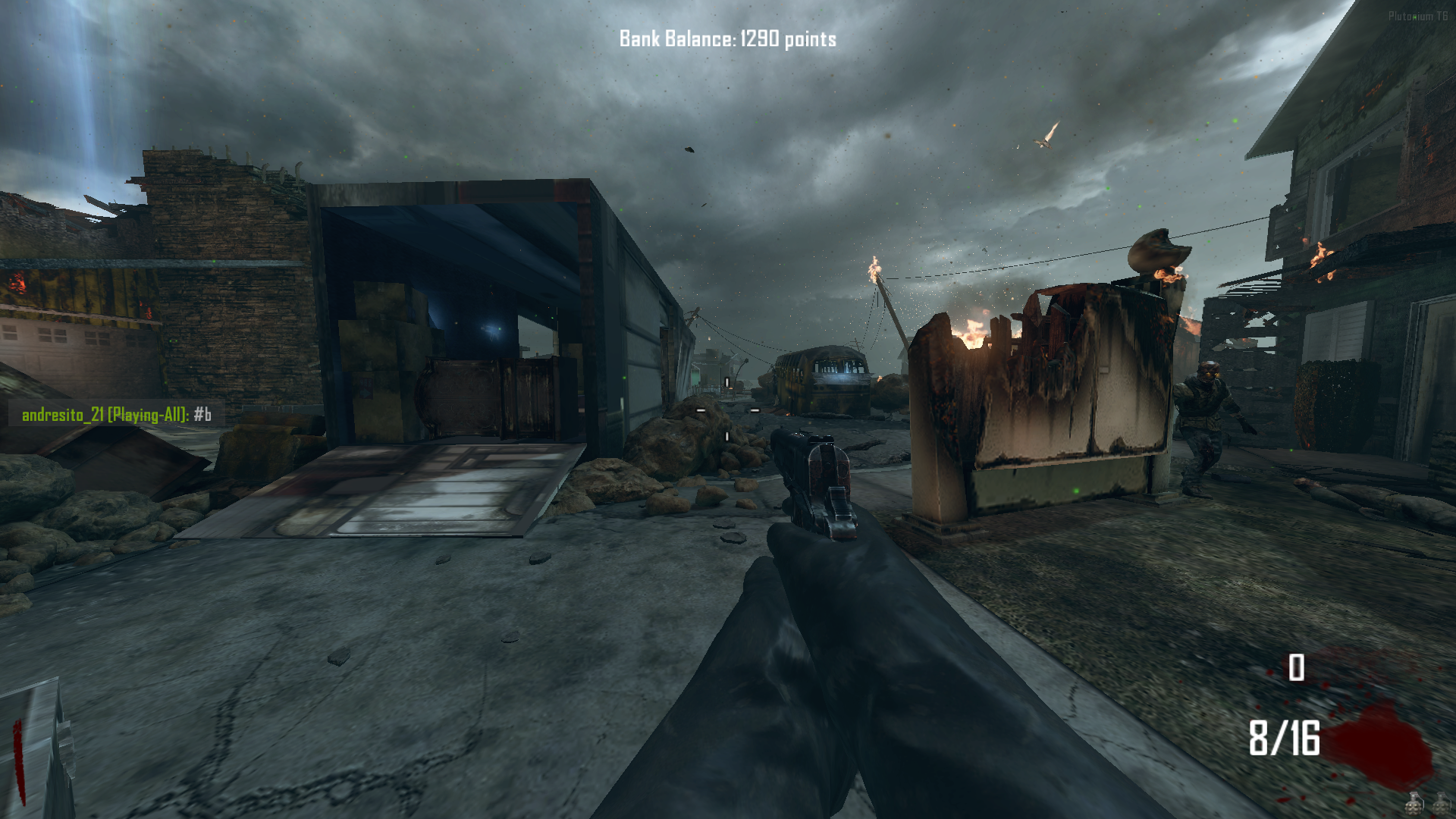
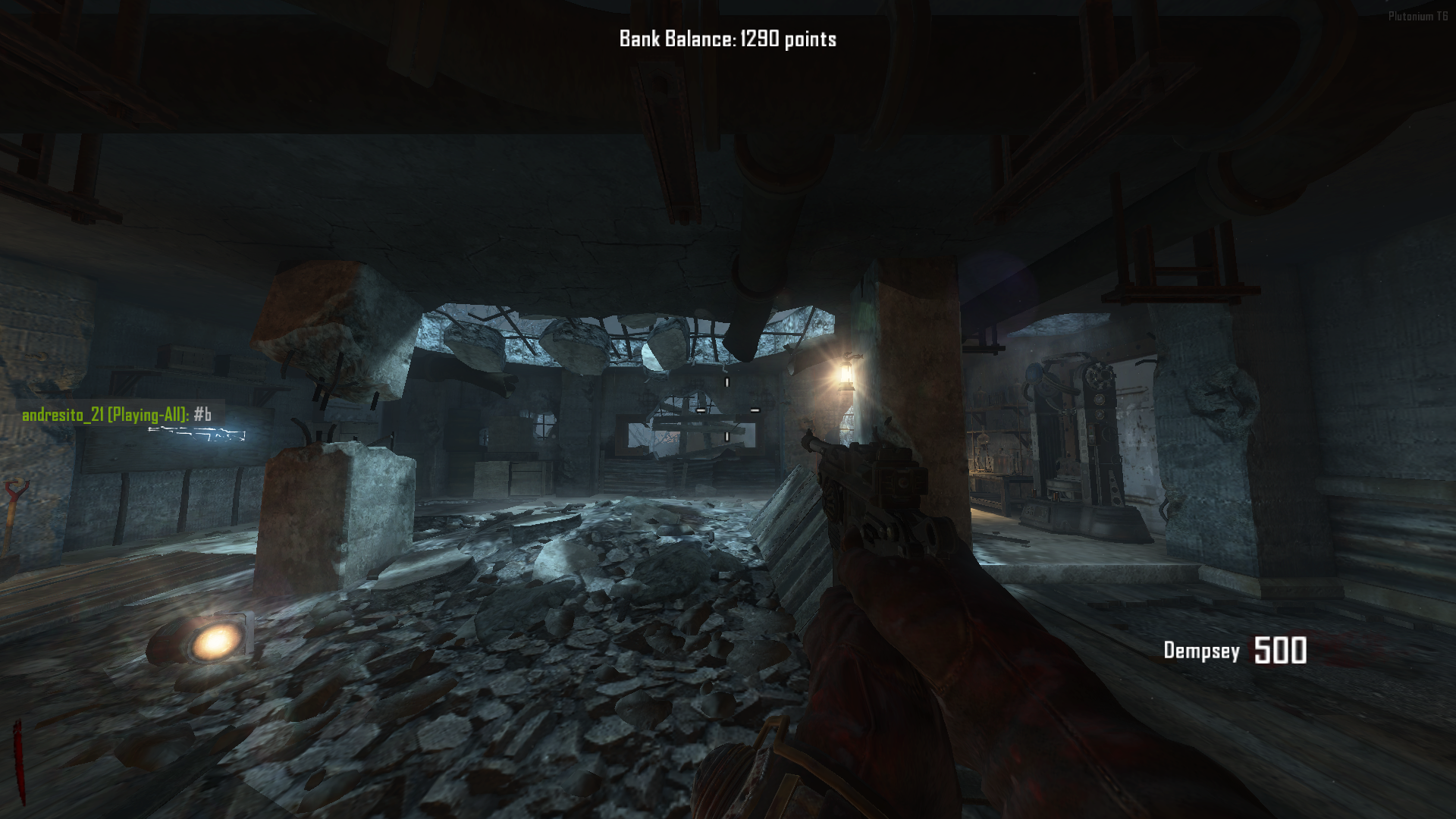
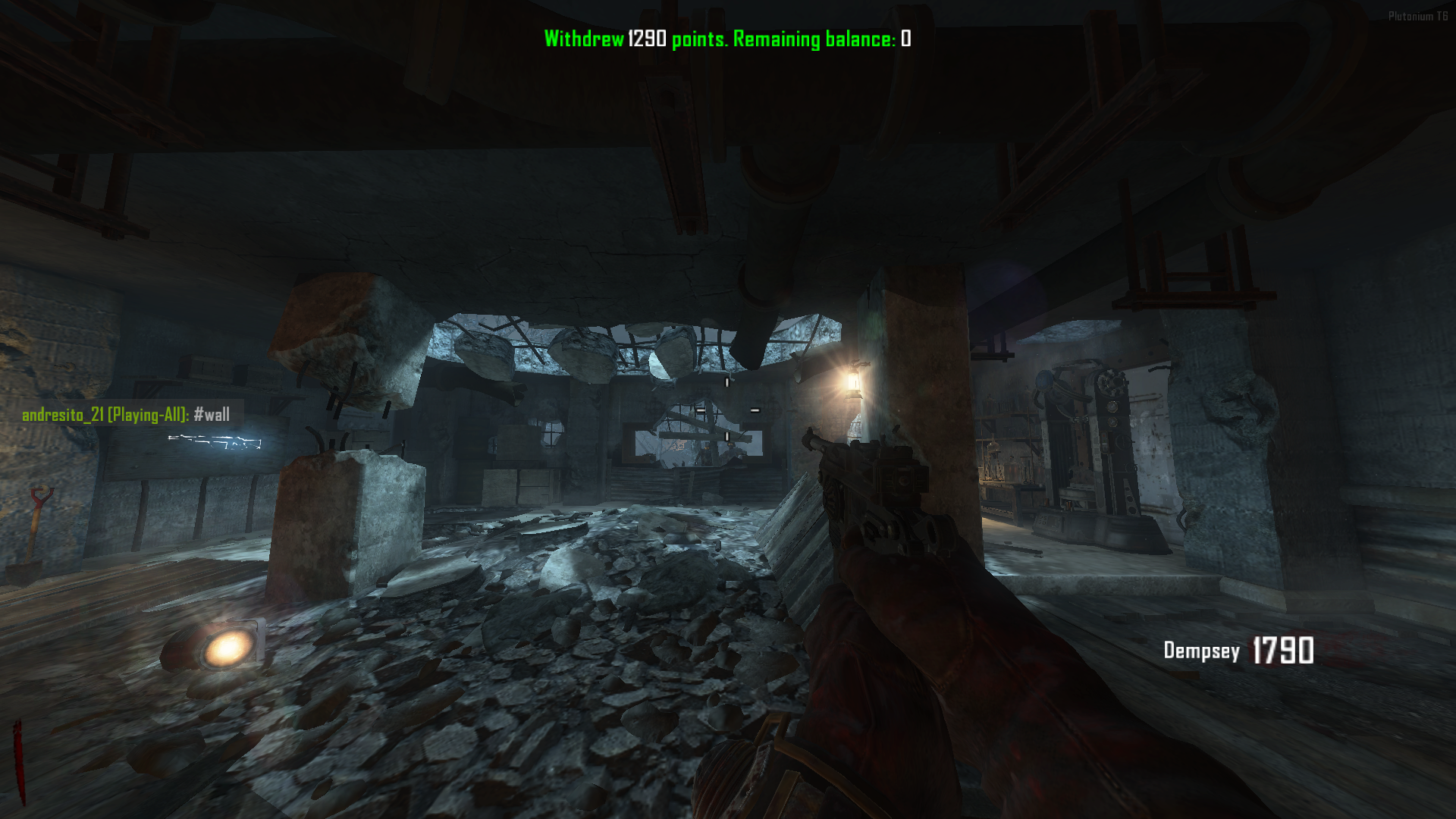
    Hello again I'm presenting a mod I developed that provides a banking system accessible via commands on every map in the game.

    Prefijo default "#"

    Comandos

    Deposita el dinero a tu banco → Deposit money into your bank
    #deposit <amount>
    #dep <amount>
    #d <amount>

    Retira dinero de tu banco → Withdraw money from your bank
    #withdraw <amount>
    #wd <amount>
    #w <amount>

    Deposita todo tu dinero a tu banco → Deposit all your money into your bank
    #depositall <amount>
    #depall <amount>
    #dall <amount>

    Retira todo tu dinero de tu banco → Withdraw all your money from your bank
    #withdrawall <amount>
    #wdall <amount>
    #wall <amount>

    Ve tu balance de tu banco → Check your bank balance

    #balance <amount>
    #bal <amount>
    #b <amount>
    language
    #lang en <- Ingles
    #lang es <- Español

    GitHub Repo

    Install

    AppData\Local\Plutonium\storage\t6\raw\scripts\zm
    

    bank path data

    AppData\Local\Plutonium\storage\t6\raw\scriptdata\bank
    

    Plutonium T6 Zombies (r5126) 24-10-2025 3_02_20.png Plutonium T6 Zombies (r5126) 24-10-2025 3_02_52.png Plutonium T6 Zombies (r5126) 24-10-2025 3_04_15.png Plutonium T6 Zombies (r5126) 24-10-2025 3_04_30.png

    BO2 Modding Releases & Resources

  • T4, T5, T6, IW5 naming is not user friendly
    Littlegodsundefined Littlegods

    T4 – Call of Duty: World at War

    Developer: Treyarch
    Engine: IW 3.0 (modified by Treyarch)
    Meaning: T4 = Treyarch Engine, 4th iteration

    T5 – Call of Duty: Black Ops

    Developer: Treyarch
    Engine: IW 3.0 → further modified by Treyarch (internal version known as T5 Engine)
    Meaning: T5 = Treyarch Engine, 5th generation

    T6 – Call of Duty: Black Ops II

    Developer: Treyarch
    Engine: IW 3.0 → heavily modified (T6 Engine)
    Meaning: T6 = Treyarch Engine, 6th generation

    IW5 – Call of Duty: Modern Warfare 3

    Developer: Infinity Ward + Sledgehammer Games
    Engine: IW 5.0
    Meaning: Infinity Ward Engine, 5th iteration

    General Discussion

  • Problem creating key, and detecting stean game with my steam profile being public... and more
    Littlegodsundefined Littlegods

    The error shown in the first picture is because you didn’t enter your information correctly — your forum username and password. The second picture isn’t related to your login error, since that one is for server owners who want to create dedicated servers and obtain keys. If you want to verify your account, you need to link it with Steam and set your game library to public.

    WAW Server Hosting Support

  • [Release Coming Soon - November 21, 2025] [ZM] Stats Web
    Littlegodsundefined Littlegods

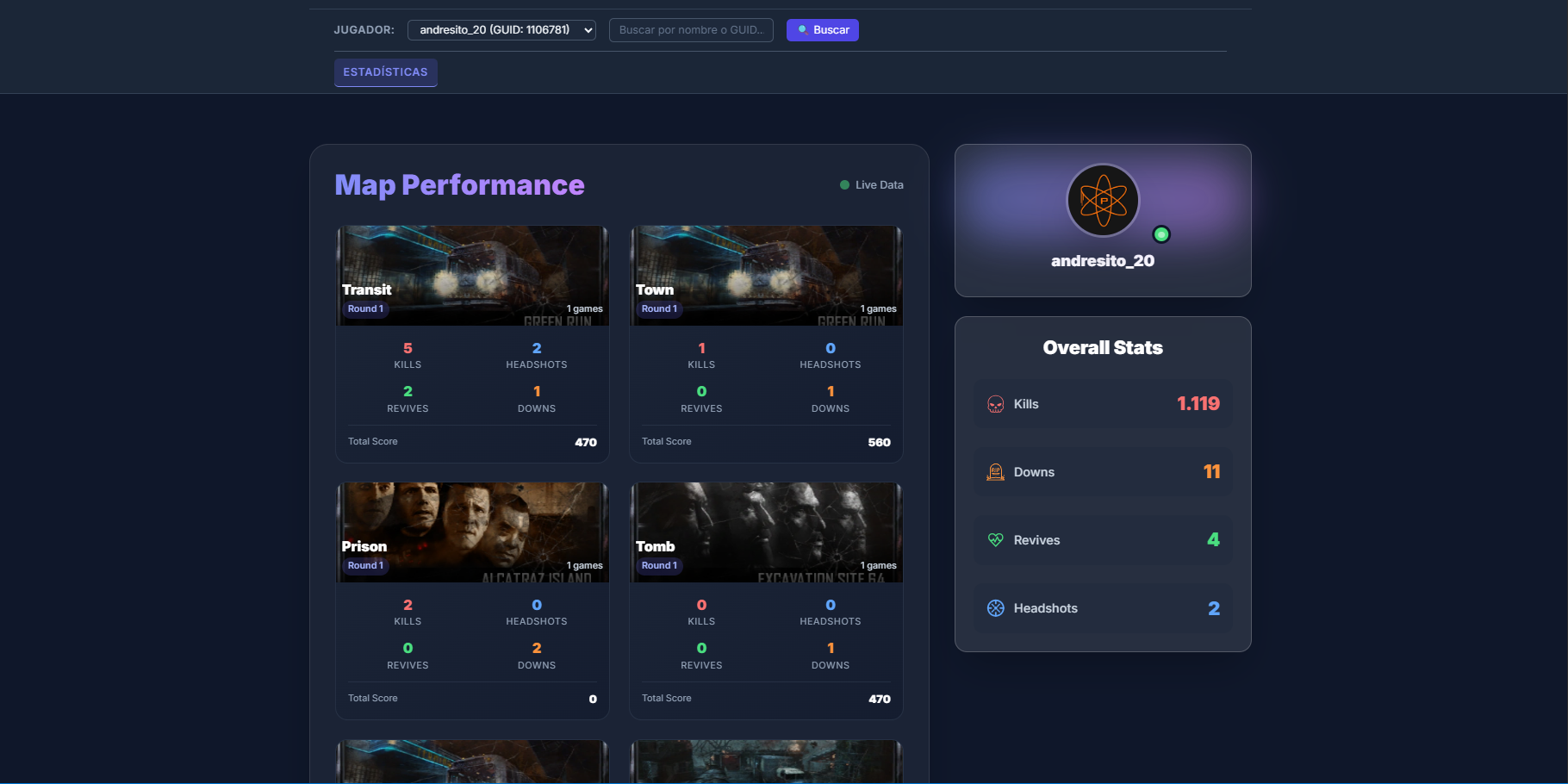
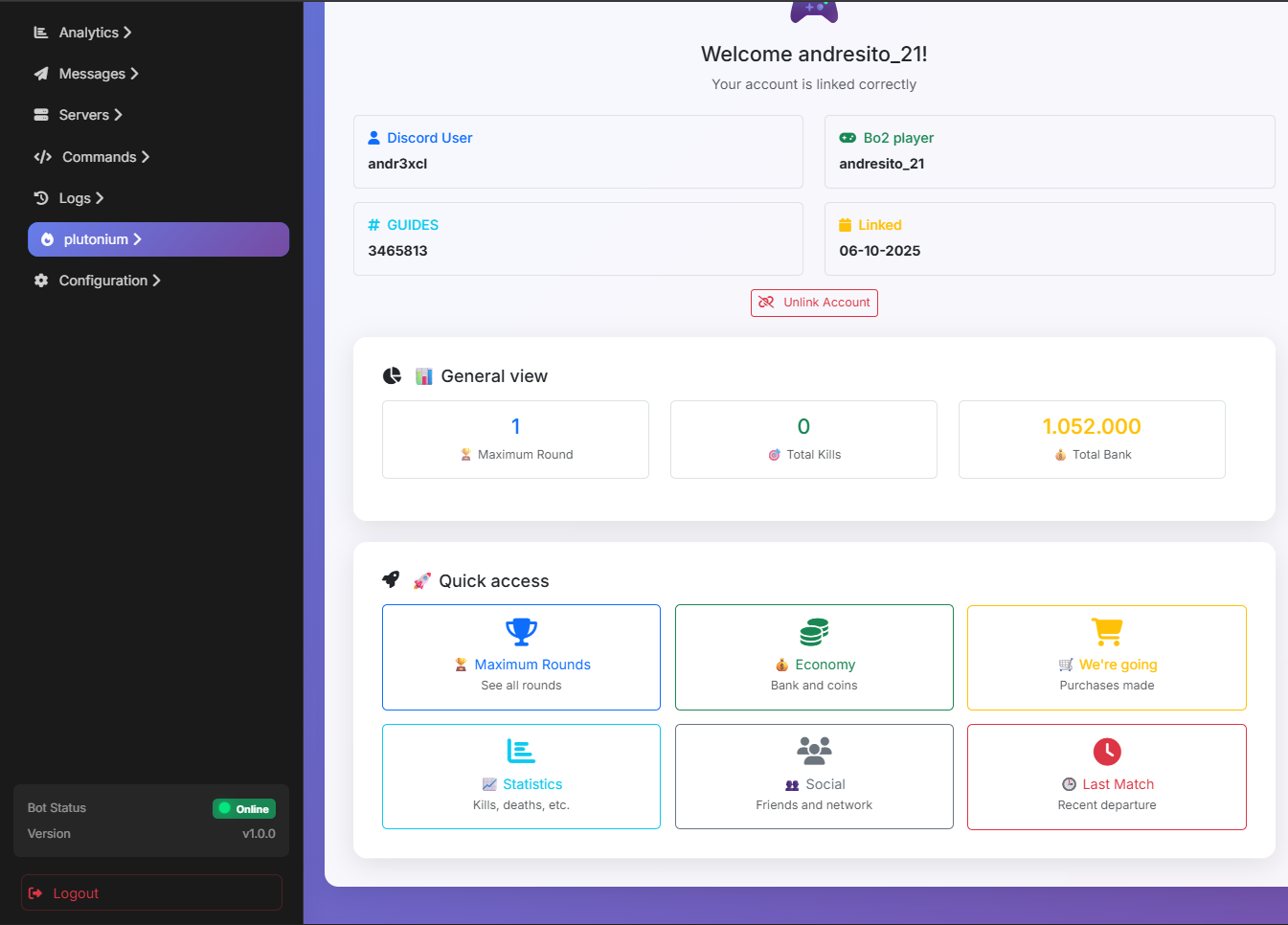
    Preview Stats View (1/5)

    I’m planning to release around five updates before the official launch on my GitHub repository.
    So far, a significant portion of the project is already complete. I started from the foundation of my personal project but made several improvements and refinements to deliver a more polished, modern, and high-quality web experience.

    Each update will include optimizations, visual enhancements, and new features designed to provide the best possible experience.

    e999524a-7602-4dd8-97bd-c9b6d5135eb5-image.png

    BO2 Modding Support & Discussion

  • How to appeal a ban?
    Littlegodsundefined Littlegods

    I’m not staff, but let me tell you something — bans are fair for everyone. If you were to get unbanned, that would be unfair to others. That means you’re completely screwed. Plutonium gives you a second chance by waiting out the ban period, but maybe you created more accounts and doubled the time.

    BO2 Client Support

  • Texture toolkit download not available on the docs?
    Littlegodsundefined Littlegods

    You're absolutely right, my friend. Hopefully, the administrators will check their document site so they can update the link.

    BO2 Modding Support & Discussion

  • Custom Perks Icons_By Folbix (For BO2,BO1&WaW)
    Littlegodsundefined Littlegods

    Extremely clean, great job my friend, I’ll use it.

    BO2 Modding Releases & Resources

  • [Release][ZM] Mod Menu | Healthbar | Weapons | Perks | Powerups | Upgrade | Night Mode | Teleport | Bank | Stats | Aimbot | Ufo | Freeze Zombies | Sound Menu | Legacy mods | Shader
    Littlegodsundefined Littlegods

    Update 2.9.0 (Speed x2, Super Jump, Advanced Mods, Zombie Freeze, Kill All Zombies, Teleport Zombies, Disable Zombies)

    I’ll be pausing updates for a while as I focus on developing the web-based statistics system, just as I mentioned in previous posts. Reference
    Although there wasn’t much support, several people showed interest in seeing something new, and that motivates me to keep improving.

    I hope you enjoy this update and all the previous ones. Don’t forget to leave your feedback — I truly appreciate it.
    If there’s any modification or feature you’d like to see added to this menu, let me know and I’ll gladly integrate it.

    Sincerely,
    Andresito 💻

    🛠️ Improvements:

    Bank Menu: Now updates in real time without needing to reopen the menu.

    ⚠️ UFO Warning: I haven’t yet found a way to prevent the UFO from dying when leaving the map, since there’s a death event that kills it instantly.
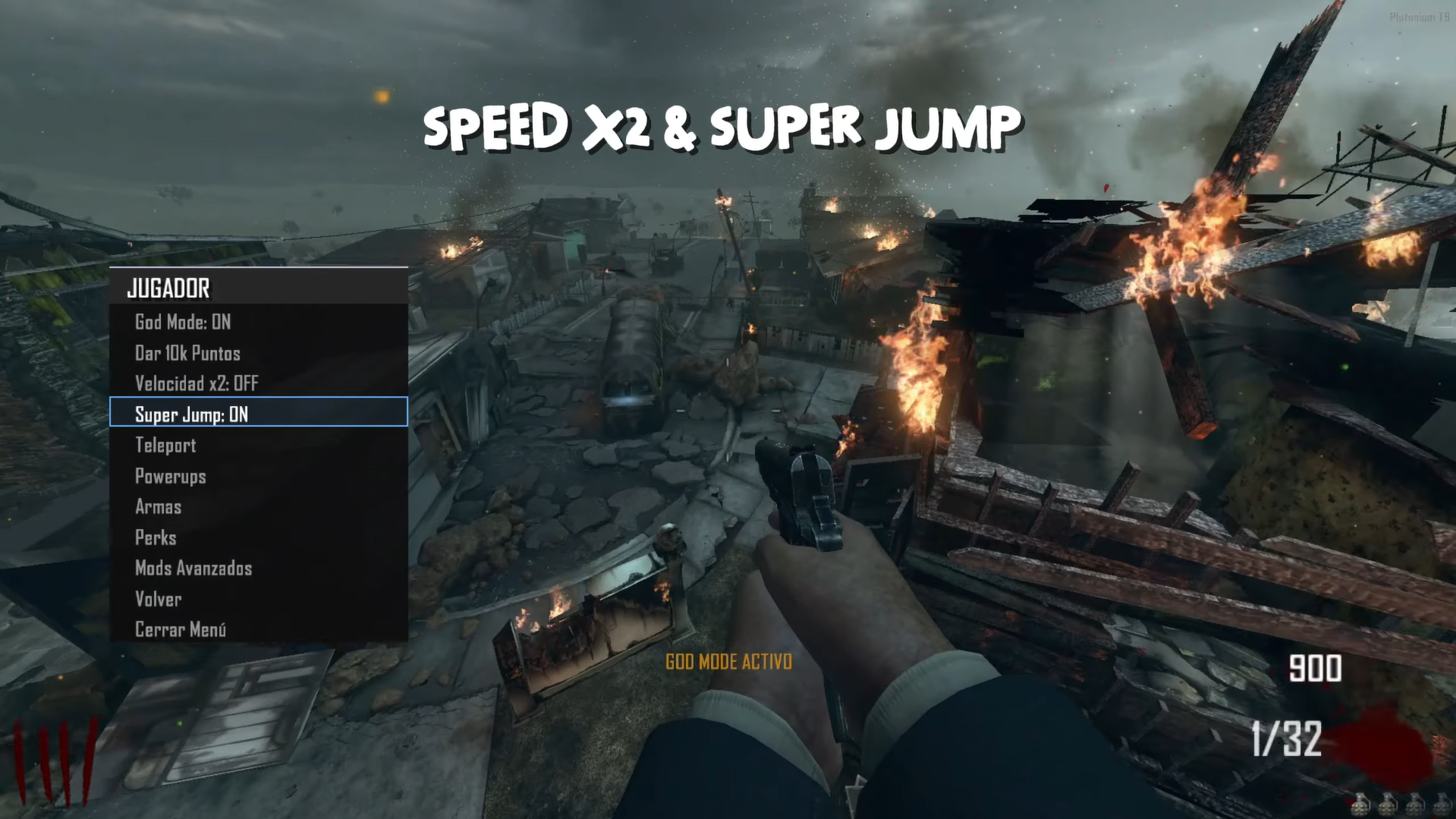
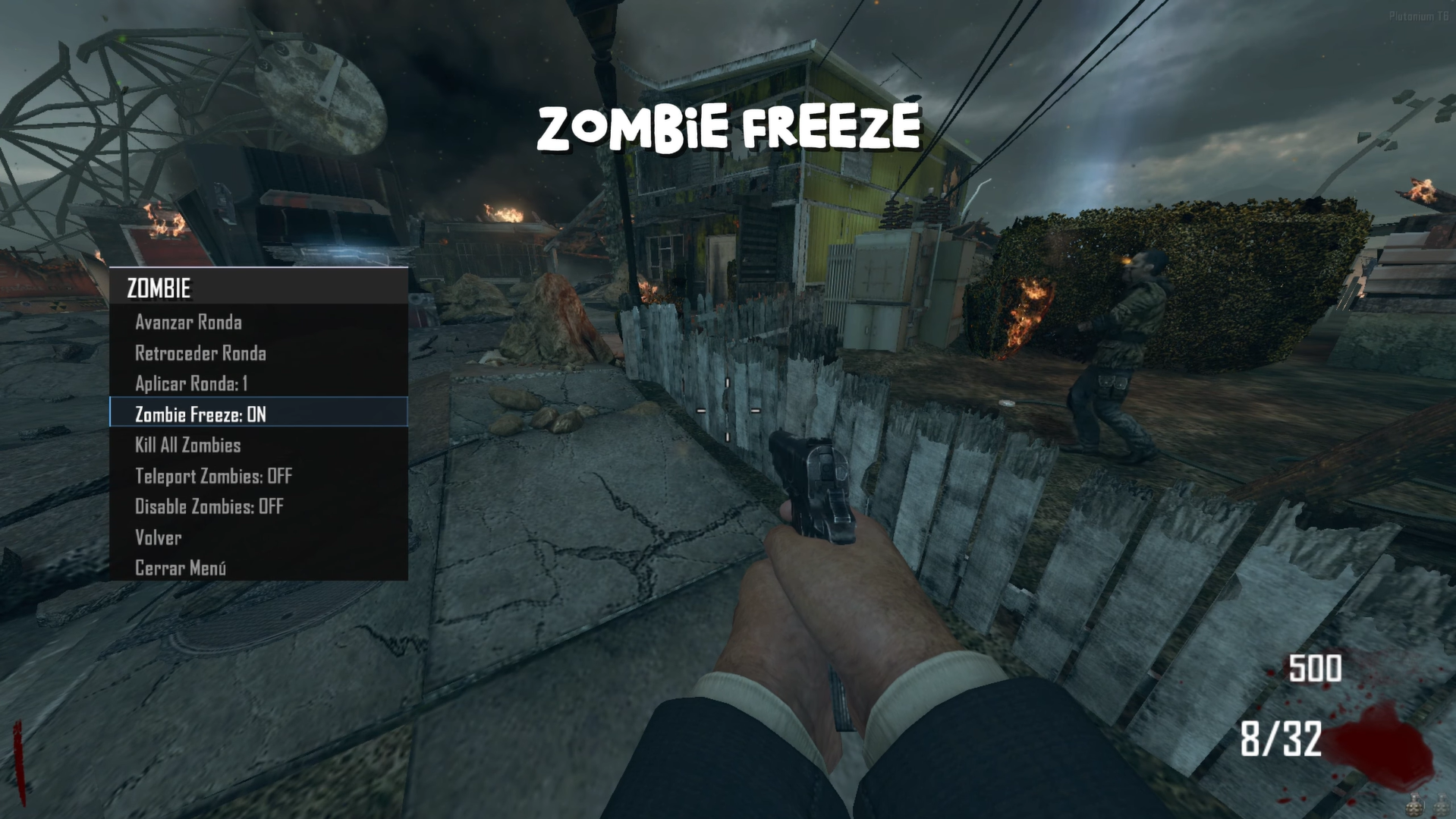
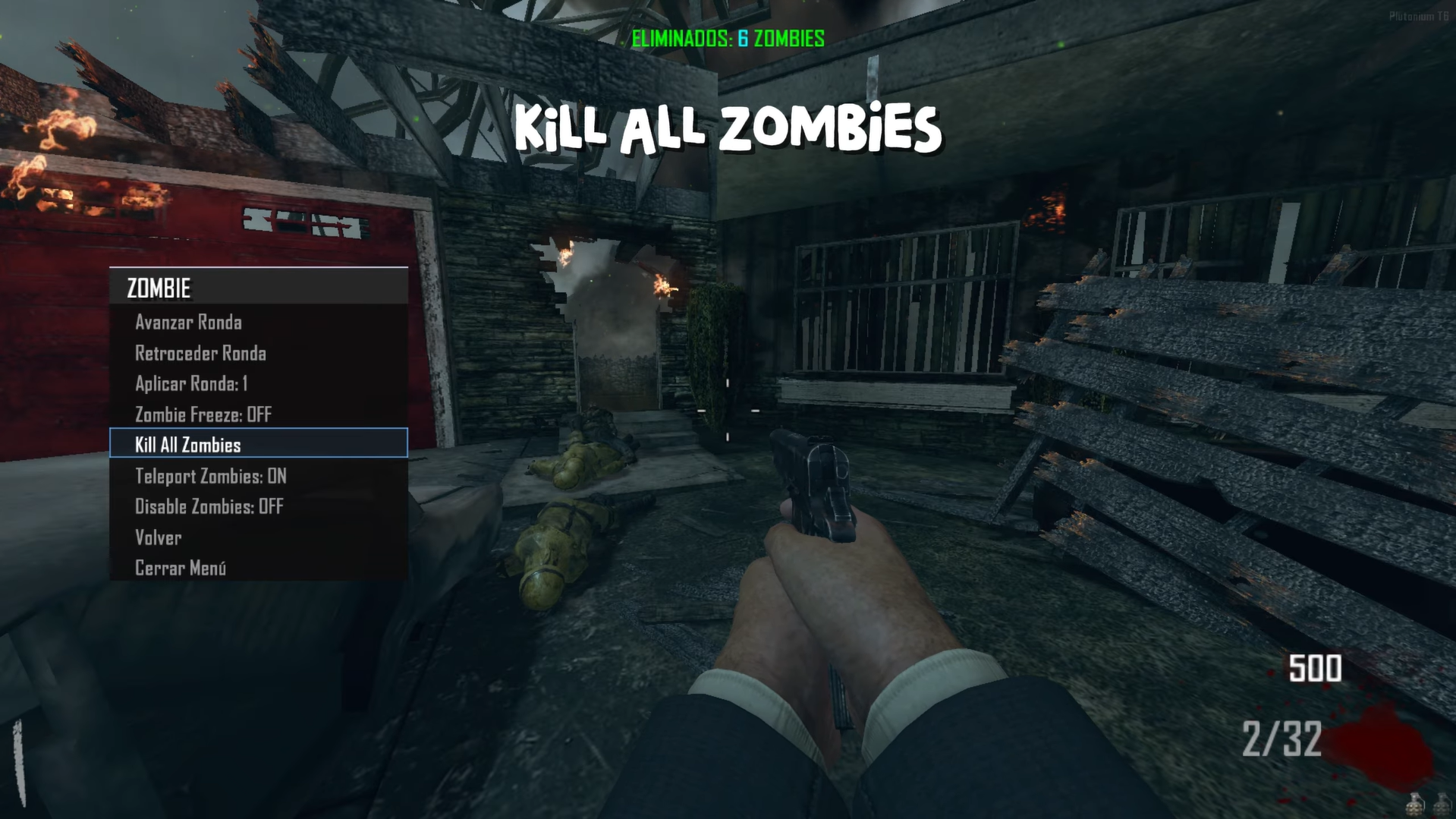
    Speed x2:

    • Status/Estado: Doubles player movement speed
    • Allows faster movement around the map
    • Affects walking and running speed

    Super Jump:

    • Status/Estado: Enables extremely high jumps
    • Jump much higher than normal
    • Useful for accessing elevated areas
      633cbdff-4021-47db-af46-9bf92e2da5e0-image.png
      Advanced Mods:
    • Clone Player/Clonar Jugador: Create a clone of the player
    • Gore Mode: Enable extreme blood effects
    • Open All Doors/Abrir Todas las Puertas: Open all doors on the map
    • Kamikaze: Cause massive explosion at your location
    • UFO Mode/Modo UFO: Fly freely around the map (press G to activate flight)
    • Forge Mode: Move Object (press G to rotate object)
    • JetPack: Limited flight backpack
    • Aimbot: Auto-aim at enemies
    • Artillery: Call artillery support

    Zombie Freeze / Congelar Zombies:

    • Status/Estado: Freeze/unfreeze all zombies
    • When activated: Zombies become immobile
      c88132f8-1871-4fec-a2b6-ed4df9be9f35-image.png

    Kill All Zombies / Matar Todos los Zombies:

    • Instantly kills all zombies on the map
    • Useful for clearing large hordes
      44f8dc79-ae86-457d-956f-70a5a39a6c89-image.png

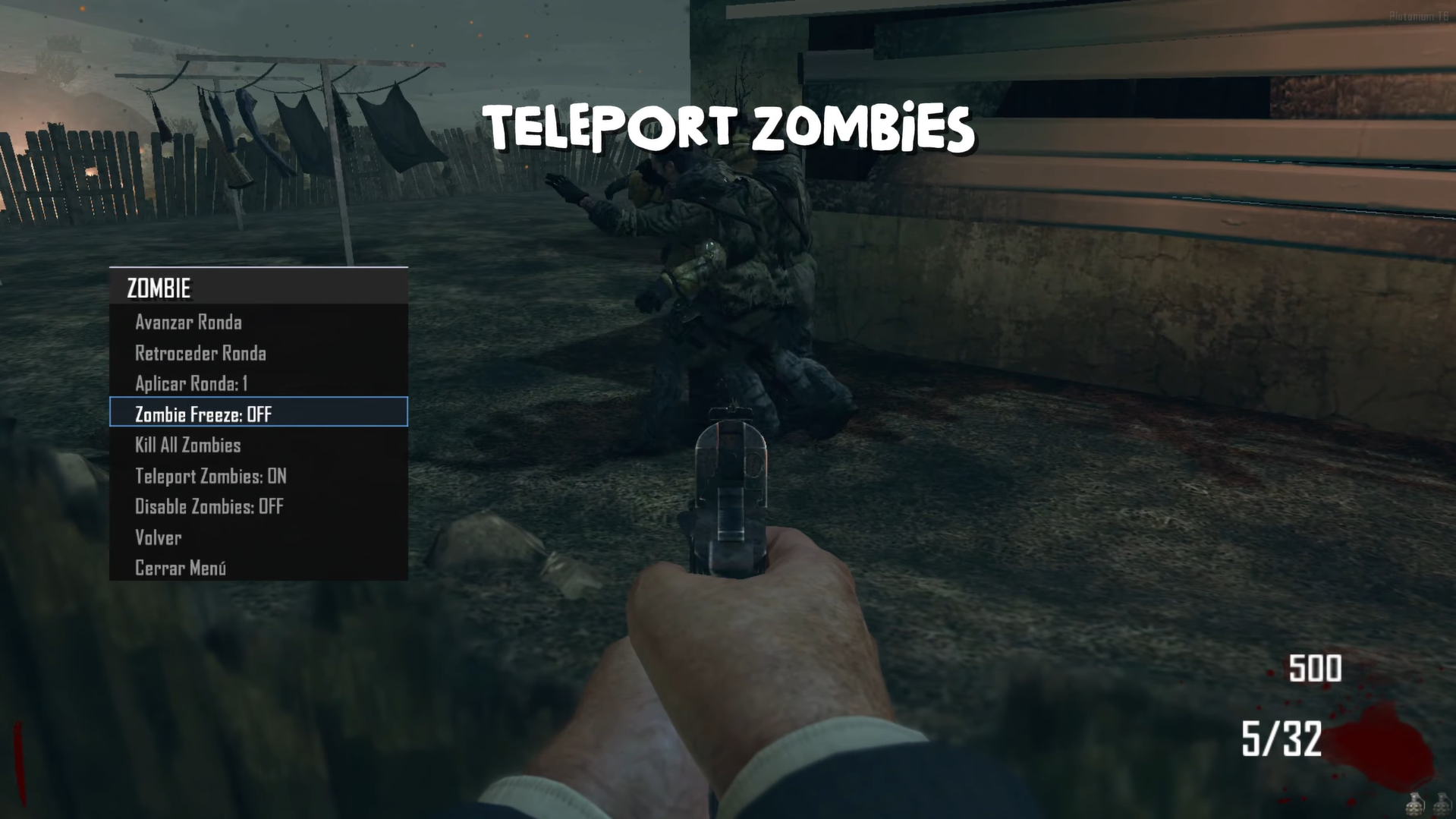
    Teleport Zombies / Teleportar Zombies:

    • Status/Estado: Makes zombies teleport toward you
    • When activated: Zombies appear near the player
      b79be865-d461-4ec5-8493-9ddd8bea764b-image.png

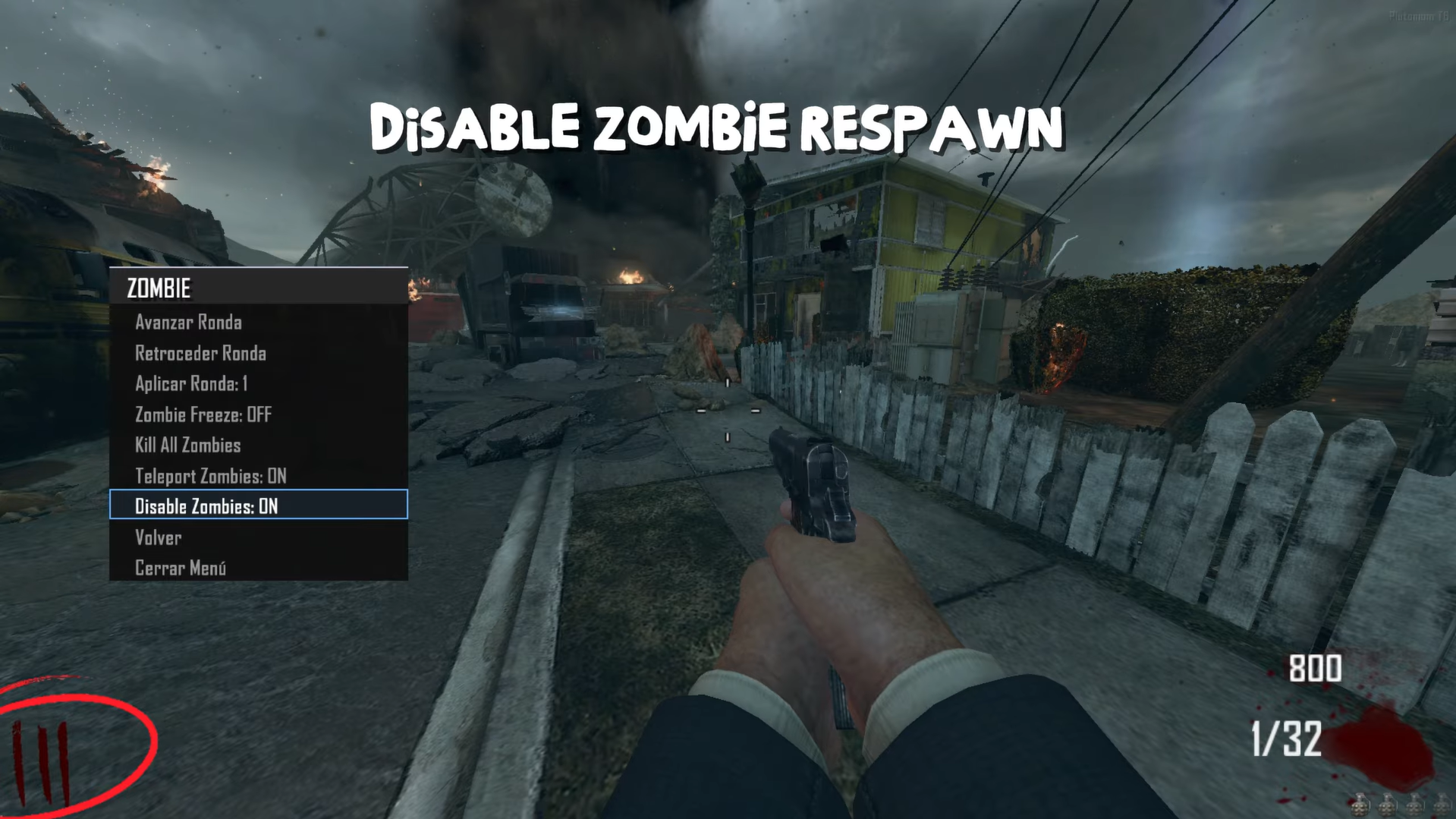
    Disable Zombies / Desactivar Zombies:

    • Status/Estado: Disable Spawn
      734ab278-55c8-4bc3-9c1e-440ad421c8cc-image.png

    Source Code
    Github v3.5.0
    Install:

    new folder
    AppData\Local\Plutonium\storage\t6\raw\scripts\zm\
    old folder
    AppData\Local\Plutonium\storage\t6\scripts\zm\
    

    Maybe you don’t know how to use the mod menu?

    Here I’ll explain a few quick steps:
    To open the menu, you need to aim and knife at the same time.
    To move up, press the numeric key 1, and to move down, press the numeric key 2
    To enter a menu, press F on your keyboard.**
    

    Video 2.9.0 - Speed x2, Super Jump, Advanced Mods, Zombie Freeze, Kill All Zombies, Teleport Zombies, Disable Zombies
    The download links are up to date.

    BO2 Modding Releases & Resources

  • [Release Coming Soon - November 21, 2025] [ZM] Stats Web
    Littlegodsundefined Littlegods

    Dec
    Well, you mentioned merging many of the games — it does look like a large-scale project. Let me first present the foundation with my initial release. If you like how the project turns out, we can expand it even further.

    Just so you know, I’m using Node and React for the development.

    BO2 Modding Support & Discussion

  • [Release Coming Soon - November 21, 2025] [ZM] Stats Web
    Littlegodsundefined Littlegods

    DirkRockface
    I understand, but let me explain it in more detail. Node and React are the main components used to build this project. However, this time I won’t be linking it to Discord — instead, I’ll use JavaScript to create a watchdog that monitors the files. Whenever a modification occurs, the bot will detect the change, correctly identify which player it belongs to, and update that player’s JSON file where all their data is stored.

    Then, when a user selects a profile, the player’s data will automatically load and display their matches in an elegant and organized way.

    BO2 Modding Support & Discussion

  • [Release Coming Soon - November 21, 2025] [ZM] Stats Web
    Littlegodsundefined Littlegods

    Dec
    There’s no special technology involved, my friend — it’ll be a local project that will work for both players and servers. Plutonium released a refactor update for T6 that allows saving data and creating a well-structured database, which can then be used as a local API. If you have the knowledge, you can even make a bot that reads those files and displays the information on your website.

    In my personal project, I did all of that — I even linked my Discord account with my local player profile. Every time I log in, my own game profile appears.

    BO2 Modding Support & Discussion

  • [Release Coming Soon - November 21, 2025] [ZM] Stats Web
    Littlegodsundefined Littlegods

    Hello again 👋
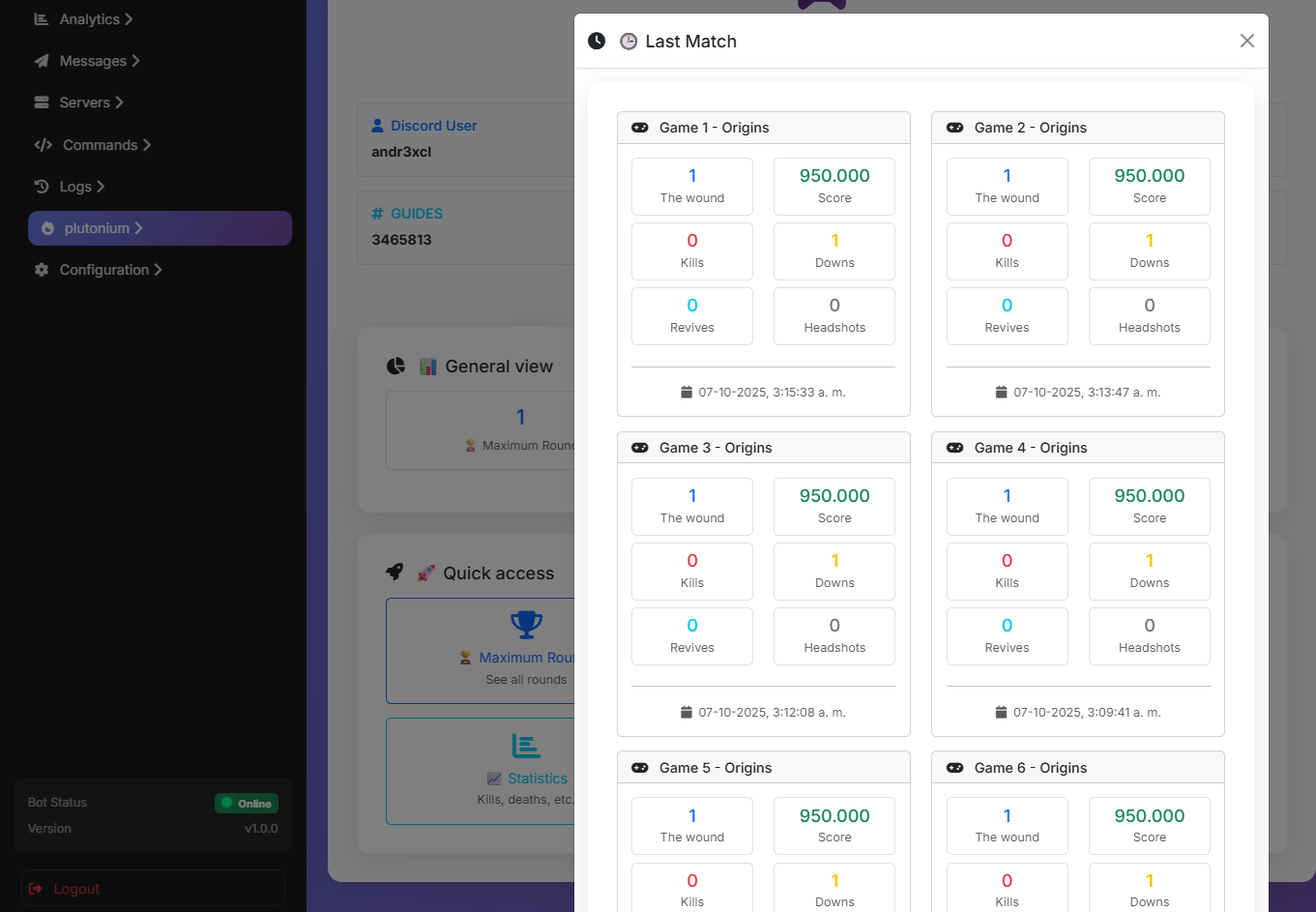
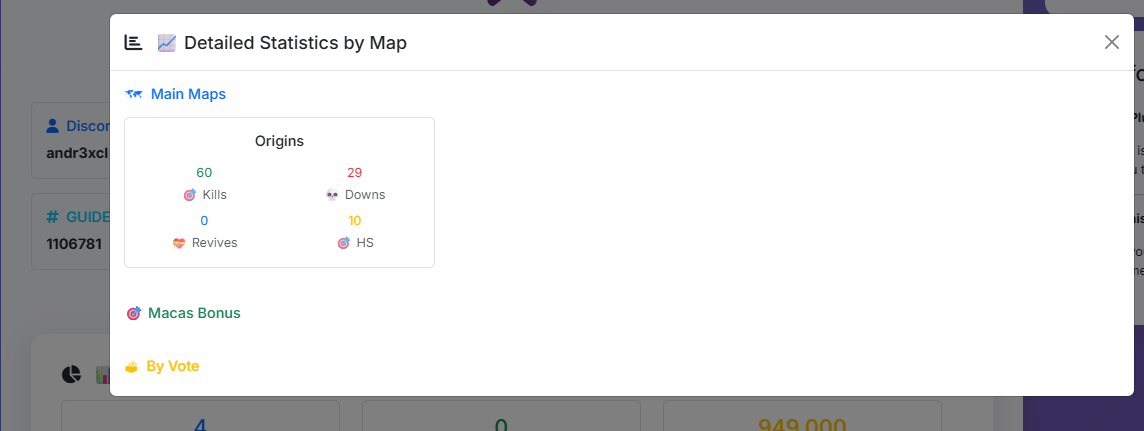
    I’ve been working on a way to display your personal stats, matches, and round records directly through the web.
    If this post is well received, I’ll develop a completely free and open-source system, and the code will be available on GitHub for anyone to use or improve.

    Here are some images of my personal project, which will be more compact and fully tailored for you.
    9ad73dcf-8fb5-4701-9ca1-3a4a50e4edfc-image.png
    a0e6146b-8984-40ae-adb6-42d694d89f5e-image.png
    99ecbac1-5f57-4ec4-ab1f-5460bb7ef9d1-image.png

    BO2 Modding Support & Discussion

  • [Release][ZM] Mod Menu | Healthbar | Weapons | Perks | Powerups | Upgrade | Night Mode | Teleport | Bank | Stats | Aimbot | Ufo | Freeze Zombies | Sound Menu | Legacy mods | Shader
    Littlegodsundefined Littlegods

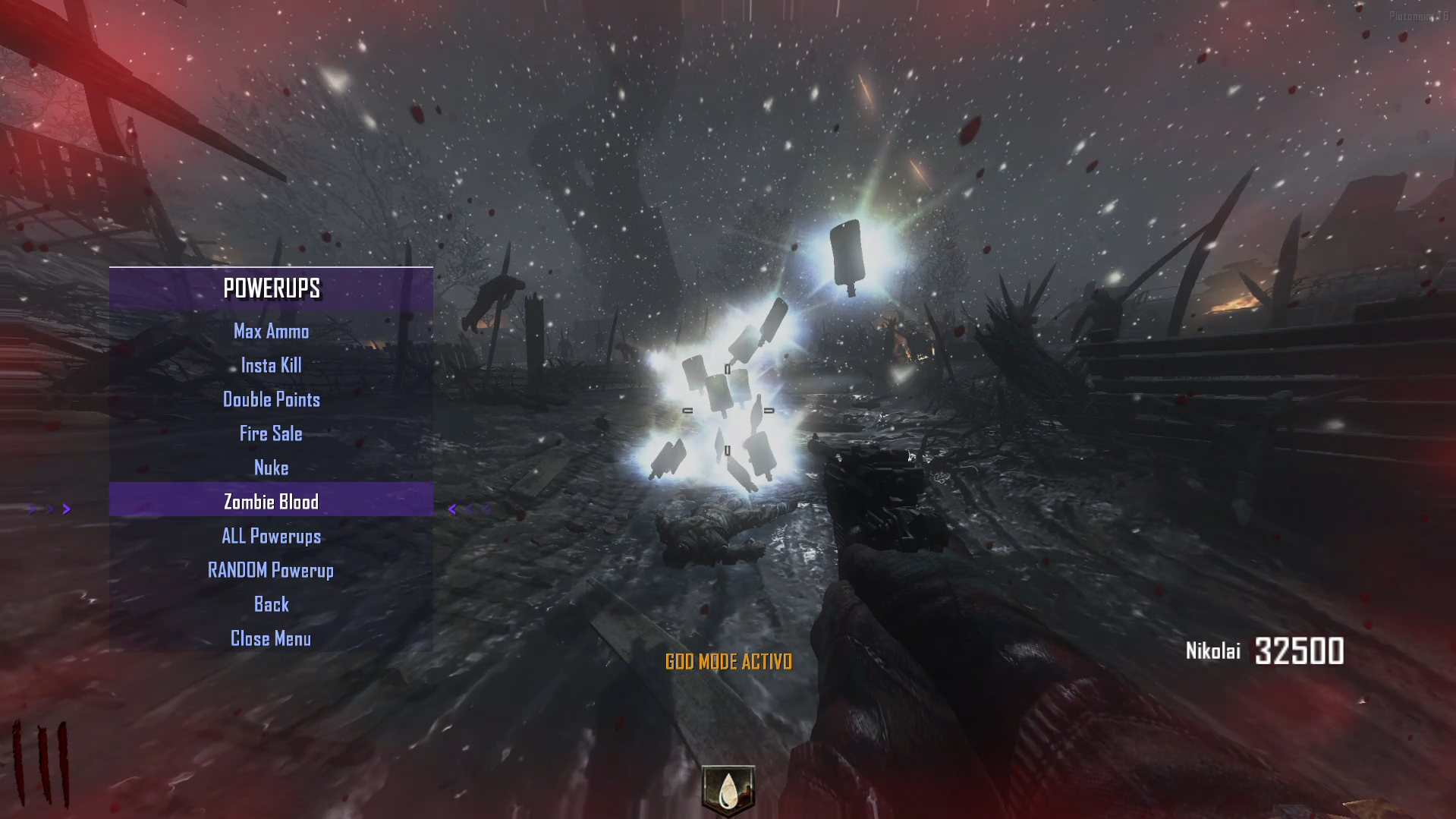
    Update 2.3.0 (Spawn Powerups)

    • Powerups: Now you can spawn power-ups through the menu — individually, randomly, or all power-ups at once.
      37d900ce-eab4-4d57-a43e-70acb771e641-Captura de pantalla 2025-10-18 034147.png

    Source Code:
    Github v3.5.0
    Install:

    new folder
    AppData\Local\Plutonium\storage\t6\raw\scripts\zm\
    old folder
    AppData\Local\Plutonium\storage\t6\scripts\zm\
    

    Maybe you don’t know how to use the mod menu?

    Here I’ll explain a few quick steps:
    To open the menu, you need to aim and knife at the same time.
    To move up, press the numeric key 1, and to move down, press the numeric key 2
    To enter a menu, press F on your keyboard.**
    

    Video 2.3.0 - powerups
    The download links are up to date.

    BO2 Modding Releases & Resources

  • [Release][ZM] Mod Menu | Healthbar | Weapons | Perks | Powerups | Upgrade | Night Mode | Teleport | Bank | Stats | Aimbot | Ufo | Freeze Zombies | Sound Menu | Legacy mods | Shader
    Littlegodsundefined Littlegods

    Update 2.2.0 (Fix, Teleport)

    • Fix: The timer and round timer have been completely removed, since the timer hudelem running in the background caused HUD elements to disappear or animations to malfunction. A fix will be implemented in upcoming versions to prevent these issues.
      A bug in the statistics system has been fixed — previously, data wasn’t saving correctly; now it’s stored properly without issues.
      The menu transparency issue has been corrected — previously, when applying a transparency percentage, it only affected the settings menu while the others reset to 0; this has now been resolved.

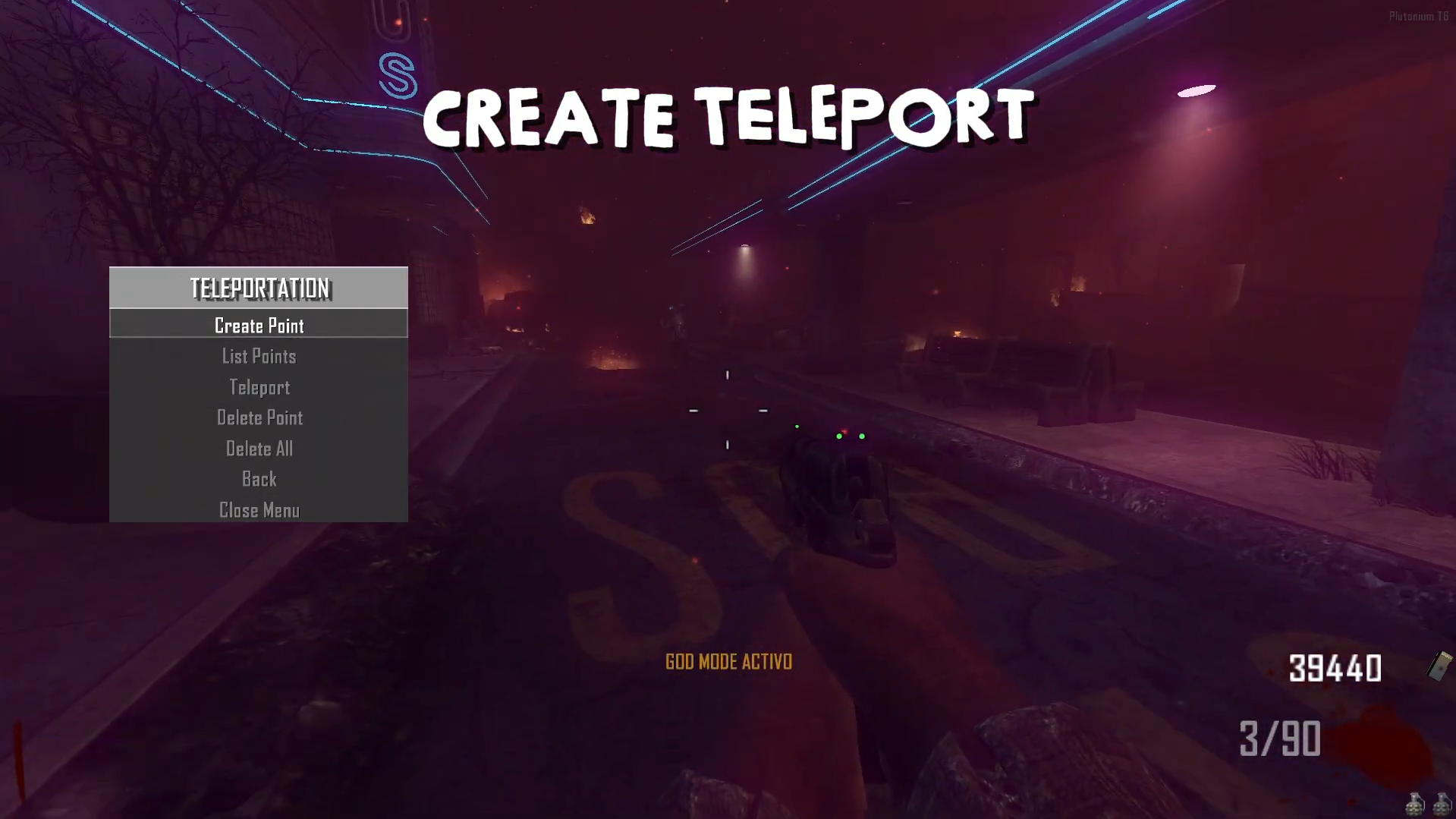
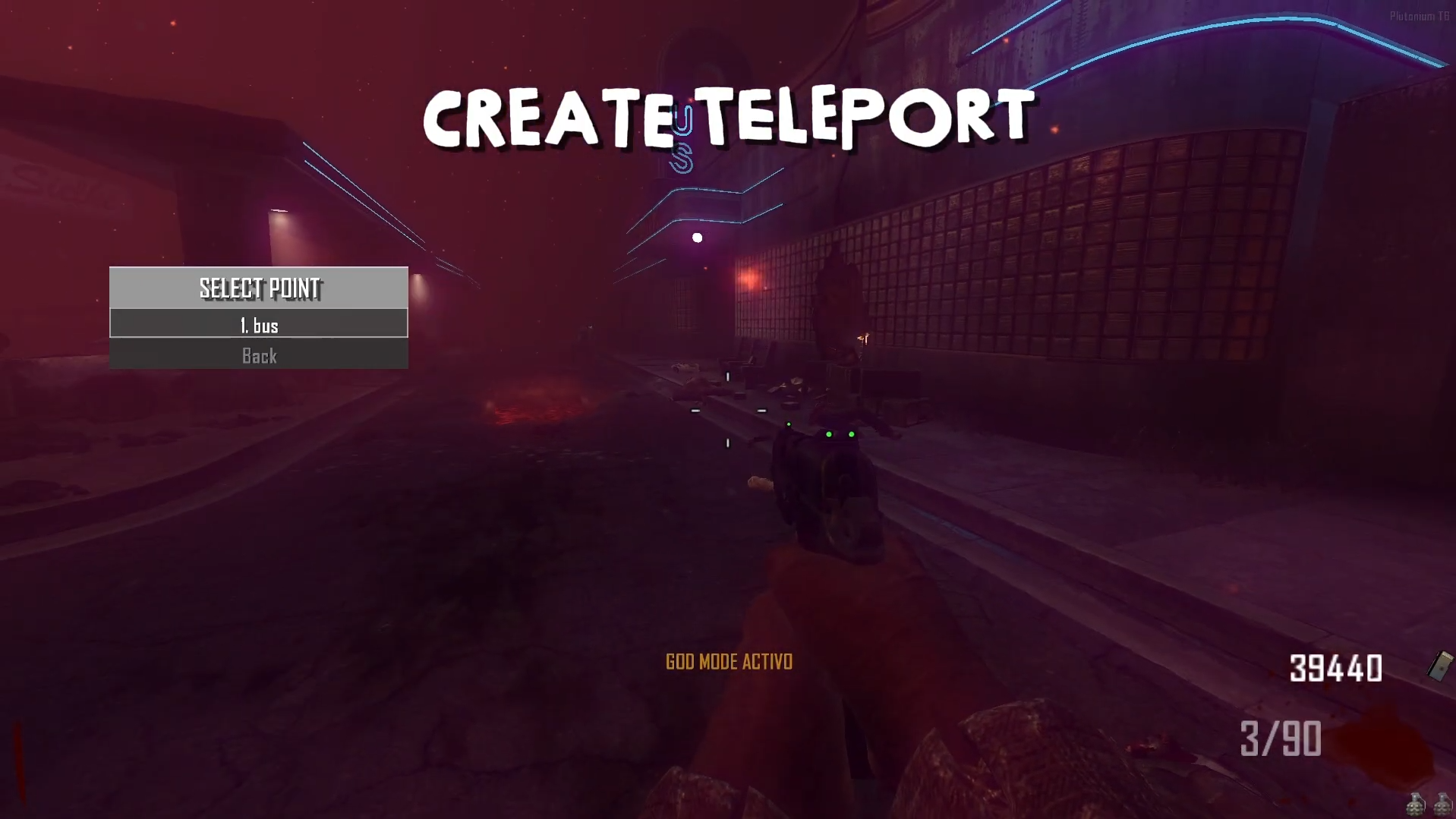
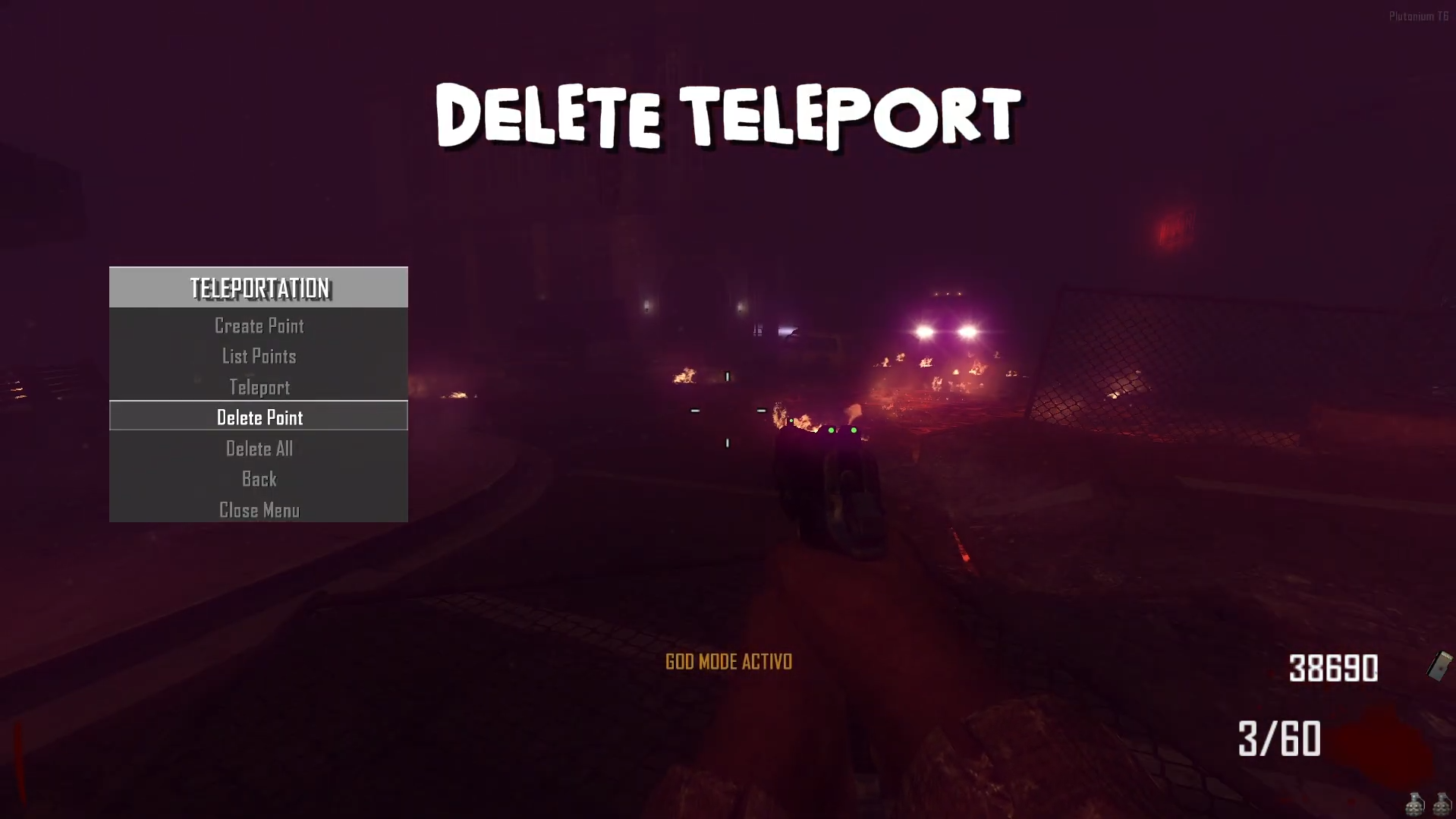
    • Teleport: Now, in the developer menu under the player section, a teleport menu has been implemented. You can create points, name them as you wish, view your list of teleport locations, and travel to them. You can also delete points and create new ones — for now, the maximum is 5 teleport points.
      7a3ad009-43f0-49ed-8d2d-4ce65e29f7c7-image.png
      95e73eae-7bb1-485b-8017-c9135f98e609-image.png
      7862a6e2-f8c4-4b56-bbce-69542d231ad4-image.png

    Source Code:
    Mediafire v3.5.0
    Install:

    new folder
    AppData\Local\Plutonium\storage\t6\raw\scripts\zm\
    old folder
    AppData\Local\Plutonium\storage\t6\scripts\zm\
    

    Maybe you don’t know how to use the mod menu?

    Here I’ll explain a few quick steps:
    To open the menu, you need to aim and knife at the same time.
    To move up, press the numeric key 1, and to move down, press the numeric key 2
    To enter a menu, press F on your keyboard.**
    

    Video 2.2.0 - Teleport
    The download links are up to date.

    BO2 Modding Releases & Resources

  • [Release][ZM] Mod Menu | Healthbar | Weapons | Perks | Powerups | Upgrade | Night Mode | Teleport | Bank | Stats | Aimbot | Ufo | Freeze Zombies | Sound Menu | Legacy mods | Shader
    Littlegodsundefined Littlegods

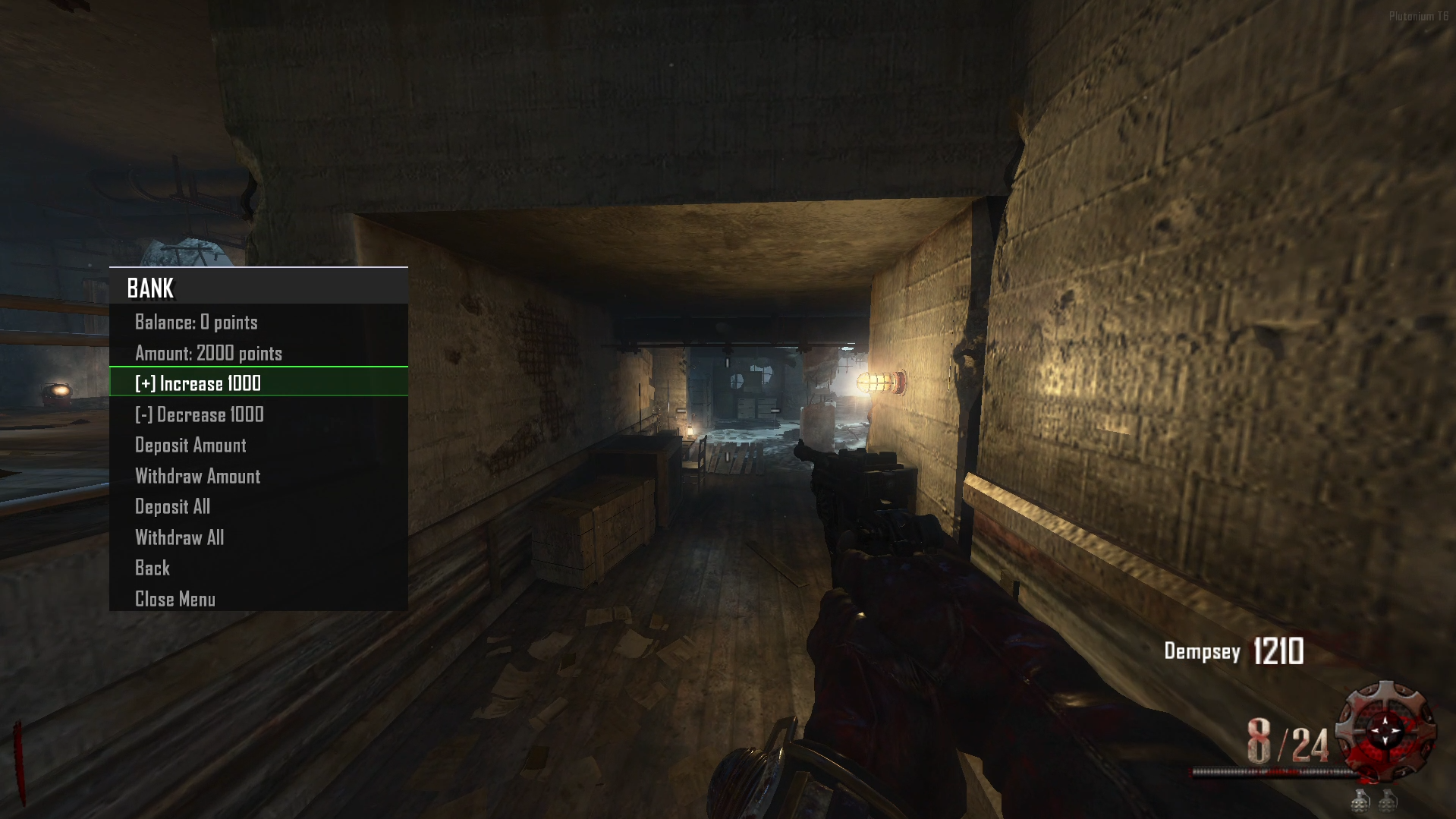
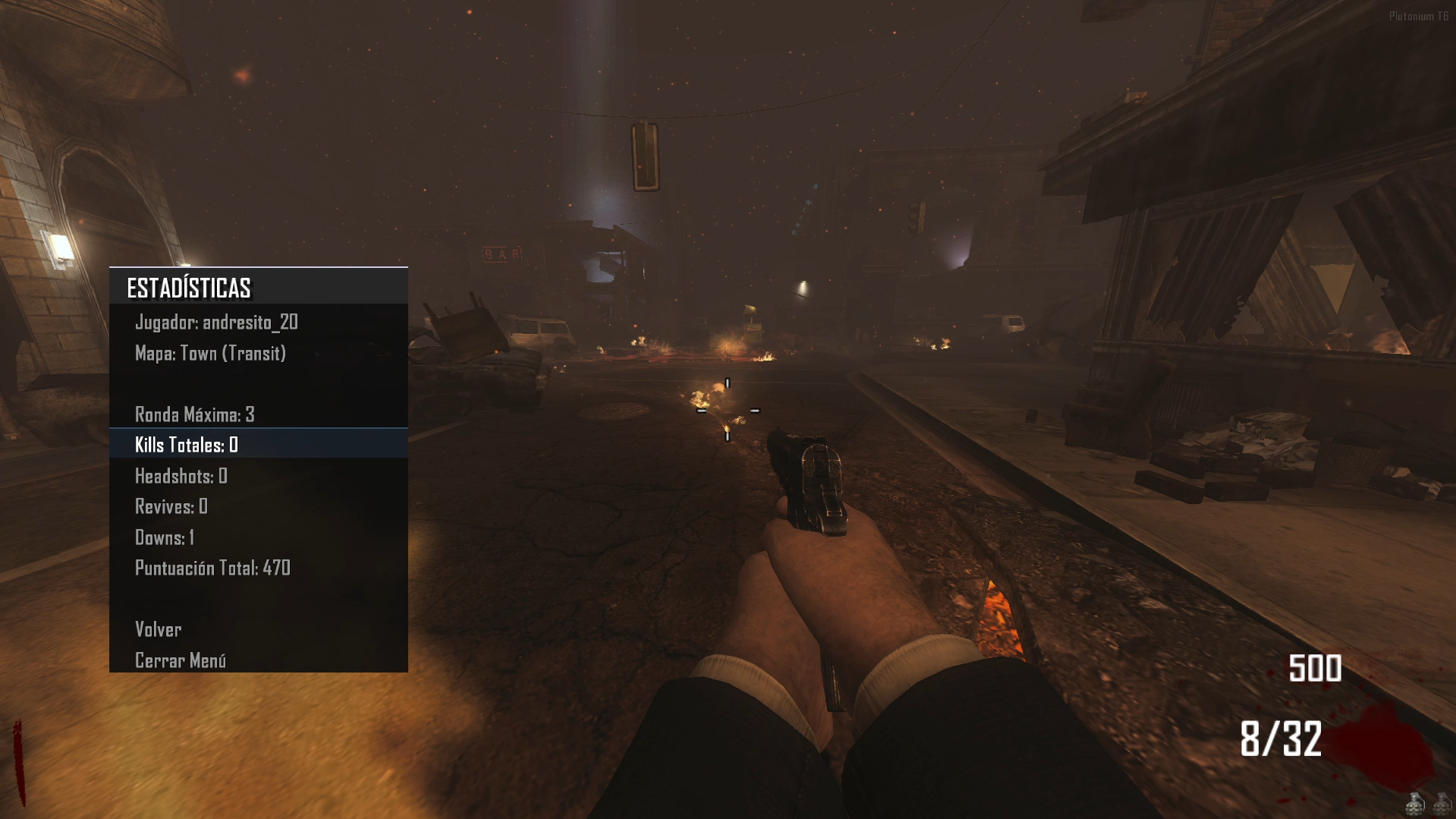
    Update 2.1.0 (Global Bank [all maps], Stats, Top Round) — Persistent Data

    • Bank: You can deposit money, and it will be saved locally and shared across all game maps.

    • Stats: You can view your statistics from your previous match.

    • Top Round: In the stats section, you’ll see your Top Round, which you can try to beat after dying or disconnecting from the game.

    • Diagram:
      📋 MENÚ DE MODS / MODS MENU
      ├── 🎯 Mods Littlegods
      │ ├── 🌙 Night Mode
      │ ├── ❤️ Barra de Vida / Health Bar
      │ ├── 👹 Barra Zombie / Zombie Bar
      │ ├── ↩️ Volver / Back
      │ └── ❌ Cerrar Menú / Close Menu
      │
      ├── 🗺️ Mapa / Map
      │ ├── 🎁 Perk Unlimited: [ON/OFF]
      │ ├── 👤 Tercera Persona / Third Person: [ON/OFF]
      │ ├── ⏱️ Timers: [ON/OFF]
      │ ├── 🏦 Banco / Bank (Solo si Developer NO está activado)
      │ ├── ↩️ Volver / Back
      │ └── ❌ Cerrar Menú / Close Menu
      │
      ├── ⚙️ Configuración / Settings
      │ ├── 🌍 Idioma / Language: [Español/Inglés]
      │ ├── 🎨 Estilo Menú / Menu Style: [Varios estilos]
      │ ├── 🎯 Estilo Selector / Selector Style: [Varios estilos]
      │ ├── 📍 Posición Texto / Text Position: [Varias posiciones]
      │ ├── 🖼️ Animación Borde / Edge Animation: [Varios estilos]
      │ ├── ↩️ Volver / Back
      │ └── ❌ Cerrar Menú / Close Menu
      │
      ├── 📊 Estadísticas / Stats
      │ └── [Muestra estadísticas del mapa actual]
      │ ├── Ronda Máxima / Max Round
      │ ├── Tiempo Total / Total Time
      │ ├── Muertes / Deaths
      │ ├── Rondas Jugadas / Rounds Played
      │ └── ↩️ Volver / Back
      │
      ├── 🎖️ Créditos / Credits
      │ └── [Pantalla de créditos estilo HUD]
      │
      ├── 🔧 Developer (Solo visible después de escribir "admin")
      │ ├── 👤 Jugador / Player
      │ │ ├── 🛡️ God Mode: [ON/OFF]
      │ │ ├── 💰 Dar 10k Puntos / Give 10k Points
      │ │ ├── 🔫 Armas / Weapons
      │ │ │ └── [Lista de armas del mapa actual]
      │ │ ├── 🍺 Perks
      │ │ │ └── [Lista de perks disponibles]
      │ │ ├── 🏹 Bastones / Staffs (Solo en Origins)
      │ │ │ └── [Bastones de Origins]
      │ │ ├── ↩️ Volver / Back
      │ │ └── ❌ Cerrar Menú / Close Menu
      │ │
      │ └── 🧟 Zombie
      │ ├── ⬆️ Avanzar Ronda / Advance Round
      │ ├── ⬇️ Retroceder Ronda / Go Back Round
      │ ├── 🔄 Aplicar Ronda / Apply Round: [Número]
      │ ├── 👹 Enemigos Especiales / Special Enemies (Solo en Origins)
      │ │ └── 🛡️ Spawn Panzer Soldat (Solo en Origins)
      │ ├── ↩️ Volver / Back
      │ └── ❌ Cerrar Menú / Close Menu
      │
      └── ❌ Cerrar Menú / Close Menu

    🏦 MENÚ DE BANCO / BANK MENU (Accesible desde Mapa)
    ├── 💰 Balance: [Cantidad actual]
    ├── 🔢 Cantidad: [Cantidad seleccionada]
    ├── ➕ Incrementar 1000 / Increase 1000
    ├── ➖ Decrementar 1000 / Decrease 1000
    ├── 💳 Depositar Cantidad / Deposit Amount
    ├── 💸 Retirar Cantidad / Withdraw Amount
    ├── 💳 Depositar Todo / Deposit All
    ├── 💸 Retirar Todo / Withdraw All
    ├── ↩️ Volver / Back
    └── ❌ Cerrar Menú / Close Menu

    • Note: If you activate the Developer Menu, the Bank Menu will disappear, and both the Stats and Top Round saving features will be disabled. This is to maintain a fair gameplay system.
      c3c5743e-b382-4e61-8433-d8c574b1370b-image.png
      e39fabca-0685-4349-b198-b1645f8385cb-image.png
      72eb727a-765b-4b66-8ce8-c1464d030be0-image.png

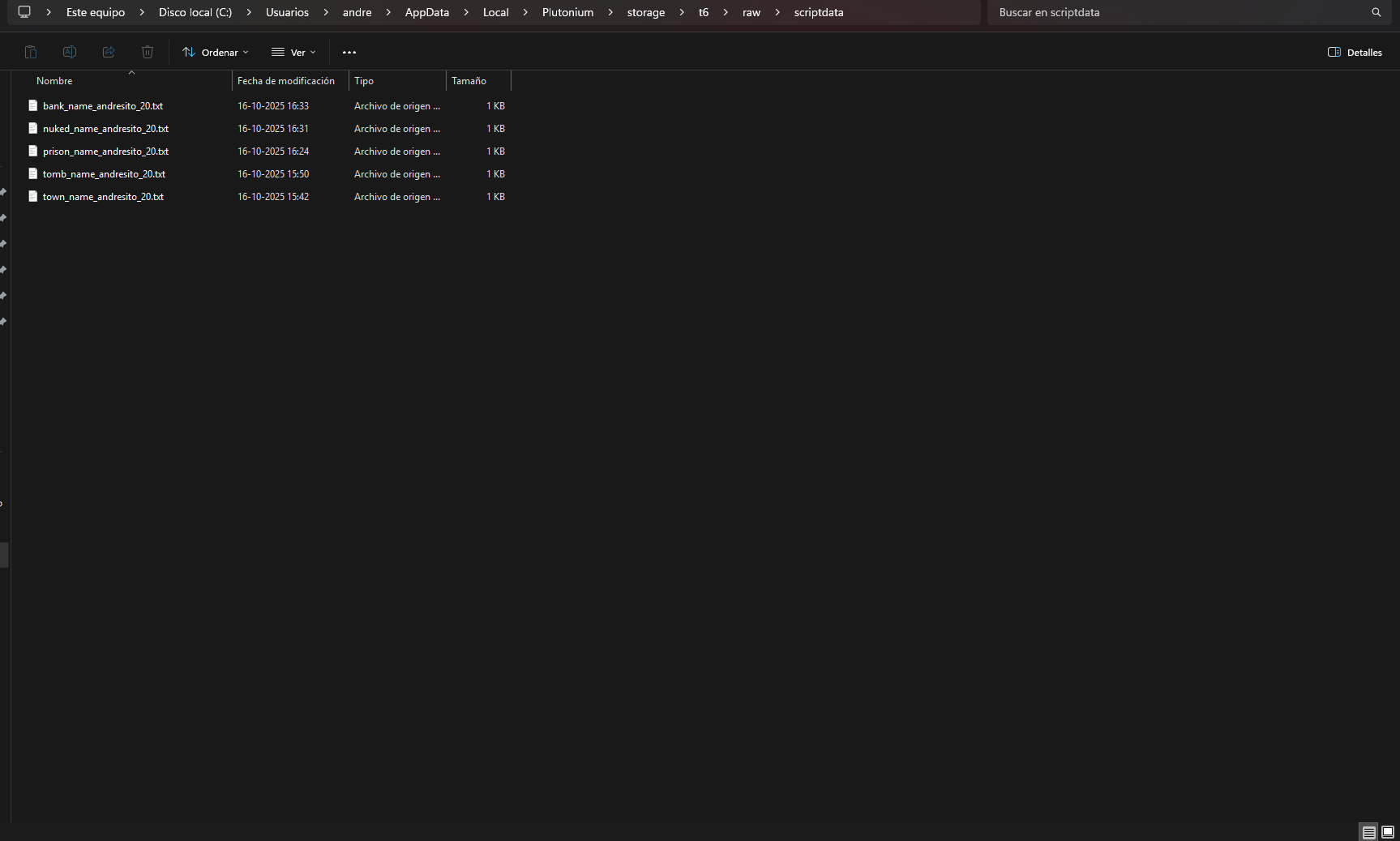
    Data Folder:
    AppData\Local\Plutonium\storage\t6\raw\scriptdata

    Source Code:
    Github v3.5.0

    Install:

    new folder
    AppData\Local\Plutonium\storage\t6\raw\scripts\zm\
    old folder
    AppData\Local\Plutonium\storage\t6\scripts\zm\
    

    Maybe you don’t know how to use the mod menu?

    Here I’ll explain a few quick steps:
    To open the menu, you need to aim and knife at the same time.
    To move up, press the numeric key 1, and to move down, press the numeric key 2
    To enter a menu, press F on your keyboard.**
    

    Video menu v2.0.0
    The download links are up to date.

    BO2 Modding Releases & Resources

  • [Release][ZM] Mod Menu | Healthbar | Weapons | Perks | Powerups | Upgrade | Night Mode | Teleport | Bank | Stats | Aimbot | Ufo | Freeze Zombies | Sound Menu | Legacy mods | Shader
    Littlegodsundefined Littlegods

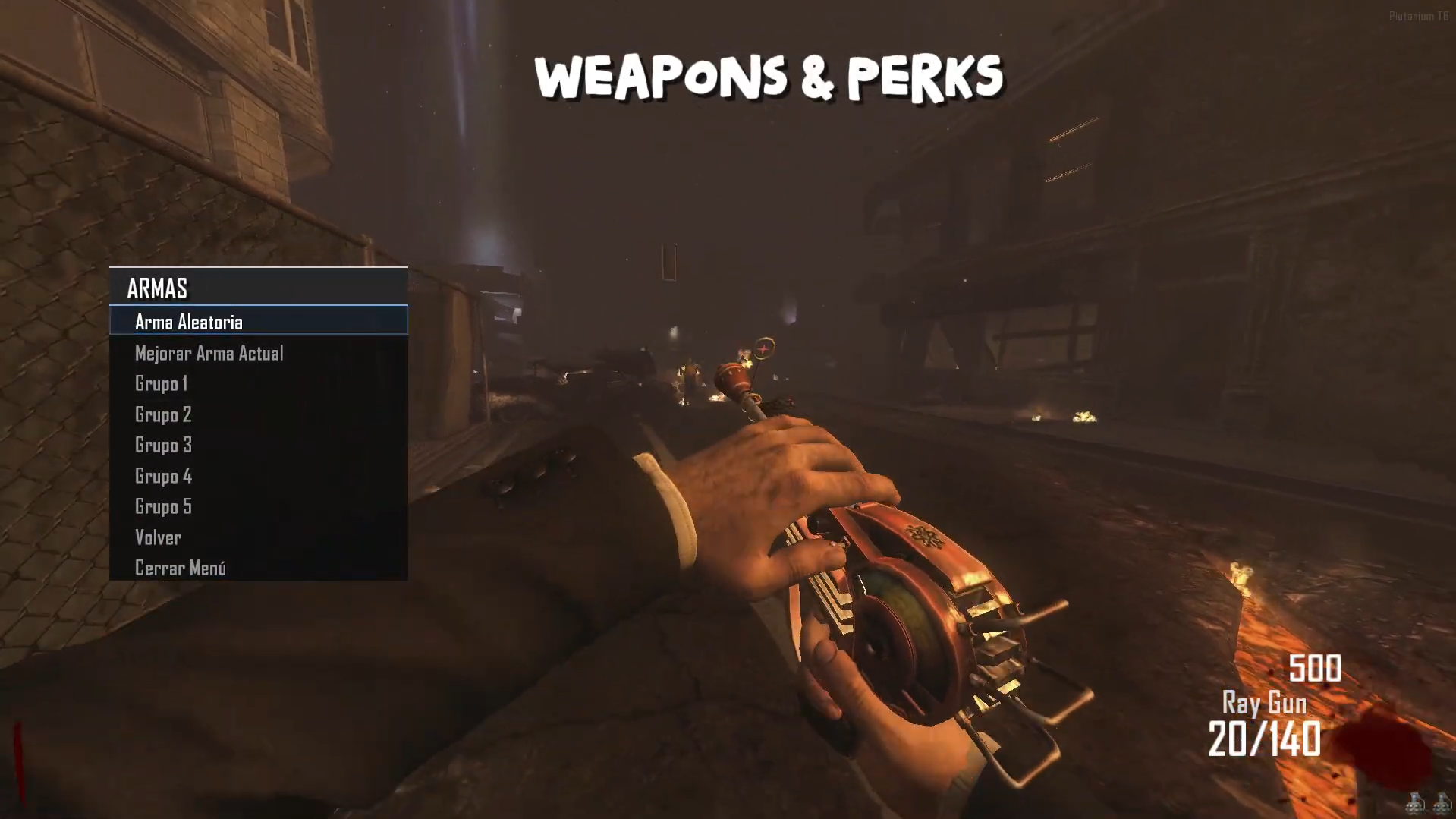
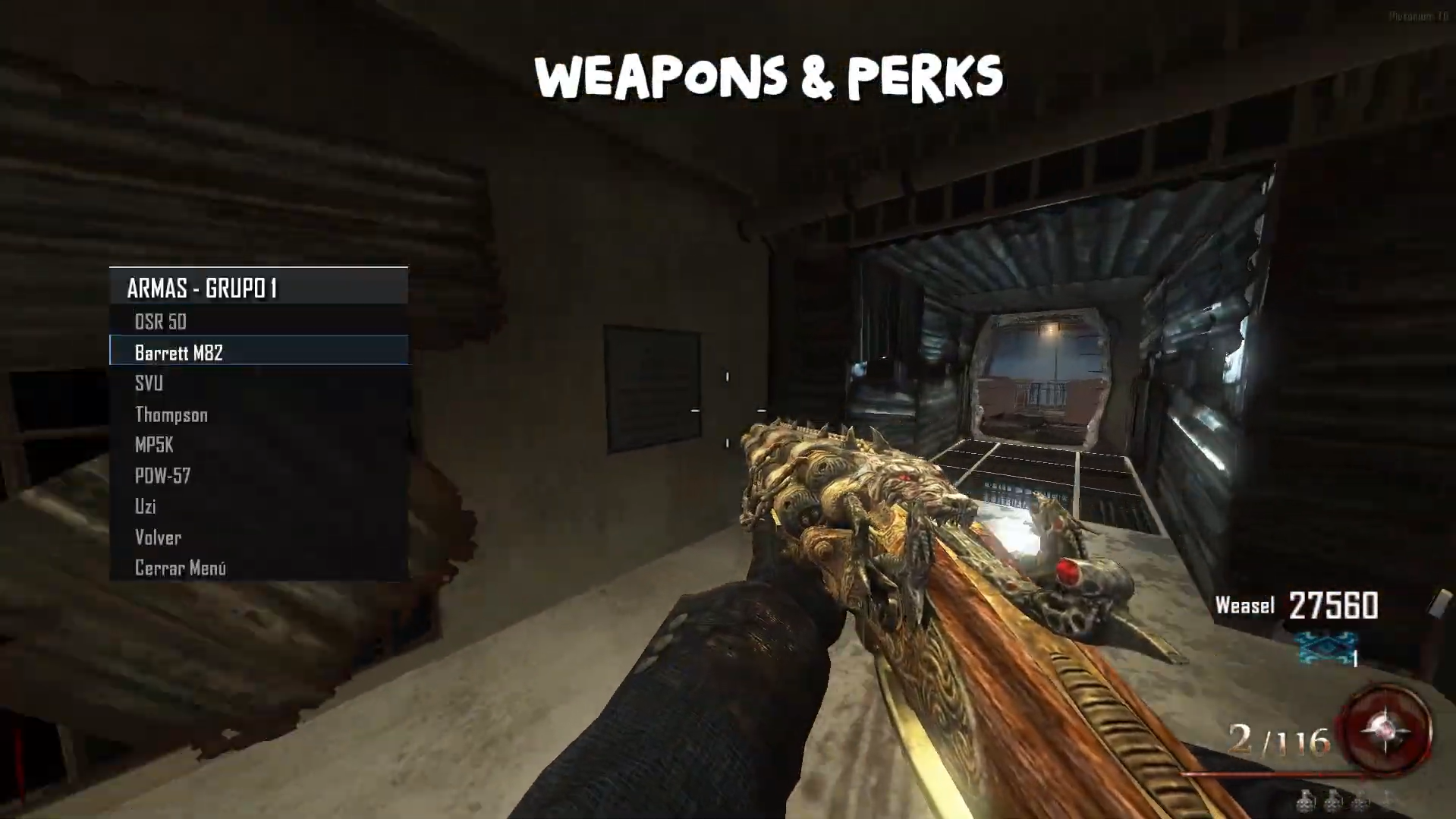
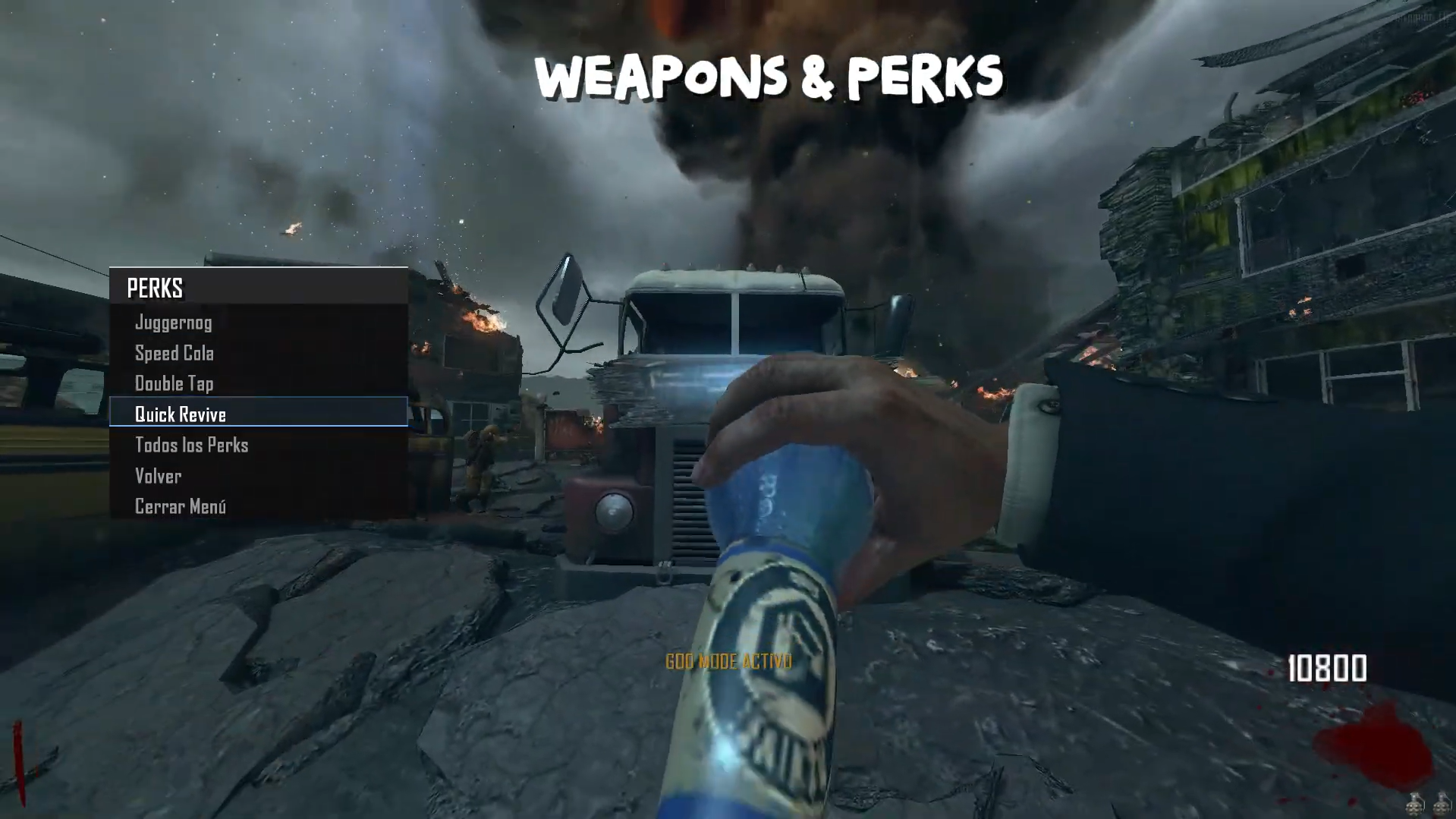
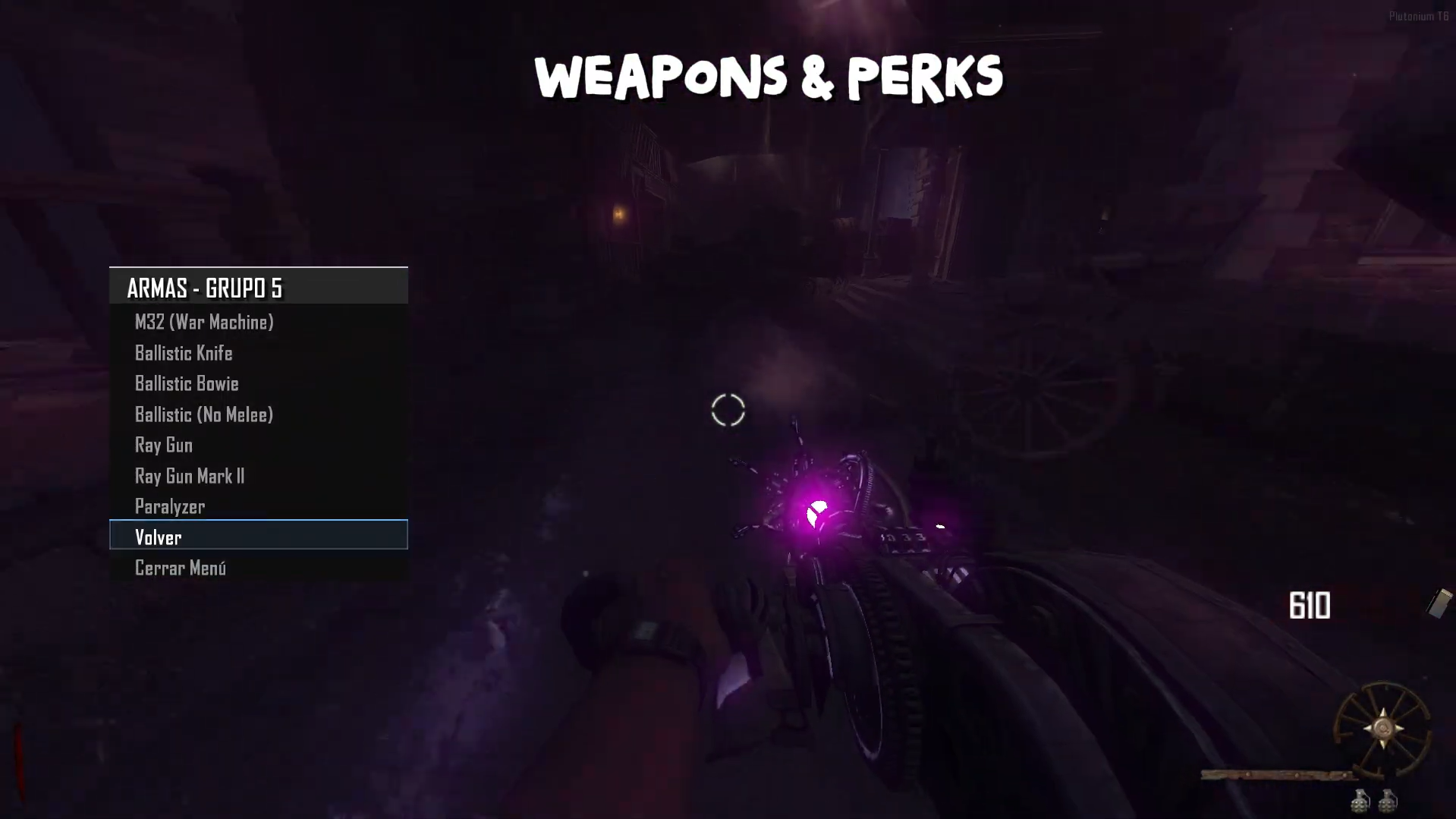
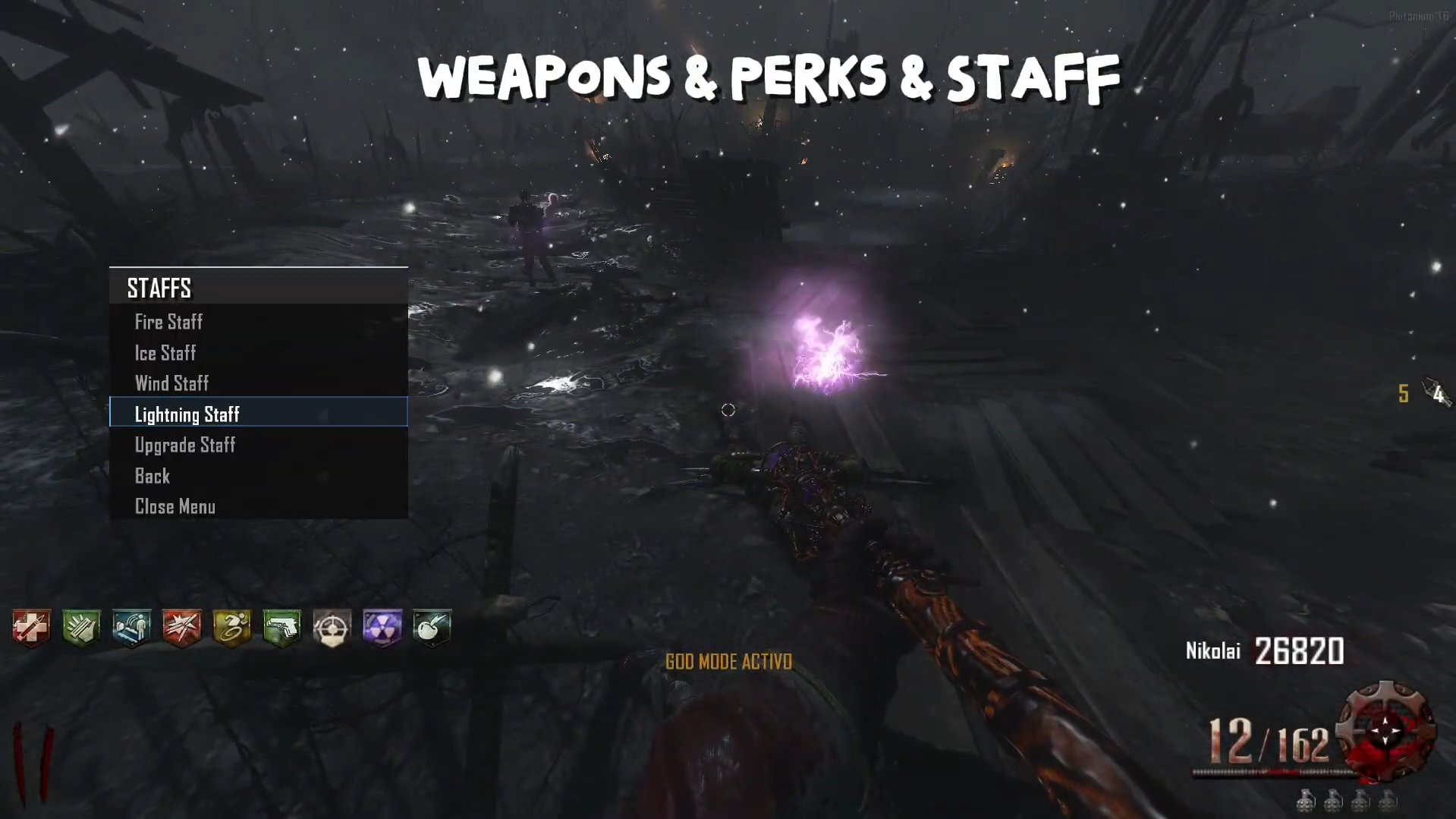
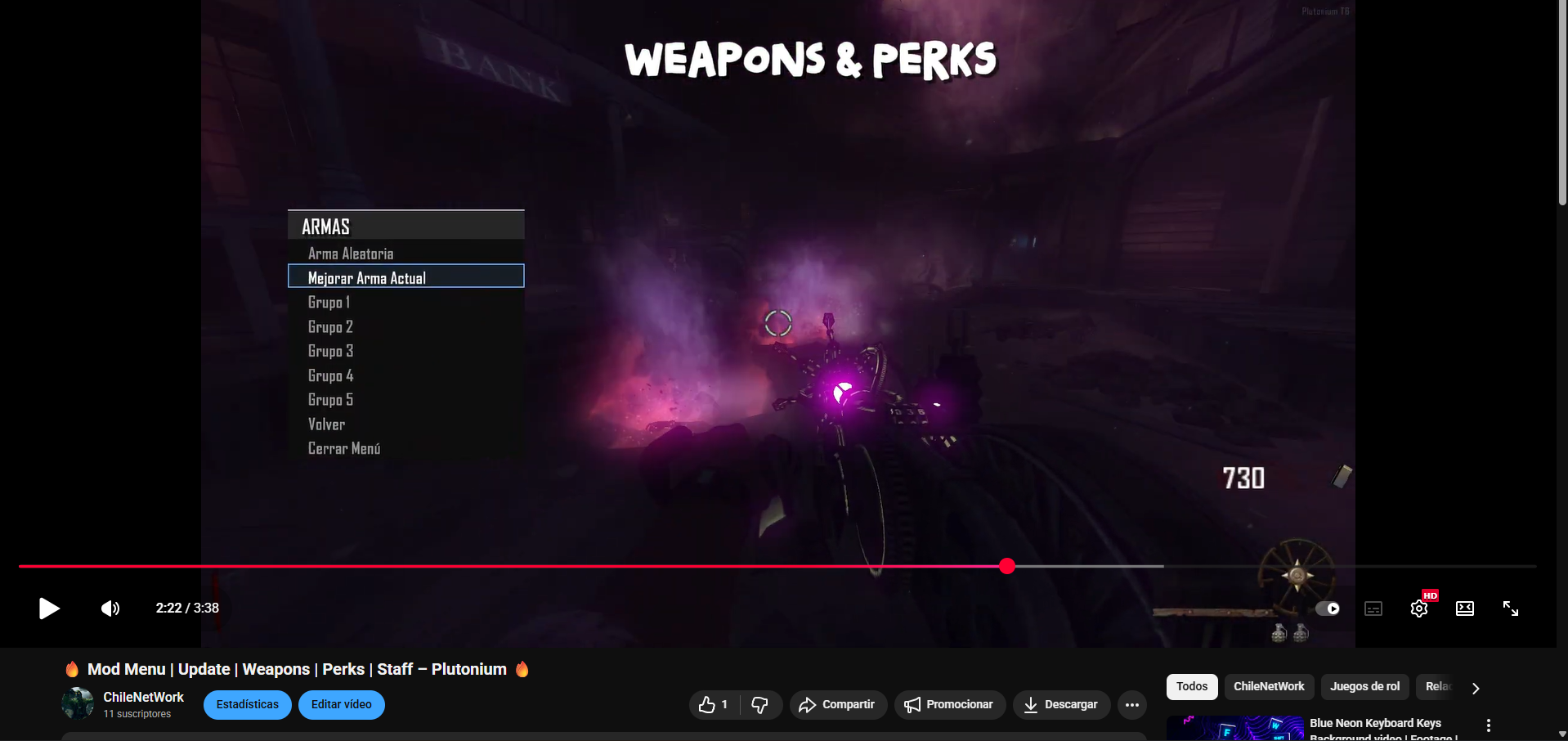
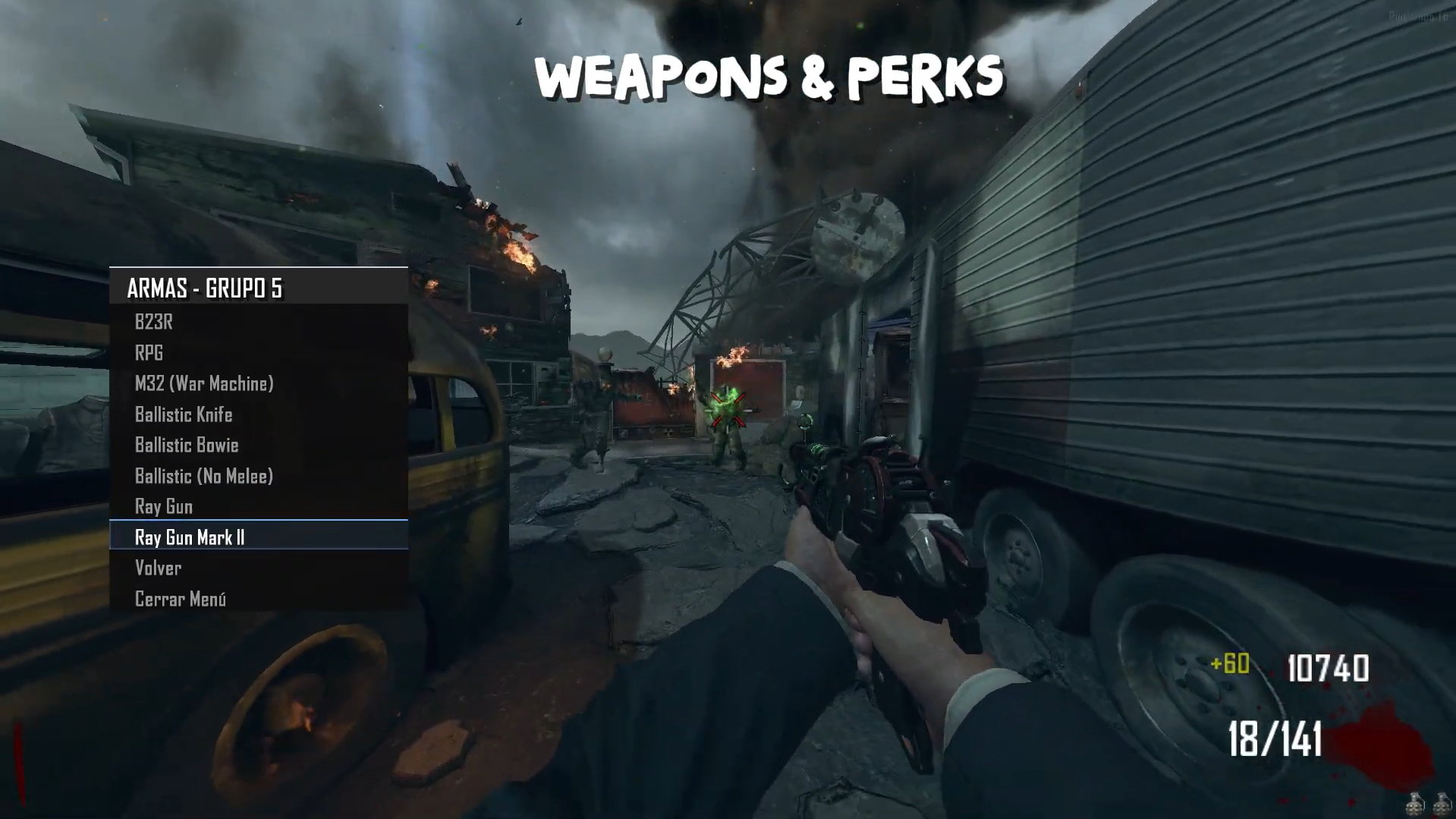
    Update 2.0.0 (Weapons - Perks - Staff - Upgrade Staff & Weapon)

    • Weapon & Upgrade: In the developer menu, you can obtain all the weapons from the selected map, instantly upgrade the weapon you’re holding, and also get a random weapon.

    • Staff & Upgrade: In the Origins map, you can obtain the staffs and use the same weapon mechanics, allowing you to upgrade them instantly.

    • Perks: Obtain all the perks from their respective map — choose them manually or get all perks instantly.

    fc4c07a7-b56b-4a93-9e69-cc8b352a760e-image.png
    5b64fc7e-da61-4247-892b-03600d08ab38-image.png
    3a17f3b1-b85c-4ca8-96e2-2c6d5fef01e2-image.png
    1c6986a5-53f4-491f-9690-74c2c1afe74c-image.png
    c22f748c-ed5c-4b9d-bb14-e787840941fd-image.png
    2e2f1d55-3dbe-4f14-8dad-dcb9f1642e47-image.png

    Source Code:
    Github v3.5.0
    The download links are up to date.

    Install:

    new folder
    AppData\Local\Plutonium\storage\t6\raw\scripts\zm\
    old folder
    AppData\Local\Plutonium\storage\t6\scripts\zm\
    

    Maybe you don’t know how to use the mod menu?

    Here I’ll explain a few quick steps:
    To open the menu, you need to aim and knife at the same time.
    To move up, press the numeric key 1, and to move down, press the numeric key 2
    To enter a menu, press F on your keyboard.**
    

    Menu video Update 2.0.0
    fc3e5ccf-404a-4179-9ca3-6628dd1d184b-image.png

    BO2 Modding Releases & Resources
  • 1 / 1
  • Login

  • Don't have an account? Register

  • Login or register to search.
  • First post
    Last post
0
  • Unread 0
  • Recent
  • Tags
  • Popular
  • Users
  • Groups