_Doge_ there is a mod that removes this already

Memeking254
@Memeking254
Posts
-
[QUESTION] Removing Fog on TranZit -
My first claymore skin (donkey)

How to install: Press Windows key + R and Type
%localappdata%/plutonium/storage/t6/imagesand drop them in there if you do not have an images folder create it
Enjoy if you download this lol
Download here:https://www.mediafire.com/file/18e2yt18fwls5m9/Donkey_Claymore.zip/file
Ive also included the Original Textures incase you want to make your own

-
(ZM&MP) Chrome Camo :DHello Everyone decided to spend some time messing around and decided to make Chrome camo for both MP and Zombies
Preview for Zombies:

Preview for MP:


Download: https://www.mediafire.com/file/91827yxxei4i1tz/ZM%2526MP_Chrome_Camo.zip/file
To Install
Press Windows Key + R and type%localappdata%/plutonium/storage/t5/imagesIf you don't have an images folder create it then drag and drop the iwi's from the folder you want
ZM is zombies
MP is multiplayerIve left the DDS's (Edited Version) incase you want to mess around with it on your own
Enjoy!! and thanks for Downloading
-
Gigachad ClaymoresThe title says it all if you download this you become a gigachad
Preview:

Preview 2:
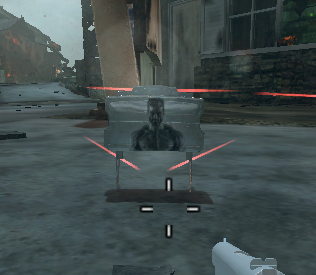
Download to become a gigachad:https://www.mediafire.com/file/p10zba53l3v0u3i/Gigachad_Claymore_.zip/file
Enjoy
How to Install Press Windows + R and type
%localappdata%/plutonium/storage/t6/imagesand drag and drop the IWI's Into the images Folder
-
Cyborg Replacement (Royalty Tiger from WW2)Hello everyone
after a couple of Failures and ALOT of testing I made Royalty Tiger from WW2
Preview 1: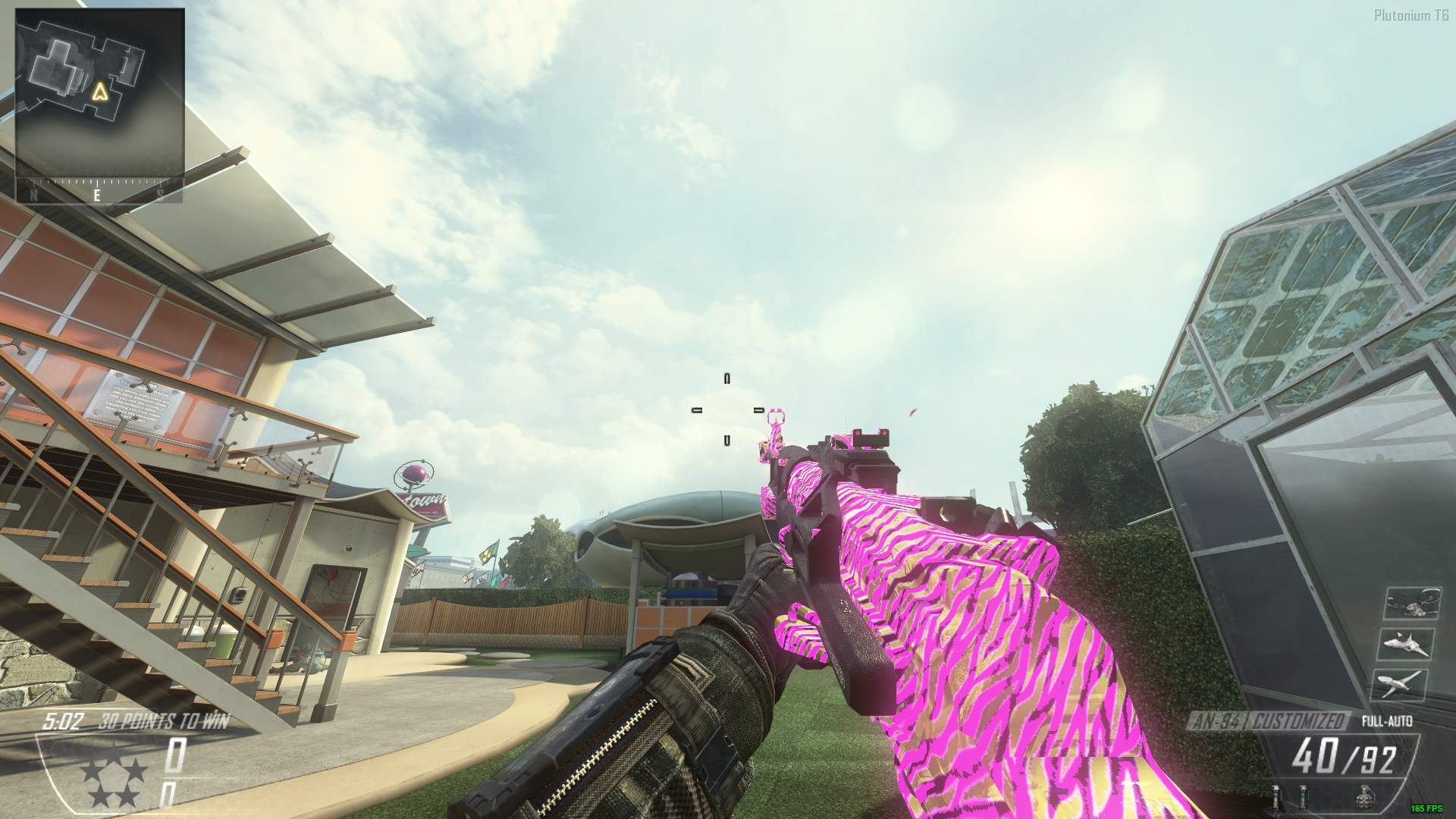
its as close as you'll get to it and I haven't seen anything like it on the forums
Preview 2: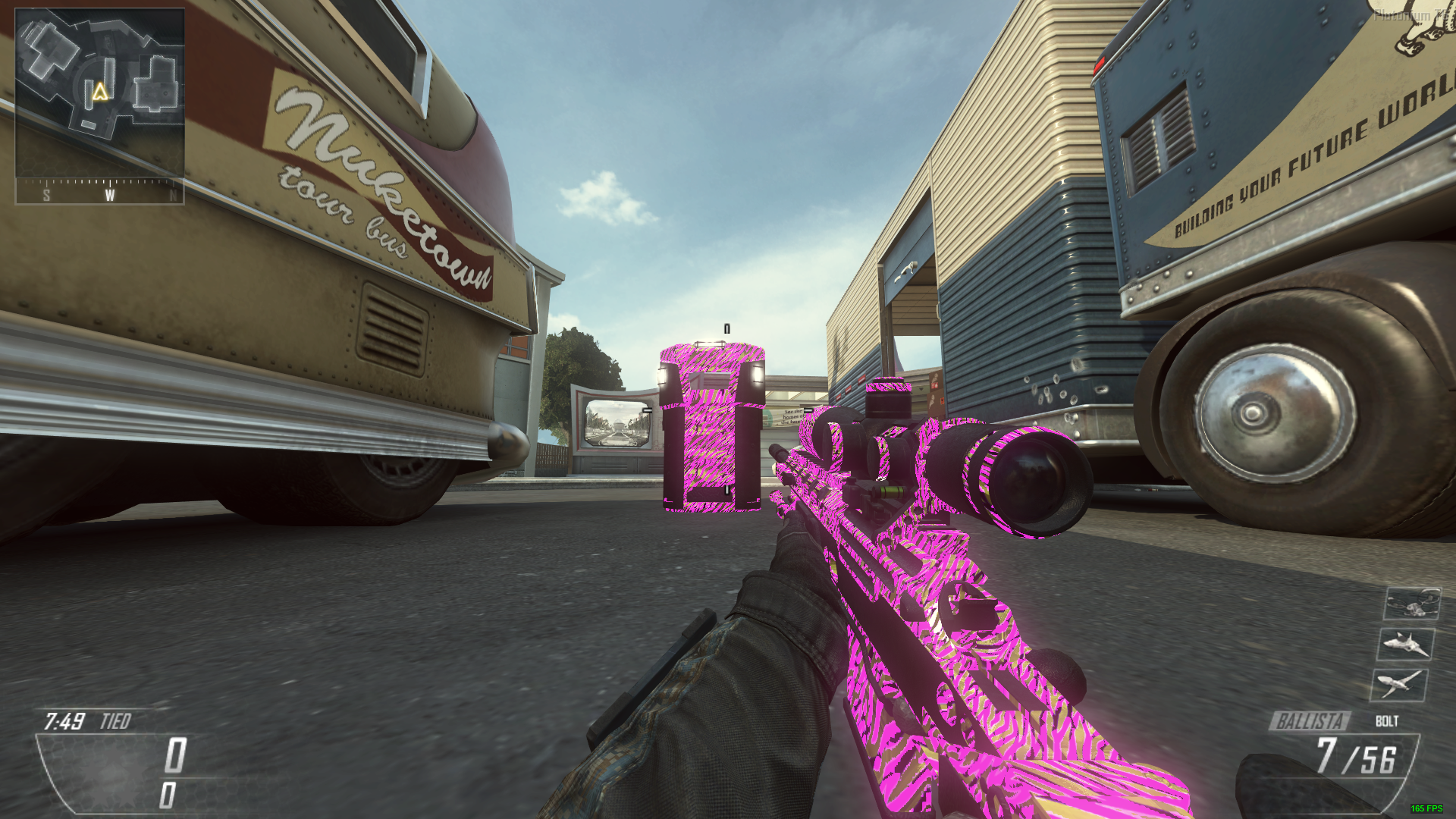
Download https://www.mediafire.com/file/l8o87dhx03ejzlc/Royalty_Tiger_WW2_%2528Fixed%2529.zip/file
TO INSTALL
Press Windows Key + R and type
%localappdata%/plutonium/storage/t6/imagesIf you don't have an images folder create it
then Drag and Drop the iwi's from the ZIP into your images Directory
Enjoy!
Let me know what you think in the comments
Thank you
-
(ZM) Upscaled and cleaned up powerup iconsHello everyone decided to also upscale and clean up the powerup icons as well since they look like trash in the base game
Preview

Preview on Five with Bonfire Sale:
Download https://www.mediafire.com/file/syauv6l50lk2mj9/Upscaled_and_Cleaned_up_Powerup_Icons.zip/file
To Install:
Press Windows + R and type
%localappdata%/plutonium/storage/t5/imagesif you don't have an images folder create one
Drag the iwi's into your images folder
and boom installed
Enjoy!!
-
Made Another Camo :DI don't really see Pink PaP Camos Which I can Just assume there are a good Number of them out there but i decided to throw one together ( I also Included the .DDS Files for anyone if you want to take a look at those and learn to make your own Camos)
preview:
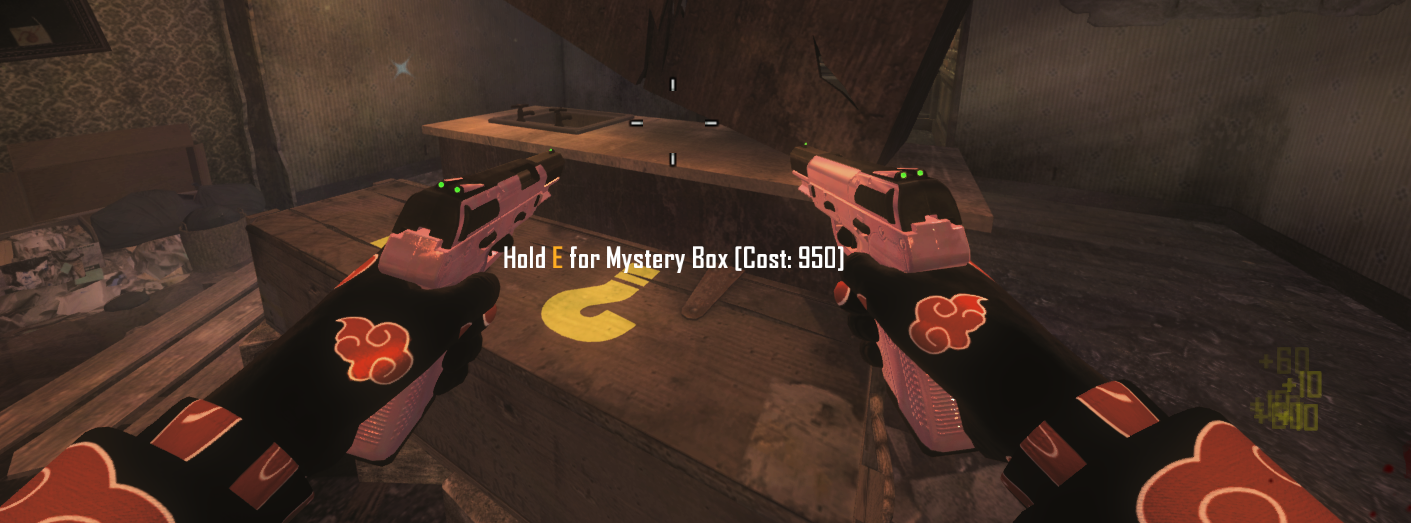
Preview 2:
Also The reflection Issue that my last camo Had should be fixed as show in preview 2 as in the last camo i made it would Reflect with Zero Light hitting the weapon
Download Here: https://www.mediafire.com/file/r63fk6p8vfnf95j/Pinkish_Blue_tone_.zip/file
also Thanks @M0untainLight6 For the Suggestion on how to Fix the Reflection Issue
to install Extract the .IWI Files into: pluto_t6_full_game/t6r/data/images
if you do not have those Folder Create Them
(The .DDS files are not Needed I added them incase people wanted to see the base of the camo and what not and Edit the Camo to Their Liking)
-
CIA Outfit :D and sleevesMade a CIA outfit and sleeves Preview

Sleeves

Download:https://www.mediafire.com/file/60adq553p42vghk/CIA_Outfit_with_Sleeves.rar/fileAlso idk why that logo is still there Idk whats causing it if anyone can tell me how to remove it
Thanks and Enjoy
Edit: Just realized that the download link I made Only Included the Outfit and not the sleeves
Ive edited this post and changed the Link
Sorry for Making that Oopsie
-
Purple 115 Requested by @Sharky0w0Decided to throw this camo together after a request I got in a discord call with Sharky0w0
Preview:

Preview 2:
Download here:https://www.mediafire.com/file/394mahqkqprbolg/Purple_115.zip/file
Enjoy
-
MPLA ClaymoresMore meme Claymores Enjoy
Preview: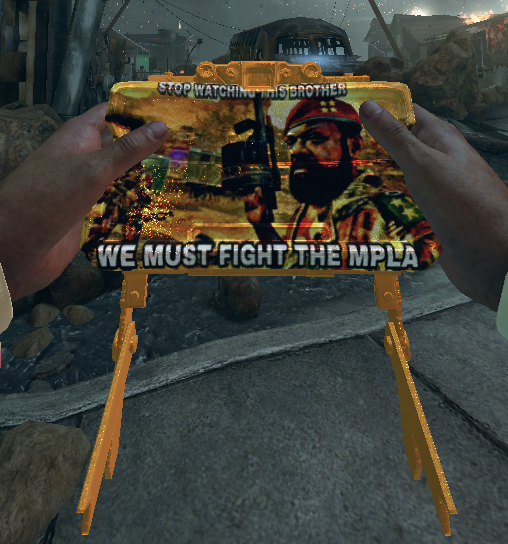
Download here:https://www.mediafire.com/file/72n687ummz91xnd/MPLA_Claymores.zip/file
Enjoy If you have a meme request or something put an Image down below and Ill see what I can do LMAO
Thanks for all the support on my stuff recently

How to Install: Press Windows+ R Type
%localappdata%/plutonium/storage/t6/imagesIf you don't have an images folder create it and drag and drop the iwi's into your images folder
-
This is getting ridiculousCrazy how you expect shit to get fixed instantly go make your own Client With MW3 BO2 WaW and BO1 and tell me how easy it is to maintain all of them at the same time
-
Cherry Fizz Modification (More then Likely my best Camo Yet)This Maybe my best Looking Camo by far to me it looks like a bit Like Cherry Fizz so thats what i Named it Its not animated tho Enjoy
Preview 1:

Preview 2:

Preview 3:

Download Here:https://www.mediafire.com/file/rf6eln8ewztg8cb/Different_Looking_Cherry_Fizz.zip/file
To Install Drag and Drop the .IWI Files from the Zip into pluto_t6_full_game/t6r/data/images
IF YOU DO NOT HAVE THE FOLDERS CREATE THEM
-
Ice camos? I guess not to sure VictisDecided To make a Collection of Camos This time around all different Colors for Purple, Turquoise,Orange, Green,Pink and Red .DDS Files Included if you want to just Change the Color to whatever you'd Like Ill Provide 1 Preview of Each Color Just to Make it simple
Purple:

Turquoise:
Orange:
Green aka 115:
Pink:
Red:
To Install Drag and Drop the .IWI Files from whatever Color you choose into your pluto_t6_full_game/t6r/data/images Directory
If you do not have those Folders Create them
Download Here: https://www.mediafire.com/file/wqk26jyb4uw77eu/Ice_Collection.zip/file
PS: Also Looking For a good Guide on how to MoTD Camo's and Origins camos Since i want to release Camos For Those Maps as well also forgot to mention the One Called Blue in this Collection is the Turquoise Version of the Camo, Also if anyone Has a good Guide to Lead me to for MoTD camos and Origins Camos Feel free to Link the Forum Post Here
This is my last camo for a Few Days While I look around for a Decent Guide for what I mentioned above and to also do some testing with the camos if we do manage to get a Guide here for it
Thanks for all the Support as well and Thanks for Dowloading
-
Black Ops 1They do support it just not currently T5 isn't fully released yet the release is planned in May
There isnt an Exact date but im sure you'll know if you're in the discord they'll announce it to everyone when we get close to that time
Until then T5M rekt is still up and active and you can use Pluto's T5 Files to play that if you'd like
Once Plutos T5 fully releases sometime in may T5M Rekt will shutdown and they will Merge with Plutonium to continue working and Improving T5 Have fun with the other Pluto games or T5M rekt in the mean time hope this answered your question
-
adding some mods@Ghost_Hafez Weird that you've asked the same thing about reshade more then once and gotten the same response

 they don't support it for the exact reason I mentioned T_T
 -
No available sessions were found - bo1 Zombie modeEternalllZM They aren't filled with Trickshot servers lmao but ok and the servers filled with bots were XP servers they are still up but have no idea when they'll be changed to something else since Unlockall exists now
Plutonium devs do care about their games fixes take time debugging Treyarchs shitty network code is their main focus and what is causing you to not be able to join T5ZM servers they are also making fixes and improvements to the other games they have going to so saying they don't care is fucking stupid
If you expect things to be instantly fixed you go find the issue and fix it yourself and tell me how easy it really is stop shitting on Devs for nothing they do this FOR FREE they get nothing from this they work on Plutonium in their free time which isn't much they have lives outside of this so maybe you should appreciate them for allowing you to play this for free instead of being ungrateful and disrespectful toward them and their work
-
Pink 115Decided to finally test making Weaponized 115 camos and thought a solid color was a good place to start and saw that the older version of this was removed or deleted or something so here ya go Download here:https://www.mediafire.com/file/ac354h8s6kgceag/Pink_115_%2528test%2529.zip/file

How to install: Press Windows + R and type%localappdata%/plutonium/storage/t6/images
If you don't have an images folder create it and drag the IwI's into itEnjoy
-
Black Ops 1if you're trying to use those DLC's to actually play on steam servers its not gonna work because you don't actually own that content
-
Diamond camo texture problemMost of the camos have an Alpha Channel and messing that up can cause this problem I have a tutorial on how it works If the alpha channel on this camo is left black it will appear Transparent (Invisible) and you will only see the base color which is what is seen here
Im not for sure if this is the problem but It's possible Ill prob check it out myself and see
Heres the Guide that i made on the Alpha Channel I feel it would be useful for beginners that are trying to get into making camos that are Animated and or have a lot of detail like Diamond for Example
Heres the Guide: https://forum.plutonium.pw/topic/19728/how-to-change-team-icons-cdc-cia-explaining-the-alpha-channel-exporting-and-editing-textures?_=1650646179210
It explains how to Export Textures and give you more of an Understanding on what the Alpha Channel is and what its used for if you need anymore Explanation feel free to reply on the forums with your questions and ill try my best to answer them
Hope this helps
Edit: am looking at this post in more detail and may realize the Cause of the Problem
Converting PNG's to DDS maybe causing the problem I made this mistake also when I first started it does not convert correctly for some reason since DDS. does support Normal Transparency Like how a Png does
DDS. Transparency and PNG are totally different from what I understand
Im pretty sure you can use the Alpha Channel in a PNG Image to maybe fix this problem but at this point its easier to just remake the camo
and pull the Files using Greyhound and just have them Export as DDS so the alpha channel will be correct -
MPLA Claymores@Kxcv DEATH TO THE MPLA