GAMEX Are you using the fix of this forum? there a tombstone fix in this forum
 undefined
Sorex
@Sorex
Posts
-
someone know the command to do this -
someone know the command to do this -
someone know the command to do thisGAMEX
Remove the map control is not needed just use the dvar ui_zm_mapstartlocation
The other code is from Cahz files? -
[outdated] Zombies Bank Fixwithmorten If you are using the right gsc files just write set bank_printing 1 to make the message print
-
[outdated] Zombies Bank Fixwithmorten
You need to put it in the server folder ( the server folder is a game folder)
if you put set bank_print 0 in your .cfg the print thing will be disabled, if you write set bank_print 1 the message will be printed
Form default the thing is off -
[outdated] Zombies Bank Fixwithmorten
You can read everything in the folder.- The file must be in the server
- the path is t6r\maps\mp\zombies\ ,if you don't have zombies folder just create a folder and call it zombies
-
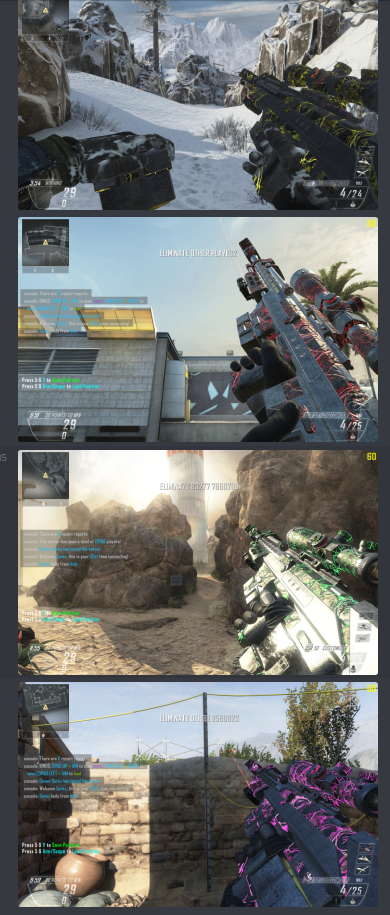
Someone make a Yellow Afterlife camo -
Rainbow Weaponized 115/Afterlife camoNumber1S0n There is, i made 4 version of afterlife, is all on my Discord. I made this camos for the players who are in my Discord
-
[outdated] Zombies Bank Fix -
BO2 [MP] Custom Prestige logos -
Default Classes instead of Customs that I madeDiam0nd go in the main menu of black ops 2, go to public and change the public classes. To have your classes in a server you need to edit the public classes and not the private match classes
-
[Release] Haisa's Camo Pack V1They are very clean, I like them. They are well made and well detailed great work. I really like the style you use, I would like to see more of camos.
Good Job Haisa

-
Need help to mod my serverJosef The bank script is not online, there another script free to use on the forum. Is a bank fix, with this the bank will work normaly.
Load mods is easy look better in the modding area on the forum
IW4M Admin tool is the amdin tool to kick users -
[OUTDATED] Gun Locker FixBlack Ops II Plutonium Gun Locker Fix
Developed by DoktorSAS
Contributors
- fed for helping with the plugin
Through these files it will be possible to get the Gun Locker Fully Working. Implementing the following scripts is very easy. In order to make the IW4M admin plugin work you also need to modify the mod in your server. You will have to add some lines of code
Prerequisites:
- IW4M Admin: To have the gun locker running on a server you must have IW4M
How does this work?
Everything has been done to make it as simple as possible, in fact it's just a few lines of code to add to a mod and a plugin to insert in the plugin folder of iw4m admin.
How to use it?
To implement these features takes two minutes, just follow this guide carefully and you will understand how to implement the bank on your servers.
Guide
Step by step
How to add the the plugin to my IW4M?
- Download the compiled files and not the source code
- Take/Copy the GunLockerFix.dll file and put it in the plugins folder of IW4M Admin
How to add the code on my mods?
- Open your not compiled mod file with GSC Studio or other text editor
- Add to your init function this lines of code
 if (getDvar("mapname") == "zm_buried" || getDvar("mapname") == "zm_highrise" || getDvar("mapname") == "zm_transit") {
		level thread onPlayerConnect_gun_locker_fix();
		level thread onEndGame_gun_locker_fix();
	}
like
init(){ if (getDvar("mapname") == "zm_buried" || getDvar("mapname") == "zm_highrise" || getDvar("mapname") == "zm_transit") { level thread onPlayerConnect_gun_locker_fix(); level thread onEndGame_gun_locker_fix(); } }- Add the this other funciton where you want in the mod
onEndGame_gun_locker_fix(){
	level waittill("end_game");
	foreach(player in level.players){
		if(isDefined(player.stored_weapon_data)){
			new_dvar_value = "IW4MLOCKER;" + player.guid + "," + player.stored_weapon_data["name"] + "," + player.stored_weapon_data["lh_clip"] + "," + player.stored_weapon_data["clip"] + "," + player.stored_weapon_data["stock"] + "," + player.stored_weapon_data["alt_clip"]  + "," + player.stored_weapon_data["alt_stock"];
			logPrint(new_dvar_value + "\n");
		}else{
			new_dvar_value = "IW4MLOCKER;" + player.guid + "," + "none";
			logPrint(new_dvar_value + "\n");
		}
	}
}
onPlayerConnect_gun_locker_fix(){ for(;;){ level waittill("connected", player); player thread gun_locker_fix(); player thread onPlayerDisconnect_gun_locker_fix(); } }onPlayerDisconnect_gun_locker_fix(){ self waittill("disconnect"); stored_weapon_data = self.stored_weapon_data; guid = self.guid; if(isDefined(self.stored_weapon_data)){ new_dvar_value = "IW4MLOCKER;" + guid + "," + stored_weapon_data["name"] + "," + stored_weapon_data["lh_clip"] + "," + stored_weapon_data["clip"] + "," + stored_weapon_data["stock"] + "," + stored_weapon_data["alt_clip"] + "," + stored_weapon_data["alt_stock"]; logPrint(new_dvar_value + "\n"); }else{ new_dvar_value = "IW4MLOCKER;" + guid + "," + "none"; logPrint(new_dvar_value + "\n"); } }gun_locker_fix(){ level endon("end_game"); self waittill("spawned_player"); while(getDvar( "guns_clients_information" ) == "" || !self setLockerGun( )) // As long as the value of the bank is not valid then it remains in the loop wait 0.001; }setLockerGun( ) { guns_data = strTok(getDvar( "guns_clients_information" ), "-"); // The dvar is divided into many elements so many players are in game for (i = 0; i < guns_data.size; i++) { client_data = strTok(guns_data[i], ","); // Divides each player's data into arrays with 7 values if (int(client_data[0]) == int(self.guid)) { // If the GUID matches the user in analysis then sets the value of the stored weapondata and says that the value is valid weapondata = []; if(client_data[1] != "none"){ weapondata[ "name" ] = client_data[1]; weapondata[ "lh_clip" ] = client_data[2]; weapondata[ "clip" ] = client_data[3]; weapondata[ "stock" ] = client_data[4]; weapondata[ "alt_clip" ] = client_data[5]; weapondata[ "alt_stock" ] = client_data[6]; self.stored_weapon_data = weapondata; self iprintln("Weapon Set!"); } return 1; } } return 0; }- Compile the file
- Put the compiled file in maps\mp\gametypes_zm
- Start the server
- Start IW4M
- END
Download
Download the files from Github
Source Code
Download and/or read the source files from Github
Use this forum post to report problems, also for code improvements and new features to implement. I remember it is a pre-release. Everything is in testing phase. In order to release an official version I need people to use this script on their servers.
-
[Resource/Release] Zombies List of ModsItsTopNick on Sorex is possibile to reserve a server, contact DoktorSAS and he can make a private server with this mods
-
[Resource/Release] Zombies List of ModsItsTopNick I left are the basic mod, but I am not going to release the rest at the moment
-
[outdated] Zombies Bank FixRezTech Thanks man, we hope plutonium Staff and server owners like this Release. We hope that this resource can help Staff and can help the server owners.