Skip to content

WAW Modding Releases & Resources

171 Topics 658 Posts

Plutonium T4 Mod releases and resources go here.

  • Rules and Release Guidelines! PLEASE READ BEFORE POSTING

    Pinned Locked
    1
    3 Votes
    1 Posts
    7k Views
    No one has replied
  • Official WAW Mod Tools

    Pinned Locked
    1
    23 Votes
    1 Posts
    16k Views
    No one has replied
  • Resources for learning to make WAW Mods

    Pinned Locked
    1
    2 Votes
    1 Posts
    4k Views
    No one has replied
  • Resource: Lists of already made WAW Maps and Mods

    Pinned Locked
    1
    7 Votes
    1 Posts
    12k Views
    No one has replied
  • T4 Custom Zombies Maps GSC Fixes for Dedis

    Pinned
    10
    13 Votes
    10 Posts
    15k Views
    maxzaster
    where do i put this files
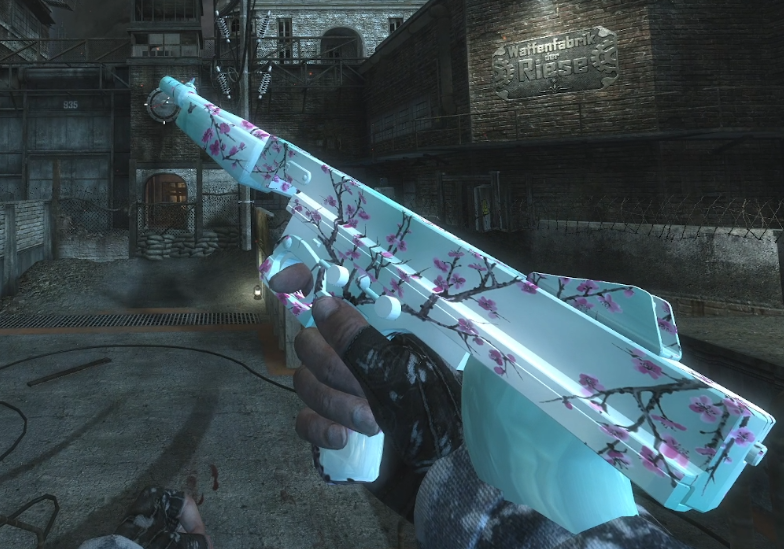
  • [ZM]-Camo for Colt45

    camo zombie colt45 waw
    3
    3
    3 Votes
    3 Posts
    3k Views
    only_dank_kush
    thank you nice camo
  • 1 Votes
    5 Posts
    4k Views
    only_dank_kush
    thank you!
  • [Release] [T4] ZShare - Share with your friends!

    2
    1 Votes
    2 Posts
    51 Views
    GhostRider01250
    OUR POINTS AND GUNS
  • [Release] [T4] [Zombies] ZPause T4 - a synced co-op pause mod by Xep

    3
    1 Votes
    3 Posts
    64 Views
    Xeptix
    ZPause T4 v1.5 Chat commands, a settings menu while paused, settings that stay set — and a fix that matters: anybody can unpause again, not only whoever paused. Download: https://github.com/Xeptix/ZPauseT4/releases/latest Fixed — read these first Anybody can unpause, not only whoever paused. The crouch half of a combo reads the stance you're in, and freezing a player freezes their stance — so whoever paused stayed crouched and everybody else, frozen standing, could never make it. While paused, resume with use + aim (or !unpause). The pause banner says so. use_ads and use_attack do what they say. Both are the default down combos, and neither name was ever tested for, so both fell through to crouch + melee — the one combo a downed player can't make. New — chat commands !pause, !p, !unpause, !resume, and yes / no while a vote is open — the same words as Black Ops II. This port shipped without them because nothing in World at War's own scripts listens for chat; the game raises it anyway. zp_allow_short_words widens them to the bare words, off by default. New — a settings menu while paused The host holds fire + melee: aim and fire move through the list, grenade changes a setting, melee closes it, and what the setting does is written under the list. zp_menu 0 turns it off. New — settings stick The menu saves to scriptdata\zpause.cfg as it closes, and the script reads it back as the next match loads. The installer's settings editor writes the same file and opens on it, so the menu and the installer always agree. Also zp_freeze_players 0 lets players walk around a paused game with their weapons down. Not recommended — doors, the box and perks still work. none empties a setting from the console, so set zp_pause_sound none is silence. Changing zp_godmode during a pause no longer leaves players invulnerable after it. The installer's -To works when it already remembers a folder. Install Unchanged. Run installer\windows\install.bat from the extracted folder, or copy the Plutonium folder into %localappdata% yourself. Your settings are carried over. No game restart needed — end the current match and start a new one. Only the host needs the file. Full dvar list and the how-it-works writeup are in the README: https://github.com/Xeptix/ZPauseT4

  • Snowy Shi No Numa + Northen Lights

    11
    6
    3 Votes
    11 Posts
    390 Views
    mr.kennutbuster
    @jes51ca you should do bo1 nacht next
  • 2 Votes
    15 Posts
    5k Views
    Meehlers
    is there one for verrrückt and shi no numa?
  • Bots Warfare Waypoints for some COD WAW MP maps - PART 1

    2
    3 Votes
    2 Posts
    866 Views
    mrinfinit
    where do i extract them to?
  • Goth Girls Icon Perks (WAW)

    7
    1
    0 Votes
    7 Posts
    379 Views
    JeS51CA
    @Brave_Soldat Because I wanted a matching set made specifically for the perk icons. Looking up random images wouldn't give me that. That's literally it lol. You don't have to like AI or use the mod, that's completely fine.
  • Snowy Shi No Numa

    5
    5
    0 Votes
    5 Posts
    181 Views
    JeS51CA
    Please look at new post as I can't edit this post for the download link!
  • Map lobby image & Loadscreen BO3 Zombies

    1
    8
    0 Votes
    1 Posts
    113 Views
    No one has replied
  • Ray Gun Xbox & PlayStation camos

    2
    4
    1 Votes
    2 Posts
    148 Views
    Brave_Soldat
    I would love this if it had something about Xbox 360, but whatever I find this cool still
  • Bot Warfare with tank support

    5
    2 Votes
    5 Posts
    179 Views
    Crimson Dragon
    @Bjusterbaarlik im still making it, right now they just drive around and will target you, shoot, ect. Some times they camp though, im trying to not have them get stuck as much, but other bots can get in the turret, and if you drive up to a bot while driving the tank, they will get in on the turret.
  • Arizona Green Tea Camo

    5
    4
    3 Votes
    5 Posts
    2k Views
    Turtles-PWN
    I FUCKING LOVE ARIZONA ICE TEA RAHHHHHHHHHHHH $.99 FOR 30 YEARS RAHHHHH
  • [RE-RELEASE] HD Crosshairs

    BO2 Modding Releases & Resources
    11
    3
    8 Votes
    11 Posts
    1k Views
    Datguyphiff
    @Itsfrox Use windows key and R at the same type, which will you take you to a small box that's called Run. Type in %localappdata%\Plutonium in the small box and click Ok. Within the newely open folder, click the storage folder. Then click t6 folder, after that click images. Use the downloaded folder that you gotten the mod from and drag that file of images into the images you currently have opened.
  • [NZ] HD Black Ops 1 M1911

    2
    1
    1 Votes
    2 Posts
    403 Views
    Dubmare
    Where do I download this? just redirects me to the BO2 version.