Skip to content

BO2 Client Support

12.4k Topics 39.8k Posts

Request support for the Plutonium T6 client, please wait at-least 1 day for a reply, it can get busy. The community is free to try to help in any thread.

  • 1 Votes
    2 Posts
    183 Views
    Solution Found! Copy and Paste english localization thingy
  • Bo2 brightness 0 error

    4
    1
    0 Votes
    4 Posts
    441 Views
    @nightly no, if your game won't launch, you have other issues. that red line of text is not your issue and is 100% normal. you'll need to show us more (game folder, game path setup, full console window, other error messages, etc) for us to be able to help track down the actual cause. best bet is to come to the discord channel for faster support (though you can post things here, just might be slower)
  • Can't sprint anymore on keyboard and the game is always so laggy.

    2
    0 Votes
    2 Posts
    3k Views
    Movement and connection interrupted issues are probably caused by uncapped frames if the ping is normal since playing above 200 causes movement issues. You could consider lowering the FPS, or alternatively consider using the console command cg_drawDisconnect 0 and getting the host to enable bg_fixFramerateDependentPhysics.
  • Cant you play BO2 for free right now?

    Locked Moved bo2
    2
    0 Votes
    2 Posts
    959 Views
    No support for pirates
  • 'Verify game files with steam'

    2
    0 Votes
    2 Posts
    673 Views
    Check my comment from here: https://forum.plutonium.pw/topic/39666/error-during-initialization-invalid-patch-fastfiles-please-verify-your-game-files-with-steam/2
  • Fastfile for zone "zone_cmmn" is corrupt or unreadable

    help
    1
    0 Votes
    1 Posts
    124 Views
    No one has replied
  • Black Ops 2 freezes, alt-tabs me, and then won't let me back in.

    17
    0 Votes
    17 Posts
    5k Views
    Guys, I finally managed to solve the crashes and black screen issues! It was a long process, but here is the breakdown of what I did and the root cause I eventually found. Step 1: Debugging & Software Updates I started by analyzing the crash dump (using WinDbg) and found an "Invalid Address" error related to the EAX register and d3d11.dll. Based on this: I updated to the latest DirectX (remember to uncheck the "Bing Bar" bloatware during install). I performed a clean install of the latest stable graphics drivers. I repaired the game files to check for corruption. Result: The problem persisted. Step 2: Windows Stability Tweaks (Registry) Research suggested Windows 10/11 often loses connection with the GPU (TDR). I applied the following registry fixes: Disable MPO (Multi-Plane Overlay): Known to cause black screens/flickering on AMD. Increase TDR Delay: Changed the timeout tolerance to 10 seconds to prevent Windows from resetting the driver too quickly. Result: The system felt more stable, but the crashes eventually returned. Step 3: The Hardware Fix (The Root Cause) Finally, I checked my BIOS/UEFI settings. My Setup: ASUS TUF B550m Gaming, Ryzen 5 5700G (Integrated Graphics), and 4x8GB Asgard RAM (Model VMA45UG-MEC1U22T3). The Issue: My motherboard's D.O.C.P/XMP profile was automatically setting the RAM to 3600MHz. However, looking at the specs for my specific RAM sticks, they are rated for 3200MHz. The Solution: I manually lowered the frequency in the BIOS from 3600MHz to 3200MHz. Conclusion: Since I am using an APU (5700G), my system RAM acts as my Video Memory (VRAM). Because the RAM was unstable at the overclocked 3600MHz speed, it was causing address faults, leading the "GPU" to crash and triggering the d3d11.dll errors. Lowering it to the manufacturer's rated speed fixed everything. EDIT: REGEDIT Windows Registry Editor Version 5.00 ; FIX 1: Desativar MPO (Causa telas pretas e piscadas na AMD) [HKEY_LOCAL_MACHINE\SOFTWARE\Microsoft\Windows\Dwm] "OverlayTestMode"=dword:00000005 ; FIX 2: Aumentar o tempo de tolerĂ¢ncia do driver (TDR) para 10 segundos ; Isso impede que o Windows "mate" o vĂ­deo se ele travar por um instante [HKEY_LOCAL_MACHINE\SYSTEM\CurrentControlSet\Control\GraphicsDrivers] "TdrDelay"=dword:0000000a "TdrDdiDelay"=dword:0000000av
  • The application was unable to start correctly (0xc000007b).

    Locked
    2
    0 Votes
    2 Posts
    294 Views
    No support for pirates, goodbye.
  • My stats are not being saved

    3
    1
    0 Votes
    3 Posts
    466 Views
    @Hadi77KSA thanks
  • Sometimes the game doesn't save my level?

    12
    2 Votes
    12 Posts
    2k Views
    I have a fix for WaW. It at least worked for me. If you have a secondary WaW profile (the ingame one), switch to it then switch back to your main profile.
  • How to get Plutonium Working on Steam Deck.

    19
    2 Votes
    19 Posts
    22k Views
    @Havok1991 That's really unfortunet..Any chance they may relook in to this and maybe patch the exploit? (if it's that easy)
  • 0 Votes
    1 Posts
    513 Views
    No one has replied
  • Connection lag

    2
    0 Votes
    2 Posts
    267 Views
    Limit your FPS or try the new dvars added with the latest versions.
  • Death icons and hardpoint icons way too big

    2
    0 Votes
    2 Posts
    148 Views
    [image: 1764187116834-15ddadc6-1029-4889-9d2c-2ed6fbd627ed-image.png] are they supposed to be this big?w
  • Split screen?

    3
    0 Votes
    3 Posts
    693 Views
    is nucleus-coop like plutonium?
  • Bo2 Mp, Bo1 Mp,and Bo1 Zombies crashing

    Moved
    3
    0 Votes
    3 Posts
    468 Views
    I tried doing a few things to fix it. I verified ownership on plutonium, I verified the integrity on steam, I deleted Mcaffee, and I double checked that I had to right files linked to plutonium. I got everything to open. I thought I had fixed it but now nothing is wanting to open anymore at all. Whenever I get try to start a game, plutonium loads up, takes me to a black scree, and then it just closes out of the application. I don't get an error message or anything.
  • This topic is deleted!

    0
    0 Votes
    0 Posts
    13 Views
    No one has replied
  • Black Ops 2 not allowing 4K option

    2
    1
    0 Votes
    2 Posts
    481 Views
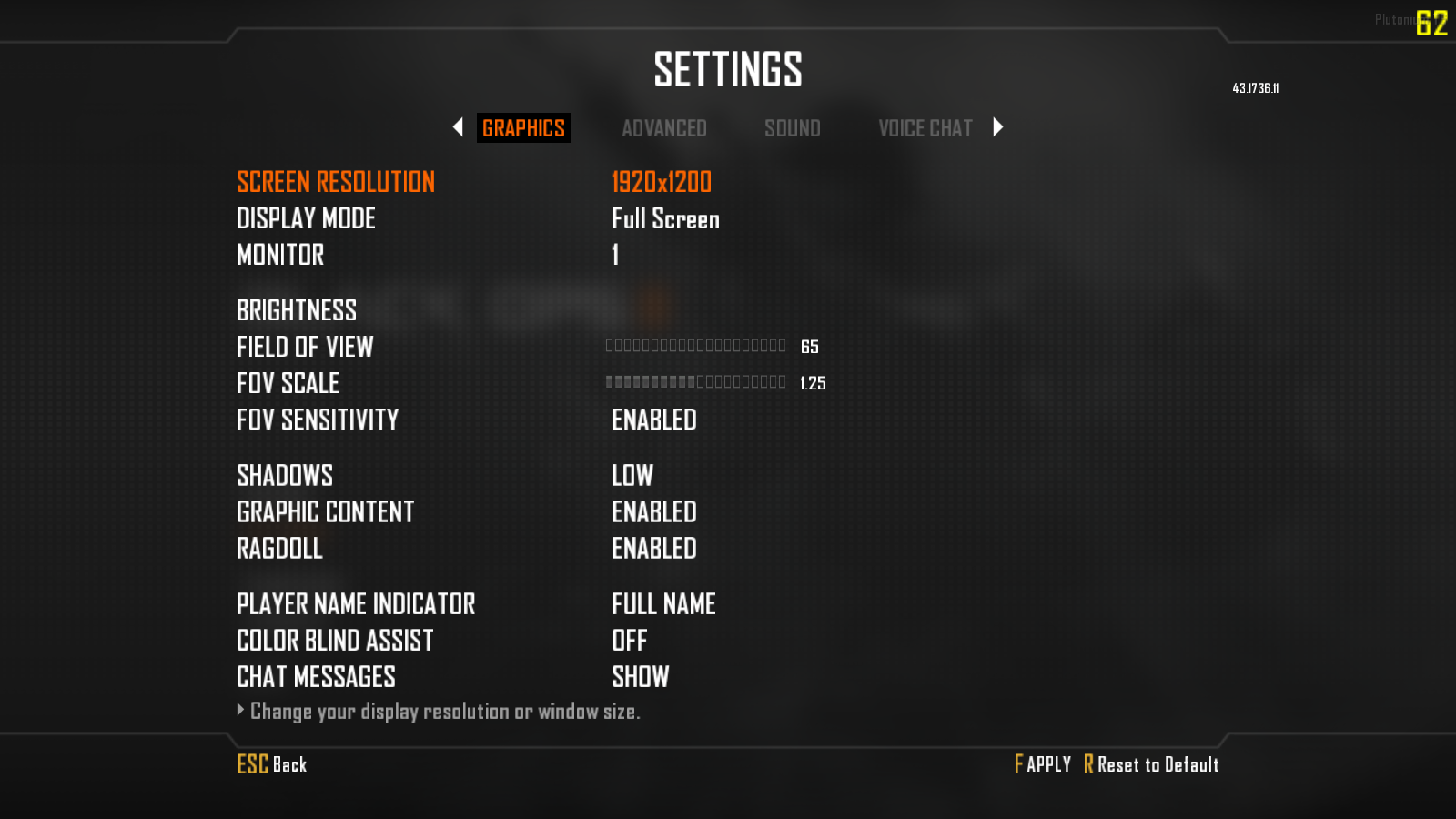
    ![alt text](image url)[image: 1763956555242-image_2025-11-23_225600144.png] For some reason on Nvidia's latest drivers it doesn't allow me to select any resolution above 1920x1200 even though my native resolution is 4K. I'm trying to use HDR since my monitor is an OLED and it wasn't an issue on older drivers but now its starting to occur. Has anyone been able to solve this issue on their end?
  • hellp

    Locked Moved
    2
    1
    0 Votes
    2 Posts
    203 Views
    you are trying to use unsupported pirated files. get your game files from steam and point plutonium to those and you'll be good!
  • Weird emblem on BO2 NEED HELP

    Moved
    3
    1
    0 Votes
    3 Posts
    431 Views
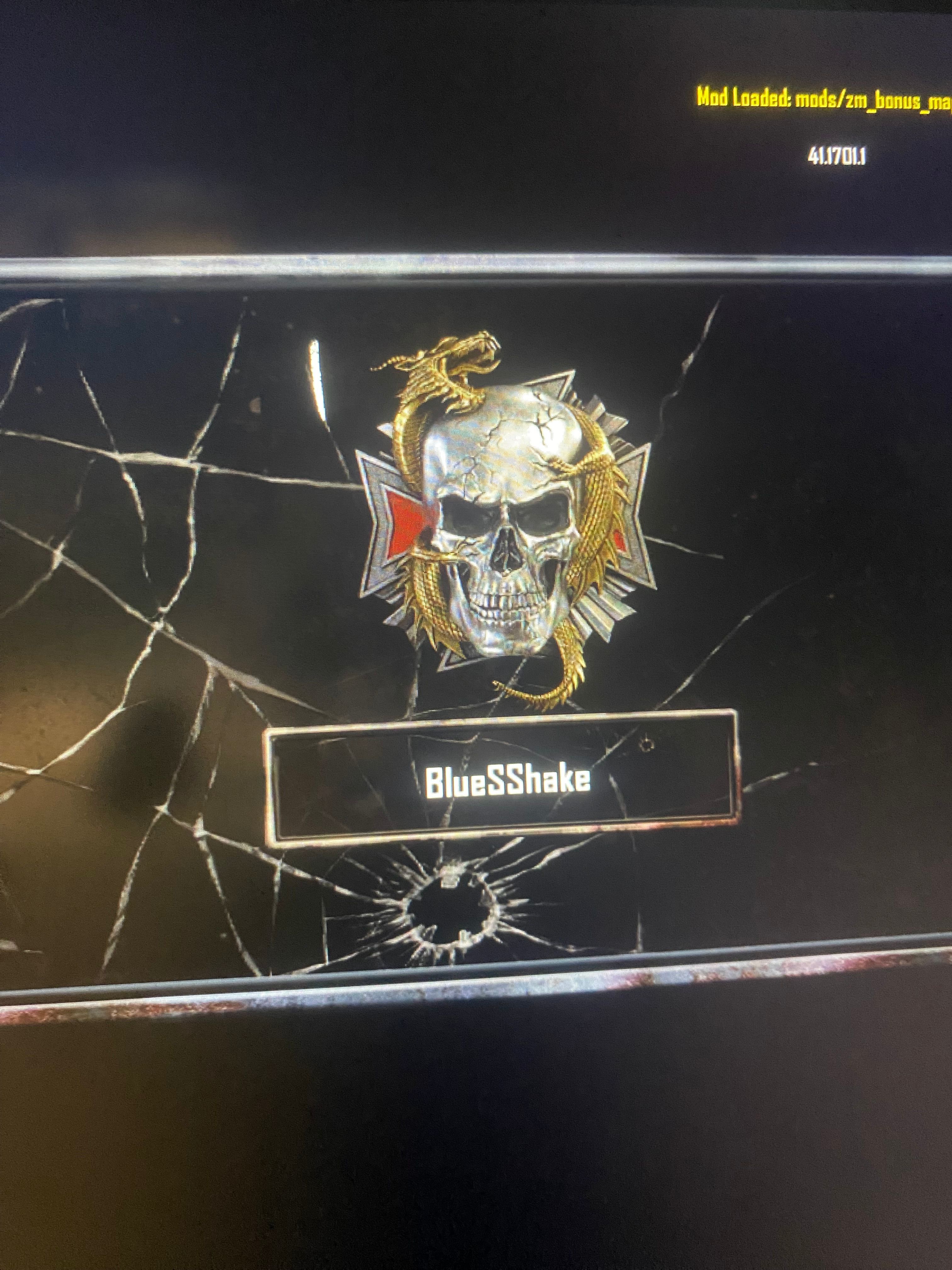
    @BlueSShake So that would mean you have a custom (modified) image for what level you should be on. The icon you're seeing probably replaced the original image due to texture modding.