Skip to content

BO2 Client Support

Request support for the Plutonium T6 client, please wait at-least 1 day for a reply, it can get busy. The community is free to try to help in any thread.

12.3k Topics 39.4k Posts
  • FAQ & Common issues Plutonium T6

    Pinned Locked Moved
    1
    10
    25 Votes
    1 Posts
    230k Views
    No one has replied
  • How to install Plutonium T6

    Pinned Locked
    1
    3k Votes
    1 Posts
    1m Views
    No one has replied
  • Plutonium BO2 Key Links

    Pinned Locked
    1
    82 Votes
    1 Posts
    151k Views
    No one has replied
  • How to repair your T6 Installation

    Pinned Locked
    1
    44 Votes
    1 Posts
    69k Views
    No one has replied
  • Custom Games with Friends

    Pinned Locked Moved
    1
    48 Votes
    1 Posts
    203k Views
    No one has replied
  • Controller Guide

    Pinned Locked
    1
    6 Votes
    1 Posts
    18k Views
    No one has replied
  • How to create useful support requests!

    Pinned Locked
    1
    1 Votes
    1 Posts
    2k Views
    No one has replied
  • Running BO2 in LAN Mode (Anticheat Disabled)

    Pinned Locked
    1
    2 Votes
    1 Posts
    9k Views
    No one has replied
  • [Guide] How to run Black Ops 2 Zombies on Linux

    Pinned Locked
    1
    15 Votes
    1 Posts
    10k Views
    No one has replied
  • Color Codes for PlutoT6 / Call of Duty Black Ops II

    Pinned Locked Moved
    1
    7 Votes
    1 Posts
    10k Views
    No one has replied
  • This topic is deleted!

    1
    0 Votes
    1 Posts
    6 Views
    No one has replied
  • EZZ SERVER

    2
    0 Votes
    2 Posts
    100 Views
    [image: 1767509486844-screenshot-2026-01-03-224547.png] i cant access origins ezz server
  • This topic is deleted!

    0
    0 Votes
    0 Posts
    24 Views
    No one has replied
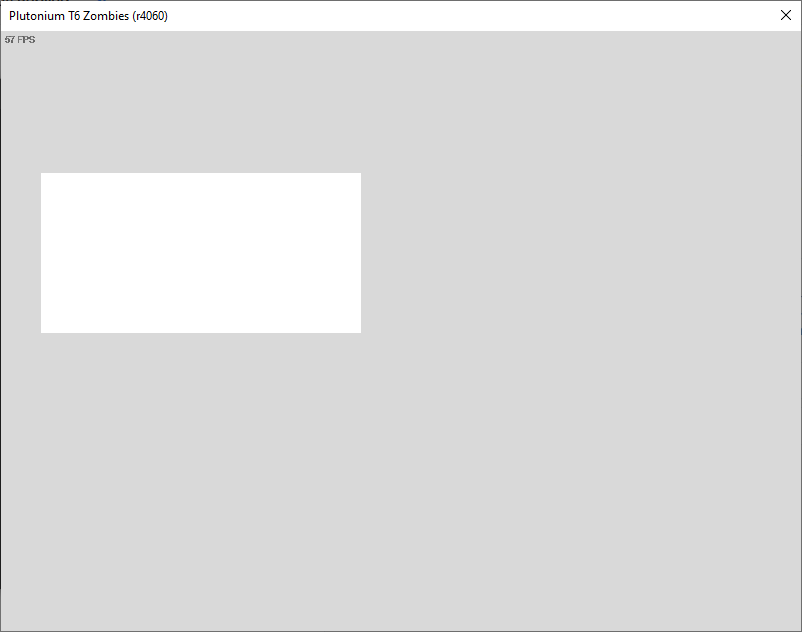
  • Strange White Screen upon launching the zombies client

    10
    1
    0 Votes
    10 Posts
    2k Views
    @Oaser "guys i know how to fix it but im not gonna say how because im a lil special"
  • Black ops 2 Prestige issues

    1
    0 Votes
    1 Posts
    52 Views
    No one has replied
  • console command list.?

    8
    0 Votes
    8 Posts
    55k Views
    @KatieKate123 yep, create the folder "scripts" and inside of it create two more called "zm" and "mp". scripts for zombies will go inside zm folder.
  • HELP pliss

    Moved bug crash
    2
    1
    0 Votes
    2 Posts
    124 Views
    solution is close your all windows defender
  • Verify ownership error

    4
    1
    0 Votes
    4 Posts
    259 Views
    If after following the 4th suggestion you’ve clicked install on the mode you’re trying to play and made sure the selected game path in the Plutonium launcher is correct, then you should no longer face the problem assuming you’ve done everything correctly. All I can help with at this point is to tell you to either redo the 4 suggestions or send screenshots for me to check if you’ve done the suggestions correctly. If you’d like for me to check for you, then show pictures of the 2 paths mentioned in suggestion 3 (hide the "token" from config.json when taking the screenshot) and also show the contents of the game folder.
  • Is there any way to "autoexec" console commands on startup?

    17
    1 Votes
    17 Posts
    2k Views
    said in Is there any way to "autoexec" console commands on startup?: @DarylMcgee123 You can edit the pre-existing "Plutonium-zm.cfg" (Despite it telling you not to) with the commands you want. Only issue is that you have to make a bat file that edits the .cfg every time you want to open the game: Make a text file then open it. Type this in the file: ( "insert commands you want to run here" ) >> plutonium_zm.cfg start C:\Users*user signed into**\AppData\Local\Plutonium\bin\plutonium-launcher-win32.exe 3 save and exit the file, then replace the .txt with a .bat (it will give you a warning just click ok) Put this bat file in the folder as the plutonium_zm.cfg file Make a shortcut to the bat file then place that where ever you want This will append your commands to the file and take you to the launcher to click Bo2, this will load your commands in each time as long as you use the bat file you created. note I would not run that bat file when going to play multiplayer since I am not sure if this can cause issues
  • 2560x1440 support?

    4
    0 Votes
    4 Posts
    1k Views
    i know this post is old but I am having this issue