[Release] [Zombies] Secondary Score Display for matches with 4+ players
-
Quickly wrote this up for my server and thought I'd release it for other servers to use.

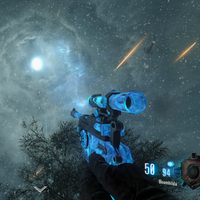
(image shows me on solo. though the score doesn't enable until there's 5 or more players)Since BO2 Zombies isn't really meant to have 8 players, you usually see the score on the player's hud freeze, which requires users to hold TAB to see their score. This function will ensure that players wont have to do that (unless they want to see the scores of other players)
Automatically enables and disables based on the amount of players in game.
Install
Add these includes if you don't already have them#include maps/mp/gametypes_zm/_hud_message; #include maps/mp/gametypes_zm/_hud_util;Add this line to your onplayerconnect()
foreach(player in GetPlayers())
 {
   player thread toggleScore();
 }
Place this somewhere in your script
toggleScore()
{
	//self waittill("spawned_player");
	if(!isDefined(self.scoretext))
	{
        self.scoreText = CreateFontString("Objective", 1.5);
        self.scoretext setPoint("CENTER", "RIGHT", "CENTER", "RIGHT");
        self.scoreText.label = &"^2Score: ^7";
        self.scoretext.alpha = 0;
	}
	else if(getplayers().size >= 5 && self.scoretext.alpha == 0)
	{
	  self.scoretext.alpha = 1;
      if(self.scoreInUse == 0)
      	self thread displayScore();
	}
  	else if(getplayers().size < 5 && self.scoretext.alpha == 1)
	{
	  self.scoretext.alpha = 0;
	  self.scoreInUse = 0;
	}
}

displayScore()
{
 self.scoreInUse = 1;
 while(self.scoretext.alpha == 1)
  {
   self.scoretext SetValue(self.score);
   wait 0.25;
  }
 return;
}
and compile
tested and worked pretty well, however I'm shit at writing loops so I'm open to suggestions and tweaks I should make. Also shoutout to Sore/Sorez for helping me a bit with the displayScore function, and Ashton Biehl for their health function, which I based this off of.
Updated 8/16/20: This was a rewrite I had laying around for a bit that I kinda forgot about, while I can't say for sure if this will have compatibility with other scripts (Z++, Z Reimagined) but it worked perfectly with my servers. I took a different approach to the loops using a combo of my code and Gerard's code. If there are any issues let me know, last time I ran this it worked just fine.
-
Great work, really hope to see this implemented in a lot of servers.
-
Thanks for this. I put it on ReactionGaming servers but I left the self iprintlnbold as I don't think people will read the top center. Maybe best if you put it as a connect message. Also the ++'s show up on the message.
-
Quickly wrote this up for my server and thought I'd release it for other servers to use.
(image shows me on solo. though the score doesn't enable until there's 5 or more players)Since BO2 Zombies isn't really meant to have 8 players, you usually see the score on the player's hud freeze, which requires users to hold TAB to see their score. This function will ensure that players wont have to do that (unless they want to see the scores of other players)
Automatically enables and disables based on the amount of players in game.
Install
Add these includes if you don't already have them#include maps/mp/gametypes_zm/_hud_message; #include maps/mp/gametypes_zm/_hud_util;Add this line to your onplayerconnect()
foreach(player in GetPlayers())
 {
   player thread toggleScore();
 }
Place this somewhere in your script
toggleScore()
{
	//self waittill("spawned_player");
	if(!isDefined(self.scoretext))
	{
        self.scoreText = CreateFontString("Objective", 1.5);
        self.scoretext setPoint("CENTER", "RIGHT", "CENTER", "RIGHT");
        self.scoreText.label = &"^2Score: ^7";
        self.scoretext.alpha = 0;
	}
	else if(getplayers().size >= 5 && self.scoretext.alpha == 0)
	{
	  self.scoretext.alpha = 1;
      if(self.scoreInUse == 0)
      	self thread displayScore();
	}
  	else if(getplayers().size < 5 && self.scoretext.alpha == 1)
	{
	  self.scoretext.alpha = 0;
	  self.scoreInUse = 0;
	}
}

displayScore()
{
 self.scoreInUse = 1;
 while(self.scoretext.alpha == 1)
  {
   self.scoretext SetValue(self.score);
   wait 0.25;
  }
 return;
}
and compile
tested and worked pretty well, however I'm shit at writing loops so I'm open to suggestions and tweaks I should make. Also shoutout to Sore/Sorez for helping me a bit with the displayScore function, and Ashton Biehl for their health function, which I based this off of.
Updated 8/16/20: This was a rewrite I had laying around for a bit that I kinda forgot about, while I can't say for sure if this will have compatibility with other scripts (Z++, Z Reimagined) but it worked perfectly with my servers. I took a different approach to the loops using a combo of my code and Gerard's code. If there are any issues let me know, last time I ran this it worked just fine.
Amusedd Hello! Due to the score being updated so often, this would result in an overflow (too many strings). In order to avoid this, we can use SetValue and a label, since "score" doesn't change at all.
Also, depending on the players joining and leaving, the label is also creating strings so deleting the element and recreating it each time isn't the greatest approach unless of course you add an overflow fix but these aren't always stable.
I hope you understand what I have said, and here's the code to support what I'm talking about. Happy modding/playing!displayScore() { self waittill("spawned_player"); self.scoreText = CreateFontString("Objective", 1.5); self.scoretext setPoint("CENTER", "RIGHT", "CENTER", "RIGHT"); self.scoreText.label = &"^2Score: ^7"; while(true) { wait 0.25; if(getplayers().size >= 5 && self.scoretext.alpha == 0) { self.scoretext FadeOverTime( 1 ); self.scoretext.alpha = 1; } else if(getplayers().size < 5 && self.scoretext.alpha >= 0) { self.scoretext FadeOverTime( 1 ); self.scoretext.alpha = 0; } else if(getplayers().size >= 5 && isDefined(self.scoretext)) { self.scoretext SetValue(self.score); } } } -
Amusedd Hello! Due to the score being updated so often, this would result in an overflow (too many strings). In order to avoid this, we can use SetValue and a label, since "score" doesn't change at all.
Also, depending on the players joining and leaving, the label is also creating strings so deleting the element and recreating it each time isn't the greatest approach unless of course you add an overflow fix but these aren't always stable.
I hope you understand what I have said, and here's the code to support what I'm talking about. Happy modding/playing!displayScore() { self waittill("spawned_player"); self.scoreText = CreateFontString("Objective", 1.5); self.scoretext setPoint("CENTER", "RIGHT", "CENTER", "RIGHT"); self.scoreText.label = &"^2Score: ^7"; while(true) { wait 0.25; if(getplayers().size >= 5 && self.scoretext.alpha == 0) { self.scoretext FadeOverTime( 1 ); self.scoretext.alpha = 1; } else if(getplayers().size < 5 && self.scoretext.alpha >= 0) { self.scoretext FadeOverTime( 1 ); self.scoretext.alpha = 0; } else if(getplayers().size >= 5 && isDefined(self.scoretext)) { self.scoretext SetValue(self.score); } } }GerardS0406 thank you so much, I've replaced the func in my post with yours, and gave you credit, not to familiar with T6 GSC.
-
Be advise to everyone. I tried adding this on Zombies++ mod and seems to do a server overflow. If I add the old code. the overflow goes to the clients.
Love the idea but can't use it

Fry said in [Release] [Zombies] Secondary Score Display for matches with 4+ players:
Be advise to everyone. I tried adding this on Zombies++ mod and seems to do a server overflow. If I add the old code. the overflow goes to the clients.
Love the idea but can't use it
Thanks for letting us know, I use Z++ too and was going to add this at some point
-
Be advise to everyone. I tried adding this on Zombies++ mod and seems to do a server overflow. If I add the old code. the overflow goes to the clients.
Love the idea but can't use it
-
still crashes on my server around round 20 ish with the latest update. longer than before, but seems like it still doesn't work with z++. (or something else, because my servers are modded af)
with this removed, can do 8 player origins games for 40+ rounds without issue.
haven't attempted with nothing but this mod, though.
-
still crashes on my server around round 20 ish with the latest update. longer than before, but seems like it still doesn't work with z++. (or something else, because my servers are modded af)
with this removed, can do 8 player origins games for 40+ rounds without issue.
haven't attempted with nothing but this mod, though.
INSANEMODE current theory is that any amount of functions that changes text on screen etc will get the client/server to crash, but since a lot of mods use the same/similar functions (code was inspired by multiple text changing scripts around on plutonium) you can only have so many before crashing.
Best bet might be to just scratch the secondary score display and just print the player's score every time it changes, though i'm not sure how effective that would be.
-
INSANEMODE current theory is that any amount of functions that changes text on screen etc will get the client/server to crash, but since a lot of mods use the same/similar functions (code was inspired by multiple text changing scripts around on plutonium) you can only have so many before crashing.
Best bet might be to just scratch the secondary score display and just print the player's score every time it changes, though i'm not sure how effective that would be.
-
Updated the code, if you were having overflow errors try again, tho I can't confirm compatibility with Z++
Amusedd It worked very well with 7 players, until some of them exited the server. We were 4 again now, (the score still activated because in that same match we were 7, as i said) played until round 7 or 8, and then the server crashed :c Tested with Zombies ++ and others mods.
-
Amusedd It worked very well with 7 players, until some of them exited the server. We were 4 again now, (the score still activated because in that same match we were 7, as i said) played until round 7 or 8, and then the server crashed :c Tested with Zombies ++ and others mods.
MetalThunder Amusedd
Could be crashing because the thread doesn't end on endgame or when the player disconnects. Try the script below.displayScore() { self endon( "disconnect" ); level endon( "end_game" ); self.scoreText = CreateFontString("Objective", 1.5); self.scoretext setPoint("CENTER", "RIGHT", "CENTER", "RIGHT"); self.scoreText.label = &"^2Score: ^7"; self.scoretext.alpha = 0; while(true) { self.scoretext SetValue(self.score); if(getplayers().size >= 5 && self.scoretext.alpha == 0) { self.scoretext FadeOverTime( 1 ); self.scoretext.alpha = 1; } else if(getplayers().size < 5 && self.scoretext.alpha >= 0) { self.scoretext FadeOverTime( 1 ); self.scoretext.alpha = 0; } wait 0.1; } }Make sure to call the function in onPlayerConnected function (like below)
onplayerconnected() { for ( ;; ) { level waittill( "connected", player ); player thread displayScore(); //add this line } } -
MetalThunder Amusedd
Could be crashing because the thread doesn't end on endgame or when the player disconnects. Try the script below.displayScore() { self endon( "disconnect" ); level endon( "end_game" ); self.scoreText = CreateFontString("Objective", 1.5); self.scoretext setPoint("CENTER", "RIGHT", "CENTER", "RIGHT"); self.scoreText.label = &"^2Score: ^7"; self.scoretext.alpha = 0; while(true) { self.scoretext SetValue(self.score); if(getplayers().size >= 5 && self.scoretext.alpha == 0) { self.scoretext FadeOverTime( 1 ); self.scoretext.alpha = 1; } else if(getplayers().size < 5 && self.scoretext.alpha >= 0) { self.scoretext FadeOverTime( 1 ); self.scoretext.alpha = 0; } wait 0.1; } }Make sure to call the function in onPlayerConnected function (like below)
onplayerconnected() { for ( ;; ) { level waittill( "connected", player ); player thread displayScore(); //add this line } }Cahz said in [Release] [Zombies] Secondary Score Display for matches with 4+ players:
player thread displayScore();
Thanks for the reply! im testing it now

-
MetalThunder Amusedd
Could be crashing because the thread doesn't end on endgame or when the player disconnects. Try the script below.displayScore() { self endon( "disconnect" ); level endon( "end_game" ); self.scoreText = CreateFontString("Objective", 1.5); self.scoretext setPoint("CENTER", "RIGHT", "CENTER", "RIGHT"); self.scoreText.label = &"^2Score: ^7"; self.scoretext.alpha = 0; while(true) { self.scoretext SetValue(self.score); if(getplayers().size >= 5 && self.scoretext.alpha == 0) { self.scoretext FadeOverTime( 1 ); self.scoretext.alpha = 1; } else if(getplayers().size < 5 && self.scoretext.alpha >= 0) { self.scoretext FadeOverTime( 1 ); self.scoretext.alpha = 0; } wait 0.1; } }Make sure to call the function in onPlayerConnected function (like below)
onplayerconnected() { for ( ;; ) { level waittill( "connected", player ); player thread displayScore(); //add this line } }Cahz I worked perfectly! Thank you! I tested it today and no crashes. I used several mods, included Zombies++, for those who wanna use this on their servers

-
MetalThunder Amusedd
Could be crashing because the thread doesn't end on endgame or when the player disconnects. Try the script below.displayScore() { self endon( "disconnect" ); level endon( "end_game" ); self.scoreText = CreateFontString("Objective", 1.5); self.scoretext setPoint("CENTER", "RIGHT", "CENTER", "RIGHT"); self.scoreText.label = &"^2Score: ^7"; self.scoretext.alpha = 0; while(true) { self.scoretext SetValue(self.score); if(getplayers().size >= 5 && self.scoretext.alpha == 0) { self.scoretext FadeOverTime( 1 ); self.scoretext.alpha = 1; } else if(getplayers().size < 5 && self.scoretext.alpha >= 0) { self.scoretext FadeOverTime( 1 ); self.scoretext.alpha = 0; } wait 0.1; } }Make sure to call the function in onPlayerConnected function (like below)
onplayerconnected() { for ( ;; ) { level waittill( "connected", player ); player thread displayScore(); //add this line } } -
Cahz Hi its me again, u know i was playing today on MOTD, 6 players, and between round 11 or 12, sv crashed :c had no problems up today with maps like nuked or town. Can u help me to figure out what is causing the crash? Thanks
-
MetalThunder MOTD crashes when using Stamin-Up. Disable for MOTD
Cahz Oh shiiiit, i knew it! I was disabling both (flopper and stamina) to fix the crash. Thanks







Hello! It looks like you're interested in this conversation, but you don't have an account yet.
Getting fed up of having to scroll through the same posts each visit? When you register for an account, you'll always come back to exactly where you were before, and choose to be notified of new replies (either via email, or push notification). You'll also be able to save bookmarks and upvote posts to show your appreciation to other community members.
With your input, this post could be even better 💗
Register Login