[Release] Black ops II Mapvote for Zombies and Multiplayer
-
Black ops II Mapvote for Zombies and Multiplayer
Developed by DoktorSAS
Special thanks to @ZECxR3ap3r & @JezuzLizard for their contributions to the development. Additional thanks to @John Kramer for image editing and birchy for the LUI starting point.
Introduction
This project, initiated in March 2020, enables players to vote for the next map and/or game mode in upcoming matches. The project does not provide compiled files; if needed, compile the file using the gsc-tool.
Black Ops II: multiplayer
How to setup the mapvote step by step
-
Compile the Script:
Compile themapvote.gscfile using a GSC Compiler. This step is not required if you are working with the plutonium client. -
Place the Compiled File:
Copy the compiled file into your directory%localappdata%\Plutonium\storage\t6\scripts\mp\. -
Configure Server File:
Copy the content ofmapvote.cfginto your server configuration file (e.g.,server.cfg,dedicated_mp.cfg,dedicated.cfg, etc.) that manages the Multiplayer server. -
Edit Dvars for Aesthetic Parameters:
- Set the Dvar
mv_mapsto specify the maps shown in the mapvote. For example:set mv_maps "mp_studio mp_nuketown_2020 mp_carrier mp_drone mp_slums" - Set the Dvar
mv_enableto 1 to activate the mapvote on your Multiplayer server. - For random gametypes, set the Dvar
mv_gametypesspecifying the gametype ID (dm, war, sd, etc.) and the file to run if necessary. For example:set mv_gametypes "[email protected] [email protected]"
- Set the Dvar
-
(Plutonium ONLY) LUI UI with mod support:
- Take the content of the folder
T6Mapvoteand place it in your folder%localappdata%\Plutonium\storage\t6\mods\ - Set the dvar
fs_gamein your server configuration file (e.g.,server.cfg,dedicated_zm.cfg,dedicated.cfg, etc.) - Set the dvar
mv_luito in your server configuration file (e.g.,server.cfg,dedicated_zm.cfg,dedicated.cfg, etc.)
- Take the content of the folder
-
Run the Server:
Start the server and immerse yourself in the map voting experience. You're done!
Settings: dvars
Dvar Default Value Description mv_enable1 Enable/Disable the mapvote (1 for enable, 0 for disable). mv_maps"" List of maps that can be voted on the mapvote; leave empty for all maps. mv_time20 Time (in seconds) allotted for voting. mv_credits1 Enable/Disable credits of the mod creator. mv_socialname"SocialName" Name of the server's social platform (Discord, Twitter, Website, etc.). mv_sentence"Thanks for playing" Thankful sentence displayed. mv_votecolor"5" Color of the vote number. mv_arrowcolor"white" RGB color of the arrows. mv_selectcolor"lighgreen" RGB color when a map gets voted. mv_backgroundcolor"grey" RGB color of the map background. mv_blur"3" Blur effect power. mv_gametypes"" Dvar to have multiple gametypes with different maps. Specify gametype IDs and associated files. mv_extramaps0 Enable 6 maps mapvote when set to 1. mv_allowchangevote1 Enable/Disable the possibility to change vote while the time is still running (1 for enable, 0 for disable). mv_randomoption1 If set to 1 it will not display which map and which gametype the last option will be (Random) mv_minplayerstovote1 Set the minimum number of players required to start the mapvote mv_lui1 If set to 1 it will use the LUA/LUI ui interface (It required the mod support and the lua files) Black ops II: zombies
How to setup the mapvote step by step
-
Compile the Script:
Compile themapvote.gscfile using a GSC Compiler. This step is not required if you are working with the plutonium client. -
Place the Compiled File:
Copy the file into your directory%localappdata%\Plutonium\storage\t6\scripts\zm\. -
Configure Server File:
Copy the content ofmapvote.cfginto your server configuration file (e.g.,server.cfg,dedicated_zm.cfg,dedicated.cfg, etc.) that manages the Zombies server. -
Edit Dvars on your configuration file:
- Set the Dvar
mv_mapsto specify the maps shown in the mapvote. For example:set mv_maps "zm_tomb zm_buried zm_town zm_busdepot zm_farm zm_transit zm_prison zm_highrise zm_nuked" - Set the Dvar
mv_enableto 1 to activate the mapvote on your Zombies server.
- Set the Dvar
-
Run the Server:
Start the server and enjoy the map voting experience. You're done!
Download
It is possbile to download either the source code or the released code. The source code is not fully test and could run into issue that need to be reported while the release is tested code that could have some bug not fixed but working as intended.
I highly recommend using the unreleased version and keeping it up to date for implementing features and patching reported bugs.
The following buttons will direct you to the corresponding pages: -
-
[[topic:post-is-deleted]]
@CamouflageLvCat maybe don’t post your email here
and somewhere safe like discord dms -
@CamouflageLvCat maybe don’t post your email here
and somewhere safe like discord dmshindercanrun yes .. it was published .. in the same way thanks ..
-
@CamouflageLvCat maybe don’t post your email here
and somewhere safe like discord dms -
hindercanrun
I'm asking "Sorex"@CamouflageLvCat doesn’t mean u have to post ur email
-
maybe wait abit
-
Black ops II Mapvote for Zombies and Multiplayer
Developed by DoktorSAS
Special thanks to @ZECxR3ap3r & @JezuzLizard for their contributions to the development. Additional thanks to @John Kramer for image editing and birchy for the LUI starting point.
Introduction
This project, initiated in March 2020, enables players to vote for the next map and/or game mode in upcoming matches. The project does not provide compiled files; if needed, compile the file using the gsc-tool.
Black Ops II: multiplayer
How to setup the mapvote step by step
-
Compile the Script:
Compile themapvote.gscfile using a GSC Compiler. This step is not required if you are working with the plutonium client. -
Place the Compiled File:
Copy the compiled file into your directory%localappdata%\Plutonium\storage\t6\scripts\mp\. -
Configure Server File:
Copy the content ofmapvote.cfginto your server configuration file (e.g.,server.cfg,dedicated_mp.cfg,dedicated.cfg, etc.) that manages the Multiplayer server. -
Edit Dvars for Aesthetic Parameters:
- Set the Dvar
mv_mapsto specify the maps shown in the mapvote. For example:set mv_maps "mp_studio mp_nuketown_2020 mp_carrier mp_drone mp_slums" - Set the Dvar
mv_enableto 1 to activate the mapvote on your Multiplayer server. - For random gametypes, set the Dvar
mv_gametypesspecifying the gametype ID (dm, war, sd, etc.) and the file to run if necessary. For example:set mv_gametypes "[email protected] [email protected]"
- Set the Dvar
-
(Plutonium ONLY) LUI UI with mod support:
- Take the content of the folder
T6Mapvoteand place it in your folder%localappdata%\Plutonium\storage\t6\mods\ - Set the dvar
fs_gamein your server configuration file (e.g.,server.cfg,dedicated_zm.cfg,dedicated.cfg, etc.) - Set the dvar
mv_luito in your server configuration file (e.g.,server.cfg,dedicated_zm.cfg,dedicated.cfg, etc.)
- Take the content of the folder
-
Run the Server:
Start the server and immerse yourself in the map voting experience. You're done!
Settings: dvars
Dvar Default Value Description mv_enable1 Enable/Disable the mapvote (1 for enable, 0 for disable). mv_maps"" List of maps that can be voted on the mapvote; leave empty for all maps. mv_time20 Time (in seconds) allotted for voting. mv_credits1 Enable/Disable credits of the mod creator. mv_socialname"SocialName" Name of the server's social platform (Discord, Twitter, Website, etc.). mv_sentence"Thanks for playing" Thankful sentence displayed. mv_votecolor"5" Color of the vote number. mv_arrowcolor"white" RGB color of the arrows. mv_selectcolor"lighgreen" RGB color when a map gets voted. mv_backgroundcolor"grey" RGB color of the map background. mv_blur"3" Blur effect power. mv_gametypes"" Dvar to have multiple gametypes with different maps. Specify gametype IDs and associated files. mv_extramaps0 Enable 6 maps mapvote when set to 1. mv_allowchangevote1 Enable/Disable the possibility to change vote while the time is still running (1 for enable, 0 for disable). mv_randomoption1 If set to 1 it will not display which map and which gametype the last option will be (Random) mv_minplayerstovote1 Set the minimum number of players required to start the mapvote mv_lui1 If set to 1 it will use the LUA/LUI ui interface (It required the mod support and the lua files) Black ops II: zombies
How to setup the mapvote step by step
-
Compile the Script:
Compile themapvote.gscfile using a GSC Compiler. This step is not required if you are working with the plutonium client. -
Place the Compiled File:
Copy the file into your directory%localappdata%\Plutonium\storage\t6\scripts\zm\. -
Configure Server File:
Copy the content ofmapvote.cfginto your server configuration file (e.g.,server.cfg,dedicated_zm.cfg,dedicated.cfg, etc.) that manages the Zombies server. -
Edit Dvars on your configuration file:
- Set the Dvar
mv_mapsto specify the maps shown in the mapvote. For example:set mv_maps "zm_tomb zm_buried zm_town zm_busdepot zm_farm zm_transit zm_prison zm_highrise zm_nuked" - Set the Dvar
mv_enableto 1 to activate the mapvote on your Zombies server.
- Set the Dvar
-
Run the Server:
Start the server and enjoy the map voting experience. You're done!
Download
It is possbile to download either the source code or the released code. The source code is not fully test and could run into issue that need to be reported while the release is tested code that could have some bug not fixed but working as intended.
I highly recommend using the unreleased version and keeping it up to date for implementing features and patching reported bugs.
The following buttons will direct you to the corresponding pages: -
-
[[topic:post-is-deleted]]
-
@CamouflageLvCat
- Not a good idea to post your email on a forum
- There no extra files you need, you just need the mapvote.gsc compiled and the gamesetting folders with all gamemodes cfg that is provided by Plutonium.
-
[[topic:post-is-deleted]]
-
@CamouflageLvCat I did not create any war.cfg. Follow the guide.
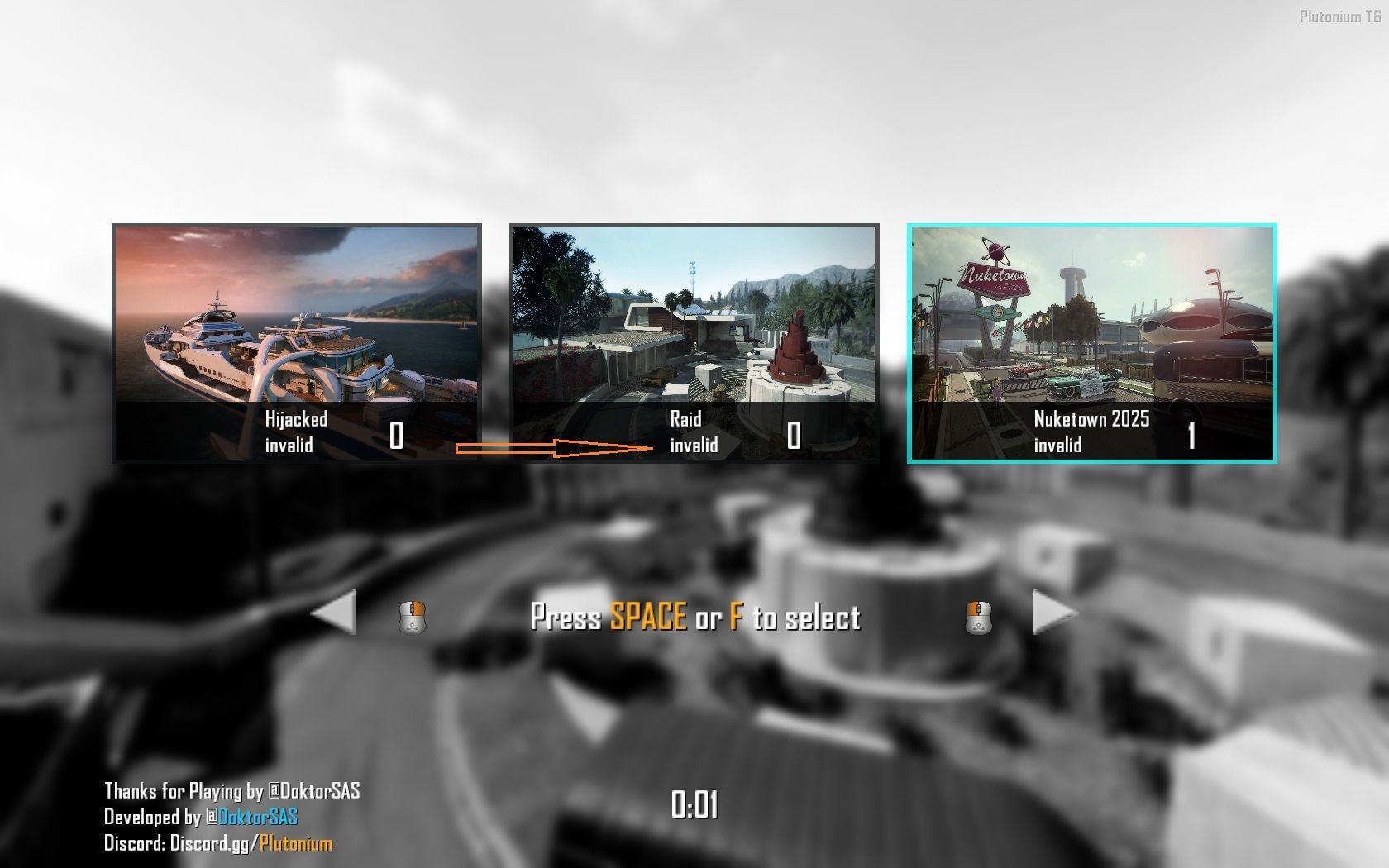
Sorex remember .. ? (image) . there appears "invalid" when configuring in tdm tdm... which didn't bother me because it was only .."war" mode on my server. now i want to add other modes and i get different errors ..besides people who want to vote "war" ..will not know that "invalid" is "war"..!
-
-
@CamouflageLvCat The issue is just an issue on war translation, on bo2 the g_gametype is called tdm but the gsc code have a translation error. If you download the code not from the release section the code will not have that issue.
-
@CamouflageLvCat The issue is just an issue on war translation, on bo2 the g_gametype is called tdm but the gsc code have a translation error. If you download the code not from the release section the code will not have that issue.
-
@CamouflageLvCat The issue is just an issue on war translation, on bo2 the g_gametype is called tdm but the gsc code have a translation error. If you download the code not from the release section the code will not have that issue.
-
[[topic:post-is-deleted]]
-
Black ops II Mapvote for Zombies and Multiplayer
Developed by DoktorSAS
Special thanks to @ZECxR3ap3r & @JezuzLizard for their contributions to the development. Additional thanks to @John Kramer for image editing and birchy for the LUI starting point.
Introduction
This project, initiated in March 2020, enables players to vote for the next map and/or game mode in upcoming matches. The project does not provide compiled files; if needed, compile the file using the gsc-tool.
Black Ops II: multiplayer
How to setup the mapvote step by step
-
Compile the Script:
Compile themapvote.gscfile using a GSC Compiler. This step is not required if you are working with the plutonium client. -
Place the Compiled File:
Copy the compiled file into your directory%localappdata%\Plutonium\storage\t6\scripts\mp\. -
Configure Server File:
Copy the content ofmapvote.cfginto your server configuration file (e.g.,server.cfg,dedicated_mp.cfg,dedicated.cfg, etc.) that manages the Multiplayer server. -
Edit Dvars for Aesthetic Parameters:
- Set the Dvar
mv_mapsto specify the maps shown in the mapvote. For example:set mv_maps "mp_studio mp_nuketown_2020 mp_carrier mp_drone mp_slums" - Set the Dvar
mv_enableto 1 to activate the mapvote on your Multiplayer server. - For random gametypes, set the Dvar
mv_gametypesspecifying the gametype ID (dm, war, sd, etc.) and the file to run if necessary. For example:set mv_gametypes "[email protected] [email protected]"
- Set the Dvar
-
(Plutonium ONLY) LUI UI with mod support:
- Take the content of the folder
T6Mapvoteand place it in your folder%localappdata%\Plutonium\storage\t6\mods\ - Set the dvar
fs_gamein your server configuration file (e.g.,server.cfg,dedicated_zm.cfg,dedicated.cfg, etc.) - Set the dvar
mv_luito in your server configuration file (e.g.,server.cfg,dedicated_zm.cfg,dedicated.cfg, etc.)
- Take the content of the folder
-
Run the Server:
Start the server and immerse yourself in the map voting experience. You're done!
Settings: dvars
Dvar Default Value Description mv_enable1 Enable/Disable the mapvote (1 for enable, 0 for disable). mv_maps"" List of maps that can be voted on the mapvote; leave empty for all maps. mv_time20 Time (in seconds) allotted for voting. mv_credits1 Enable/Disable credits of the mod creator. mv_socialname"SocialName" Name of the server's social platform (Discord, Twitter, Website, etc.). mv_sentence"Thanks for playing" Thankful sentence displayed. mv_votecolor"5" Color of the vote number. mv_arrowcolor"white" RGB color of the arrows. mv_selectcolor"lighgreen" RGB color when a map gets voted. mv_backgroundcolor"grey" RGB color of the map background. mv_blur"3" Blur effect power. mv_gametypes"" Dvar to have multiple gametypes with different maps. Specify gametype IDs and associated files. mv_extramaps0 Enable 6 maps mapvote when set to 1. mv_allowchangevote1 Enable/Disable the possibility to change vote while the time is still running (1 for enable, 0 for disable). mv_randomoption1 If set to 1 it will not display which map and which gametype the last option will be (Random) mv_minplayerstovote1 Set the minimum number of players required to start the mapvote mv_lui1 If set to 1 it will use the LUA/LUI ui interface (It required the mod support and the lua files) Black ops II: zombies
How to setup the mapvote step by step
-
Compile the Script:
Compile themapvote.gscfile using a GSC Compiler. This step is not required if you are working with the plutonium client. -
Place the Compiled File:
Copy the file into your directory%localappdata%\Plutonium\storage\t6\scripts\zm\. -
Configure Server File:
Copy the content ofmapvote.cfginto your server configuration file (e.g.,server.cfg,dedicated_zm.cfg,dedicated.cfg, etc.) that manages the Zombies server. -
Edit Dvars on your configuration file:
- Set the Dvar
mv_mapsto specify the maps shown in the mapvote. For example:set mv_maps "zm_tomb zm_buried zm_town zm_busdepot zm_farm zm_transit zm_prison zm_highrise zm_nuked" - Set the Dvar
mv_enableto 1 to activate the mapvote on your Zombies server.
- Set the Dvar
-
Run the Server:
Start the server and enjoy the map voting experience. You're done!
Download
It is possbile to download either the source code or the released code. The source code is not fully test and could run into issue that need to be reported while the release is tested code that could have some bug not fixed but working as intended.
I highly recommend using the unreleased version and keeping it up to date for implementing features and patching reported bugs.
The following buttons will direct you to the corresponding pages: -
-
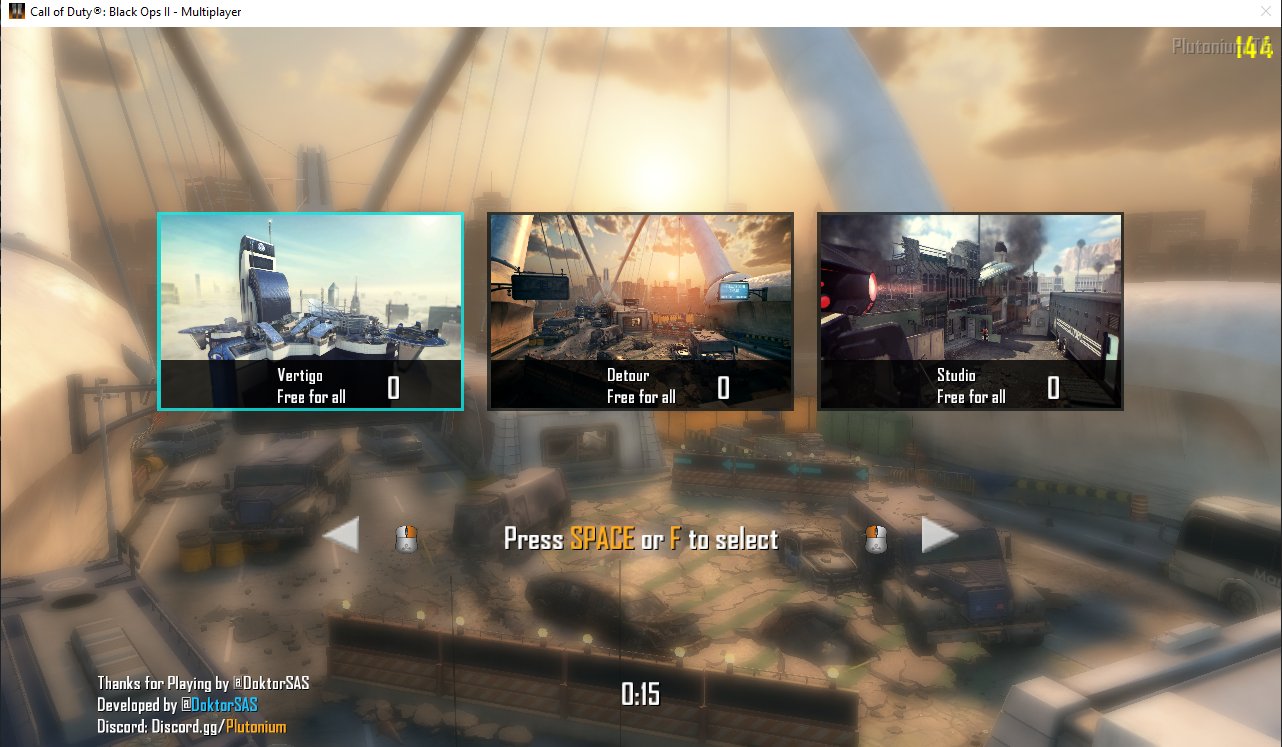
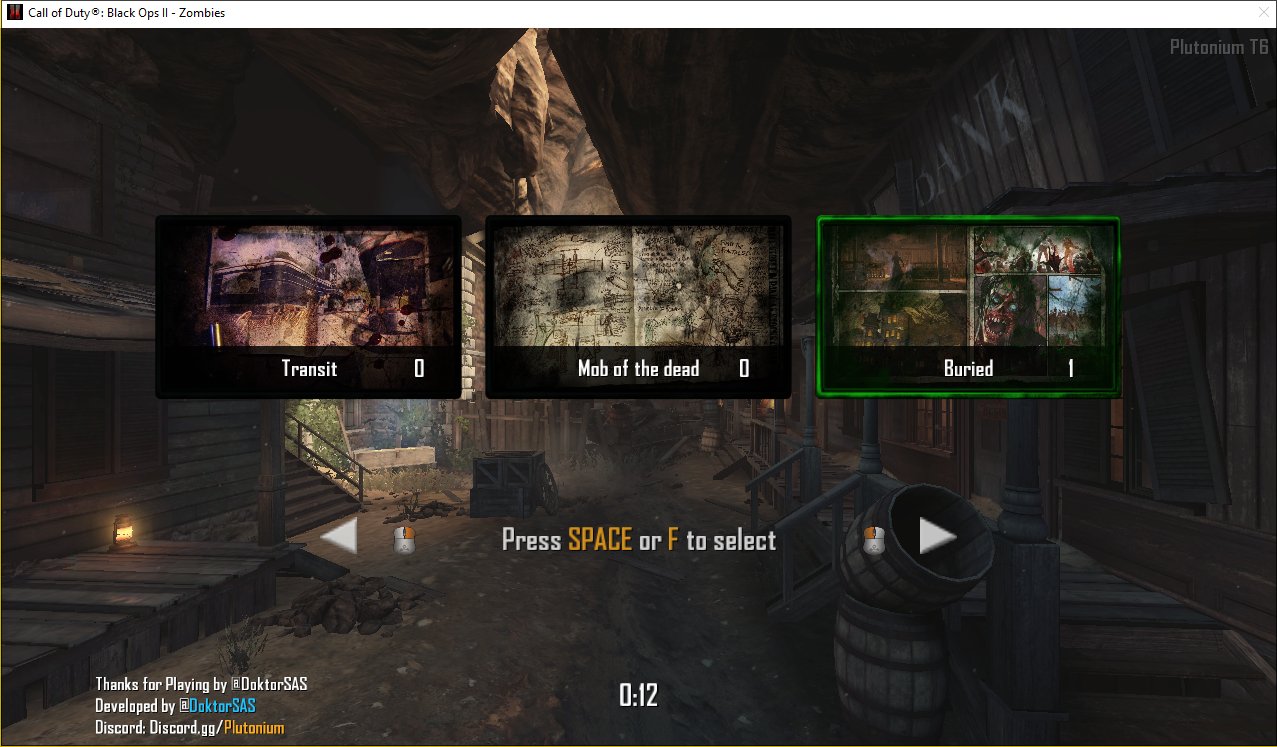
Sorex Hey man, after the setting up, the server won't load past: "Loading fastfile seasonpass_load_mp", and if I try to connect it says: "Lost connection to host".








Hello! It looks like you're interested in this conversation, but you don't have an account yet.
Getting fed up of having to scroll through the same posts each visit? When you register for an account, you'll always come back to exactly where you were before, and choose to be notified of new replies (either via email, or push notification). You'll also be able to save bookmarks and upvote posts to show your appreciation to other community members.
With your input, this post could be even better 💗
Register Login