@MultiplayerXGES I don’t want to bring you down, but I don’t think this is a good way to publish something like this here. The Plutonium launcher is the one that should be used, not one created by some random person when we don’t even know how it’s being executed.
 undefined
Littlegods
@Littlegods
Posts
-
PlutoniumX Auto Game Launcher -
Request for Assistance – Ongoing Server Impersonation & DDoS IssueI am the owner of Littlegods on zombie servers. You should know that anyone can copy your server name; even I can do it myself, and it’s not necessary to have your key. You need to understand that the keys belong to you and act as the identifier of your server—no one else can access or modify them.
The people you mentioned are using their own keys, which is completely legal. The issue is that they are using your name, something anyone can do. This is frustrating because it takes away the credit you deserve.
-
[Release][ZM] Mod Menu | Healthbar | Weapons | Perks | Powerups | Upgrade | Night Mode | Teleport | Bank | Stats | Aimbot | Ufo | Freeze Zombies | Sound Menu | Legacy mods | ShaderUpdate 4.5.0 (Profiles - Developer Categories - Config.gods - Teleport Menu Categories - Teleport Zone Locator - Account Menu - Password System - Weapon Camouflage Menu - Developer Settings - Smart Menu - Commands)
Description
Hello, new update with many improvements and fixes, and as always, with something surprising.
This is aPRERELEASE v4.5.0.
Fixes
- Menu Scroll: The menu was very slow to scroll. It has now been improved and optimized to allow faster navigation between menus.
- Menu Navigation: Fixed an annoying bug where entering some submenus caused multiple unwanted interactions.
Improvements
Profiles
- You can now save multiple profiles with different menu layouts and load them at the start of each game.


Developer Categories
- You can now create shortcut categories inside the developer menu.
- Add quick-access items such as godmode or specific weapons, allowing fast access without navigating through all menus.


Config.gods
- Codename system that allows you to create your own match configuration.
- Edit health, score, mystery box price, starting weapon (upgraded or not, with or without camouflage), and perks.
- You can apply it during the match or at the beginning of the game from the Load Config menu.


Teleport Menu Categories
- The teleport menu now supports categories.
- You can create teleport points, save them into categories, and keep everything organized.


Teleport Zone Locator
- Each map has a zone menu where you can view all zones and teleport to them.

Account Menu
- View detailed profile information.
- Quickly switch between profiles.
- Manage language settings and developer menu password.

Password System
- You can change the default admin password.
- Double confirmation is required.
- Each profile has its own password.
- If you create a profile from another profile, the password will be copied, but changing it later will not affect the original profile.
Weapon Camouflage Menu
- You can now apply camouflage to your weapons.


Developer Settings
- You can change your password.

Smart Menu
- If you are a new player, the menu will ask for your language the first time you open it.
- After setting it, it will not ask again.
- Automatically detects
config.godsand existing profiles. - Profile selection is always required at startup.
- For now, there is no default profile option by design.
Commands
*.menu*opens or closes the menu (toggle).
Wall of Death
- Completely removed.
- You can now freely fly using UFO mode on all maps.
Web Statistics Integration 2.0
- Menu statistics are compatible with Web Stats v2.0.
- Web stats are currently unavailable while the system is being fixed.
Important Notice
- Please avoid using
fast_restartormap_restart. - Always start maps from the Main Menu to ensure scripts load correctly.
Beta / Pre-release
- Everything shown is in beta and may be kept, removed, or improved.
Source Code
Install
new folder
AppData\Local\Plutonium\storage\t6\raw\scripts\zm\
old folder
AppData\Local\Plutonium\storage\t6\scripts\zm\
Aquí explicé algunos pasos rápidos:
ingles To open menu command -> .menu To open the menu, you need to aim and knife at the same time. To move up, press the numeric key 1, and to move down, press the numeric key 2 To enter a menu, press F on your keyboard.** spanish Para abrir el menu comando -> .menu Para abrir el menú, debes apuntar y apuñalar al mismo tiempo. Para moverte hacia arriba, presiona la tecla numérica 1, y para moverte hacia abajo, presiona la tecla numérica 2. Para entrar a un menú, presiona F en tu teclado. -
[Release][ZM] Mod Menu | Healthbar | Weapons | Perks | Powerups | Upgrade | Night Mode | Teleport | Bank | Stats | Aimbot | Ufo | Freeze Zombies | Sound Menu | Legacy mods | Shadermeboop Thank you for playing my mod. Amazing updates are coming, I hope to see you here!
-
[Release][ZM] Mod Menu | Healthbar | Weapons | Perks | Powerups | Upgrade | Night Mode | Teleport | Bank | Stats | Aimbot | Ufo | Freeze Zombies | Sound Menu | Legacy mods | Shaderdamnson1302 our load is excellent. To open the menu, you just need to aim and knife at the same time. If you changed the key for knifing, you must use the key you assigned.
Also, please provide the console log.
-
[Release][ZM] Mod Menu | Healthbar | Weapons | Perks | Powerups | Upgrade | Night Mode | Teleport | Bank | Stats | Aimbot | Ufo | Freeze Zombies | Sound Menu | Legacy mods | ShaderKillerKitten995
You are the first person to give me feedback, so first of all, thank you very much for using the mod
I am currently working on fixing and improving the things you mentioned.Regarding your request about how to open the menu: by default, the keys are ADS + Melee, and the mod also includes a menu where you can change and configure the keybinds to whatever is most comfortable for you.
As for the weapon statistics, it is possible to display that kind of information as you described. If you can provide information or the name of another mod that uses a similar system, I will gladly investigate it and see how to implement it.
I will mention you in 3 to 4 hours, after posting this update, so you can see a preview of the Mod Menu 4.2.0 update.
-
[Release][ZM] Mod Menu | Healthbar | Weapons | Perks | Powerups | Upgrade | Night Mode | Teleport | Bank | Stats | Aimbot | Ufo | Freeze Zombies | Sound Menu | Legacy mods | ShaderyDizzi
Well, my friend, you have two options: clone the project or simply download the release as a v4.0.0.rar file.
Here is the link: https://github.com/andr3xcl/littlegods-mod/releases/tag/v4.0.0

-
[Release][ZM] Mod Menu | Healthbar | Weapons | Perks | Powerups | Upgrade | Night Mode | Teleport | Bank | Stats | Aimbot | Ufo | Freeze Zombies | Sound Menu | Legacy mods | ShaderAlexoomin The menu has developer menu restrictions, which the bank disappears because it encourages the player to have a fair match without compromising the purpose of the implemented statistics. Even your stats are not saved if the developer mode is active or if sv_cheats is set to 1.
-
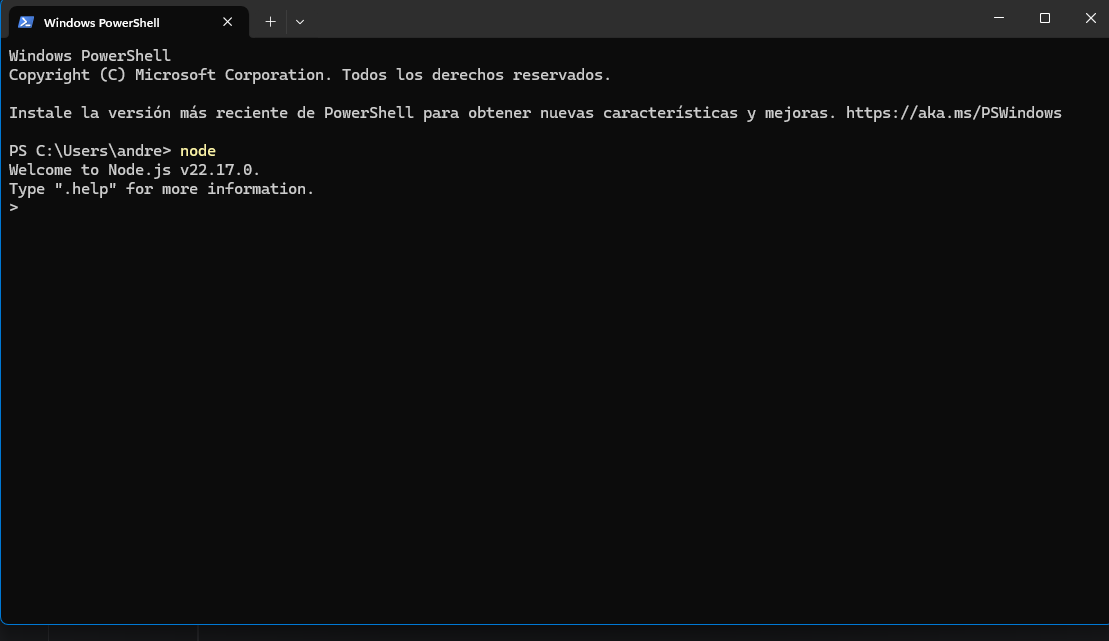
[Release][ZM] Stats WebFaZe Flick If you install Node.js, to check that it's working correctly, run PowerShell and type
node. If the version number appears, it means everything is fine. Then run the project's .bat files. First, install the dependency, and you're done.
-
[Release][ZM] Mod Menu | Healthbar | Weapons | Perks | Powerups | Upgrade | Night Mode | Teleport | Bank | Stats | Aimbot | Ufo | Freeze Zombies | Sound Menu | Legacy mods | Shader -
[Release][ZM] Stats Web -
Black screen when starting a gamefireclaw1233 I sent an image of what happened.
-
[Release][ZM] Nightmode x CommandsUpdate 1.3.0 (mob of the dead | Remove lightning-flashing)
Fixes
When playing the zm_prison map, for some reason the map's lightning would reset to darkness. The map's lightning has been completely removed for a better experience.
Source remove lightning-flashing
https://forum.plutonium.pw/topic/43437/release-zm-hotfix-zm_prison-remove-lightning-flashing
Source Code
Install
AppData\Local\Plutonium\storage\t6\raw\scripts\zmAcknowledgments
Thanks to mr.kennutbuster for testing the code and contributing improvements.
-
[Release][ZM][Hotfix] zm_prison (Remove lightning-flashing)Hi, I’m bringing you a solution to this post, to remove the lightning-flashing from Prison / Mob of the Dead. I hope it helps you.
I noticed that you were having a compilation error.
Since the post is old, I wanted to bring it back and include the proper credits.
Re: [Release] Remove Mob of the Dead Lightning/Flashing#include maps\mp\_utility; #include common_scripts\utility; #include maps\mp\zombies\_zm_utility; init() { if ( level.script == "zm_prison" ) { level._callbacks["on_player_connect"][16] = ::player_lightning_manager_override; } } player_lightning_manager_override() { self setclientfieldtoplayer( "toggle_lightning", 0 ); }Install
AppData\Local\Plutonium\storage\t6\raw\scripts\zm -
[Release][ZM] Nightmode x CommandsUpdate 1.2.0 (Hotfix, Data)
Fixes
- ValueNight now persists when changing the filter
- Black screen when starting the game (Fixed)
- The
fast_restartandmap_restartcommands no longer negatively affect nightmode
Update
- You can now save the nightmode variables: state, filter, night value, and fog
- The
fast_restartandmap_restartcommands now correctly load the saved variables
Data
- state: enabled
- filter: 2
- nightvalue: 10
- fog: 1
This is the save path for your nightmode configuration file
AppData\Local\Plutonium\storage\t6\raw\scriptdata\nightmodeSource Code
Install
AppData\Local\Plutonium\storage\t6\raw\scripts\zmAcknowledgments
Thanks to mr.kennutbuster for testing the code and contributing improvements.
-
[Release][ZM] Nightmode x CommandsEnxito I accidentally pushed a commit. I’ll fix it within 1 to 2 hours.
-
[Release][ZM] Mod Menu | Healthbar | Weapons | Perks | Powerups | Upgrade | Night Mode | Teleport | Bank | Stats | Aimbot | Ufo | Freeze Zombies | Sound Menu | Legacy mods | ShaderIvobardolf
Yes, the truth is I forgot about the bank limit. It was a disaster if the amount exceeded a million; the account would go into overdraft and the player would be ruined. -
[Release][ZM] Mod Menu | Healthbar | Weapons | Perks | Powerups | Upgrade | Night Mode | Teleport | Bank | Stats | Aimbot | Ufo | Freeze Zombies | Sound Menu | Legacy mods | ShaderUpdate 4.0.0 (Compatibility with web statistics - Menu shader - Menu postition - Menu glow - Pack style menu - Pack style selector - bank hotfix - nightmode fix)
Overview
This update brings a huge wave of improvements and fixes, focusing on maximum user customization and stability.
Fixes
- Bank System: Fixed withdrawal errors. The specific withdrawal limit is now adjusted to 1,000,000 points, while deposits now support virtually unlimited amounts correctly.
- Bus Depot Support: Bus Depot survival map is now correctly detected as an independent map for statistics tracking.
- Night Mode Fixed: Comprehensive fix for Night Mode; it now functions correctly across all maps.
Improvements
- Night Mode Redesign: Night Mode has been completely overhauled for better visuals and performance.
- Standardized Menu Sizing: All menus now share consistent dimensions (fixing previous disproportionate sizing). This standardization enables the new "Menu Position" resizing features.
- Robust Banking: Further adjustments to the banking system to ensure stability with large transaction amounts.
- Rencent Match Menu: Supports bank transactions.
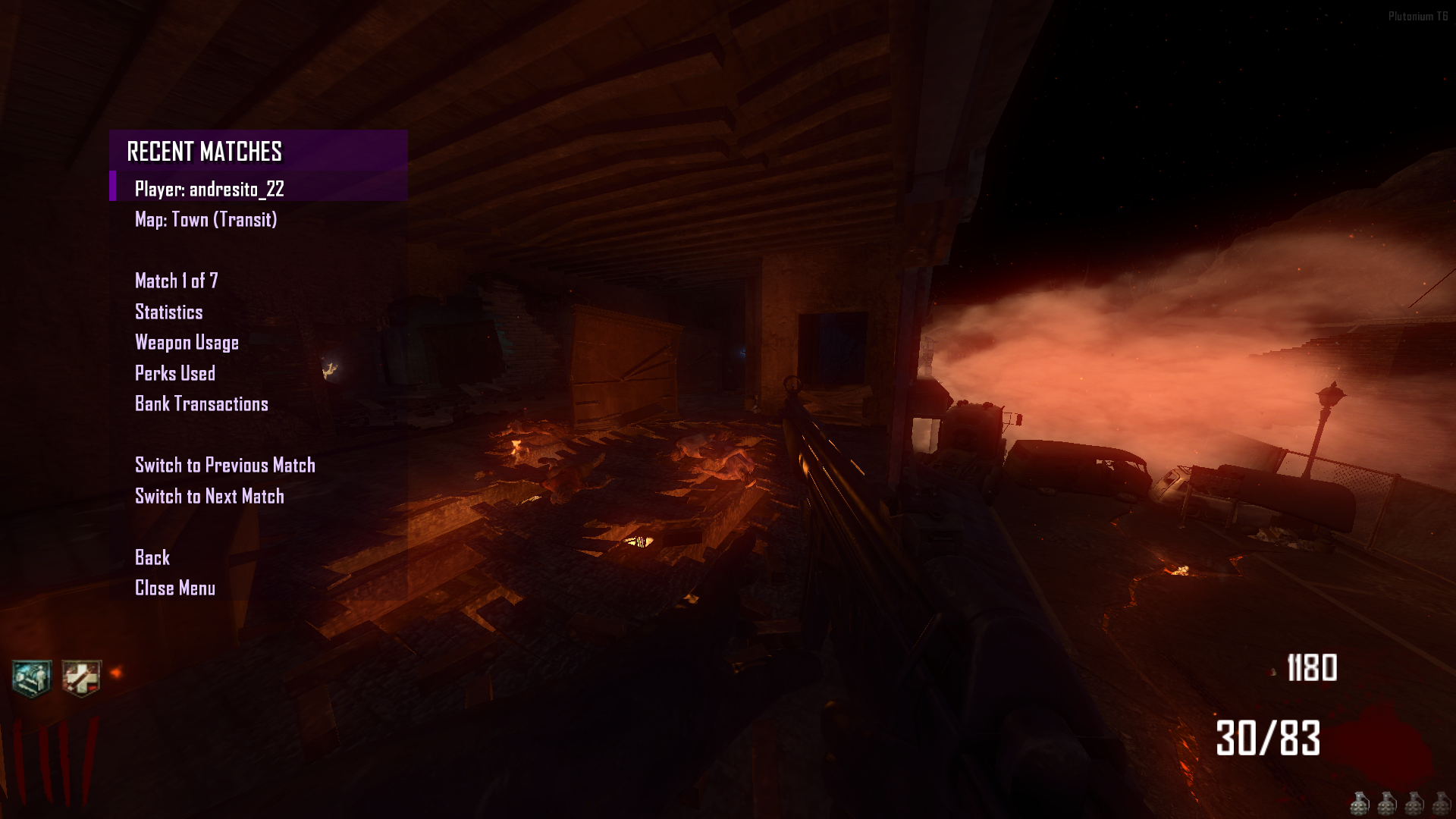
New Features
- Settings menu
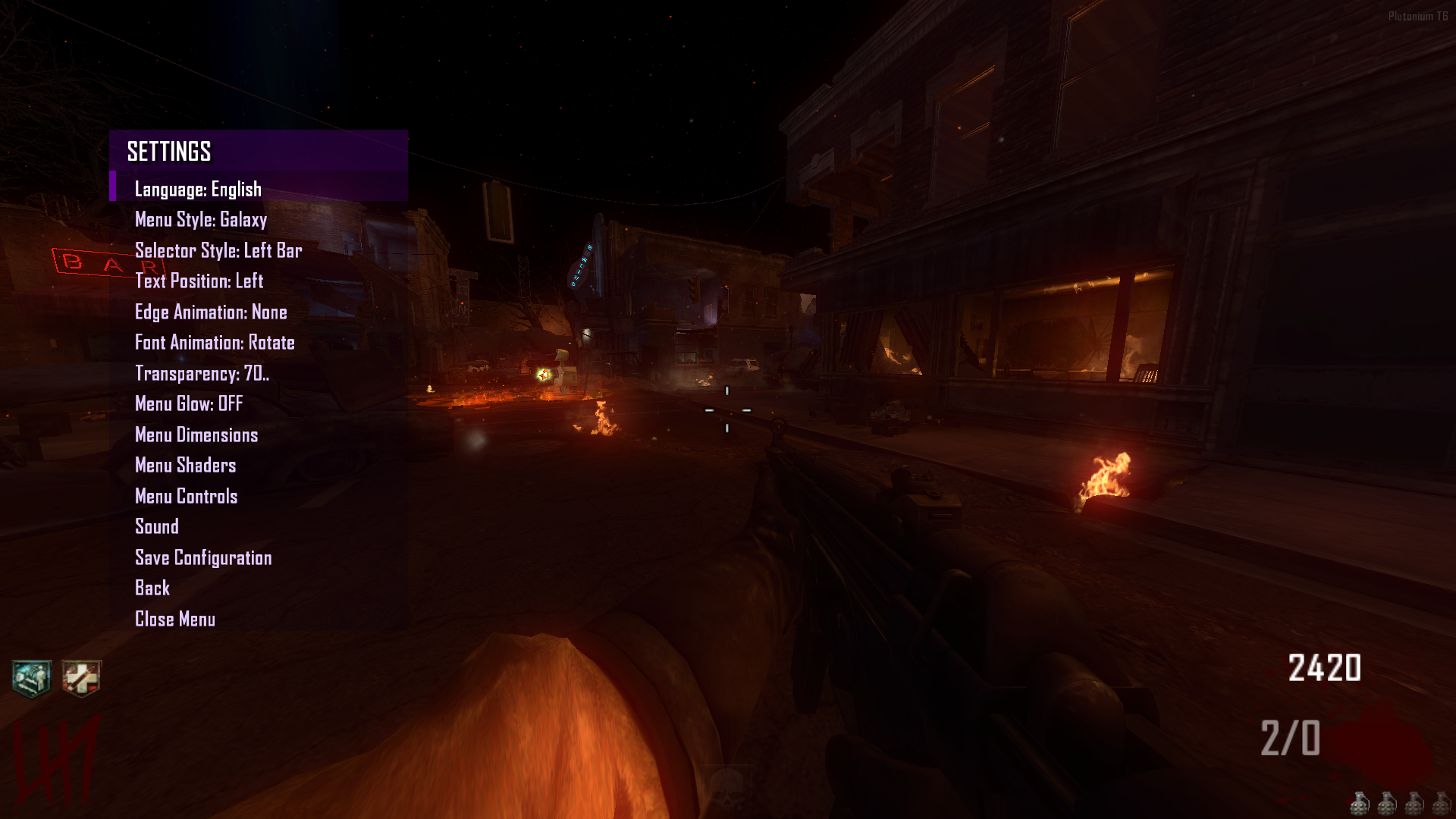
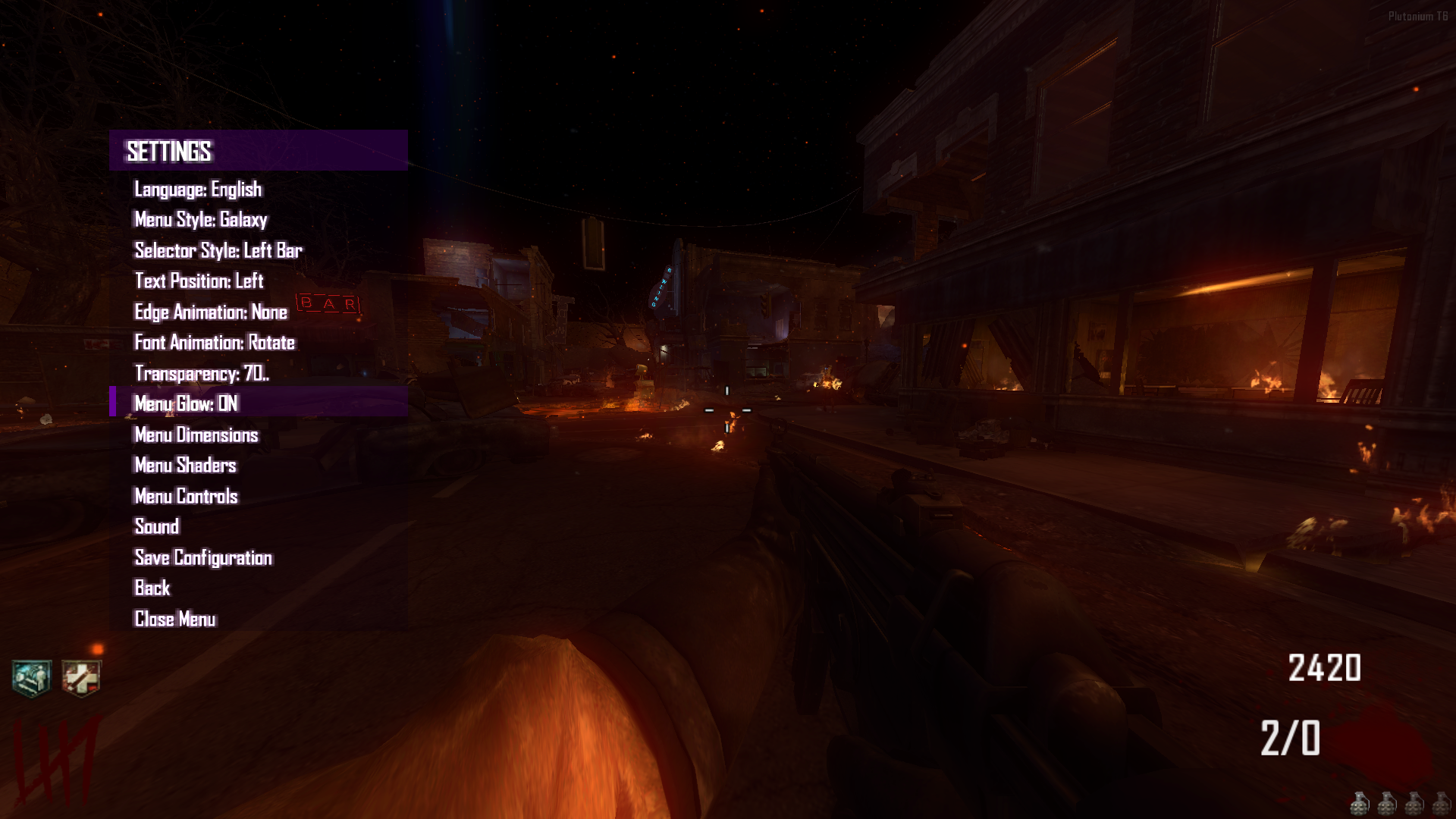
- Menu Glow (Beta): Added a dynamic glow effect to the menu.
- Menu Shaders (Beta): New option to customize shaders for the Menu Background, Header, and Selector.

- Menu Position & Sizing (Beta): You can now move the menu, resize it, and fully customize its dimensions in-game. Changes can be saved.
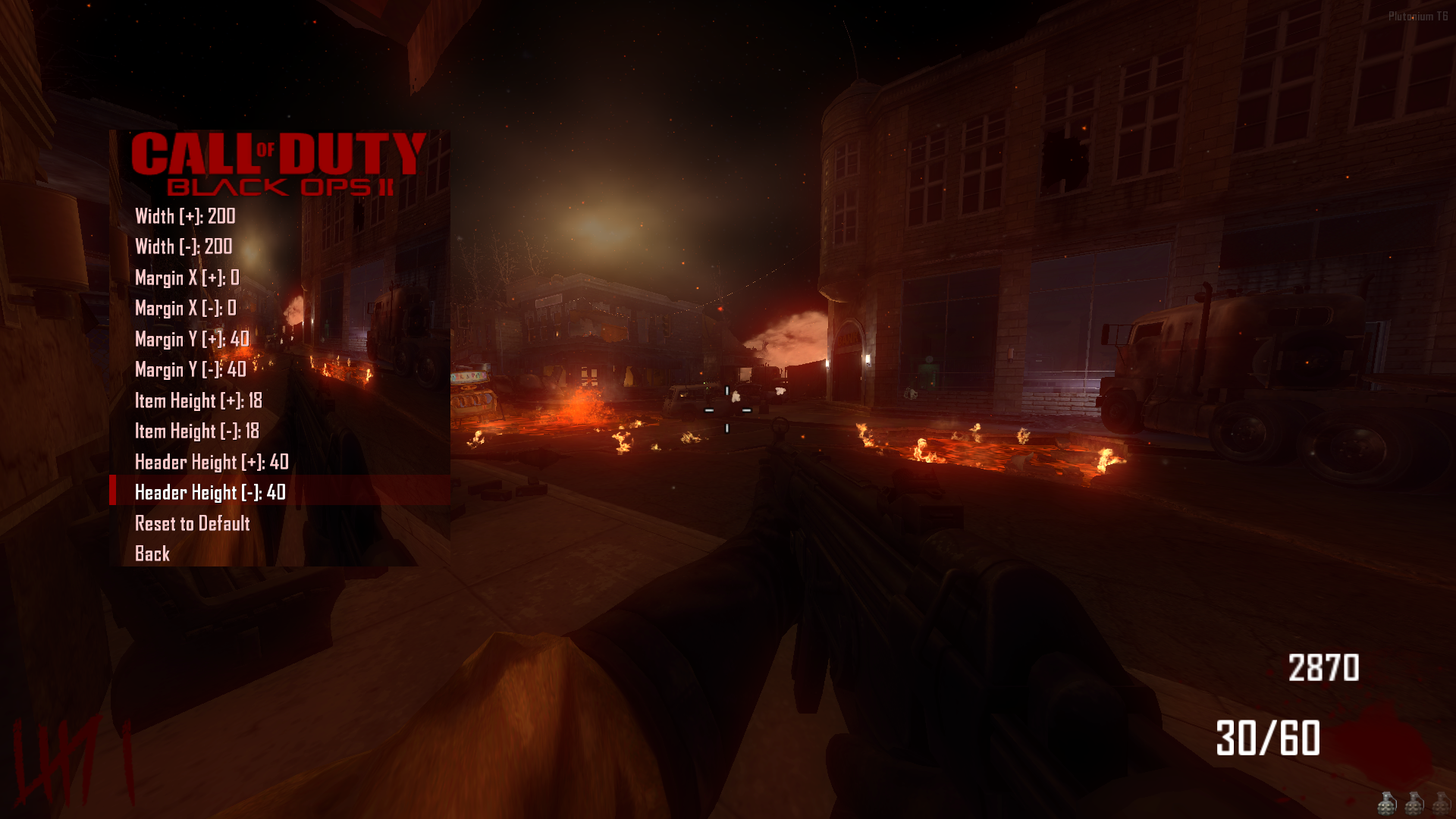
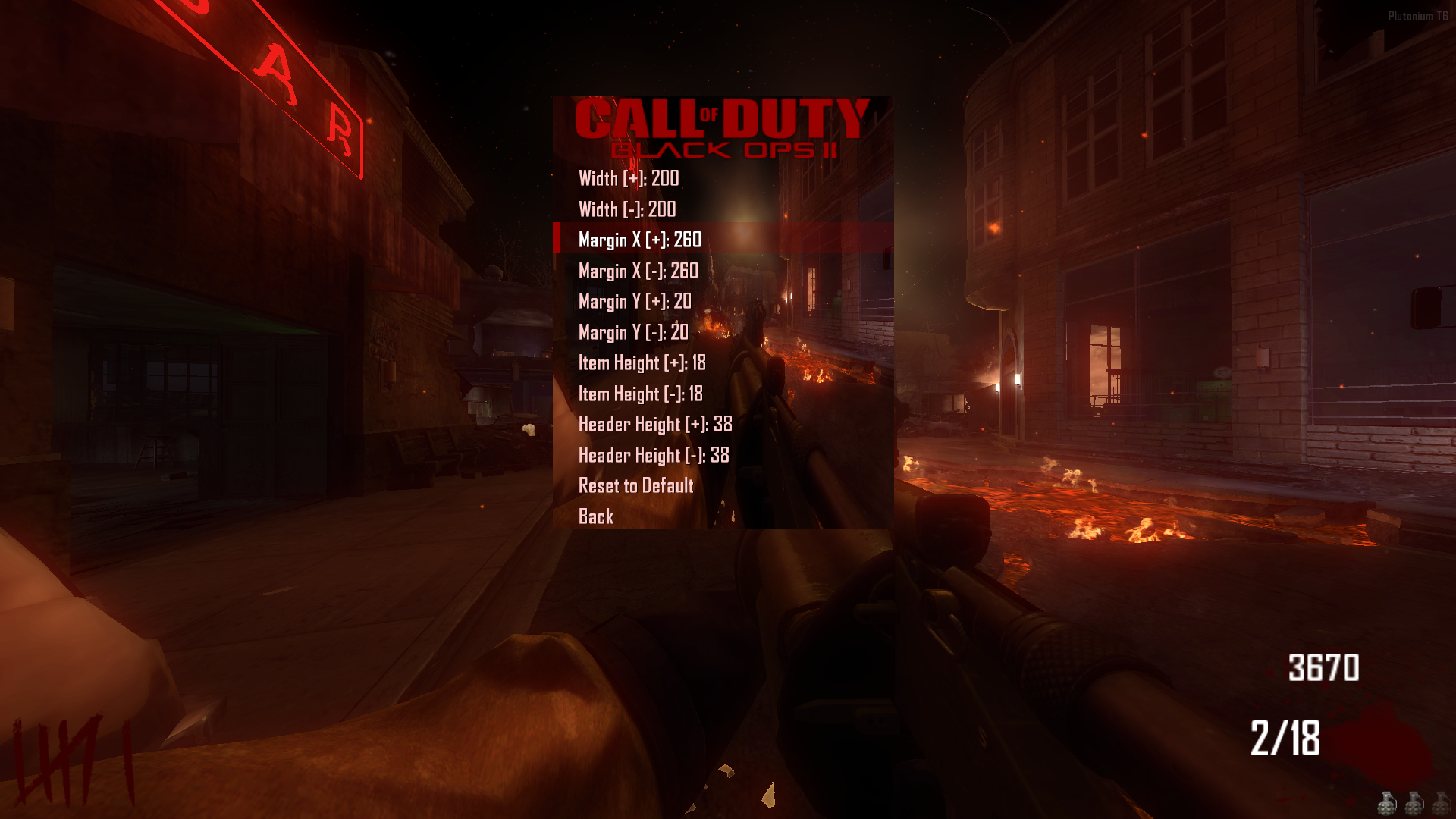
- Menu Style Pack: Added a total of 83 unique menu styles.
- Selector Style Pack: Added a total of 33 unique selector styles.
Web Statistics Integration
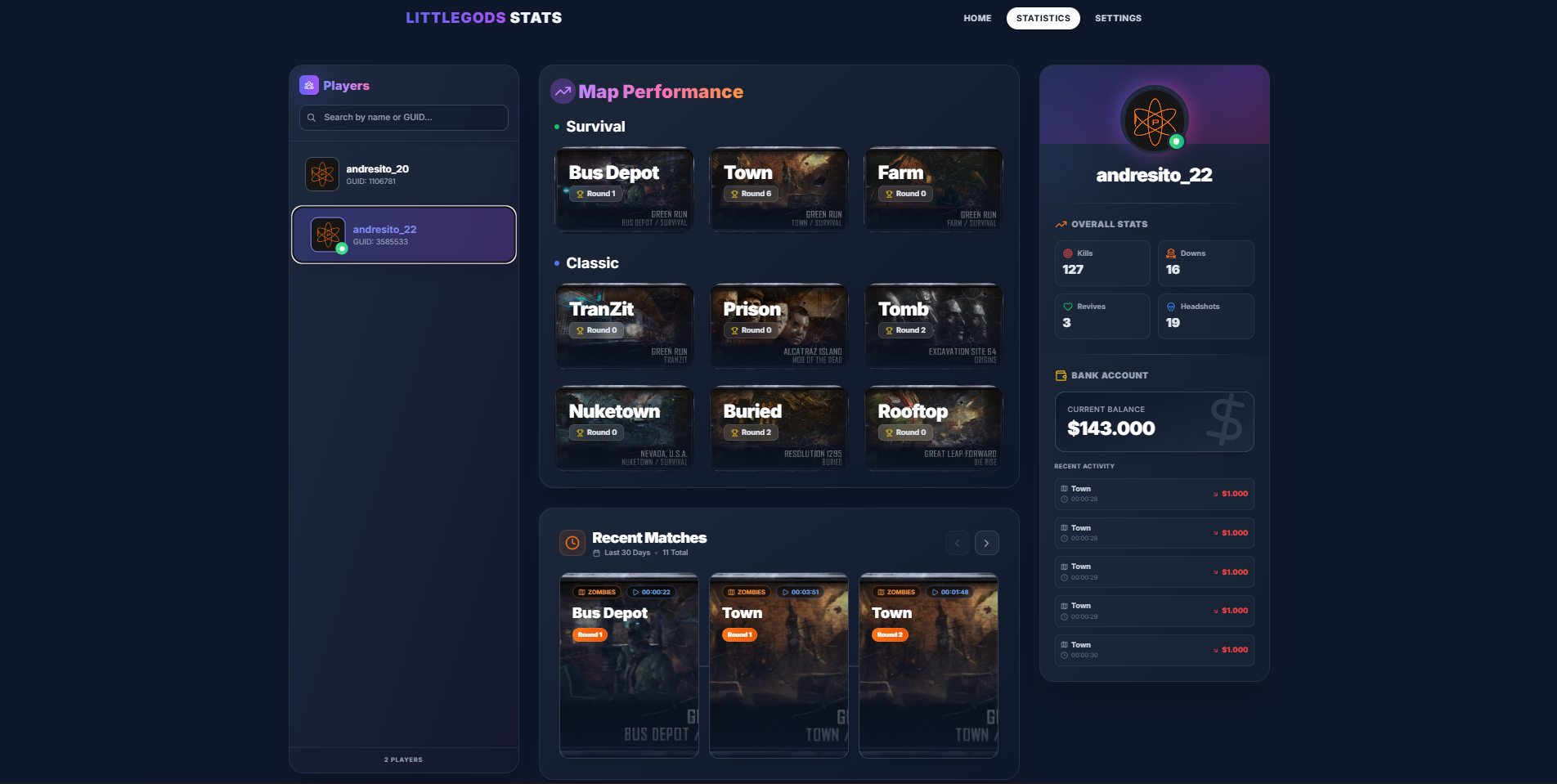
- Full Compatibility: The menu is now fully integrated with the Stats Web project. https://forum.plutonium.pw/topic/43291/release-zm-stats-web
- Important: Install the web project files, but DO NOT use the
scripts_zm.batutility to install the scripts. The menu already has these statistics features built-in.
Just run your stats and the website and you're all set
Important Notice
- Please refrain from using commands like
fast_restartormap_restart. Always launch maps correctly from the Main Menu to ensure all scripts load properly.
Beta
- Content consists of modifications that may have issues. If you use this mod and find anything problematic, please feel free to contact me through this post even if it’s not specifically related to the beta versions.
Source Code
Install
new folder
AppData\Local\Plutonium\storage\t6\raw\scripts\zm\
old folder
AppData\Local\Plutonium\storage\t6\scripts\zm\
Aquí explicé algunos pasos rápidos:
ingles To open the menu, you need to aim and knife at the same time. To move up, press the numeric key 1, and to move down, press the numeric key 2 To enter a menu, press F on your keyboard.** spanish Para abrir el menú, debes apuntar y apuñalar al mismo tiempo. Para moverte hacia arriba, presiona la tecla numérica 1, y para moverte hacia abajo, presiona la tecla numérica 2. Para entrar a un menú, presiona F en tu teclado. -
[Release][ZM] Stats WebFaZeFlickAlt Frostyninja1212
Depending on the support from this project, I can expand into more modalities.