What do you not understand?
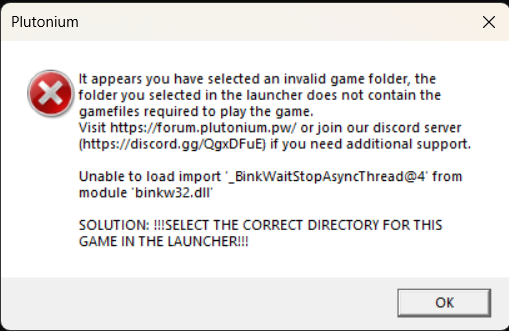
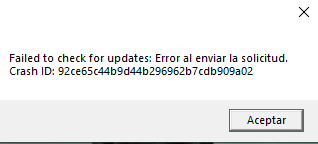
The path leading to your game for example C:\Games\pluto_t6_full_game has characters that are special (for example !) or characters that don't exist in the english language (for example é)
@Dss0 said in Cant authenticate to plutonium: error:
r avatar on the top right in the launcher, it'll display the version on the bottom. Does i
it says r3417
Press Windows Key + R Enter %appdata% Then Locate - AppData\Local\Plutonium\storage\t6\scripts\zm the Scrript and zm/mp folders should be there if not just make them its ok, then put your .gsc file in the zm folder launch game and enjoy. note if you want a menu in multiplayer use these steps just put the gsc file in mp folder instead of zm folder.
@SMOKER_BLACK said in I can not login:
[image: 1683198344848-ff28cce0-400b-4de6-81f7-f6541d898e20-image.png]
[image: 1683214389008-fde2b91e-e175-4eb0-a3d4-1f6c52dc18c0-grafik.png]
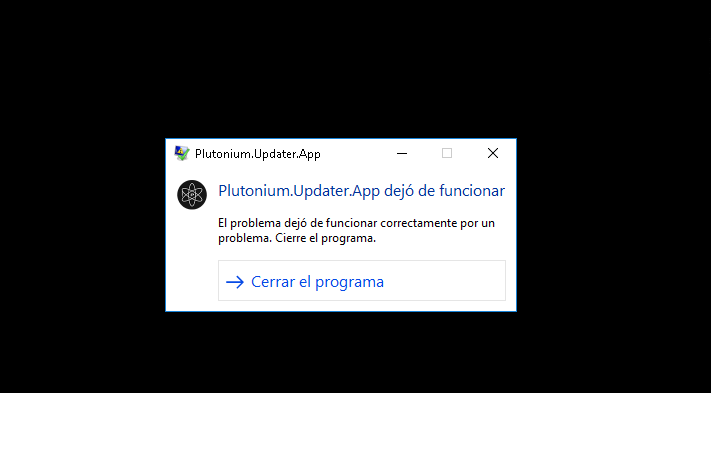
@pachotoner290 you have a very old build of Windows which is not supported. Update to the latest version of Windows.
Running such an old build is a huge useless security risk anyways there is no reason to do that. Even if it's not for Plutonium keep your software including Windows up-to-date