Your message doesn't make sense
If you want help explain your issue clearly
Think of what people trying to help you can do with the info you provide
As of now you didn't provide any info and your issue is unclear
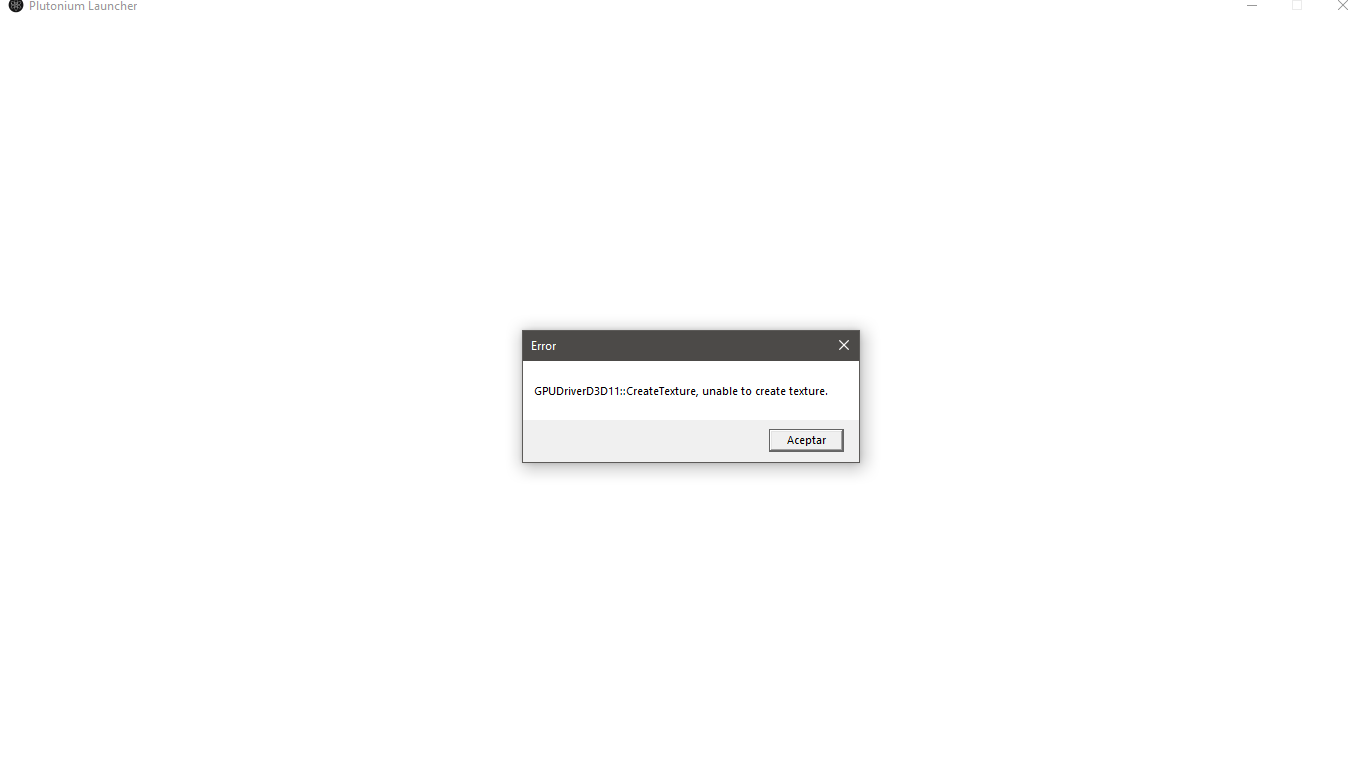
How to fix GPUDriverD3D11 errors?
Update your GPU drivers https://www.howtogeek.com/135976/how-to-update-your-graphics-drivers-for-maximum-gaming-performance/
Install Direct X (even if it's already installed) https://www.microsoft.com/en-us/download/details.aspx?id=35
Now restart your PC and try to start the launcher/your game again.
If the issue persists then your PC probably doesn't have a Direct X 11 capable GPU but there is a way to bypass that.
Download and run DXCpl.exe https://drive.google.com/file/d/1qvWbHrnBVVibYozaO9peXcSS9ovEBMhd/view
Click "Edit List..."
Click the three dots right of the "enter a process or folder name" field and select "plutonium-launcher-win32.exe" located in C:\Users\Username\AppData\Local\Plutonium\bin (Username is your Windows username)
Tick the "force warp" checkbox and select "11_0" from the "feature level limit" dropdown menu
Hit OK & try to start the launcher/your game again.
@RvssianAK Delete all those files except plutonium and pluto_t6_full_game folder. What matters is what's inside the pluto_t6_full_game folder. You either boot up plutonium launcher and set the path to C:\Games\pluto_t6_full_game
I don't know why you have those extra files.
Windows Defender doesn't cause these issues and if it would a simple exclusion would fix it.
Uninstalling/blocking/replacing Windows Defender is really not needed, even less to fix that issue
For some reason the .NET version DS4Windows tells you to download incorrect.
Download the correct .NET framework from there instead
https://github.com/Ryochan7/DS4Windows/releases
@GLOYKB try reinstalling Windows, like from a flash drive. After that, download DirectX and VC_Redist, and all of the following programs you'd possibly need.