[ZM] Moon Easter Egg mod (Solo & Coop)
-
-
Hadi77KSA Hello!
I need help
How install mod in the folder?
When I try to open the mod, the game closes.
And sorry to bother. -
@Violet_Hill the following includes them: https://github.com/teh-bandit/BO1-Eggs/
If you’d like to download them all at once, use this link: https://github.com/teh-bandit/BO1-Eggs/archive/refs/heads/master.zip
Extract theBO1-Eggs-mainfolder. This will be the mod’s folder containing the necessary files. Don’t modify its contents.
You can rename the folder if you wish. I have it renamed toBO1-Eggs
IMPORTANT: if you plan on using this mod with other players, each player other than the host will need to either make sure they don’t have a mod loaded or match the name of the mod folder.Follow the following link to install: https://plutonium.pw/docs/modding/loading-mods/#loading-mods--custom-zombies-maps-for-bo1
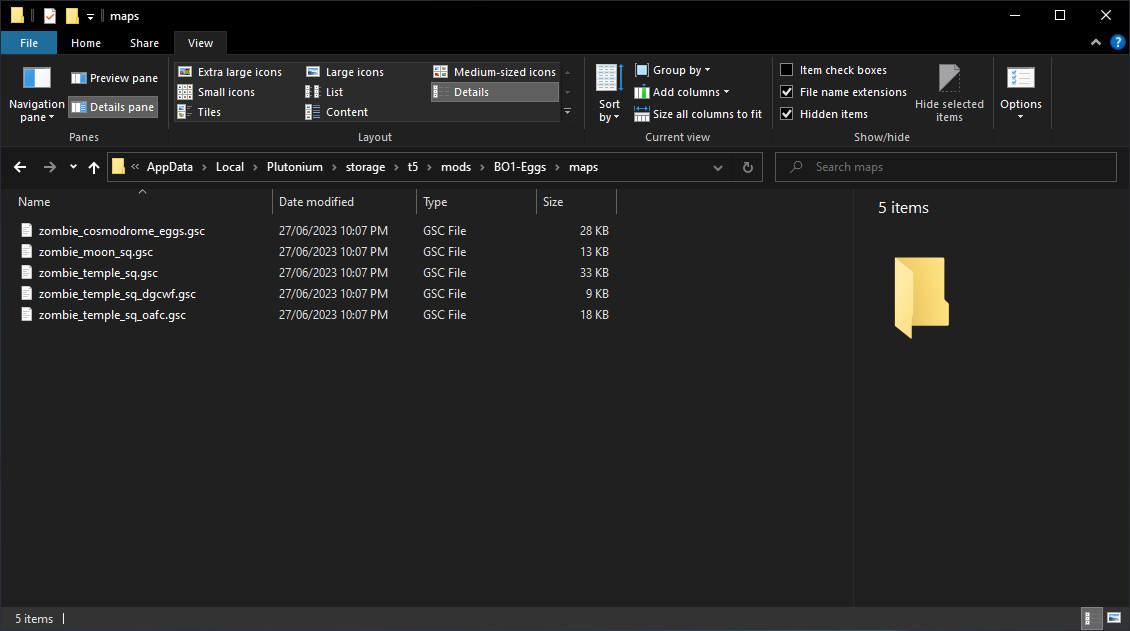
The below picture shows the path and content of the mod’s
mapsfolder after finishing:
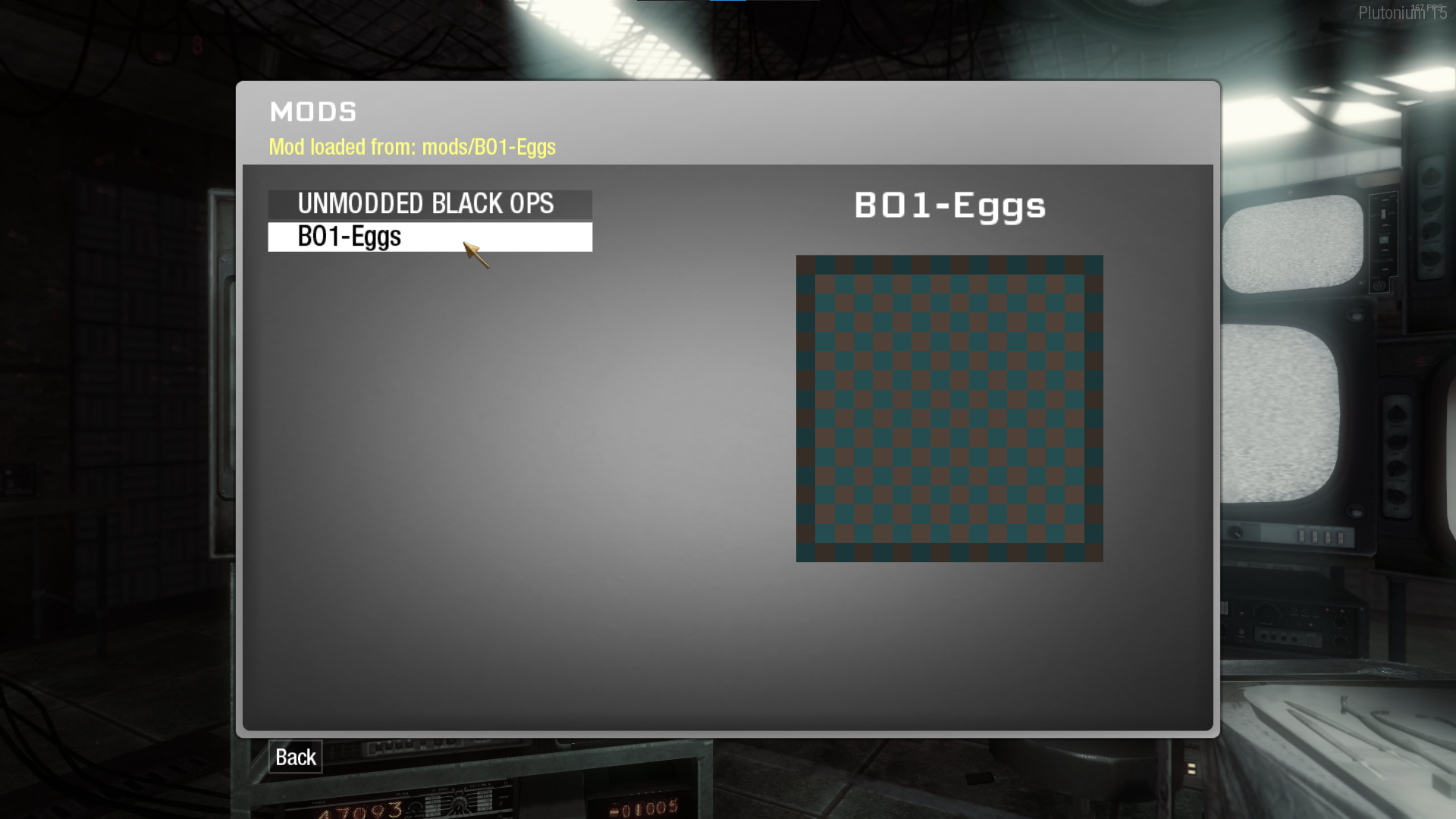
The Mods menu should show the mod if it’s been installed in the correct path. The below picture shows the mod appearing in the Mods menu and a line showing which mod is loaded if one is loaded:
Note: if the mod doesn’t appear in the Mods menu after correctly placing it in the directory stated in the instructions I’ve linked, then try the alternative of extracting the mod’smapsfolder and placing it in:%localappdata%\Plutonium\storage\t5
Note that doing so will automatically load the scripts designated to a map whenever that map is loaded.Gameplay Guide
Ascension
- Easter egg completable with any amount of players
- Synchronized buttons step now gives players 100 seconds to press all 4 buttons when not in a 4 player game
- Lander step is skipped when playing solo
- Freeing Gersh step only requires the ZeusCannon and Gersh Device when playing solo
Shangri-La
- Easter egg completable with any amount of players
- Tile matching step is automatically completed shortly after activating when playing solo
- Water slide step only requires hitting the switch/lever that is in the water slide
Moon
- Easter egg completable with any amount of players
- No longer requires completion of previous easter eggs
- Richtofen MUST be in game
-
Hadi77KSA tysm, had been looking around forever for all this info. appreciate u

-
This post is deleted!
-
@Violet_Hill the following includes them: https://github.com/teh-bandit/BO1-Eggs/
If you’d like to download them all at once, use this link: https://github.com/teh-bandit/BO1-Eggs/archive/refs/heads/master.zip
Extract theBO1-Eggs-mainfolder. This will be the mod’s folder containing the necessary files. Don’t modify its contents.
You can rename the folder if you wish. I have it renamed toBO1-Eggs
IMPORTANT: if you plan on using this mod with other players, each player other than the host will need to either make sure they don’t have a mod loaded or match the name of the mod folder.Follow the following link to install: https://plutonium.pw/docs/modding/loading-mods/#loading-mods--custom-zombies-maps-for-bo1
The below picture shows the path and content of the mod’s
mapsfolder after finishing:
The Mods menu should show the mod if it’s been installed in the correct path. The below picture shows the mod appearing in the Mods menu and a line showing which mod is loaded if one is loaded:
Note: if the mod doesn’t appear in the Mods menu after correctly placing it in the directory stated in the instructions I’ve linked, then try the alternative of extracting the mod’smapsfolder and placing it in:%localappdata%\Plutonium\storage\t5
Note that doing so will automatically load the scripts designated to a map whenever that map is loaded.Gameplay Guide
Ascension
- Easter egg completable with any amount of players
- Synchronized buttons step now gives players 100 seconds to press all 4 buttons when not in a 4 player game
- Lander step is skipped when playing solo
- Freeing Gersh step only requires the ZeusCannon and Gersh Device when playing solo
Shangri-La
- Easter egg completable with any amount of players
- Tile matching step is automatically completed shortly after activating when playing solo
- Water slide step only requires hitting the switch/lever that is in the water slide
Moon
- Easter egg completable with any amount of players
- No longer requires completion of previous easter eggs
- Richtofen MUST be in game
Hadi77KSA Thank you bro
-
 HOOKEEL referenced this topic on
-
The link is dead...
-
hello good!
I need help
How to install the mod?P4cK if you’re using
zombie_moon_patch.ff, then follow the instructions in the original post. If you’re using the files provided in my comment, then follow the instructions in my comment. -
P4cK if you’re using
zombie_moon_patch.ff, then follow the instructions in the original post. If you’re using the files provided in my comment, then follow the instructions in my comment. -
Hadi77KSA I tried to follow your instructions but from step 3 I don't understand, I go to the "Mods" menu and it doesn't load anything, could you explain to me in more detail?
P4cK First, make sure the path of the maps folder is exactly as shown in this picture:
Then, after clicking "Mods" in-game, click on the mod to load it. It will say that the mod is loaded once you open the mods menu again.
After this, just start the map you want and play.
-
P4cK First, make sure the path of the maps folder is exactly as shown in this picture:
Then, after clicking "Mods" in-game, click on the mod to load it. It will say that the mod is loaded once you open the mods menu again.
After this, just start the map you want and play.
-
Hadi77KSA said in [ZM] Moon Easter Egg mod (Solo & Coop):
I followed the steps as you indicate
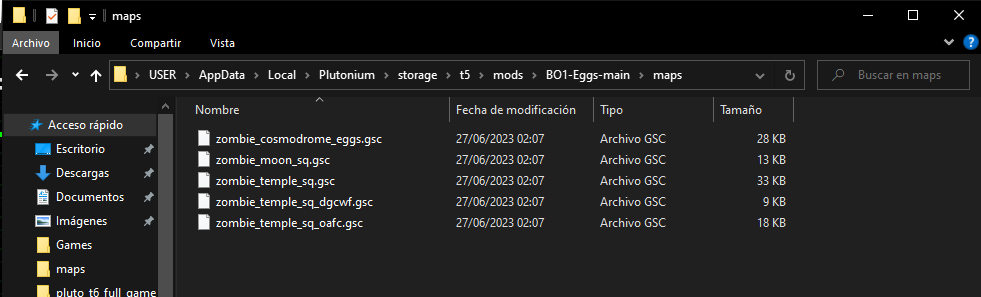
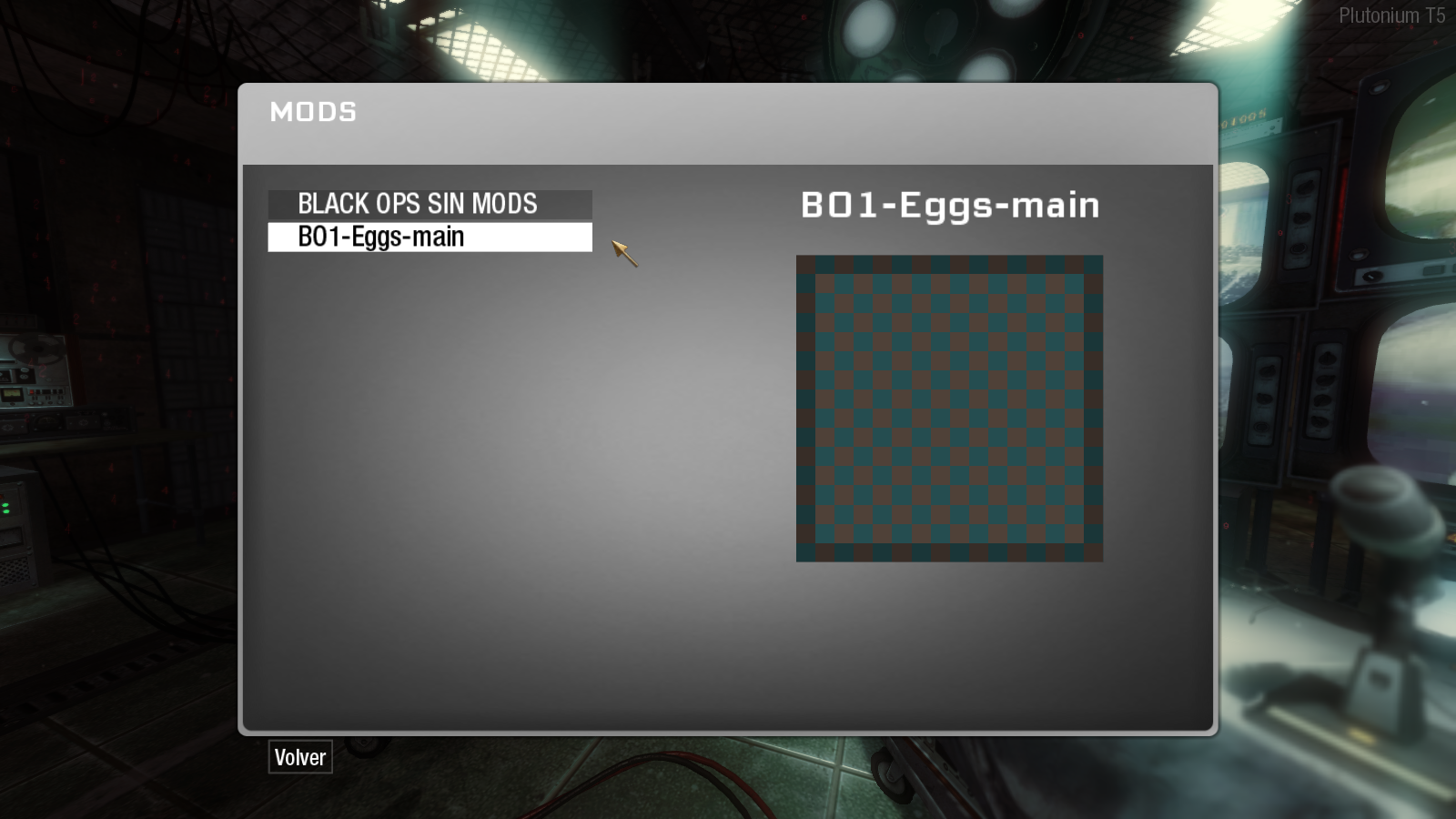
but when I click on the mod I get these options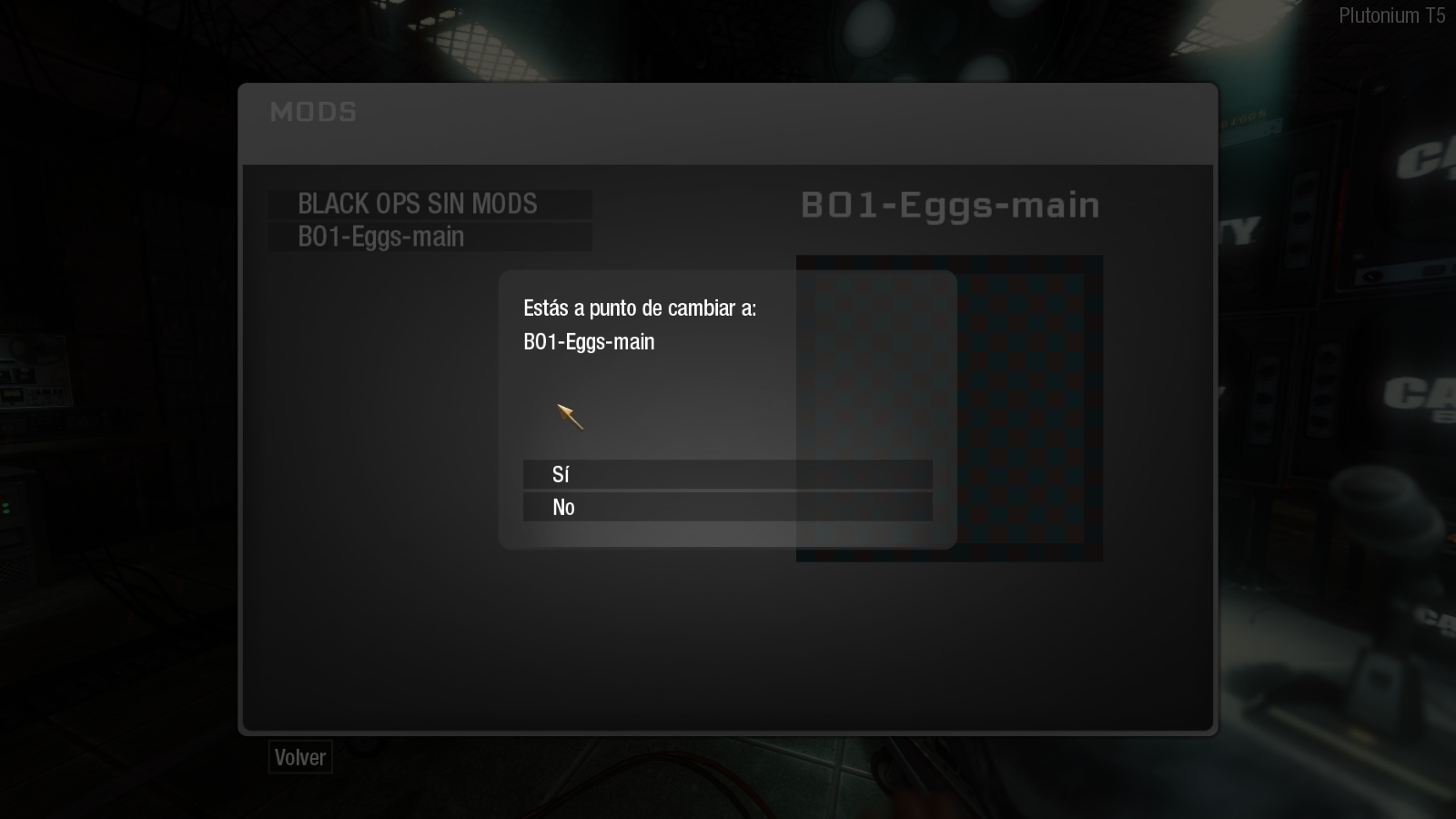 To which I say yes, the crash game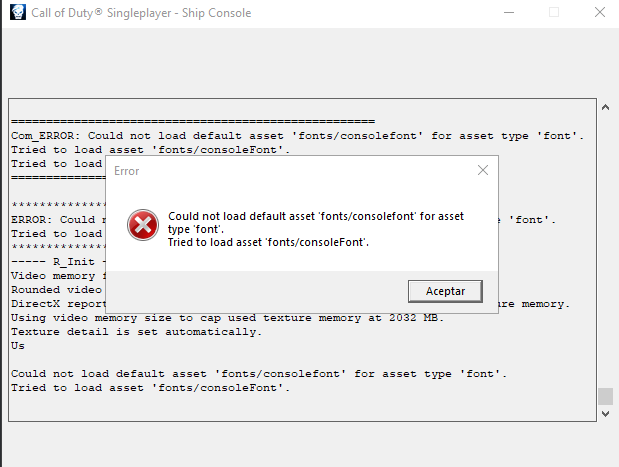
and if I give it no, it doesn't load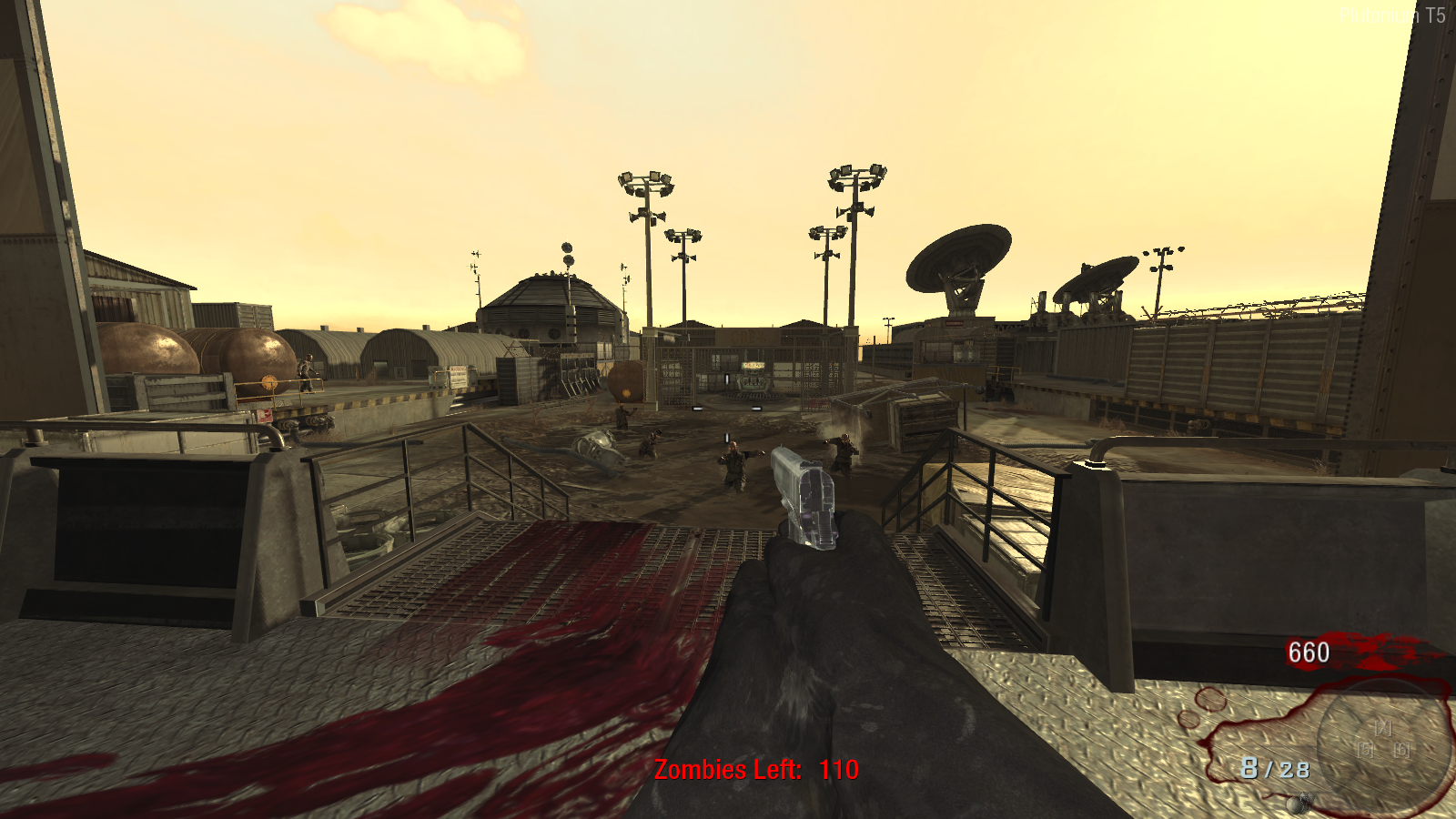
P4cK I’ve had someone report this error before. It seems that it’s caused by having the language of the Multiplayer version be different than the Singleplayer/Zombies version. Simply make sure the language between the SP/ZM version and the MP version is the same.
Transcription of the error for others:
Error
Could not load default asset 'fonts/consolefont' for asset type 'font'.
Tried to load asset 'fonts/consoleFont'.Update (2025/03/14)
Alternatively, before selecting the mod, open the console and execute this command:
loc_language ( dvarInt( loc_language ) )You should only need to do this if you see that the
loc_languagehas a latched value. -
P4cK I’ve had someone report this error before. It seems that it’s caused by having the language of the Multiplayer version be different than the Singleplayer/Zombies version. Simply make sure the language between the SP/ZM version and the MP version is the same.
Transcription of the error for others:
Error
Could not load default asset 'fonts/consolefont' for asset type 'font'.
Tried to load asset 'fonts/consoleFont'.Update (2025/03/14)
Alternatively, before selecting the mod, open the console and execute this command:
loc_language ( dvarInt( loc_language ) )You should only need to do this if you see that the
loc_languagehas a latched value. -
Hadi77KSA Thanks, apparently that was the error; My friends must have it the same if I want to play with them, right?
-
P4cK the mod file name must match, otherwise you’ll face issues. Although, I’ve had someone say that having just the host have the files installed is enough, but I haven’t tested that. If you try that out, let me know how it goes.
-
P4cK the mod file name must match, otherwise you’ll face issues. Although, I’ve had someone say that having just the host have the files installed is enough, but I haven’t tested that. If you try that out, let me know how it goes.
-
I cant get it to work, for some reason the mod dosnt show up in the mods section only the "unmod black ops"
does it may have anything to do with the german version of the game?
Edit: I actually got it working with a another client witch just load the mods section into the game aswell as the mulltiplayer one to the main menu but i want it on plutonium becaus f that other launcher




Hello! It looks like you're interested in this conversation, but you don't have an account yet.
Getting fed up of having to scroll through the same posts each visit? When you register for an account, you'll always come back to exactly where you were before, and choose to be notified of new replies (either via email, or push notification). You'll also be able to save bookmarks and upvote posts to show your appreciation to other community members.
With your input, this post could be even better 💗
Register Login