Skip to content
  • 0 Unread 0
  • Recent
  • Popular
  • Users
  • Donate
Collapse
Home Docs Stats Discord Donate
Download
  1. Home
  2. BO2 Server Hosting Support
  3. Can I change rules?

Can I change rules?

Scheduled Pinned Locked Moved BO2 Server Hosting Support
15 Posts 3 Posters 1.8k Views 2 Watching
  • Oldest to Newest
  • Newest to Oldest
  • Most Votes
Reply
  • Reply as topic
Log in to reply
This topic has been deleted. Only users with topic management privileges can see it.
  • NICKname
    NICKname
    NICKname
    wrote on last edited by
    #6

    I've tried what you said but I don't know if I put it at the right place in the script:
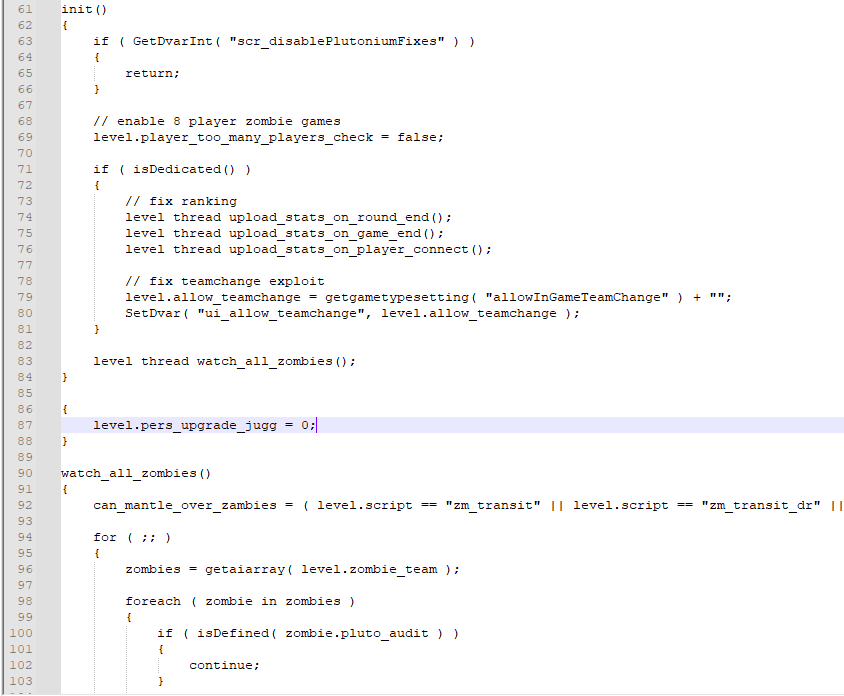
    image.png
    I get the following error when I try to boot up the server:
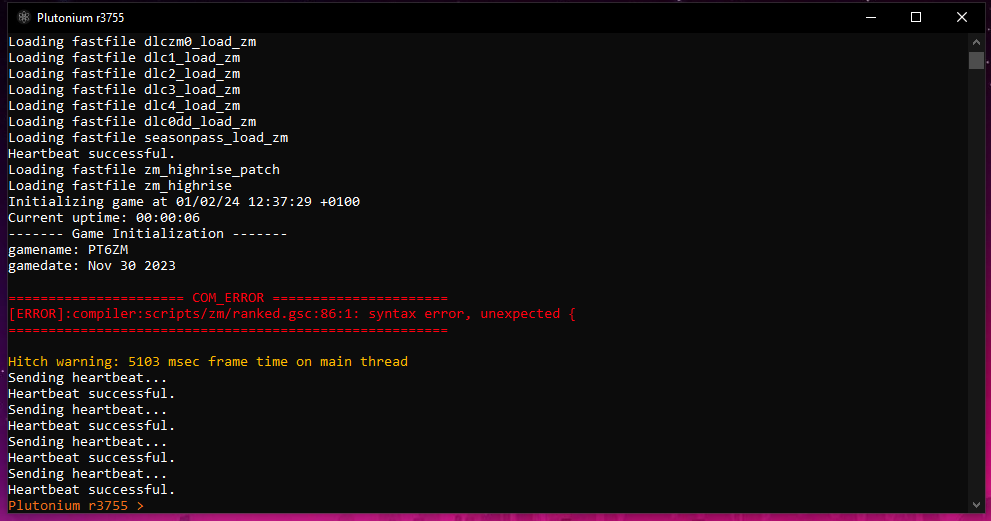
    image.png

    Hadi77KSA 1 Reply Last reply
    0
    • NICKname NICKname

      I've tried what you said but I don't know if I put it at the right place in the script:
      image.png
      I get the following error when I try to boot up the server:

      image.png

      Hadi77KSA
      Hadi77KSA
      Hadi77KSA
      Contributor
      wrote on last edited by
      #7

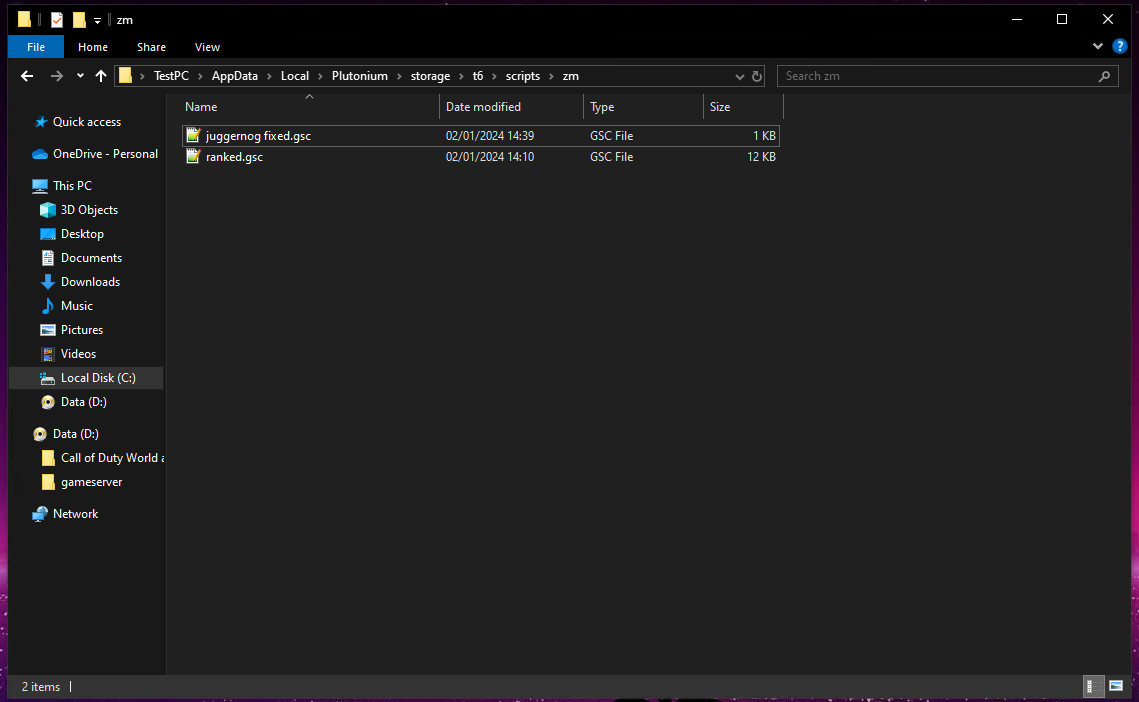
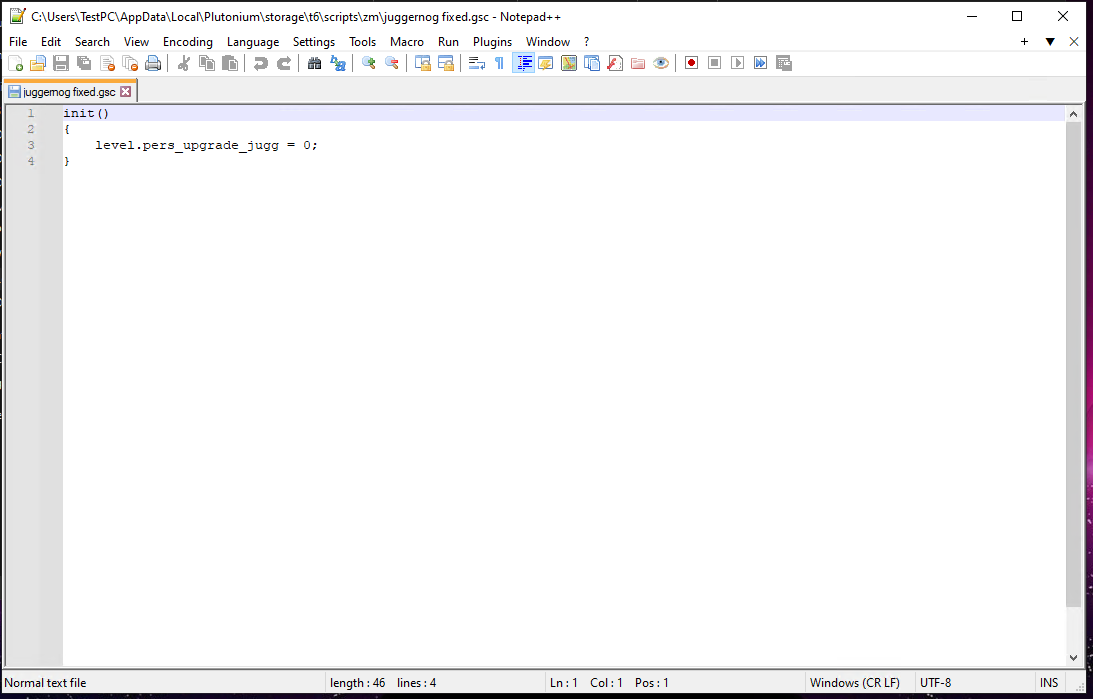
      NICKname it’s better if you don’t edit the ranked.gsc file because it will get replaced when you run the Plutonium updater. You can create a new text document, change the file format by renaming it and replacing the .txt with .gsc, then write inside of it what I gave you earlier.

      As for the cause of the error, it’s due to not properly placing that part of the code into a function (that might not be a good way of phrasing it, but let’s go with it). Just create a new .gsc file as I mentioned earlier and place the code there.

      1 Reply Last reply
      0
      • NICKname
        NICKname
        NICKname
        wrote on last edited by NICKname
        #8

        Where do I save the newly created script? In Plutonium\storage\t6\scripts\zm?
        Or in the root of the my server folder?
        And do I need to run the script once? Or does it need to stay on besides the console of the server?

        Hadi77KSA 1 Reply Last reply
        0
        • NICKname NICKname

          Where do I save the newly created script? In Plutonium\storage\t6\scripts\zm?
          Or in the root of the my server folder?
          And do I need to run the script once? Or does it need to stay on besides the console of the server?

          Hadi77KSA
          Hadi77KSA
          Hadi77KSA
          Contributor
          wrote on last edited by
          #9

          NICKname place it in your scripts\zm folder. The script will need to remain in that folder if you want it to get executed by the game.

          1 Reply Last reply
          0
          • NICKname
            NICKname
            NICKname
            wrote on last edited by NICKname
            #10

            image.png
            image.png
            90e76d8b-3548-4fc3-940a-61ca028d97d6-image.png

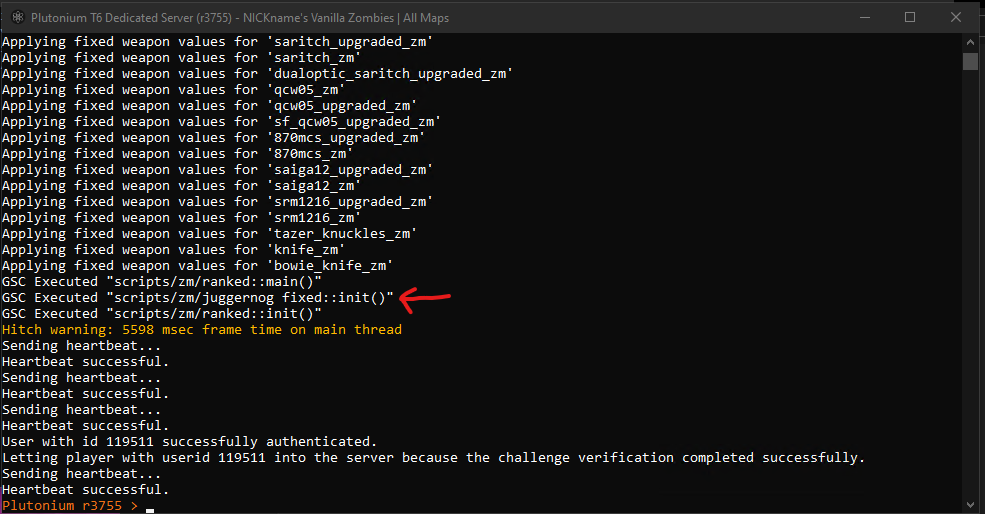
            Sadly it didn't seem to work, I can still take more hits than I should.

            Hadi77KSA 1 Reply Last reply
            0
            • NICKname NICKname

              image.png
              image.png
              90e76d8b-3548-4fc3-940a-61ca028d97d6-image.png

              Sadly it didn't seem to work, I can still take more hits than I should.

              Hadi77KSA
              Hadi77KSA
              Hadi77KSA
              Contributor
              wrote on last edited by Hadi77KSA
              #11

              NICKname nvm, it seems I confused the functions calling order. Use this instead: https://github.com/Hadi77KSA/Plutonium-Scripts/blob/main/t6/scripts/zm/toggle_pers_upgrades.gsc
              If you want to disable other persistent upgrades, either place double slashes (//) before the variables that start with level.pers_upgrade_ or change the 1 for them to 0 or undefined

              Update (2024/11/02)

              Replaced the provided script with the one I uploaded to GitHub.

              1 Reply Last reply
              0
              • NICKname
                NICKname
                NICKname
                wrote on last edited by
                #12

                This works like a charm!
                Thank you so much for you time and effort 🙂

                Hadi77KSA 1 Reply Last reply
                0
                • NICKname NICKname

                  This works like a charm!
                  Thank you so much for you time and effort 🙂

                  Hadi77KSA
                  Hadi77KSA
                  Hadi77KSA
                  Contributor
                  wrote on last edited by
                  #13

                  NICKname glad to have helped!

                  1 Reply Last reply
                  0
                  • NICKname
                    NICKname
                    NICKname
                    wrote on last edited by
                    #14

                    Is this also possible for Black Ops 1 Zombies, as far as you know?

                    Hadi77KSA 1 Reply Last reply
                    0
                    • NICKname NICKname

                      Is this also possible for Black Ops 1 Zombies, as far as you know?

                      Hadi77KSA
                      Hadi77KSA
                      Hadi77KSA
                      Contributor
                      wrote on last edited by
                      #15

                      NICKname idk regarding the water. If you’re asking about persistent upgrades on BO1, that’s not a thing because those are a feature of BO2, not BO1.

                      1 Reply Last reply
                      0

                      Hello! It looks like you're interested in this conversation, but you don't have an account yet.

                      Getting fed up of having to scroll through the same posts each visit? When you register for an account, you'll always come back to exactly where you were before, and choose to be notified of new replies (either via email, or push notification). You'll also be able to save bookmarks and upvote posts to show your appreciation to other community members.

                      With your input, this post could be even better 💗

                      Register Login
                      Reply
                      • Reply as topic
                      Log in to reply
                      • Oldest to Newest
                      • Newest to Oldest
                      • Most Votes


                      • Login

                      • Don't have an account? Register

                      • Login or register to search.
                      • First post
                        Last post
                      0
                      • Unread 0
                      • Recent
                      • Popular
                      • Users
                      • Donate