
Whats the error message?
Use your username to login, also its case sensitive.
Whats the error message?
Use your username to login, also its case sensitive.
SuckOnMyProness
save pid to file when starting, kill pid when restarting
something like this should work for saving the pid
powershell -Command "(Start-Process whatever.exe -passthru).ID | Out-File -FilePath pid.txt"
make sure to give the pid file a unique name for every instance you have running and when restarting read the pid from the file to kill the process.
@Tentha You'd still need to have a batch file with the content I posted, but it will keep plutonium updated and, as you said, it won't replace the custom images unless theres an update.
So basically adding the .exe to Plutonium\bin and changing the .bat content to
set plutopath=%localappdata%\Plutonium\
%plutopath%bin\plutonium-updater.exe -l -d %plutopath%
start "" "%plutopath%bin\plutonium-launcher-win32.exe"
Sounds to me like you aren't using your username to login, or you made a typo.
Make sure to use Skrill4, exactly like that, no lower case S.
type
password <yourpasswordhere>
in console and then connect
outdated servers will now be displayed with red text and have a warning text on the server page
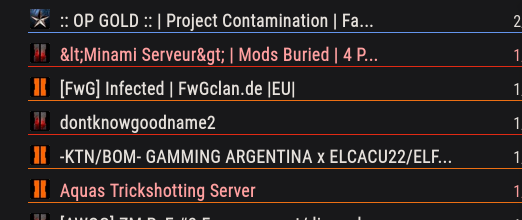
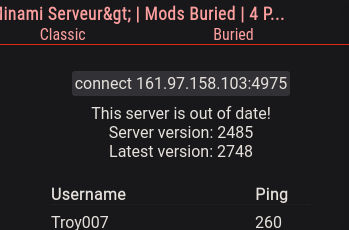
api now returns "uptodate: boolean" for every server
the api now returns a timestamp instead of the age of the server data: "date: string"
Worldbreaker said in B02 should stay Balanced According to Original:
No auto-aim assist AKA aim lock aka snap aim assist rewarding bad players. Why revert DSR nerfs?
It's up to server owners to enable/disable aim-assist. It even says on the server list whether a server has aim-assist enabled. Can't find one you like? Host one yourself.
sv_patch_dsr50 can be used to toggle the state of the DSR, find a server that has it enabled or, as said before, host one yourself.
You aren't entitled to anything. Plutonium is provided completely for free, people are hosting servers for you to play on, again completely for free, and thousands of players enjoy it.
Don't like it? Don't play it.
Buying a XIM 4 and using your stupid aim assist with my mouse and kb now
double standard much
this lutris installer for mw3 worked out of the box for me on debian 11, using the launcher. https://screen.sbs/v4uwbtwlb
https://lutris.net/games/call-of-duty-modern-warfare-3-multiplayer/
It does not launch the actual steam game, it just tells steam that it's running, other mods and game launcher do this too. This won't get you banned, in fact VAC isn't even loaded.
In case you still don't trust it you could also close Steam when using Plutonium 
Worldbreaker I've never played on console/controller, I'm just not an entitled little shit
Thread updated for the rust updater, which is not only way faster but also runs on Linux and Windows.
The original bash script will still be available on GitHub.
@Altawi Plutonium doesn't change anything about the actual files of your game install, so you don't have to do anything. Simply launch the game through Steam if you want to play the Steam version or through the Plutonium launcher if you want to play the Plutonium version.
Plutonium files are installed to %localappdata%\Plutonium, it just loads what it needs from the game directory without modifying it.
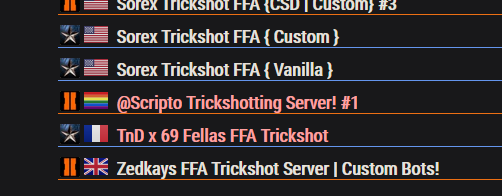
run plutonium.exe with -install-dir flag
plutonium.exe -install-dir "C:\your\target\directory"
either run it from cmd or create a shortcut and add it in the target input

cg_chatHeight "0"
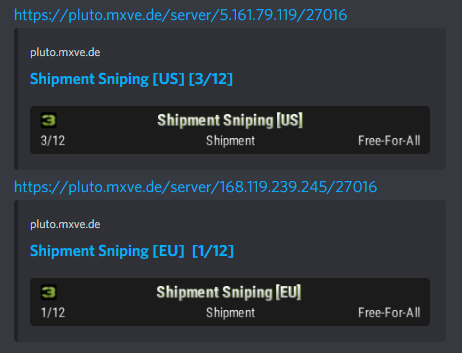
https://pluto.mxve.de/server/168.119.239.245/27016/png
https://pluto.mxve.de/t6mp
Look for a server, click on it, after that click on 'connect ..' which should copy the command which you can then paste into the games console (with right click)
