Hadi77KSA I deleted the files and the 1920x1080 option appears, but when I select it and go back to the options, it shows 800x600, but the resolution is 1080p and the 2k resolution still doesn't appear.
xNando
@xNando
Posts
-
Game stuck on 800x600 and can't play in 2K in my new monitor -
Game stuck on 800x600 and can't play in 2K in my new monitorHadi77KSA I've tried it and it doesn't work for me, even within the game the maximum resolution is now 1360x768
-
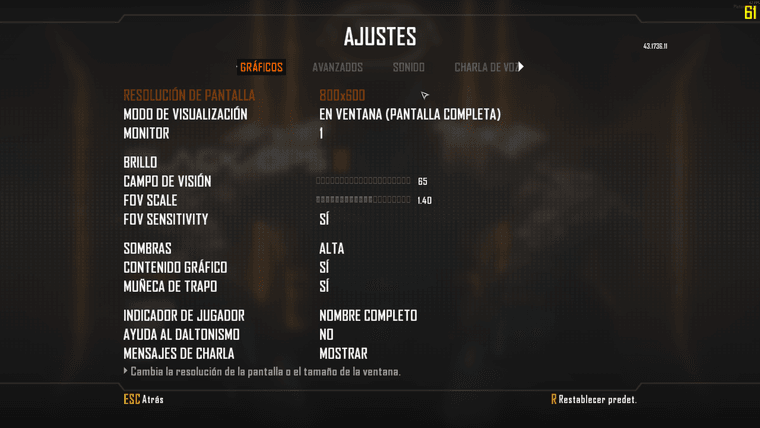
Game stuck on 800x600 and can't play in 2K in my new monitorHello, today I changed my 1080p monitor to a 2K one (ASUS ROG Strix XG27ACS 27" 180Hz) but when starting Plutonium the game is marked as 800x600 resolution but it is displayed in 1920x1080 resolution. I tried changing to full screen but the maximum resolution allowed is 1440x1080. I have changed the game to my second 1080p monitor and everything works at 1080p but on my new monitor the 2K option does not appear or even 1080p. I hope someone can help me

-
Cambiar idioma del juego a Español Black Ops 2JAIVER53 has descargado solo el latino o el castellano?? porque las carpetas son del latino pero para poder usarlas tienes que tener si o si el castellano de base
-
Cambiar idioma del juego a Español Black Ops 2alambrito12345 has descargado solo el latino o el castellano?? porque las carpetas son del latino pero para poder usarlas tienes que tener si o si el castellano de base
-
Black Ops 2 HD Perks Shaders -
Black Ops 2 HD Perks Shaders -
Black Ops 2 HD Perks ShadersNeroSwallow for bo2 right?
-
[RELEASE][ZM] [BETA] New bo2 hud systemdontknowletspl that's a cool looking script!! I wanna ask you if you can share the part of the source code to center the perks icons, thanks!
-
Start with B23R + regular pistol??WolflexZ but maybe it can be show the original source code with a decompiler, or it's not possible??
-
Black Ops 2 HD Perks Shaders -
[ZM] Round Counter Position (Configurable)@Kusanagi_Z if you want the round style icons and the numbers, you need to find the images somewhere, maybe in the forum there is a post with the files, and if you also want the animation, just download the updated version of the original script.
-
Cannot find folderszombinator1998 If you downloaded the "plutonium.exe" file, that's just the games launcher. If you want the games you have to buy them on Steam or look for other alternatives on the Internet.
-
[ZM] Round Counter Position (Configurable)@Kusanagi_Z You have to download the script from the original post, the link I posted in another comment has my own config and also is a completely different script but do the same thing.
-
Release] [ZM] BO2 Remix Mod QuestionGhanitheMolester I don't know in which file the fog command is to disable it, but you can enable it again by typing in the console
r_fog 1 -
[ZM] Round Counter Position (Configurable)@Kusanagi_Z what do you mean like bo4??
-
[ZM] Round Counter Position (Configurable)@Kusanagi_Z you need to put the file in the scripts folder in this path by pressing Windows Key + R
%localappdata%\Plutonium\storage\t6\scripts\zm -
Not good with computers need help with some basic stuffKiss_of_Death02 the default folder for games in steam is in your C drive
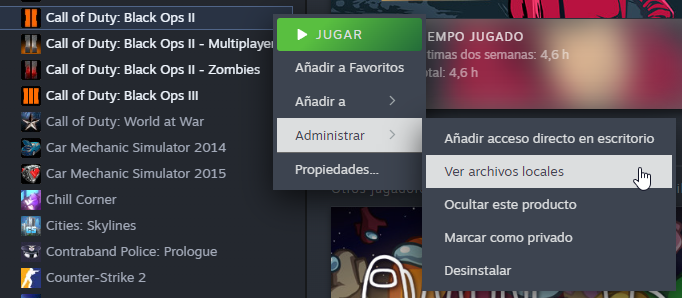
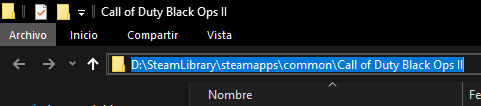
C:\Program Files (x86)\Steam\steamapps\commonalso you can copy the route of the game by going to your steam library and right click bo2 > manage > browse local files (my steam is in spanish, but it will be the same button) and on the top of the folder explorer you can copy the route