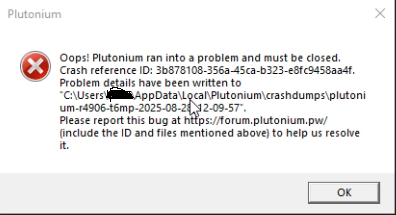
@Zamamasu this is one of numerous errors you could possibly face with the updater. Below is my extension to the suggestions provided in https://plutonium.pw/docs/update/
Plutonium.Updater.Core.Models.UpdateException: Failed to update file bin/VibeCheck.exe ---> System.UnauthorizedAccessException: Access to the path 'C:\Users\USERNAME\AppData\Local\Plutonium\bin\VibeCheck.exe' is denied.
Exclude/whitelist the Plutonium folder from antivirus scanning and remove anything related to it from the AV program's blacklist.
System.ComponentModel.Win32Exception (0x80004005): An Application Control policy has blocked this file
Disable Windows Smart App Control.
System.Net.Http.HttpRequestException: An error occurred while sending the request. ---> System.Net.WebException: The underlying connection was closed: An unexpected error occurred on a send. ---> System.IO.IOException: The handshake failed due to an unexpected packet format.
Something is interfering with your connection to the CDN. Malwarebytes antivirus' web protection tends to do that. Add the websites plutoniummod.com and plutonium.pw to the allow list of the antivirus (Malwarebytes), remove them from the blacklist, and allow them through any other thing that is blocking them.
System.Threading.Tasks.TaskCanceledException: A task was canceled.
System.Net.Http.HttpRequestException: An error occurred while sending the request. ---> System.Net.WebException: Unable to connect to the remote server ---> System.Net.Sockets.SocketException: A connection attempt failed because the connected party did not properly respond after a period of time, or established connection failed because connected host has failed to respond XXX.XXX.XXX.XXX:443
System.Net.Http.HttpRequestException: An error occurred while sending the request. ---> System.Net.WebException: The underlying connection was closed: Could not establish trust relationship for the SSL/TLS secure channel. ---> System.Security.Authentication.AuthenticationException: The remote certificate is invalid according to the validation procedure.
Try the suggestion in my previous comment here and try these:
Cloudflare DNS/Google DNS
Cloudflare WARP/Proton VPN
If it doesn’t work after that, restart your PC, have the VPN connected, and relaunch plutonium.exe (the installer/updater) every time it fails.